Browser Extension
The Lolly URL Screenshot extension lets the web app screenshot any web page from inside your browser. Without it, capturing a URL needs the desktop app - a browser page can't read pixels from another site on its own. The extension can, using the same capture the desktop app uses.
It runs on Chromium-based browsers: Chrome, Edge, Brave, Arc, Opera.
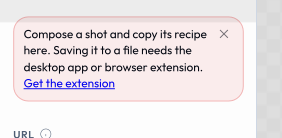
Until it is installed, URL Screenshot still opens so you can compose a shot, and a note at the top of the tool's controls says what is missing.
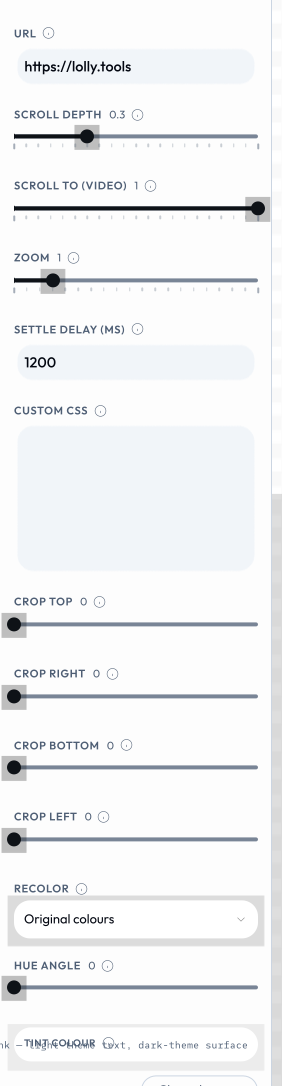
Every control is live while you wait: the target URL, the scroll depth, the settle delay, the crop insets and the recolour. Only the capture itself needs a host.
Install
From the Chrome Web Store
Coming soon. Once it's published you'll install it in one click, then reload Lolly.
Load it yourself (developers)
The extension lives in the repo at shells/chrome-extension/.
- Open
chrome://extensions. - Turn on Developer mode (top-right).
- Click Load unpacked and choose the
shells/chrome-extension/folder. - Reload Lolly - URL Screenshot now works in the browser.
How it works
- A small script tells Lolly the extension is present, so the URL Screenshot tool switches on automatically - no setup.
- When you render, the extension opens the target page in a background tab, captures it via the DevTools Protocol (the same
Page.captureScreenshotthe desktop app uses), then closes the tab and hands the image back. - It runs entirely in your browser, on your network - so capturing
localhostor an internal site works, and nothing is sent anywhere.
While a capture runs you may briefly see a "…started debugging this browser" banner on the temporary tab. That's the DevTools Protocol at work; it clears itself when the shot is done.
After installing
Reload the Lolly tab. The "Get the extension" prompt disappears and URL Screenshot becomes available in the gallery and in Batch mode.
Permissions
It asks for three things in its manifest.json:
debuggerandtabs- to drive a background tab and capture it via the DevTools Protocol.host_permissions: ["<all_urls>"]- host access to all sites, because you can point it at any URL you choose. Chrome surfaces this at install time as a broad "read and change all your data on all websites" warning.
Despite that warning, it only reads the single page you ask it to capture, and it does not read or transmit your browsing data - nothing is uploaded anywhere.
Troubleshooting
- Still seeing "Get the extension"? Reload the Lolly tab - detection happens on page load.
- Nothing happens on this site? The extension only activates on Lolly's own origins. Running a custom build on another domain? Add it to
content_scripts.matchesin the extension'smanifest.json. - A capture fails? Check the URL is reachable and starts with
http://orhttps://. Some pages actively block automated capture.