
This guide covers the optional organisation service. Configuration, console and API paths refer to your Lolly Work instance. The packaged console keeps its release-matched copy of this guide.
A partner can work through an AI agent too. A token you issue for the agent sees what that company's people see: the same tools, files, templates, input rules, company details and licence gate. It reads your brand guidance and its company's details over your organisation's MCP endpoint, and the files it makes record the company and programme, never the agent.
 signed by Lolly Demovector SVG10 paths130 nodes113 groups2 images187 KBCheck it yourselfसाइन की हुई फ़ाइल पाएँ
 signed by Lolly Demovector SVG10 paths130 nodes113 groups2 images187 KBCheck it yourselfसाइन की हुई फ़ाइल पाएँ


This page is part of Run a partner programme.
Give an agent a token
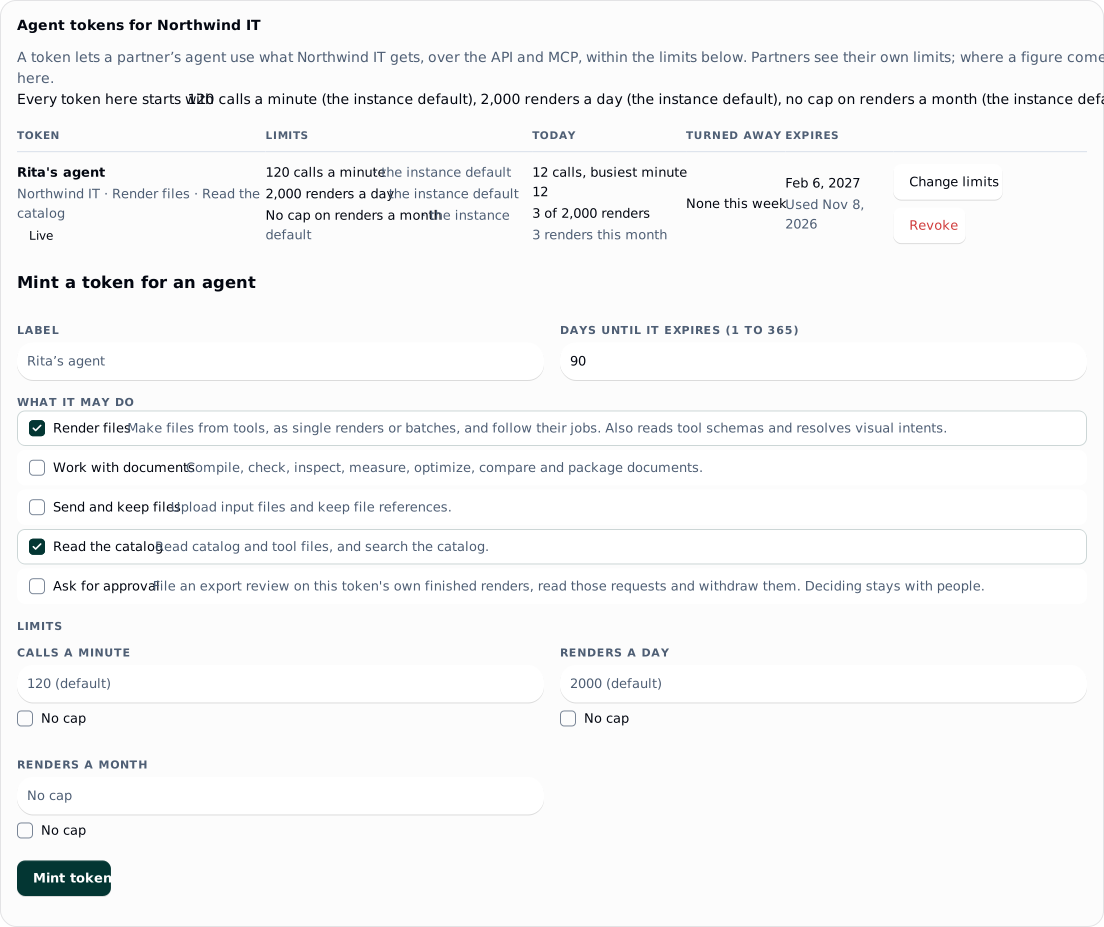
On the programme's page, or a company's, the Agent tokens card mints a token for the agent, for the programme or one company, and shows its secret once. Mint token takes a label, the company, the scopes, the days until the token expires and any limits, then shows the secret once, with Copy. Anyone with programme.manage for a programme issues its tokens; a grant of programme.manage on programme:<id> lets its holder manage that programme's tokens only. The server sets what the request cannot: the automation role, the programme's and company's groups and the partner group.
- Scopes.
renderandcatalog.readby default;documentsandfilesmay be added, and so mayapprovals.request(Partner approvals).deliveryandaudit.readare refused for programme tokens: a delivery sends to your own destinations, and the audit holds people's names. - Tools. A list inside the programme's own.
- Expiry. 90 days by default, between 1 and 365. The list marks a token with under 14 days left as expiring; no notice is sent.
- Revoke on the card, in two steps. A programme token is never moved out of its programme, only revoked. Ending the programme or company revokes its tokens.
Limits and usage
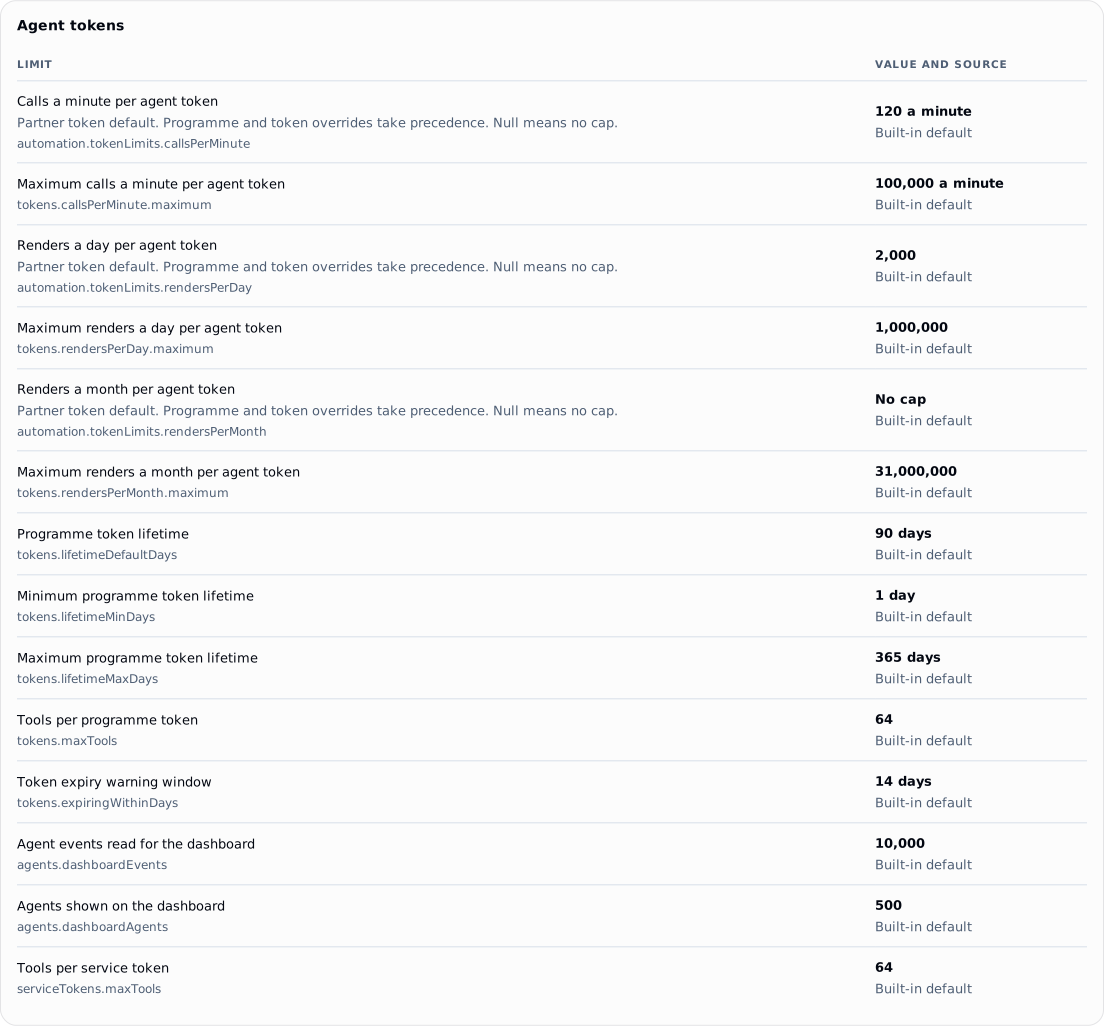
Every token placed in a programme meets three limits:
| Limit | Default |
|---|---|
| Calls a minute | 120 |
| Renders a day, in UTC | 2,000 |
| Renders a month, in UTC | No cap |
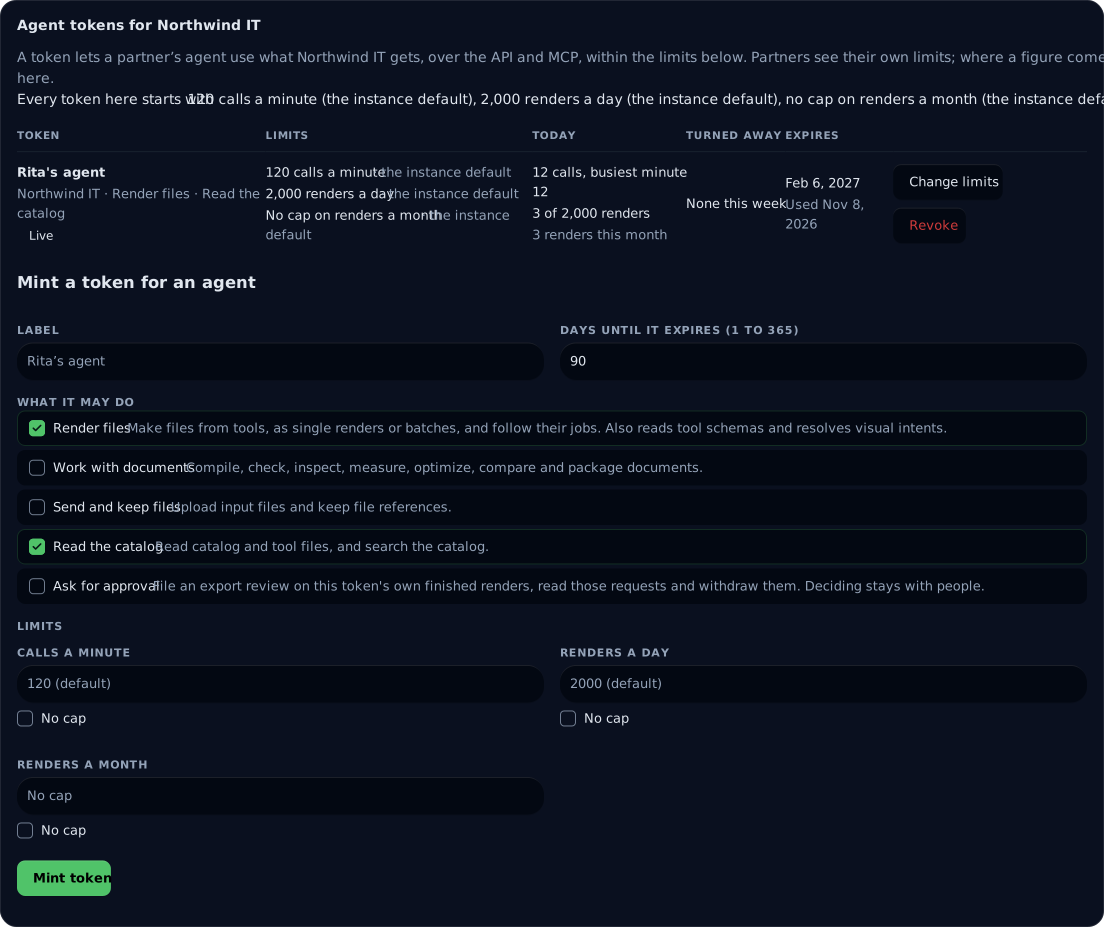
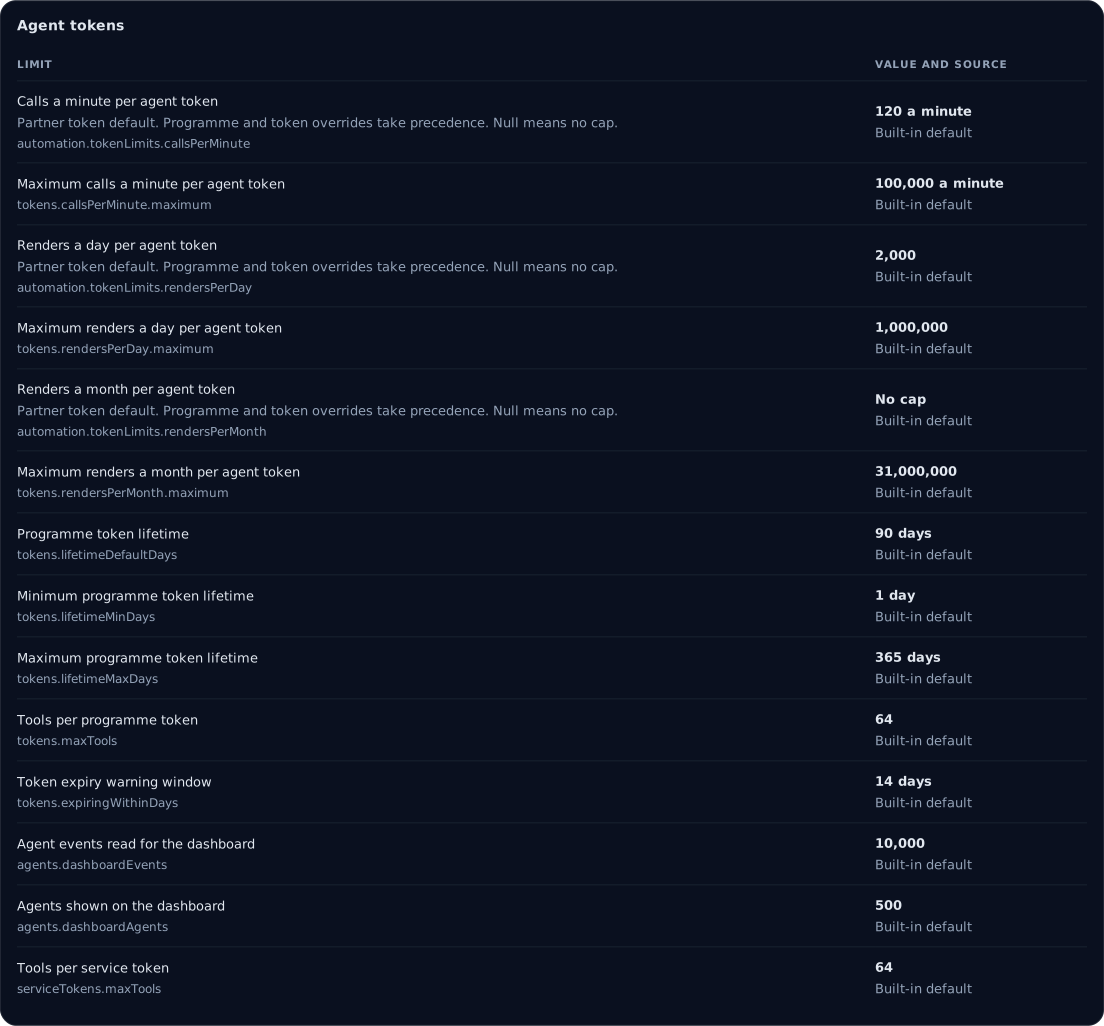
The Agent tokens card shows each limit with where the figure comes from and today's use against it, with what a limit turned away this week and when. Change limits sets a token's own figures; a blank field takes the programme's. Change the programme's limits sets the figures every token there starts with. The token's own figure wins, then its programme's, then the instance default. A token over a limit is refused with plain words and the time to try again, such as "This token has used its 2,000 renders for today. The budget renews at 00:00 UTC." A render the budget cannot hold is refused whole.
The Agent tokens card on the Limits and quotas tab
 signed by Lolly Demovector SVG141 groups178 KBCheck it yourselfसाइन की हुई फ़ाइल पाएँ
 signed by Lolly Demovector SVG141 groups179 KBCheck it yourselfसाइन की हुई फ़ाइल पाएँ


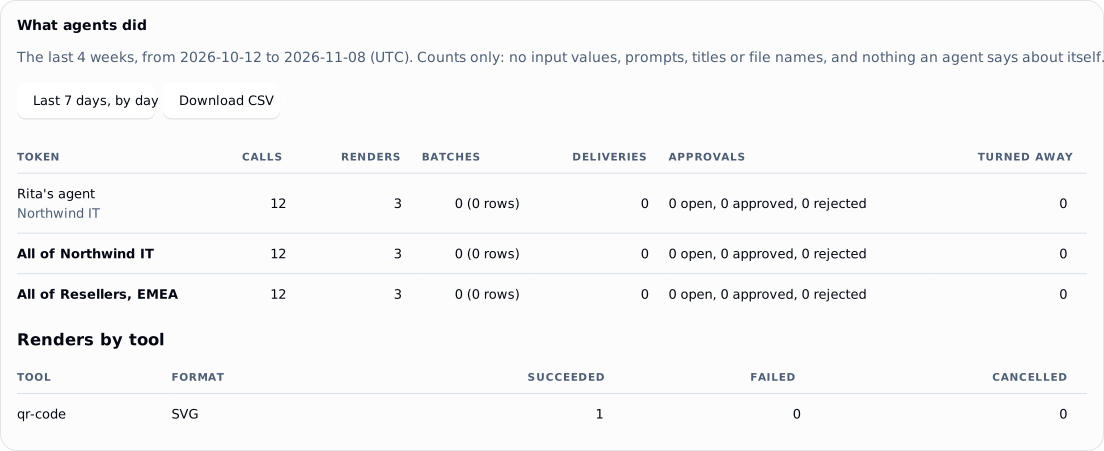
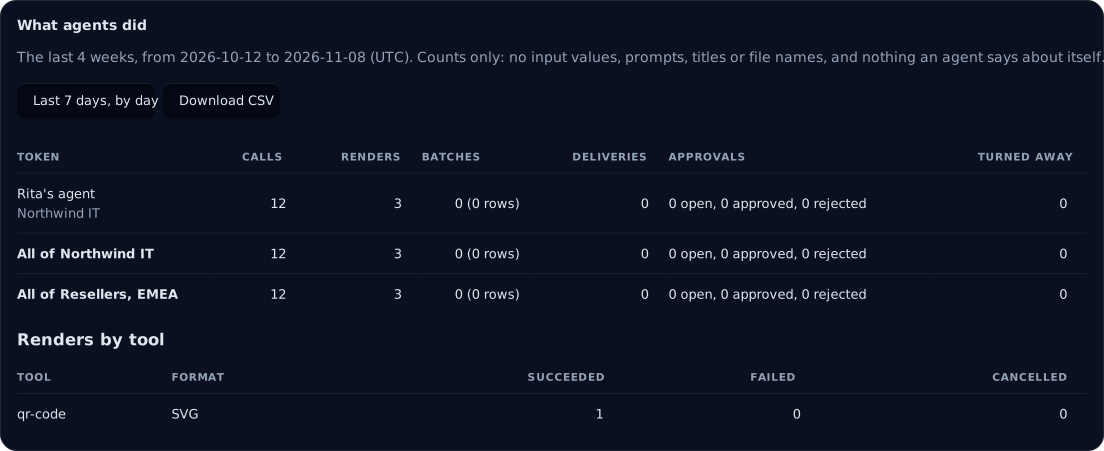
What agents did, on the same page, totals what each token did over the last 4 weeks or the last 7 days, and Download CSV gives the same counts week by week or day by day: calls, renders, batches, deliveries, approval requests and refusals, with totals per company and for the programme. The counts hold no input values, prompts, titles, file names or agent names.
 signed by Lolly Demovector SVG2 paths26 nodes76 groups175 KBCheck it yourselfसाइन की हुई फ़ाइल पाएँ
 signed by Lolly Demovector SVG2 paths26 nodes76 groups175 KBCheck it yourselfसाइन की हुई फ़ाइल पाएँ


What an agent reads
The organisation MCP endpoint offers resources to a service token, each read counted as one call:
lolly-work://me: the token's programme, company, scopes, tools, expiry, limits and today's use.lolly-work://brand, withDESIGN.mdand the design tokens: your brand guidance. A published brand page supplies these when you serve one; otherwise Lolly Work writes them from your design system. Brand skills reach a partner's agent only when markedpublic.lolly-work://partner/companyand its logos: the token's own company, never another.lolly-work://partner/kitand its logos,lolly-work://partner/kit/logo/{surface}: the partner kit of the token's own company. Both needcatalog.read.lolly-work://partner/templates: the templates in the token's feed, with what each leaves open, what it takes from the company and whether it is retired.
The same answers are at GET /api/v1/context/* for REST callers.
Templates by purpose
An agent can ask for a piece by what the piece is for, with resolve_intent, rather than by tool. When the agent asks, your templates are offered where their purposes fit. Set a template's purposes with Purposes on the programme's Templates card, which then reads, for example, "This template is for: Promote · Banner, Social landscape". Inputs the company fills count as given, so an agent for Northwind IT is never asked for the partner's mark or the company name. A retired template is never offered.
Worked example: Northwind IT
The worked example on Run a partner programme follows Northwind IT, a reseller in Resellers, EMEA, through every subject. Its seventh step happens here.
7. Give Rita's agent a token
Console. On Northwind IT's page, use the Agent tokens card. Give the label "Rita's agent", keep the default scopes and the 90 days until the token expires, and press Mint token. Copy the secret, which is shown this one time, press I have copied it and hand the secret to Rita.
lw.
lw tokens add --programme resellers-emea --company northwind-it --label "Rita's agent"Step 7 with the API
POST /api/v1/programmes/resellers-emea/tokens
{ "label": "Rita's agent", "company": "northwind-it" }
The answer is 201 with the token's id (tok_…), label, company, scopes (render and catalog.read by default), expiresAt (90 days on), its limits and today's use, and token, the secret (lwt_…). The secret appears in this answer only.
Rita's agent connects to your organisation's MCP endpoint with the secret. It sees what Rita sees, renders the data sheet with only the price, colourway and mode open, and its files record Northwind IT, never the agent.
Next: 8. End the partnership on a date.
Every option
- Minting, scopes, expiry and placing an existing token: Programme tokens
- Every limit, its commands and the refusal codes: Limits and usage
- Resources and their REST twins: What an agent reads
- Purposes, and describing a render from a template: Templates by purpose
- Review requests and delivery: Approvals for agents
- The instance limits for every area: Limits and quotas