
Lolly shipped as open source in August 2026, and SUSE is its first customer. This page is the honest account of who it is for, how people are meant to adopt it, how we know whether it is working and who governs what it produces.
Most of this platform's documentation describes what Lolly can do. This page describes what Lolly is doing right now: running SUSE's own rollout as the first pilot, gathering evidence and trying to change a behaviour - how ordinary, non-designer colleagues get an on-brand file made.
Status
Lolly is released, and its evidence is young.
- Version 1.0 is public. The engine, every shell, the schemas and the docs shipped under MPL-2.0 on 30 August 2026, with installers for macOS, Linux, Android and iOS and the hosted app at lolly.tools. SUSE runs the same code on its own instance. Features, defaults and the tool catalog still move between releases as we learn.
- Its security is strong by design and not yet independently audited. The C2PA provenance seals, the X.509 identity handling and the on-device PDF, ZIP and link encryption are built on standard algorithms, covered by fuzz targets and a written threat model, and hardened inside SUSE's own security practice. An independent audit has not been done. Where a contract requires that assurance, it does not exist yet.
- The maths is settled; the adoption data is not. The engine is deterministic and a render reproduces byte for byte. Real-world adoption evidence is a few months old, most of it SUSE's own. That is by design: we collect stories from people voluntarily, never data invisibly.
- If you're using it, we need your story. The architecture is done; the evidence is not. What actually improves Lolly from here is real usage - what worked, what didn't and what you managed to make. See We need your story.
The framing matters: judged as a finished marvel, Lolly could disappoint you at the fringes. Judged as a platform proving a specific behavioural change - routine asset creation, done safely and professionally, by the person who needs the file - its job and its measure of success are clear.
Who Lolly is for
Adoption succeeds or fails on the producer - the non-designer who has to make something on-brand. Everyone else in this table exists to make that person's path frictionless.
| User | Who they are | The friction Lolly removes | What they adopt |
|---|---|---|---|
| The producer | Marketers, sales, events, ops, comms - non-designers who need finished, on-brand files | "I need this now and I don't want to break the brand" | The app: pick a tool, fill in fields, get the asset |
| The brand creative owner / designer | The people who own how the brand is expressed | Re-typing the same layout, policing off-brand output after the fact | Authoring tools & the asset catalog - encoding the rules once |
| The developer / platform team | Engineers who automate and deploy | Storing binaries in Git, custom renderers, cloud image bills | The CLI, URL mode, MCP endpoints, self-hosting |
| The AI agent | Automated workflows that produce assets | Token-expensive, drifting, un-auditable image generation | The MCP tools - deterministic renders from parameters |
| IT & security | The people accountable for data leaving the building | Colleagues uploading sensitive files to random web tools | On-device utilities, air-gapped deployment, governance-as-data |
The pilot's centre of gravity is the producer. If producers don't self-serve, nothing else matters - the developer integrations and the governance model are means to that end.
One producer case is easy to miss because it is not marketing at all: critical communications. Incident notices, compliance reports and executive briefings are structured data that needs to become a clear, finished document in minutes, at any hour, with no design bottleneck in the path. A tool authored once for each of those formats means the 2am incident notice comes out as correct as the campaign poster did.
What onboarding looks like
The first 15 minutes (any producer)
- Open Lolly - the public web app needs no install, no account and no sign-up, and it makes your files in the browser. An organisation's own Lolly may ask you to sign in (Use Lolly at your organisation).
- Pick a tool that matches what you need (an event tile, a quote card, a signature).
- Fill in the fields. No fonts, colours or spacing to decide - the tool already holds the brand rules.
- Get the file. Download it, copy a share link or export a batch. Done.
- Save your work - reopen it later as a session, file it into a project or turn it into your own template to start from next time. No git, no waiting.
Step 3 is the one that carries the pilot. A tool opens with the brand already on it, so the only thing left to decide is the words.
 signed by Lollyvector SVGPeriksa sendiriAmbil file bertanda tangan24 paths~1.0k nodes13 groups27 KB
 signed by Lollyvector SVGPeriksa sendiriAmbil file bertanda tangan24 paths~1.0k nodes13 groups27 KB


The measure of a good onboarding here is blunt: did they leave with a finished, on-brand file, without asking anyone?
The brand owner / designer
Onboarding is about handing over control of the rules, not the output:
- Define the asset catalog - logos, palettes, fonts as permanent IDs.
- Author the tools most in demand (start with the two or three asset types your team asks for weekly).
- Convert one high-visibility output and show the before/after side by side - this is the single most effective adoption lever.
- Set the guard-rails: lock what must never change, expose only what's meant to vary.
 signed by Lollyvector SVGPeriksa sendiriAmbil file bertanda tangan97 paths~10k nodes98 groups226 KB
 signed by Lollyvector SVGPeriksa sendiriAmbil file bertanda tangan97 paths~10k nodes98 groups226 KB


The developer / platform team
- Run a tool from the CLI to see the same engine the app uses (
lolly qr-code --url=… --output=…). - Wire a render into a build step or an MCP endpoint.
- Decide the deployment model: hosted PWA, self-hosted or air-gapped runner pods.
The Dashboard's capability map is the inventory to scope that decision against: every part of the platform as its own card, grouped by what it makes and where it runs.
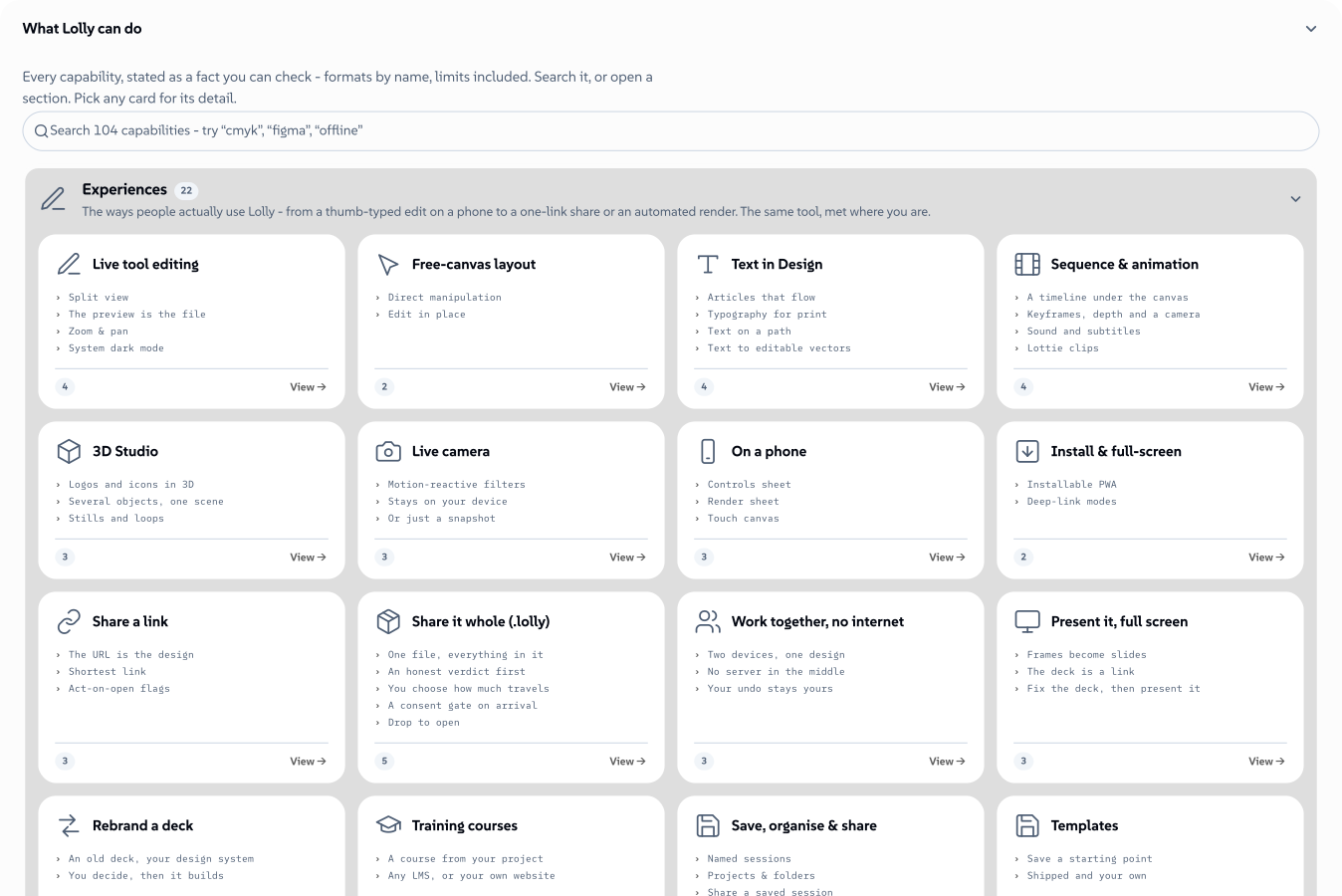 signed by Lollyvector SVGPeriksa sendiriAmbil file bertanda tangan186 paths~34k nodes349 groups386 KB
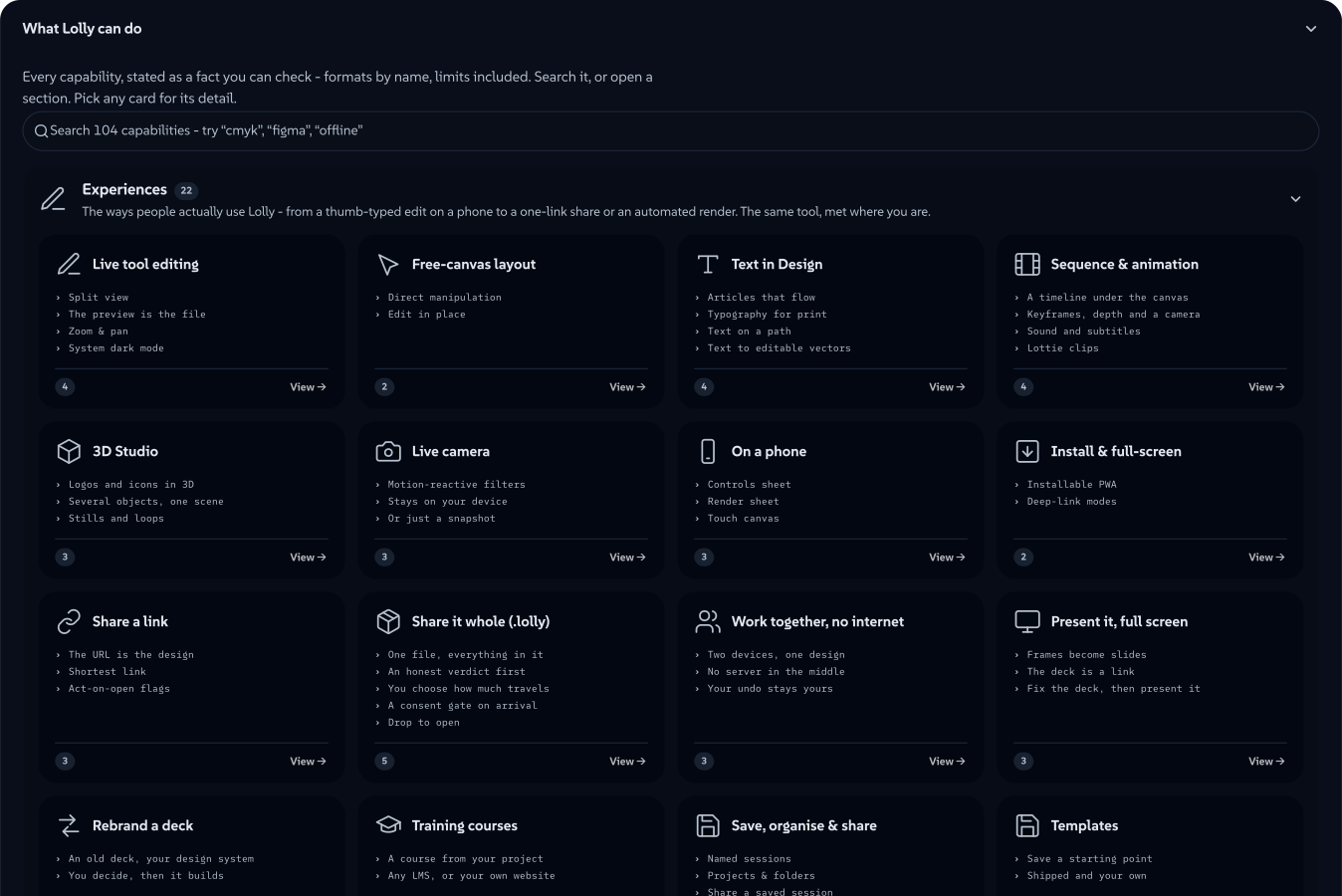 signed by Lollyvector SVGPeriksa sendiriAmbil file bertanda tangan186 paths~34k nodes349 groups386 KB


IT & security
- Confirm the data posture for the workflows you enable. Local editing and verification run on-device. Optional lolly.work adds organisation identity, shared content, server jobs, configured telemetry and audit records; review Server Surface and Privacy.
- Scope a first rollout to a low-risk context; the independent assurance described in Status is still open.
- Decide who owns governance - see Governance below.
Measuring adoption
We measure a behavioural change, not feature usage. The north-star is self-served requests: routine creative requests that people now serve themselves.
| Signal | What it tells us | Type |
|---|---|---|
| Activation | Share of invited pilot users who render at least one real asset | Leading |
| Self-serve rate | Assets people made themselves | Leading |
| Time-to-asset | Brief → finished file, in minutes not days | Leading |
| Tool coverage | Share of routine asset types that have a matching tool | Leading |
| Repeat use | Users who come back within a 30-day window | Leading |
| Self-served requests | Routine requests people now serve themselves | Lagging / north-star |
| Story capture | Concrete before/after cases collected from real users | Qualitative |
A leading signal moving without the self-served number following is a warning: people are trying Lolly but are not yet making their own files with it. That number is the one that says the behaviour actually changed.
Standalone usage counters stay on each device. If you deploy lolly.work, its telemetry and dashboards can measure allowed usage labels across the instance, with off, aggregate and standard modes. Decide the attribution and consent policy before the pilot. Usage telemetry is separate from the audit record of governed actions, and neither measures the quality of the finished work for you.
The 90-day pilot cycle
Adoption runs on a 90-day feedback loop. Each cycle:
- Weeks 1–2 - Onboard a cohort. Bring in one team, author the tools they most need, remove the obvious blockers.
- Weeks 3–10 - Use and observe. Watch the leading signals; collect stories; fix what's in the way.
- Weeks 11–12 - Look back and re-aim. Read the self-served number, decide which tools and which next cohort come next.
The 90-day cycle is the cadence. It is not the goal - it's how often we re-check whether the goal is moving.
Governance, when a team wants a process
Most people just make things - work in the app, save what they make as a session and pass it on as a share link, a backup or a live collaboration, with no git and nothing to wait for.
They can go further without touching git at all. From any tool, Save offers save as a template and save as a variation: the current doc becomes a named starting point that appears in that tool's "New from template" chooser the next time it opens, kept with your profile. No deployment owner, no commit, no pull request. To hand one to a colleague, share it as a .lolly file - a self-contained bundle anyone can import - or submit it for catalog inclusion. A marketing team can build, name and circulate its own variations of a tool entirely inside the app.
This is the answer to a claim you will hear often: that governance by git is a roadblock for anyone who does not live in git. Here it never was the only path, and it is no longer the default one. Brand governance lives inside the tool itself - the rules are part of the instrument, not a gate laid over it (see the guard-rails bullet below), so staying on-brand costs a producer nothing to learn and nothing to wait for.
A git-backed catalog gives an organisation a reviewable source of truth. Its maintainer records template values in the brand pack and commits them; clients then see that template in the chooser and through ?template=<id>. Creators can submit their work without using git themselves. This is one way to manage a shared catalog.
lolly.work supplies another part of the same solution: an optional, separately deployed organisation service. It adds OIDC SSO and SCIM, group permissions, managed profile fields and tool controls, a shared asset catalog with uploads and federation, shared projects and work collabs, approvals, governed delivery, server render jobs, telemetry and audit. See Deployment and the operator documentation.
- Choose how catalog changes are reviewed. Git review works for repository-managed packs. lolly.work's shared asset catalog supports uploads, metadata, versions and approval workflows without making each contributor use git. Federated providers remain the source of truth for their own assets.
- Choose what is shared. Personal libraries remain on-device; team projects and shared assets live on the organisation's service and follow its access and retention policies.
- Guard-rails are structural, not advisory. Brand constraints are hard-coded in the tool; even the open canvas (the Design tool) conforms colours, type and assets to the brand globals. Off-brand output isn't policed after the fact - it's prevented at authoring time.
- Feature flags put control local. Parts of Lolly can be turned on or off per deployment. Whoever runs the deployment owns those.
- Configuration is yours. lolly.work provides organisation authentication, policy and reporting; configure the supported controls for your deployment. Signing can use the optional Lolly CA or your own certificate authority.
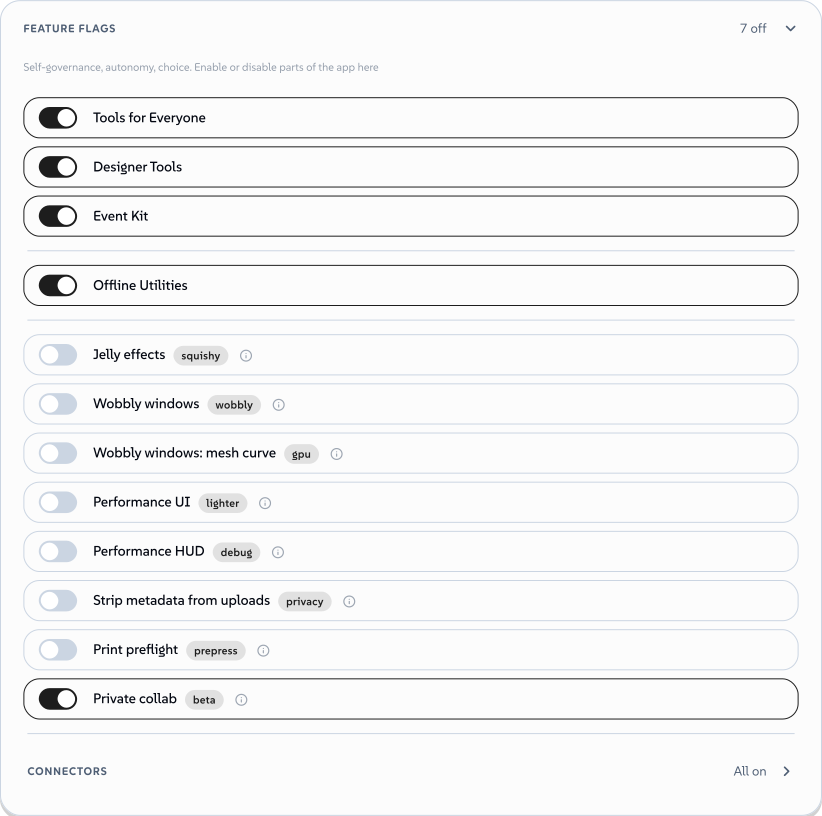 signed by Lollyvector SVGPeriksa sendiriAmbil file bertanda tangan43 paths~7.4k nodes111 groups91 KB
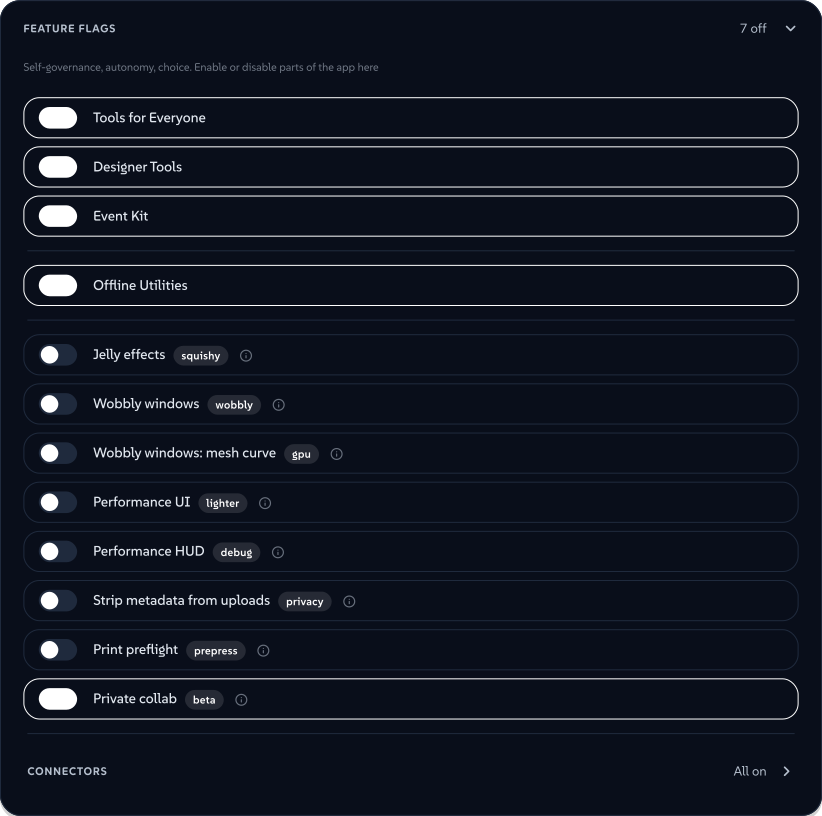 signed by Lollyvector SVGPeriksa sendiriAmbil file bertanda tangan43 paths~7.4k nodes111 groups91 KB


The most common adoption set-back is not technical; it's framing and change management. Existing processes work today even when the output is off-brand, and "we can already make files" becomes the excuse not to migrate. The counter is to convert one high-visibility output well and let the before/after make the case. See the FAQ on adoption hurdles.
We need your story
Standalone Lolly does not report usage to the project. An organisation can collect its own configured telemetry in lolly.work, but those records stay with its operator; they do not automatically reach us. To learn how your pilot works, we depend on the evidence you choose to share.
If you are piloting Lolly, the most valuable thing you can contribute is a concrete before/after: what you used to do, what you did with Lolly, how long it took and where it fell short. That evidence - not more architecture - is what moves this from a promising prototype to something proven.
Honest limitations
To keep the framing straight, the things Lolly is not yet:
- Not yet independently certified. See Status. The cryptography and parsers are fuzzed, threat-modelled and hardened inside SUSE; no independent party has certified them.
- Not finished. Version 1.0 is the start of the public record; expect rough edges and change between releases.
- Not a turnkey pack of your templates. Lolly is a platform - someone has to author the catalog and the tools before producers can self-serve.
- Fit depends on the workflow. Design, animation and imported layouts support original creative work as well as repeatable templates. Check the specific editing, collaboration and governance features your team needs in the comparisons.
- Not yet backed by much evidence. The maths is sound; the track record is months old. Help us change that.