
Last updated: 23 October 2026
Making things in Lolly happens on your device. Opening a tool, typing, previewing, exporting and checking a file all run in the app on your phone, computer or browser. You need no account, and the app sets no cookies for any of that.
What you make leaves your device only when you ask. Adding a Google Font, sending a file to Drive or Dropbox, turning on Sync, playing the radio or downloading an on-device AI model each makes a request you started. The app also fetches its tools and updates from its own address, and those requests carry nothing you made. Every network request the app can make lists them, host by host.
A few Lolly services run on a server. Render links, the image fetcher, the AI-agent endpoint and the verified-identity service receive only what you send them, and keep it no longer than this page states.
Your organisation's Lolly Work instance is different. It stores the shared work you put there, and its operator's policy applies to that data, not this one.
Your device
Your work stays here
- Documents, sessions and history
- Uploaded images and fonts
- Preferences and offline copies
- Models and tools you downloaded
Comes in, carrying nothing of yours: tools, fonts, emoji sets, models, radio
You send, sync or open
Places you choose
The one file, backup or page request you started
You call a service
Services lolly.tools runs
Only what you send, kept no longer than the policy states
You sign in at work
Your organisation's Lolly Work
Shared work you put there, under your operator's policy
Nothing reaches any of these until you act: a send, a sync, a service call or signing in to your organisation. Clearing your device does not erase what a server holds.
Where your data goes: it stays on your device unless you start a request, and each kind of request has its own destination.
signed by Lollyprivacy-where-data-goes.htmlHTMLpixels, not shapes9 KBAI generatedgenerated by Claude Opus 5.5Check it yourselfGet the signed fileWhat this policy covers
Lolly is open-source software that anyone can run: an engine, app shells for the web, desktop, mobile and the terminal, and a browser extension. This policy has two parts:
- The software itself: what it does and does not do with your data, wherever it runs. This is a property of the code, so it is true of every Lolly deployment, ours or anyone else's.
- lolly.tools, the reference deployment SUSE operates: the choices made in running its optional server pieces, such as what is logged, for how long and by whom.
On a self-hosted or enterprise Lolly instance, the software behaviour below still applies, but the operator of that instance, not SUSE, is responsible for anything on their servers: their render endpoint, their MCP server, their certificate service and their Lolly Work instance. Ask them for their own policy. Adoption & Governance describes what operating Lolly involves.
What stays on your device
Lolly's web, desktop and mobile apps run the whole render engine on the device. Once the tools, assets and encoders you use are on the device, rendering and downloading need no server.
Standalone app use sets no cookies. Organisation sign-in and the optional verified-identity enrolment have their own cookies, described in their sections. The app keeps these records on the device:
- Interface preferences: theme, language, sound settings, sidebar and zoom sizes, sort and view choices and which tips you have seen, in
localStorage, so they are ready before the app finishes starting. - An offline cache of the tool catalogue and asset previews, so the gallery works without a connection.
- Local usage counters for your profile card's stats, such as how many exports and which tools: a small bounded record in
localStorage, never read by us and never sent anywhere. - Your own work: documents, saved sessions and their history, uploaded images and fonts, file results and earlier versions, and the Trash, which keeps deleted items for 30 days. These live in IndexedDB on the device and stay there unless you choose Sync or sharing.
- Meeting Planner's city lookups, in
localStorage, so each city is looked up once. - Downloaded models and pinned tools: on-device AI models you agreed to download and tools you pinned for offline use.
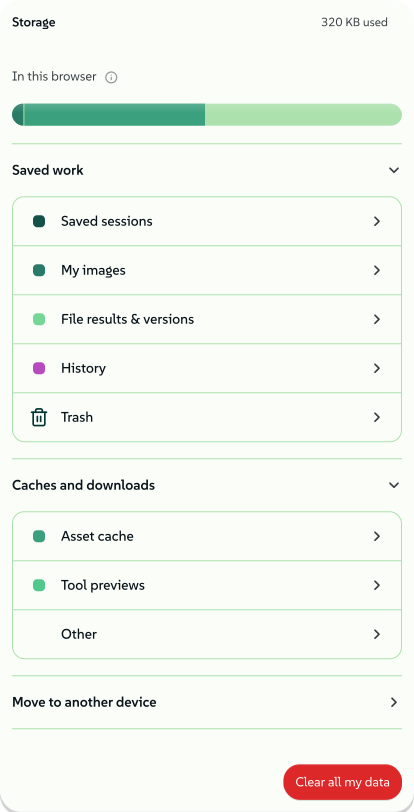
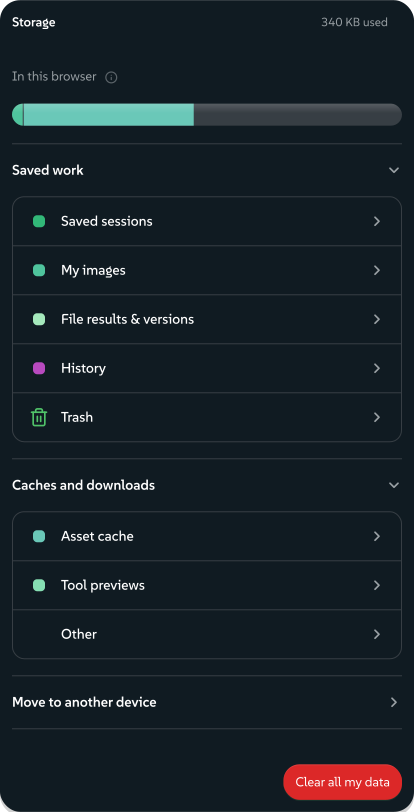
Settings → Storage shows how much space Lolly uses on the device, with your work, the Trash, downloaded models, offline copies and caches listed one by one. Clear all my data there removes the local copy, and turns off Sync first; clearing the site's storage in your browser does the same. Storage that is strictly necessary for the service you asked for needs no consent under the ePrivacy Directive (Art. 5(3)), only transparency, which is what this document and the in-app notice provide.
 signed by Lollyvector SVG31 paths~4.2k nodes88 groups58 KBCheck it yourselfGet the signed file
 signed by Lollyvector SVG31 paths~4.2k nodes88 groups58 KBCheck it yourselfGet the signed file


Export my data produces a lolly-backup file that you keep and control. It never touches our servers unless you send it somewhere yourself. See Data transfer.
Utilities that run on your device
Some tools, such as Strip Hidden Data, Compress and others with the Runs on your device badge, work on a file you provide. The file is read into memory, transformed on the device and offered back as a download. It is never uploaded, because there is no server in the path. These utilities work offline, and their output carries no watermark or metadata of ours.
Rondocode is the one exception, because it makes new audio from your song rather than transforming a file of yours. Every audio file it writes carries Content Credentials that record the song and declare any AI-generated singing. The Export panel says so before you export, and Rondocode songs lists exactly what is recorded.
 signed by Lollyvector SVG2 paths824 nodes5 groups12 KBCheck it yourselfGet the signed file
 signed by Lollyvector SVG2 paths824 nodes5 groups12 KBCheck it yourselfGet the signed file


Prepare for sharing and Compare work in memory on the device and send nothing to a server, and Prepare adds nothing to history, links, backups or Sync until you save a result.
How Prepare for sharing and Compare handle your files
Prepare for sharing holds working inputs, private findings and replacement maps in memory, without adding them to history, links, backups or Sync. Inspection and replacement send no file contents to a server and check no credentials online. You choose whether to copy, download, send or save a result to your library; a saved result then follows your library's backup and Sync settings. Recipe files leave out earlier content and literal mappings, and summary reports contain counts, scope IDs and file hashes. The CLI saves a private review file with the original values only when asked to with --review-file. Leaving a preparation view releases its working state, which is not a promise of forensic erasure from browser or operating-system memory.
Prepared copies and finished file operations share the Compare controls. Removed values start collapsed, and comparison reports leave out source names, paths and values unless you choose to include them. File history saves the copy, so comparing after a reload means selecting the original again, matched by its recorded SHA-256. Selecting it does not save or upload the file.
Strip Hidden Data and Prepare for sharing also inspect DOCX, PPTX and XLSX files on the device. Supported DOCX files can have selected properties removed in a new copy; other Office content is inspect-only, and private previews stay behind a reveal control.
What the Office inspection reads and removes
| Office format | Package content inspected | Removal supported |
|---|---|---|
| DOCX | Core, application and custom properties; comments and authors; tracked-change markers and previews; hidden text runs; external relationships; embedded objects | Selected author, last saved by, created/modified/last printed dates, title, subject, description, keywords, custom properties, Company, Manager, Template, hyperlink base, application name and version, and statistics (total editing time and page, word, character, line and paragraph counts) |
| PPTX | Properties; comments and author records; speaker notes; hidden-slide markers; external relationships; embedded objects and supported nested workbooks | None |
| XLSX | Properties; comments and notes; hidden-sheet, row and column markers; defined names; external relationships and connections; external-link and pivot cache surfaces; embedded objects | None |
Limits. The census does not fully inspect visible text, formulas, dependencies, rendered appearance or arbitrary binary parts. It supports up to 300 package parts, 64 MiB of total declared expansion, 2 MiB per XML part and two nested levels of embedded packages; Prepare shares the part and expansion budgets across the whole job. Truncated, malformed, encrypted and unsupported content is reported and kept. Macro content is identified and never run, legacy binary Office formats and XLSB are not inspected, and external references are never fetched.
What DOCX cleanup keeps. Cleanup supports the transitional DOCX package format with canonical core, custom and extended property parts. From extended properties, Company, Manager, Template, HyperlinkBase, Application, AppVersion and the statistics TotalTime, Pages, Words, Characters, CharactersWithSpaces, Lines and Paragraphs can be removed. DocSecurity, heading and part titles, link flags and other application properties are kept. Removing Template leaves any attached template link in the document settings, where the census reports it as an external relationship.
Some readers choose how to draw charts and drawings from the application name and version; LibreOffice, for example, shows a chart from a Word 2007 file differently without them. Both are kept when the file contains charts, pictures, shapes or embedded objects, and the inspection lists them as kept. A property that a Word field shows (TEMPLATE, EDITTIME, NUMPAGES, NUMWORDS or NUMCHARS) is kept, and link fields and relative external links keep HyperlinkBase, because their targets resolve against that base address.
What stays inspect-only. Extended digital-signature data prevents cleanup. Signed, macro-enabled, encrypted, malformed, renamed or nested Office packages stay inspect-only. So do files with other property-dependent Word fields, such as DOCPROPERTY or AUTHOR, or with XML-bound content controls, because removing a property could change the document when Word updates those bindings, and cached field text cannot show that the next rendering will look the same. XML parts with unusual filename extensions, Word XML relationship targets that cannot be safely inspected, wrongly declared header or footer parts and SVG parts declared as XML with a .svg extension also stay inspect-only in this first cleanup release.
How cleanup checks its work. Property parts, their declarations, unrelated package members, XML comments and ZIP comments are kept. Cleanup applies the census limits and checks every member's integrity before writing, then inspects the resulting properties again. Compare shows supported property differences with values collapsed; it does not compare visible text or rendered appearance. Values use previews of up to 2048 characters, so differences beyond a preview may not show, and a partial review cannot establish that two files are equal. The CLI's prepare --strip-hidden-data removes supported DOCX properties, and a private review envelope can select individual ones. A failed cleanup guard keeps the file and reports a failed operation.
Every network request the app can make
Most requests bring tools, fonts or models to your device. Send actions transmit the file you chose, Sync transmits a backup to the storage you chose, and organisation services transmit the content or details needed for shared work. Each group below lists what leaves your device, when, and what happens if an operator blocks the request. An operator's configured identity and asset providers can add destinations to that deployment. Every fixed host, in one table lists the hosts the web app may contact.
Things fetched to your device
- The tool catalogue. Nothing personal: a request for Lolly's own public tool and asset index, to the app's own address, on start-up and then cached offline. If blocked, the app runs on its cached tools and stops discovering new ones.
- Emoji sets. The set you choose downloads from the app's own address the first time you use that set. Nothing personal is sent. Lottie animations are read on the device and contact no one.
- Google Fonts. The chosen family name and your IP address go to Google's font servers (
fonts.googleapis.comfor the stylesheet,fonts.gstatic.comfor the font file). This happens only when you add a Google Font in Design System Setup, and only after you agree in a dialog that says exactly this. Each family is fetched once, then kept on the device and used offline. If blocked, the picker fails closed; upload a font file instead. - On-device AI models. Nothing personal: a model-file download, then kept on the device. Web builds use the app's own address by default; a build can name another model host, such as Lolly's release host
lolli.lifor the packaged apps. The host receives the request and your IP address, with no account and no model inputs. This happens only when you use a feature that needs a model (Verify's deep scan, image upscaling, speech and similar) or choose to download models for offline use. If blocked, that feature waits and everything else works. - ICC press profiles. Nothing personal: a request for a standard printing-condition profile to the ICC's public registry (
registry.color.org,www.color.org), only when you click an ICC preset in the print-profile manager, once per profile. If blocked, the presets fail; supply your own.iccprofile. - Internet radio. Nothing personal: a playlist request and an audio stream from the station (
api.somafm.comand the stream server it points at,*.somafm.com), only while you play the optional radio in the sound player. If blocked, the radio fails and every other sound feature works.
A tool that needs live data
- Meeting Planner's city lookup. Today this is the only tool that fetches live data. It asks
geocoding-api.open-meteo.comto turn each city name (the host city and every team member's city) into coordinates and a time zone, with no account, no key and no identifier beyond the request itself. The Host city input explains this, and each answer is saved on the device so a city is looked up once. It runs only while the tool is open. If blocked, the lookup fails and nothing else is affected.
Files you send
Each of these sends only the one file you chose, when you press its Send button, after a sign-in you complete in the service's own window. The Bluesky app password, the Discord webhook address, the Nextcloud app password and the S3 keys are stored on this device only, never in a backup, and Disconnect wipes them.
- Google Drive. The file, in any format, goes to Google's Drive API (
www.googleapis.com). Lolly's access is limited to files it created (thedrive.filescope), so it can never read the rest of your Drive. In the web app the sign-in token is held in memory for the session and never stored; in the other apps a refresh token is stored on this device only if you tick Stay connected. The button exists only on builds where the operator configured a Google client id. If blocked, the button never appears; download the file and upload it yourself. - Dropbox. The file goes to Dropbox's API (
api.dropboxapi.comfor sign-in and metadata,content.dropboxapi.comfor the file). Access is app-folder only, so Lolly seesApps/and its own folder there and nothing else. The Open link it shows is a short-lived private link, and no public share is created. A refresh token is stored only if you tick Stay connected. The button exists only with an operator-configured Dropbox client id. - OneDrive. The file goes to Microsoft's identity and Graph services (
login.microsoftonline.comfor sign-in,graph.microsoft.comfor the upload); a large file uploads in chunks toapi.onedrive.comor storage origins the operator configured. Access is limited to Lolly's own folder underApps/, plus your display name for the account label. A refresh token is stored only if you tick Stay connected. The button exists only with an operator-configured Microsoft client id. - LinkedIn, in the desktop apps only. The file, with its name as the post text, goes to LinkedIn (
www.linkedin.comfor sign-in in your own browser,api.linkedin.comfor the upload and the post) as a public post on your own feed. Lolly can post as you and read your name for the account label, nothing else. The sign-in is kept only if you tick Stay connected, and LinkedIn's tokens last 60 days and cannot be renewed silently, so it lapses by itself. Those hosts are not in the web app's connection policy. The button exists only on builds with a LinkedIn app configured. - Penpot. Your Penpot personal access token, which you paste into the app, and the
.penpotarchive of the design go to Penpot's API (design.penpot.app) through a small pass-through on the app's own address (/api/penpot), because Penpot's API will not answer a browser directly. The pass-through forwards and forgets; the desktop apps talk to Penpot directly. This happens only when you press Send to Penpot in the Design tool and confirm a project. If blocked, the send fails closed; export the.penpotfile and import it yourself. - Bluesky. The image, its name as the post text and alt text, and your handle and app password (made under Bluesky → Settings → App passwords, never your account password) go to the Bluesky server you name,
bsky.socialunless you choose another. You connect the account first in Settings → Connected services. - Discord. The file goes as an attachment to the channel webhook address you pasted, on discord.com. Anyone holding a webhook address can post to that channel, which is why it stays on the device.
- Mastodon. The file, with its name as the post text, goes to the Mastodon or compatible server you name, after a sign-in in that server's own window. Connecting registers a small app for this device on that server, and the sign-in is kept only if you tick Stay connected.
- Nextcloud or WebDAV. The file goes to your own server in one authenticated upload, with the server address, user name and app password you entered (Nextcloud → Settings → Security → Devices & sessions; never your account password).
- S3-compatible storage. The file goes to your own bucket (AWS S3, MinIO, R2, B2, Garage or any SigV4 endpoint), signed on the device with the key pair you entered.
Hosts you choose need the operator's approval. The Bluesky, Discord, Mastodon, Nextcloud and S3 hosts are not in Lolly's fixed list, because you choose them. The app sends nothing to one until the operator has approved that exact HTTPS host: on the web, in the deployment's Content Security Policy; in the desktop apps, when the app is built. The same applies to custom storage and SharePoint upload hosts. On the web the server must also allow browser calls from the app (CORS), and a redirect fails closed, so use an address that does not redirect. The desktop apps check every redirect against the approved list.
This list limits which hosts the app can reach. It does not tell accounts or tenants apart on Google or Microsoft, and the provider's own permissions decide which accounts and actions are allowed. It also does not cover sign-in windows, other resource types or native features, which have their own rules. A change needs a new desktop build or new web response headers; save your work before reopening the app to pick it up. Connector origins describes the configuration.
Sync across your devices
- What leaves. A copy of what you made on this device (saved sessions and projects, your design systems with their fonts and logos, uploaded images, your profile and preferences) as one file, to the one storage you chose: the Lolly app folder in your Dropbox (
api.dropboxapi.com,content.dropboxapi.com), files Lolly created in your Google Drive (www.googleapis.com), the Lolly app folder in your OneDrive (graph.microsoft.com, with larger files uploaded toapi.onedrive.comor storage origins the operator configured, and downloads from exact storage origins the operator configured), or your own Nextcloud, WebDAV server or S3 bucket. The same storage keeps up to seven daily copies and one copy from before your last apply. - Nothing goes to Lolly. No Lolly server, relay or Lolly Work server is in the path, and the apps need no Lolly website for it, not even to sign in. The copy is encrypted on the device first only if you set a passphrase. Sign-ins, keys, app passwords, the passphrase and the Sync settings stay on the device and are never in the copy. On the web, a remembered Google Drive connection keeps only your account name (and your own client id, if you gave one), and the Google sign-in lasts one visit. In the Android app, the Google Drive sign-in goes through Google Play services on the phone, which Google runs.
- When. Only after you turn on Sync across my devices or press Sync now: an upload shortly after each change and when you leave the app, and a check for a newer copy when the app starts. If blocked, Sync fails and says why, and your work stays on the device. You can export your data to a file and move it yourself instead. Sync your devices covers the feature.
Web pages, captures and pictures from other sites
- A URL you ask a tool to capture. The URL screenshot tool requests the exact address you type, only when you start the capture. Because you choose the address at that moment, it is not in the connection policy, and an operator cannot allow or block it by host; to remove it, remove the tool.
- A web page in a Design box. The page is requested, with your IP address, from the site it comes from, along with whatever the page itself requests. Where the browser supports it, the frame is sent no cookies and no address beyond the app's own origin, so your document and its link never travel with the request. On the web app only these players can be framed:
www.youtube-nocookie.com,player.vimeo.com,www.loom.com,www.google.com(maps) andwww.figma.com, plus reference pages onwikipedia.organd*.wikipedia.org,commons.wikimedia.org,upload.wikimedia.org,www.wikidata.org,www.mediawiki.organdwww.openstreetmap.org. Allow pages from any site, under Settings → Trusted sites, reloads Lolly on your device under a policy that can frame anyhttps:page, and the same rules about trust and asking still apply. A page loads only for a site in your Trusted sites, including the removable reference defaults, or after you approve that box in its inspector; a deck someone sent you shows a picture of each page until then. Before you present, the list offers Just this time and Always trust for each site, and nothing is asked while you present. If blocked, the box shows its picture with a link to open the page in a new tab. Lolly tools and Sandbox demos in a box run on the app's own address and contact no one. - Changing a page you show. A web page box's Use page action lets you reject cookies or close a banner inside the page. For accessible Lolly pages, Hide cookie banners hides known overlays, including OneTrust, without accepting cookies or changing the site's consent choice. Page CSS changes that box's live page and presentation; exports still use the chosen poster. The rules cannot import resources or fonts, and browsers stop Lolly from changing another site's CSS. Sandbox previews have their own CSS editor under Edit in Sandbox.
- A Sandbox demo's web resources. Each stylesheet, script, font or image the demo's code links to is requested, with your IP address and no cookies, from the site that hosts it; files a fetched stylesheet names, such as Google Fonts' font files, count as separate sites. This happens only after you click Fetch & inline, or for a site in your Trusted sites; Always trust beside a file adds its site to that list. If blocked, the demo runs without those files, and the Sandbox lists each file it could not fetch and why.
- Add an image from a URL. Add from URL in the asset picker or Assets requests the exact image address you paste. The web app's own policy stops the browser fetching another site directly, so a small pass-through on the app's own address (
/api/fetch-image) fetches the image and hands back only the bytes; it stores nothing, forgets the address and refuses anything that is not a public image address. The desktop apps fetch the address directly. A Lolly link you paste is not fetched at all: it renders on the device. If the operator turns the pass-through off (LOLLY_DISABLE_IMAGE_PROXY=1), only Lolly links,data:images and same-origin images can be added in the web app, and the desktop apps are unaffected. - A design system from a website. Design System Setup can read one page of a site you name, through the browser extension or the desktop app's own fetch, never through a Lolly server. Nothing is fetched before you press, and links on the page are not followed.
Working with other people and agents
- A private collab. Two devices connect directly, with no server in the middle. The invite and the reply carry the addresses each device can see on its own network, and this build configures no outside address-discovery server, so give them only to the person you are working with. See Working together.
- Nearby, in the desktop app. While you are visible, which is ten minutes when you start a collab invite or, if you turn that on, whenever the app is running, the app announces a random name, the display name you chose and the kind of device on the local network. It announces no email address, account or lasting identifier.
- Invite an agent. The invited document's state, the previews the agent asks for, the agent's identity and its edits pass through the configured live relay (
lolly.ingon lolly.tools) to the agent you invite. An installed hosted plugin also forwards calls through the lolly.tools connector to the relay the invitation selects; the connector keeps no invitation or document between calls. The relay holds invitations and pending requests in memory until you disconnect or they expire: ten minutes for an unused invitation and thirty minutes without activity for a joined one. Your agent's provider handles the data it receives under its own policy. This happens only after you create an invitation in Share and give its instructions to your agent; read access allows inspection and edit access also allows changes. Pause stops changes, and Disconnect or revoking the invitation ends access. If blocked, the agent cannot join or continue, and you keep editing. - Allow AI control, in the desktop app. An agent running on this computer can read and edit the open Design document through a connection that stays on the computer. It is off until you turn it on. Lolly sends nothing to a server for it; the agent's provider handles what the agent reads under its own policy. Threat Model & Trust Boundaries lists what such an agent can and cannot do.
- A remote instance. When you point the app at another Lolly deployment, it receives whatever that instance serves back, through the same catalogue sync, plus a version tag on requests to it (the kind of app and the engine version, the same information a user agent carries), so its operator can see which Lolly versions are in use. On a managed instance, while you are signed in, the tag also carries an install id for this device, so the operator's device list can tell installs apart; leaving deletes the id, and a device that reconnects later presents a fresh one. You choose the host, so it is not in the connection policy. If blocked, switching fails and your local instance is unaffected.
- Your organisation's Lolly Work instance. Sign-in identity and device information, policy requests, the shared sessions, collaboration edits, uploads, approval submissions and delivery files you use, and allowed usage-event labels where configured, go to your organisation's instance, with sign-in through its identity provider. Policy refreshes and enabled telemetry can run during use; shared work, collabs, review and delivery send content as part of those workflows. If blocked, those organisation features cannot complete, and your personal work stays separate. See Organisation services with Lolly Work.
Every fixed host, in one table
The web app's Content Security Policy is what stops a script from reaching any host it does not list. Besides the app's own address, the table gives every host that policy lists, plus the two LinkedIn hosts the desktop apps add, marked as desktop-only. A CI test checks this table against the deployed policy, so a host cannot be added to one without the other.
| What | What actually leaves your device | Hosts |
|---|---|---|
| On-device models in the packaged apps, and release files | A request for a public file, with your IP address | lolli.li |
| Google Fonts | The font family name and your IP address | fonts.googleapis.com, fonts.gstatic.com |
| Send to and Sync with Google Drive | The file or backup you chose | www.googleapis.com |
| Send to and Sync with Dropbox | The file or backup you chose | api.dropboxapi.com, content.dropboxapi.com |
| Send to and Sync with OneDrive | The file or backup you chose, and your display name for the account label | login.microsoftonline.com, graph.microsoft.com, api.onedrive.com |
| Meeting Planner's city lookup | Each city name | geocoding-api.open-meteo.com |
| ICC press profiles | A request for a public profile | registry.color.org, www.color.org |
| Internet radio | A playlist request and an audio stream | api.somafm.com, *.somafm.com |
| Invite an agent, and the lolly.ing workspace | The invited document's state, previews and edits, and the workspace requests you make | lolly.ing |
| Players in a Design web box | A request for the page, with your IP address | www.youtube-nocookie.com, player.vimeo.com, www.loom.com, www.google.com, www.figma.com |
| Reference pages in a Design web box | A request for the page, with your IP address | wikipedia.org, *.wikipedia.org, commons.wikimedia.org, upload.wikimedia.org, www.wikidata.org, www.mediawiki.org, www.openstreetmap.org |
| Send to LinkedIn, in the desktop apps only | The file, with its name as a public post | www.linkedin.com, api.linkedin.com |
The desktop apps' own list also includes Google's token endpoint for the Drive sign-in. Any other host, such as a Mastodon or Nextcloud server you name, needs the operator's approval, as described under Files you send. Hosts you choose at the moment of use, such as a URL you capture or a remote instance you name, appear in no list.
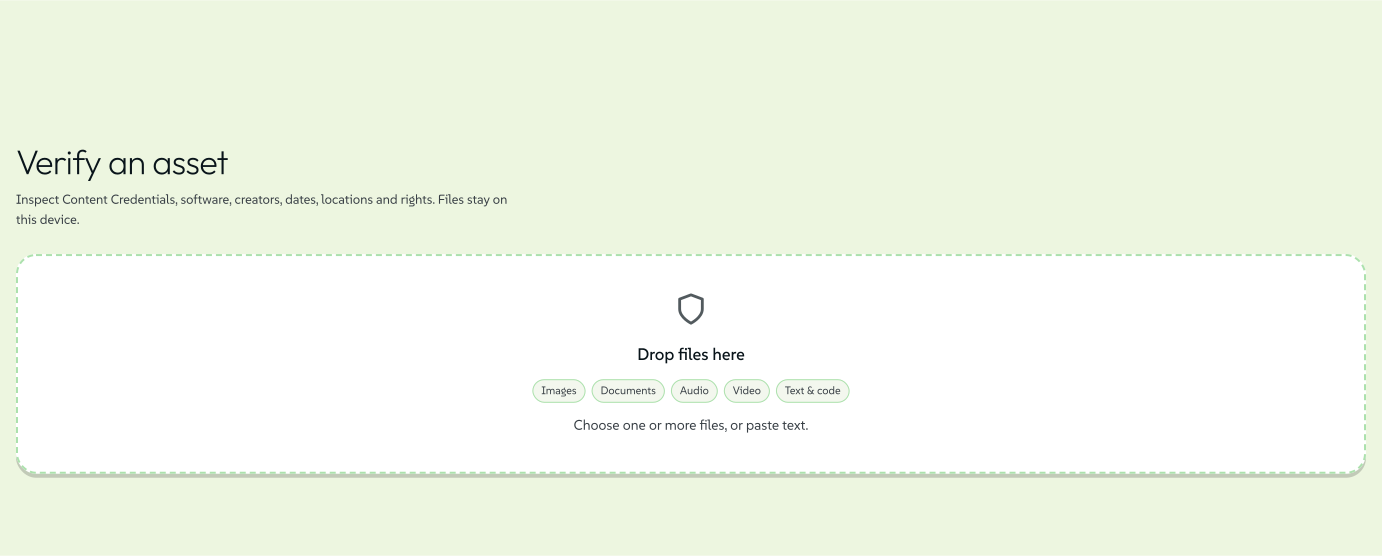
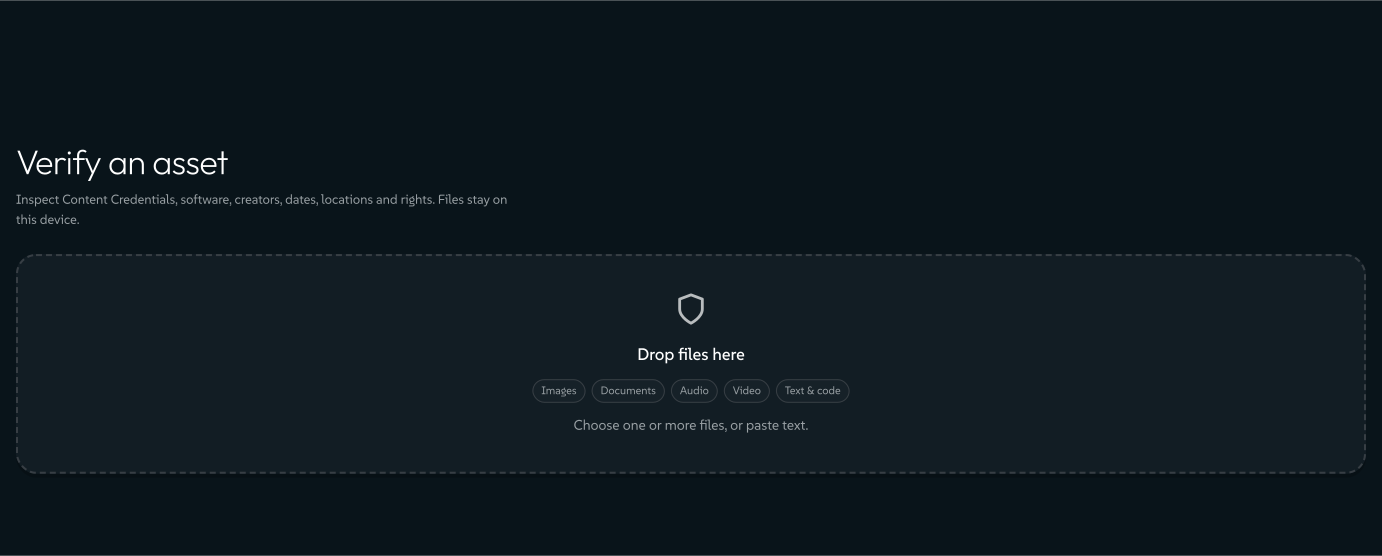
SEAL signatures make no request. Verify can check SEAL signatures, a scheme whose signing key can be published in DNS. Browsers cannot make DNS queries, so a web lookup would have to go through a third-party DNS-over-HTTPS resolver, which would see the domain being checked and your IP address. Lolly used to use Cloudflare's resolver; it no longer does, and nothing has replaced Cloudflare. No Lolly app looks up SEAL keys today: the desktop and mobile apps run the same Verify view, and the command-line lolly validate does not check SEAL. A file whose SEAL record carries its key inline is checked offline, and Verify calls the signature internally consistent without confirming the domain. A file whose key lives only in DNS shows SEAL signature did not verify, with the reason "no key resolver and no inline key".
 signed by Lollyvector SVG11 paths~4.3k nodes18 groups52 KBCheck it yourselfGet the signed file
 signed by Lollyvector SVG11 paths~4.3k nodes18 groups52 KBCheck it yourselfGet the signed file


You can check this and every other claim on this page yourself: Verify It Yourself gives the commands and the output to expect.
Services lolly.tools runs
These run on lolly.tools for everyone. Each one receives only what you send. Server Surface describes the same components as they work on any deployment.
Render links
Every https://lolly.tools/tool/<tool-id>.<ext>?<inputs> URL renders for real, and its inputs travel in the URL, so a shared Lolly link can appear as a live image in a README, a wiki or a dashboard. Fetching one asks the server to render public tool and catalogue data with the inputs written into the address.
- No accounts, no cookies, no state. The route asks for no sign-in, and nothing on your device is read. Your documents, sessions and uploads never leave your browser and cannot appear in these links.
- The URL itself is recorded. A URL's query string is part of the request, so it appears in the hosting platform's ordinary access logs like any requested path. If a link's inputs contain someone's name or email address, as a name badge or an email signature might, that text sits in those logs. Give a render link only what you would put on a public page.
- The inputs are public anyway. They are whatever the link's author typed into the URL, readable by anyone the link reaches. Do not put secrets in a shared link; Lolly offers link encryption for sensitive content.
- Cached, limited and not indexed. Responses are cached and rate-limited like any public image, and marked
noindexso search engines leave your renders out.
A self-hosted deployment that wants no public render route sets LOLLY_DISABLE_RENDER_GET=1, and every one of these URLs returns 404.
The image fetcher and the Penpot pass-through
Add from URL in the web app and Send to Penpot use two small pass-throughs on lolly.tools, described under Every network request the app can make. The image fetcher keeps nothing and forgets the address. The Penpot pass-through forwards your token and archive to Penpot and keeps neither; it logs the command name and Penpot's response status.
The MCP server, for AI agents
An AI agent can reach Lolly over the Model Context Protocol, through an endpoint an operator runs. lolly.tools runs one, and anyone can run their own, including fully offline.
- Files an agent sends. The tools that take a file (
lolly_transform,lolly_verify,lolly_redact,lolly_read,lolly_check,lolly_package,lolly_compose,lolly_rebrandand the image toolslolly_look,lolly_sample_colorandlolly_trace_edges) process it in memory and return the result in the same call. The file is never written to disk and is not kept once the request completes.lolly_inspectalso takes a file, and its video and print-production checks write a temporary working copy that is deleted when the call returns. Every other tool works from the parameters in the call: text, numbers, colours, URLs, catalogue asset ids or a document the caller supplies. - Rebrand states where a deck goes.
lolly_rebrand's first stage,capabilities, says in words where your bytes would go before you send any: on a self-hosted local server the deck never leaves that machine, and on a hosted server, callinglolly_rebrandsends the deck there, up to the size and slide limits that stage gives. - The open endpoint. On lolly.tools,
lolly.tools/api/mcpis open to anyone with no token. Calls are limited per address and by a daily budget. The address becomes a pseudonymous digest in the abuse-control store, as on the sign-in endpoints below, and the budget counts only CPU time and bytes sent, with no address. The bearer token of a restricted endpoint is never written to a log or a render URL. - Download links for large results. lolly.tools returns results inline and never issues these links. An operator can turn them on for their own authenticated gateway, where a result is held for at most five minutes and only the caller's own bearer token can fetch it; see MCP Server. A planned restricted endpoint at
mcp.lolly.toolswould take a bearer token the operator issues to trusted clients, or OAuth 2.1 with short-lived signed tokens checked against a shared secret; its activation is pending, and it is listed under Delivery hosts and processors.
Verified identity: a sign-in you start yourself
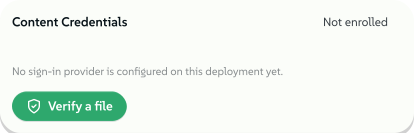
Lolly can seal a Content Credential into your exports, so anyone can check offline that a file is unchanged since it left Lolly. That much is on by default and fully local: the signing key is made on your device and signing happens offline. Without enrolment that key is a throwaway, a fresh key pair minted for each export and dropped afterwards. Once you enrol, the key lasts and is generated non-extractable, so not even Lolly's own code can read it, only ask it to sign. Either way it never leaves your device.
Exporting lists what a credential records: the tool, the time, the coarse export surface, your name only when you turned on Use my details, the credited works an export places, and each Rondocode song a video or audio export plays (its name, a hash of its source and how Lolly's sandbox rendered the song). The export panel lists those songs before you export.
The credential and the file's metadata also record the design system and colourway that drew the export: the design system's id and name, its published version and the colourway. A design system's name is text its owners typed and can be a client's name, so the export panel's Design system card shows the exact words before you export. Untick the card, or pass _madewith=0 or --no-madewith, to leave them out.
The one optional step on top of that is enrolling a verified identity, so your exports say "Verified - signed by \<your email\>" instead of naming an anonymous key. If you skip enrolment, the certificate service receives no enrolment data from you.
 signed by Lollyvector SVG7 paths~2.0k nodes11 groups24 KBCheck it yourselfGet the signed file
 signed by Lollyvector SVG7 paths~2.0k nodes11 groups25 KBCheck it yourselfGet the signed file


If you do enrol, this is exactly what happens:
- You choose a sign-in method: GitHub, Google, SUSE (id.suse.com) or an emailed link. For the three OIDC providers you go to that provider's own login page, under their privacy policy, not ours, and the certificate service receives back only a verified email address and the provider's name. For the email link, the address you type goes to Resend, a transactional email service, only to deliver that one link.
- A short-lived cookie protects the redirect. The certificate service sets
lolly_ca_state,HttpOnly, scoped to/api/caand expiring within ten minutes. It carries a random value rather than a tracking identifier, exists only to stop the sign-in redirect being forged and is cleared as soon as sign-in completes. - Your IP address is used briefly to prevent abuse of the sign-in endpoints, so one script cannot flood an inbox or use up the email quota. Lolly turns it into a SHA-256 digest before it reaches the short-lived abuse-control store, so the raw address is not sent there. The digest is pseudonymous rather than anonymous: someone holding the store could recover an IPv4 address by trying every possible one. The bucket expires after about a minute and is used for nothing else. Ordinary hosting access logs are separate and described below.
- The service issues a certificate binding your verified email address to your device's public key. The private key stays on the device: the client sends a certificate request with a bound proof of possession, and no device private key goes to either issuer mode.
- Signing stays local. With the legacy issuer, an export needs no request to the certificate service. A managed identity also needs a fresh, signed revocation list from its issuer; the client can use a cached list within its configured freshness window, and refreshing it can contact the certificate service during an export. Missing, expired or invalid status stops the managed identity from being used.
Retention and recall in each issuer mode
Legacy hosted issuance offers 7, 30, 90 or 365 days, capped by the operator. It keeps no identity inventory and no issuance log, so it cannot look up who obtained a certificate or revoke that person's certificates; the lifetime is the recall.
Managed organisation issuance uses a default lifetime of at most 24 hours and a maximum of seven days, with its own root and issuer trust policy, and signing goes to the Vault issuer its operator configured. Its enrolment application uses a shared one-use admission store holding only a keyed authentication identifier and a request digest, for at most ten minutes, and stores no identity inventory or cache of certificate responses. The PKI provider, its audit devices, gateways and backups have their own data flows. Even with ordinary issuance storage turned off, certificate-based revocation can keep the certificate, including its email identity, and revocation serials and audit identifiers can remain linkable; your operator's policy decides that inventory, who can access it and how long it is kept.
A managed device can ask to revoke its own certificate, with an authenticated proof of the device, and no API asks for the device private key. The operator can withdraw an issuer through its trust policy. Lolly keeps no mapping from people to certificates, so revoking a person's certificates when they leave depends on records the operator keeps, and PKI records, audit records, recipients and backups follow the operator's policy. The certificate service design covers issuer custody, provider retention and qualification.
Organisation services with Lolly Work
Lolly Work is the Lolly project's optional organisation service, deployed separately by each organisation that runs an instance. Connecting to an instance adds data held on that server alongside your local editing. Its operator is responsible for that deployment's privacy policy, access controls, recipients, retention and backups.
| Workflow | Data handled by the organisation's service |
|---|---|
| Sign-in and provisioning | Identity-provider claims, account and group membership, sign-in sessions and device information. OIDC handles sign-in; administrators can provision and deactivate accounts through SCIM |
| Shared catalog and projects | Uploaded assets, metadata and versions; shared projects and sessions; content retrieved from configured library providers |
| Work collabs | Shared session state, live edits and participant presence sent through the instance; saved state persists under its storage policy |
| Managed share links | Link target and access settings, such as expiry and optional password protection; requests resolve through the instance and can be revoked |
| Review and delivery | Submitted content, approval decisions, selected destination, staged files and delivery receipts |
| Server renders and batches | Submitted tool inputs, render requests, status and retained output files. These jobs run on the server rather than on your device |
| Usage reporting | Allowlisted event labels such as tool id, format and asset id, according to the telemetry policy below |
| Audit | Actor and action records for governed operations, kept separately from usage telemetry |
The service uses authentication cookies, including lw_session for signed-in members and lw_guest for guest access where enabled, separate from the certificate service's cookie. Policy refreshes and enabled usage reporting can make requests while the app is in use, without a separate click for each. This is traffic to the configured instance, not a report to the Lolly project about deployments it does not run.
Usage telemetry has three levels. off stores no usage events, aggregate strips user ids and standard can attribute events. The default level is standard, so an instance stores the usage events it receives unless its operator chooses off. The default attribution policy is opt-in, which needs your consent before a user id is stored; an operator can instead configure attributed reporting with telemetryAttribution: default. Allowed attributes are labels, never tool input values. See Work telemetry.
Audit is separate. Governed actions can keep an identified audit record whatever your telemetry consent. Turning telemetry off does not turn off shared-session storage, approval records, render-job storage or audit. The operator controls retention and erasure, including any pseudonymisation of the audit log; see Work storage and data lifecycle.
| Your device | Your organisation's instance | |
|---|---|---|
| What it holds | Your personal work, preferences and caches | Shared work, accounts, uploads, approvals, renders, audit and configured telemetry |
| Who deletes it | You, with Clear all my data or your browser's site data | The operator, through the instance's own controls |
| Whom to ask | Nobody: the records are on your device | The instance's operator, for access, export or erasure |
Local deletion is not server deletion. Leaving an instance or clearing your browser removes local state, not the organisation's stored records or backups. Personal Sync and Export my data back up your device, not the organisation's service. The public lolly.work demo keeps its state in memory only and is not durable storage for your work.
The browser extension
The Lolly URL Screenshot browser extension collects no personal data for us. It has no analytics, no tracking and no server of its own. The Browser extension page describes how it works.
What it does. The Lolly web app can ask it for a screenshot of a web page, or for a page's contents to start a design system from a website. Each request opens an approval window in the extension that shows the requesting site, whether it wants a screenshot or the page contents, and the page address. Only after you press Approve once does the extension open that page in a temporary background tab, take the screenshot or read the page, hand the result to the Lolly tab that asked and close the tab. Every request needs its own approval.
Data.
- We collect nothing. The result goes only to the Lolly page that asked, in the same browser. The extension stores no page contents and adds no other recipient.
- Network requests. The page you approve loads as it would in any tab, along with whatever that page requests itself. Reading a page's contents also fetches that page's stylesheets and a few of its icon and logo images, from inside the page, and those fetches send no cookies to other sites. The extension makes no other requests, and none go to a Lolly server.
- Your browser session. The page loads with your browser session, as it would if you opened it yourself, so a page you are signed in to can put private information in the result.
- The addresses you approve are used only to load that one page for that one request. They are not logged or shared.
Permissions.
debugger: to take the screenshot through the DevTools Protocol, the same mechanism the Lolly desktop app uses.tabs: to open and close the temporary tab, and to check that neither the Lolly page nor the target page has moved since you approved.scripting: to read a page's contents in the temporary tab, after you approve that request.storage: to note the ids of its temporary tabs in session storage, so they still close if the browser stops the extension during a request. No page contents are stored.- *Optional site access (
http:///,https:///): not granted at install. When you press Approve once*, the extension asks Chrome for access to the one site in that request, and Chrome asks you the first time for each site. A site you allowed before still needs a fresh approval for every request.
None of these is used to read, monitor or transmit your browsing beyond the one request you approved.
Delivery hosts and processors
Public catalog files, tools and display renditions come from the app's own address by default. Content-addressed names change where a file is fetched, not who receives the request. No third-party CDN is activated by this delivery feature. A CDN that terminates TLS would receive request details, including IP addresses and any cookies or bearer credentials forwarded to it, even under the same browser hostname, so an operator who adds one takes on a new processor.
Before adding any CDN or external model host, the administrator must publish the processor name, hostname, jurisdictions, metadata received, retention and transfer arrangements. Delivery deployment lists what to disclose. Private workspace responses bypass shared caches: personal results, access refusals and errors use private, no-store, and a permitted private response can revalidate in your browser without becoming public.
The reference services use the hosting below. This is a list of hostnames, not a claim that another organisation's instance uses the same region.
| Hostname or service | Function and recipient | Region and data handling |
|---|---|---|
| lolly.tools | Public app, catalog, rendering and certificate services; UpCloud hosting | Frankfurt, Germany. Request details can appear in infrastructure logs; ordinary local editing stays on the device |
| lolly.ing | Managed workspace and document-agent services; UpCloud hosting | Frankfurt, Germany. The private database and file storage are on the same host. Accounts, shared content and service records follow the instance administrator's policy |
| mcp.lolly.tools | Planned optional authenticated MCP gateway and private result downloads; UpCloud hosting | Frankfurt, Germany, with the same hosting processor. Activation pending. The gateway would receive request details and the parameters or files its caller sends |
| lolli.li | Public release and model files; UpCloud Managed Object Storage, separate from the application cluster | Frankfurt, Germany, in UpCloud's europe-2 object-storage region. A download sends request details, not the inputs the model later processes |
| Configured identity provider | Google, GitHub or an operator's OIDC provider | Sign-in follows that provider's policy. Ask the instance's operator for the hostname, region and transfer arrangements |
| Configured asset provider | Brandfolder or another library the operator selects | The provider receives permitted library requests. Its source permissions and the instance's policy govern access; ask the operator for its hostnames and regions |
| Email enrolment, when configured | Resend delivers the requested sign-in link | Receives the destination email address for that message; its own processing terms apply |
The reference application uses no other hosting, database or abuse-control provider. An operator may choose other providers for a different instance, and hosting, identity, asset and email providers each need their own disclosure. The model host's object-storage region is verified separately from the application's region.
Optional principal-bound MCP download links. An operator can turn on download links for large results on an authenticated, single-replica gateway. They are off by default. The anonymous gateway at lolly.tools/api/mcp returns inline results and never issues these links. The planned restricted hostname is mcp.lolly.tools, on the same UpCloud processor in Frankfurt; activation is pending, and this page does not claim a live download-link service. The links add no third-party CDN.
Only an authenticated caller with a file scope can receive a link, and the same caller's bearer is required to fetch it: use the validated bearer from the render call, not another token for the same account. The grant expires within 300 seconds. Ownership and result lookup stay in gateway memory, and output bytes go to private temporary files, pruned after expiry or removed on clean shutdown. A gateway restart invalidates existing links. Held results are limited to 64 MiB per bearer, 256 MiB across the gateway and 200 pending or held files. Daily CPU and decoded-byte budgets count results when they are held and when they are downloaded. Responses use private, no-store and Referrer-Policy: no-referrer. A link's token alone does not let another person or agent read the result.
Infrastructure logs
This section describes the public lolly.tools deployment. Its hosting platform records ordinary request details: IP address, requested path, timestamp and user agent. Local edits do not reach that host. A render link's query string can contain the text its caller supplied, as explained above. MCP file tools process the bytes they are given in memory. A Lolly Work instance also holds the records described above, under its operator's logging policy.
The public services keep application logging to a minimum. The MCP server logs start-up, configuration and rendering warnings; it keeps no request log of its own and does not log tokens or caller addresses. The Penpot pass-through logs each command name and Penpot's response status, never headers, tokens or the file. The certificate service logs its start-up settings and configuration warnings, plus two stripped lines on failure: a send-failure status code with no recipient address, and a fixed failure line with no error text, stack trace or URL, because a provider error can carry identity values or credentials. Everything else in the log comes from the hosting platform.
For lolly.tools, the instance administrator controls request logging, rotation and retention on UpCloud. This page does not state a maximum log retention period that has not been verified. Contact the controller below for the current schedule and for any request about server-held logs. For another instance, its operator's settings apply, including any log exports or other processors.
Legal bases, retention and recipients
This table covers the reference lolly.tools deployment. It does not state the legal bases or retention periods of your organisation's Lolly Work instance; its operator provides those in its own policy.
| Processing | Legal basis (GDPR Art. 6) | Retained for |
|---|---|---|
| Everything on your device (documents, preferences, cache, counters) | Not our processing at all: it never reaches us. Storage on your device is strictly necessary for the service you asked for (ePrivacy Art. 5(3)), so it needs no consent | Until you delete it |
| Your email address during legacy hosted Content Credentials enrolment | Art. 6(1)(b), performance of a service you explicitly asked for | No identity inventory or issuance log in the legacy service; the email is used during the request and included in your certificate. Managed organisation PKI, audit and revocation retention follow its operator's policy |
| A pseudonymous SHA-256 digest made from your IP address, for rate-limiting the sign-in endpoints and the public render, image and MCP endpoints | Art. 6(1)(f), our legitimate interest in preventing abuse of a free service and of a third party's email quota. We consider this passes a balancing test because the raw address is not sent to the limiter, the digest is used only for abuse control and it expires by itself | About one minute in the abuse-control store; not kept afterwards |
| Hosting access logs (IP, path, timestamp, user agent) | Art. 6(1)(f), our legitimate interest in service security, abuse prevention and diagnosing faults | Administrator-configured rotation and retention; contact the controller for the current schedule |
Recipients. The categories of recipient are our hosting provider (UpCloud), which hosts the application's database and abuse-control store, and, only if you use the email sign-in option, a transactional email provider (Resend). The abuse-control store receives only short-lived digests, never the raw IP address. If you sign in with GitHub, Google or SUSE (id.suse.com), you deal with that provider directly under their own privacy policy, and they tell us a verified email address and nothing else. We share personal data with no one else, and we do not sell data, run advertising or profile users.
Transfers outside the EEA. The reference application's hosting, database and file storage are in Frankfurt. Optional identity, email and asset providers have their own processing locations and terms, which can include access outside the EEA, and a server's region alone does not establish every recipient's jurisdiction. Contact the controller for the provider agreements and transfer arrangements that apply; for another instance, ask its operator. The European Commission's Standard Contractual Clauses are one safeguard available for such transfers; this page does not claim that an unverified provider agreement uses them.
Automated decision-making. None. There is no profiling and no automated decision with legal or similarly significant effects (Art. 22).
Children's privacy
Ordinary local app use sends no personal content to lolly.tools. Its optional Content Credentials enrolment receives an email address and is not directed at or intended for children. Organisation services have their own accounts and data handling, under their operator's policy.
Your rights
For records stored only on your device, you can access, correct, delete and move the data yourself. It lives in your browser's or app's storage, in a form you can inspect, export (Export my data, above) or delete (Clear all my data, or your browser's site data).
Formally, under GDPR Articles 15-22 you have the right to access your personal data, to rectify it, to erase it, to restrict or object to its processing (including anything we base on legitimate interests), to data portability and, where processing rests on consent, to withdraw that consent at any time, without affecting the lawfulness of what happened before you withdrew consent.
The public certificate service keeps no issuance log. Infrastructure logs can contain request details, so this policy does not promise that the hosting environment holds no personal data. Contact the controller for access, erasure or another request about those records; we will explain what records exist and what can be done. For work, identities, telemetry and audit records held by an organisation, contact your Lolly Work operator, because local export and deletion controls do not reach those copies.
You have the right to complain. If you think we have handled your data improperly, you can lodge a complaint with a data protection supervisory authority: in the EU, the authority in your country of residence, place of work or where you believe the infringement occurred (Art. 77). Our lead supervisory authority is the Bayerisches Landesamt für Datenschutzaufsicht (BayLDA) in Ansbach, Germany. You do not need to contact us first, though we would like the chance to fix the problem.
Changes to this policy
The date at the top changes whenever this document does. A change that alters what leaves your device or what is kept gets its own line here rather than a silent edit. To see what changed, ask (below) or compare against the public source.
29 September 2026: clarified the optional lolly.work service, its organisation-held content, authentication cookies, usage telemetry and audit records, and the separation between local deletion and server retention. These are existing optional workflows, not a new upload requirement for local editing.
11 October 2026: replaced the retired Vercel hosting description with the UpCloud application hostname inventory, distinguished optional identity and asset providers, and described content-addressed delivery and the held MCP download mode. No third-party CDN is enabled by this change. Log retention is controlled by the administrator rather than a stated Vercel plan default.
22 October 2026: corrected the description of existing behaviour. The browser extension section now covers the approval window for every request, site access asked for one site at a time and the stylesheet and icon fetches of a website reading. Also corrected: the Send to Google Drive and Meeting Planner rows, the SEAL note (no Lolly app looks up SEAL keys in DNS), the default usage-telemetry level of the organisation service, the MCP image tools and the application logging of the public services. The software itself did not change.
23 October 2026: reorganised the policy by what starts each request, and described existing behaviour that it did not cover before: private collab invites carrying local network addresses, Nearby in the desktop app, Allow AI control, reading a design system from a website, emoji sets, Meeting Planner's on-device cache of city lookups, the Trash and the other records Settings → Storage lists. Corrected two statements: Bluesky and Discord are not desktop-only, and every host a person chooses for sending needs the operator's approval in both the web and desktop apps; the rate-limiting digest of an IP address is pseudonymous, not anonymous. The software itself did not change.
Who is responsible, and how to reach us
The data controller for lolly.tools is:
SUSE Software Solutions Germany GmbH Frankenstraße 146 90461 Nürnberg Germany
SUSE has appointed a Data Protection Officer, reachable at privacy@suse.com. Use that address for any formal request under "Your rights" above.
For anything about Lolly itself, such as how it works, why something is the way it is or a correction to this document, contact Andy Fitzsimon, fitzy@suse.com.
For a self-hosted or enterprise Lolly instance, contact whoever operates it instead: the operator is the controller for their own deployment. SUSE and the Lolly open source project hold no data for deployments they do not run.