
Lolly is two parts of one open-source project. Lolly is the engine, apps and tools for making, editing, converting and exporting on your device, with no account. Lolly Work is the organisation server, run on your own infrastructure, for sign-in, shared projects, approvals and server rendering. Both are MPL-2.0. This page compares the pair with the other ways people design, govern and produce files.
Today's tools
Each ring scores how completely a product class delivers a capability, with every class scored on its best representative. The Lolly column covers Lolly and Lolly Work together, and each row says which part provides what. Open a row name for the reasoning behind its score. Columns are sorted by the Overall completeness row at the top: the mean of the scored rows, with the spend row excluded.
Lolly includes lolly.work, the same project's separately deployed organisation service. Local creation needs no account; shared work and server rendering use the configured instance. Competitor scores: August 2026. Lolly coverage: 28 September 2026.
| Capability | Lolly+ lolly.work | Penpotopen design | CanvaAffinity Cavalry |
Adobedesktop pro | Brand DAMFrontify Bynder |
Cloudinarymedia pipeline | Figmaonline pro | Render APIsBannerbear Placid Creatomate |
|---|---|---|---|---|---|---|---|---|
| Overall completenessunweighted mean - weight rows for your own context · columns are sorted by this row | 84 | 70 | 57 | 48 | 41 | 41 | 41 | 34 |
Production maturity & track recordCanva, Adobe, Figma, Bynder/Frontify: a decade-plus at massive scale. Render APIs: years in production pipelines. Penpot: shipping, large community, younger at enterprise scale. Lolly: version 1.0 public since 30 August 2026 under MPL-2.0, and SUSE runs it as an internal deployment; no usage data is shared yet and there are no public case studies yet. Cloudinary: 2012, enterprise media infrastructure at global scale. |
25 | 75 | 100 | 100 | 100 | 100 | 100 | 75 |
Mass generation from data (CSV / API)Lolly: batch grid and CLI, plus lolly.work's recoverable server jobs and batches with retries, cancellation and retained outputs. Canva: Bulk Create + Autofill API - real, but Enterprise-gated, async, text/image fields only; Affinity Publisher adds desktop data merge. Adobe: InDesign data merge and scripting. Figma: Buzz fills templates from CSV or XLSX, free in beta (Aug 2026) - cloud- and account-gated, 50. Penpot: open API/MCP, not purpose-built. Render APIs: this is their entire product - account- and cloud-gated, so 75 under the method rule. DAM: Studio-style batch create and resize. Cloudinary: URL-driven overlays and named transforms derive variants at scale - account-gated, 75. |
100 | 50 | 50 | 50 | 75 | 75 | 50 | 75 |
Offline & air-gap operationLolly: standalone creation works offline once its assets are available; lolly.work's organisation services need a reachable instance, which can run on an internal network. The Canva column is scored on its best family member: Affinity (free since Oct 2025) runs offline as a desktop suite once a verified account activates it - 75, the same deduction Adobe takes. Canva's own Offline (2026) still edits pre-synced designs only, per device, in a 14-day window. Adobe: desktop apps run offline; licensing phones home. Figma: cached-file viewing and limited editing. Penpot: self-host on your infra behind a firewall (server required). Cloud APIs and DAM: none. |
100 | 75 | 75 | 75 | 0 | 0 | 25 | 0 |
On-device rendering - data never leavesLolly: local rendering and conversion in-browser or CLI need no upload. Choosing lolly.work's shared storage, work collabs or server rendering sends the relevant data to the configured instance. Adobe: local desktop rendering, but cloud services and telemetry in the suite. Figma: canvas renders locally, files live in Figma's cloud. Penpot: 90 - rendering happens in the browser and the save target is a server that can be your own sovereign private cloud, even your own laptop, with private export throughout; only the server hop separates it from Lolly. Canva itself is server-side by design; the column's 75 is Affinity - local desktop rendering, account activation and telemetry, the same shape as Adobe. Render APIs, DAM: server-side by design. |
100 | 90 | 75 | 75 | 0 | 0 | 25 | 0 |
Hard brand constraints (structural)Lolly: templates fix layout rules and expose permitted inputs. lolly.work adds group access, input policies, shared catalogues, approvals and audit records. Copy and usage rights can still need review. Canva: element locks - permission-based, admin-set and static: no template logic such as conditional logo switching or responsive recomposition at fill time, and Canva AI does not yet respect Brand Controls - 50. Render APIs: templates are fixed (only declared fields vary) but no governance layer. DAM: locked templates with restrictions. Figma: Buzz templates hold locked guidelines at fill time; the design surface stays review-enforced - 50. Penpot: tokens and systems enforced by review, not runtime. Adobe: libraries, little enforcement. Cloudinary: presets and Enterprise-gated transformation templates fix operations, not brand layout - 50. |
100 | 50 | 50 | 25 | 75 | 50 | 50 | 75 |
C2PA provenance, signed at creationAdobe: the broadest shipped implementation (Photoshop, Lightroom, Premiere, Firefly) - signing happens locally in the desktop apps and in the cloud for the Content Authenticity web app, and nothing signs without an Adobe account and an Adobe-provisioned identity, so it is account-gated end to end: 75 under the method rule. Lolly: optional on-device signing without an account, plus lolly.work server signing with a configured organisation identity. A verifier must trust the signer's root to show a trusted identity. Version 1.0 is public and SUSE runs it internally, but no usage data is shared yet, so 75. Penpot: 50 via the official Lolly Export plugin - the same on-device engine signing Lolly uses, opt-in, as in Lolly (and disclosed plainly: it is Lolly's own plugin). No evidence of C2PA writing in Canva, Figma, render APIs or DAM as of Aug 2026. Cloudinary: 50 - signs images on delivery (fl_c2pa, CAI member since 2020), attesting delivery by Cloudinary rather than creation by you. |
75 | 50 | 0 | 75 | 0 | 50 | 0 | 0 |
CLI, pipeline & AI-agent automationLolly: CLI, TUI, MCP server and URL mode, plus lolly.work's authenticated render API, recoverable batches and governed delivery. One engine across the local and server paths. Render APIs: API-first, webhooks, integrations - account- and cloud-gated, so 75 under the method rule. Penpot: open API, plugins, official MCP server. Canva: Connect API - Enterprise-gated, async, rate-limited. Adobe: UXP/ExtendScript plus Firefly APIs. Figma: strong REST/plugin API, no render pipeline. DAM: asset-management APIs. Cloudinary: API-first media pipeline - account-gated, 75. |
100 | 75 | 50 | 50 | 50 | 75 | 50 | 75 |
Live collaboration (real-time co-editing)Figma: the scale benchmark - 200 simultaneous editors, up to 500 people in a file - account and cloud required. Canva: mature real-time editing across the product, same precondition. Penpot: real-time multiplayer with live cursors; self-hosting lifts the vendor-account precondition, but a server is still required. Lolly: direct two-device private collabs without an account, plus authenticated work collabs through lolly.work with shared edits, cursors and saved team sessions. Partial reflects the current single-node work deployment and limited operating history. Private collabs work without internet on a shared network; work collabs need the organisation's instance. Adobe: Live Co-Editing in beta, cloud documents only. Render APIs: no editing surface. DAM: comments and approvals, not canvas co-editing. Cloudinary: DAM comments and workflows, no canvas co-editing. |
50 | 75 | 75 | 25 | 25 | 25 | 75 | 0 |
No design skill requiredCanva: the category benchmark for ease. DAM: fill a locked template. Lolly: fill in fields using an existing tool, or publish a tool from Design through Share with rules. lolly.work manages access and input policy for the team. Render APIs: swaps design skill for developer skill. Adobe, Figma, Penpot: professional tools. Cloudinary: the media library is easy; transformations are developer territory. |
100 | 25 | 100 | 25 | 100 | 50 | 25 | 50 |
Open source, self-hosted, no lock-inPenpot: MPL-licensed, 51k+ stars, self-host via Docker/K8s - fully verifiable today. Lolly and lolly.work: MPL-2.0 open source in separate repositories, both self-hostable. lolly.work provides the organisation services as part of the project. The current 75 reflects the young project and limited deployment history. Everything else is proprietary SaaS or proprietary desktop. |
75 | 100 | 0 | 0 | 0 | 0 | 0 | 0 |
Cost at production scaleLolly + lolly.work and Penpot: no per-seat software licence charge for the open-source self-hosted path; hardware, storage and operations remain costs. Render APIs: metered - roughly $0.005–0.049 per image, credits often expiring monthly. Canva/Figma: per-seat; Canva's automation needs Enterprise, though Affinity itself is free since Oct 2025. Adobe: premium per-seat suite. DAM: sales-led enterprise quotes, MAU or seat models. Cloudinary: credit-metered across transforms, storage and bandwidth - 25. |
100 | 100 | 50 | 25 | 25 | 25 | 50 | 25 |
Annual medium enterprise spendIndicative list-price arithmetic for a medium enterprise - think 500-5000 people - August 2026: a guess range, not a quote; deals vary and the seat mix dominates. Ring = how much of the board's largest annual spend (US$500k) you keep; the number in the ring is each range's upper bound. Canva (US$75k-400k; Affinity free since Oct 2025 pulls the design-seat share down), Adobe (US$100k-500k) and Figma (US$30k-250k) assume the realistic creative-seat share of an organisation this size - tens to hundreds of seats, not a licence for every employee. Render APIs price by usage (US$5k-60k). DAM is quote-only, commonly US$50k-250k and up. Penpot is hand-set at 99: "your server" can be your own laptop - a small technical hurdle at well under 1% of an Adobe-scale spend. Lolly + lolly.work: US$0 in software licence charges for self-hosting. The figure excludes devices, organisation hosting, storage, support and administration; these need a separate budget. Standalone Lolly does not need the organisation service. Cloudinary: US$30k-150k, credit-based; enterprise contracts commonly sit near US$82k. |
$0 | $0 | $400k | $500k | $250k+ | $150k | $250k | $60k |
Capability comparison: competitor research and scores from August 2026; Lolly + Lolly Work coverage reviewed 28 September 2026. Scoring: 0 absent, 25 workaround-grade, 50 real but gated or partial, 75 strong with caveats, 100 core competency.
signed by Lollypositioning-comparison.htmlHTMLpixels, not shapes40 KBAI generatedgenerated by GPT-6Check it yourselfGet the signed fileScoring notes
Available features and production maturity are separate. Lolly is released: version 1.0 shipped as open source on 30 August 2026, its security has not yet had an independent audit and its adoption evidence is a few months old (Adoption & Governance has the current state). Having single sign-on, approvals or server rendering does not establish a production track record, so the maturity score reflects that. Competitor scores keep their dated August review.
One rule governs the board. Full marks (100), on rows that touch your content or identity, need a capability you can use with no account and no cloud precondition; rows about the product itself, such as maturity and ease of use, are exempt. That rule costs Adobe on Content Credentials: the broadest shipped implementation (Photoshop, Lightroom, Premiere, Firefly) signs locally and in the cloud, but never without an Adobe account and identity, so 75. It caps the rendering APIs on mass generation and automation for the same reason.
Canva is scored on its best family member per row, since it owns Affinity and Cavalry (both given away in October 2025). Offline and on-device rendering score 75 through Affinity, a desktop suite that still needs a verified account and carries telemetry, the deduction Adobe also takes; Canva's own offline mode edits only pre-synced designs, on one device, for a limited window. Autofill scores 50: it is real but Enterprise-gated and asynchronous, and it fills only text and images. Figma's mass generation rose from 25 to 50 when Buzz shipped spreadsheet fill (a free beta, August 2026).
Lolly's Content Credentials score of 75 covers on-device signing and Lolly Work's server signing with a configured organisation identity; a verifier must still trust the signer (Content Credentials Identity). Penpot's 50 comes through Lolly's own export plugin for Penpot: the same engine signing, opt-in and disclosed as Lolly's. Penpot scores 90 on on-device rendering: a browser canvas with a save target on its server, which can be self-hosted. Cloudinary gets its own column for its asset library, transform API and CDN; the August review scored its delivery signing at 50.
Lolly's live collaboration includes direct two-device private collabs and authenticated work collabs through Lolly Work, with shared edits, cursors and saved team sessions. The Partial score reflects the current single-node work deployment and short operating history, not an absence of team editing. Price estimates are dated list-price arithmetic for scale, not procurement.
When to reach for Lolly
Reach for Lolly when
- The same kind of file is needed again and again: event tiles, badges, certificates, alerts, social cards
- Many files come from one template and a table of values, in Batch or the CLI
- The colours, type and assets must stay inside the design system, even on an open canvas
- A finished Figma, Penpot, Illustrator, InDesign or PDF design should become editable and repeatable (Import a design)
- The files must be made on your own devices or servers
Reach for something else when
- The work is detailed photo retouching or illustration
- You are designing and prototyping an application interface
- You need a large stock and template library ready on day one
- You need a managed service with a long track record at scale
Imported designs and shared design tokens let a team combine Lolly with specialist applications, while Lolly Work governs shared assets, review and delivery.
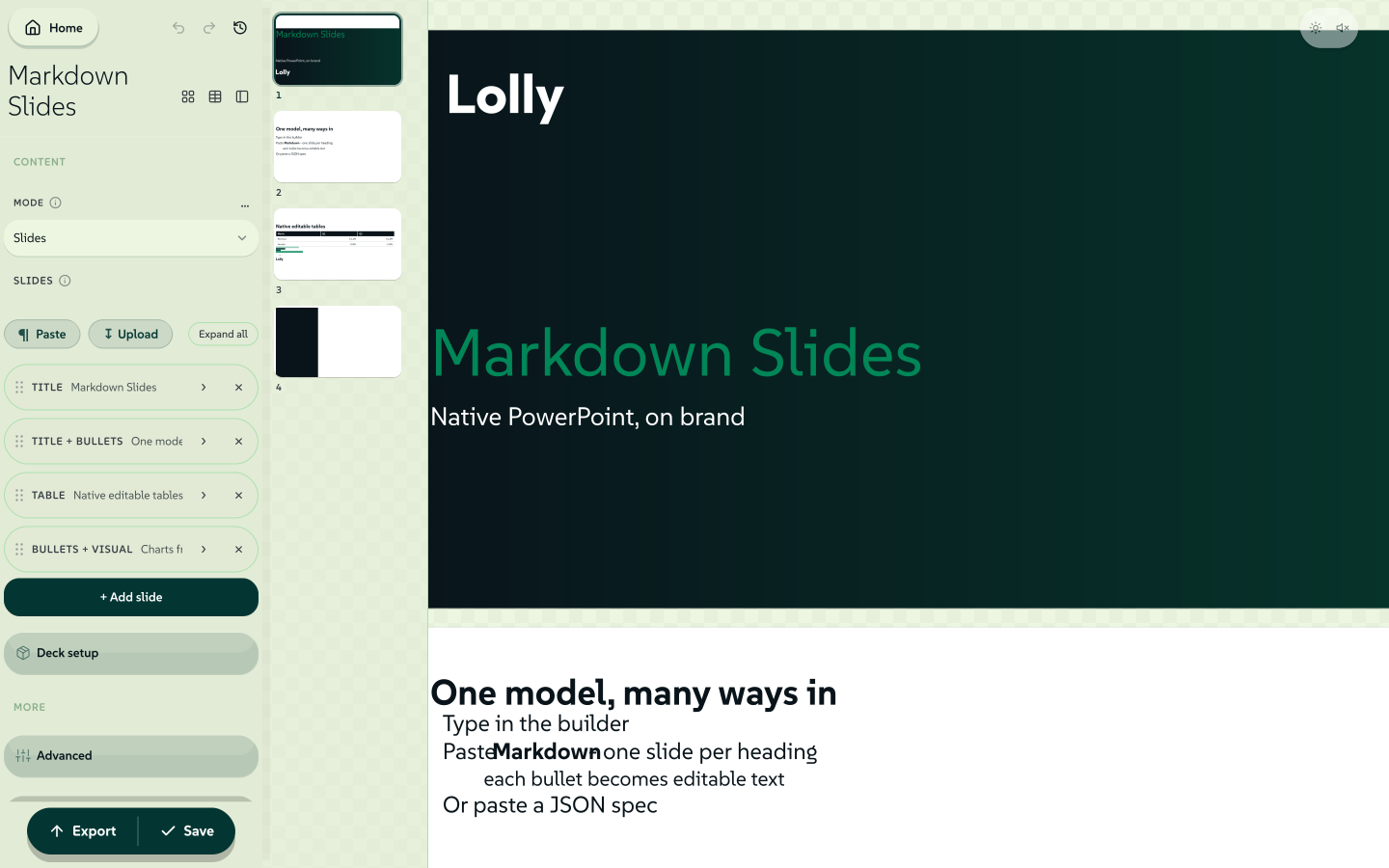
A whole slide deck shows the ceiling: in Markdown Slides a deck is declared as data, laid out live and exported as a native, editable PowerPoint file.
 signed by Lollyvector SVG135 paths~17k nodes252 groups1 image226 KBCheck it yourselfGet the signed file
 signed by Lollyvector SVG128 paths~17k nodes252 groups1 image225 KBCheck it yourselfGet the signed file


The rules live in the tool
Lolly puts reusable brand rules in the tool: colours, fonts, bleed margins, spacing and permitted inputs. The template fixes the parts a recipient must not change. Lolly Work adds group access and input policies around that template, with approval chains for catalogue submissions and delivery.
Checking a tool once makes repeatable production easier, because each output inherits its layout rules. Copy, uploaded imagery and usage rights can still need checking, and Lolly Work supplies shared catalogues and approval steps for that. For the creative team the tool is a guard-rail: you still bring the data, the copy and the image, and the tool keeps every result on-brand.
 signed by Lollyvector SVG121 paths~4.6k nodes197 groups2 images113 KBCheck it yourselfGet the signed file

Three more things set this approach apart:
- The final file, from inputs. Input in, finished file out, with no "now save it from your design tool and fix it up".
- Tools compose tools. One tool can embed another tool's render in a single finished file, with no code coupling between them.
- Open all the way down. The engine is open source, and tools, assets and design tokens are files you can keep in version control or manage in Lolly Work, not rows in someone else's database.
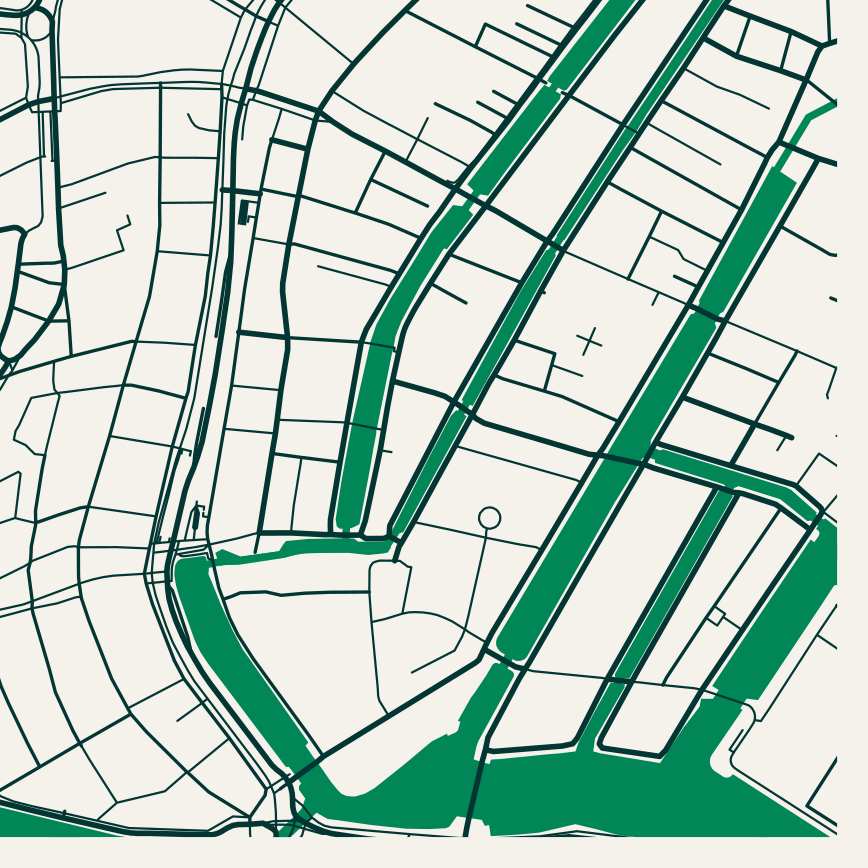
Adventurous design survives the guard-rails. This poster-grade city map is true vector road and water paths, from a dropdown and two colour fields that cannot be pointed outside the design system:
 signed by Lollyvector SVG8 paths~25k nodes7 groups287 KBCheck it yourselfGet the signed file
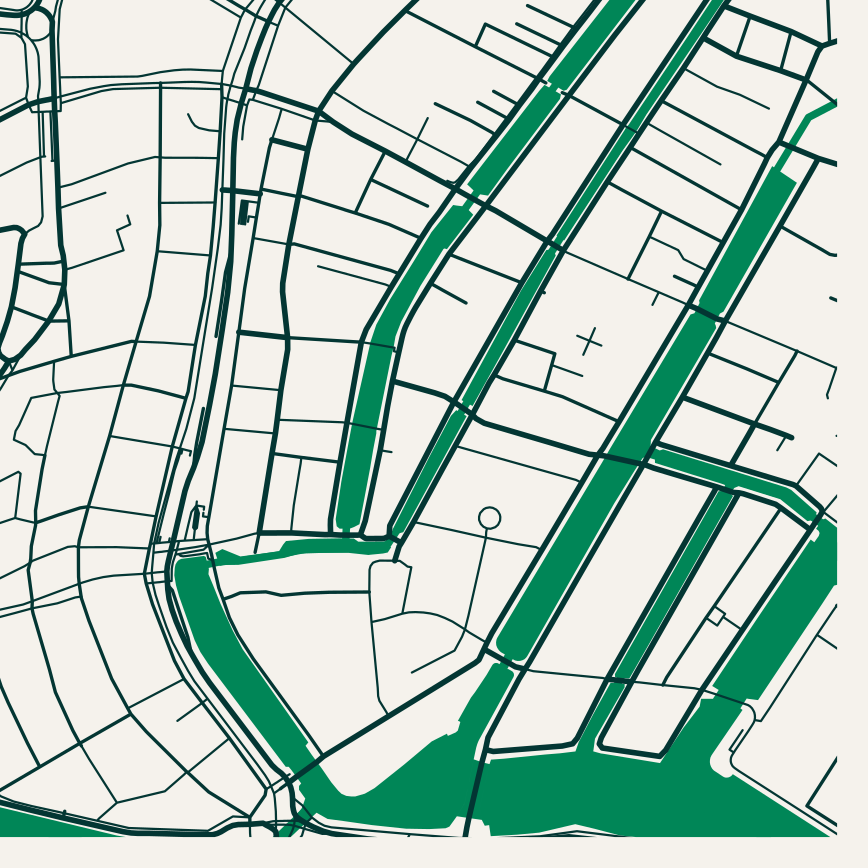 signed by Lollyvector SVG8 paths~25k nodes7 groups287 KBCheck it yourselfGet the signed file


Innovate probabilistically, scale deterministically
Most "AI creative" pitches put the model on the wrong side of an old line. Scribes and illuminators settled where it falls. You work loose on the sketch, where anything can be tried and nothing is committed. Then you go to the printing press, which commits. The sketches were where the art was, and the press was how it travelled, and the printed work could be trusted because the press kept its promise on every pull.
Lolly is the press. Bring whatever you like to the ideas, a model, a designer or a rough drawing, but the moment an idea has to become many files it goes through something that renders the same way every time, from inputs anyone can read back. The comparison above is really about who makes that committed step repeatable.
Trust the creative process, scale with rigour.
Free forever
If it renders on your device, it is free forever. The engine, the shells, the tools and the formats are open source, and a released version cannot be taken back. Lolly Work is open source too. An organisation pays for the infrastructure and operation it chooses, with no per-seat or per-render software licence charge for self-hosting. Questions & answers tells the story behind the promise.
Where your content lives
Lolly's creative work can run on hardware you own, and its design tokens, fonts, logos and tools are files you can keep. With Lolly Work, shared projects, assets, policy and audit records live in storage your organisation configures. Trust explains why that matters, and the Privacy Policy and Verify It Yourself let you check the claim rather than take our word.
Tool by tool
Lolly compared, tool by tool compares Lolly with Canva, Adobe, Figma, Penpot, brand portals, rendering APIs and online converters, one page each, and sets out what runs where.