Overview

signed by Lollyoverview.htmlHTMLAI generatedgenerated by ClaudeCheck it yourselfGet the signed filepixels, not shapes12 KB

Lolly Icon - Large green and white lollipop candy

This document captures the purpose, structure and architectural decisions for the Lolly platform. It reflects both the product vision and the current state of the codebase.

Status: Lolly is an internal prototype in a closed pilot that hasn't completed. The engine is deterministic and internally consistent, but the product is early - SUSE is customer number one - and its cryptography and file-parsing engines are currently undergoing SUSE's strict infrastructure hardening, preparing for enterprise scale (we're really good at this). Read the architecture below as design intent under test, not a finished, certified product. See Adoption & Governance for how the pilot is run and measured.

How to read this page. It carries two kinds of material, in order. The first half is why this exists: the problem, the positioning and the lifecycle a single asset travels through. From The big picture onward it is how the layers fit: the architecture document for contributors, covering the engine/shell/pack separation, the repository layout, the delivery targets and the commitments that constrain every change to the platform. If you are here to change the codebase rather than to understand the product, start at the big picture.

Two companions go deeper than this page does. engine/README.md in the repository is the module-by-module map of the engine, with a generated table of every module and what it parses or writes. Threat Model & Trust Boundaries is the same architecture read as trust boundaries, and it is the right page for any question about what the engine treats as untrusted.


Why this exists

Teams face a recurring problem: repeatable creative and content work that is too predictable to justify skilled hands every time, but too quality-sensitive to hand off without guardrails. The result is either slow throughput (specialist bottleneck), inconsistency (people using whatever tool they have) or vendor lock-in (a SaaS DAM that controls your templates).

This platform is the direct answer:

Programmatic creative and content at scale - zero-labor asset generation, with the rules under central control, for employees, vendors and partners.

Lolly isn't where a design system gets invented - it's where it gets produced. Think of it like a vending machine for design: make a selection, get a result. Every time. The engine works for the highest quality each format can produce on the hardware in front of you, and the same engine makes the same file on every surface it ships to.

The outcome is abundance: every event has correct signage, every CVE alert matches the house style, every label prints clean, every email signature is current - all without a design ticket. The platform handles recurring operationalised creative. It is deliberately not a bespoke creative tool - designers still own flagship work.

Innovate probabilistically, scale deterministically

Every argument about AI in a creative pipeline stalls on the same question: which part of this is the machine's job? It is an old question with a settled answer. Scribes and illuminators already worked between two instruments - the loose sketch, where nothing was fixed and everything could be tried, and the printing press, intimidating precisely because it committed. The sketches were where the art happened. The press was how it reached anyone. Nobody confused the two, and both kept advancing - new inks, new faces, new presses - each improving in harmony with the craft and the intention it served.

Lolly draws the same line. Explore probabilistically: a model, a designer, a rough idea, a prompt that goes somewhere nobody planned. Then scale deterministically - the thing that reaches ten thousand outputs is a tool, and a tool renders the same way every time from inputs you can read. The exploration stays free because nothing downstream depends on it landing the same way twice. The output earns trust because it is not a guess. Getting AI experimentation into predictable, reproducible outcomes is not a new discipline; it is the same division of labour that made printed work worth trusting in the first place.

Trust the creative process, scale with rigour.

Against the alternatives

Capability Lollyconstraint-first Penpotopen design CanvaAffinity
Cavalry
Adobedesktop pro Brand DAMFrontify
Bynder
Cloudinarymedia pipeline Figmaonline pro Render APIsBannerbear
Placid
Creatomate
Overall completenessunweighted mean - weight rows for your own context · columns are sorted by this row 84 70 57 48 41 41 41 34
Production maturity & track recordCanva, Adobe, Figma, Bynder/Frontify: a decade-plus at massive scale. Render APIs: years in production pipelines. Penpot: shipping, large community, younger at enterprise scale. Lolly: closed pilot, security hardening underway, no public case studies. Cloudinary: 2012, enterprise media infrastructure at global scale.
25 75 100 100 100 100 100 75
Mass generation from data (CSV / API)Lolly: batch grid + CLI, one file per row. Canva: Bulk Create + Autofill API - real, but Enterprise-gated, async, text/image fields only; Affinity Publisher adds desktop data merge. Adobe: InDesign data merge and scripting. Figma: Buzz fills templates from CSV or XLSX, free in beta (Aug 2026) - cloud- and account-gated, 50. Penpot: open API/MCP, not purpose-built. Render APIs: this is their entire product - account- and cloud-gated, so 75 under the method rule. DAM: Studio-style batch create and resize. Cloudinary: URL-driven overlays and named transforms derive variants at scale - account-gated, 75.
100 50 50 50 75 75 50 75
Offline & air-gap operationLolly: static deploy, no server in the render path, MDM/air-gap. The Canva column is scored on its best family member: Affinity (free since Oct 2025) runs offline as a desktop suite once a verified account activates it - 75, the same deduction Adobe takes. Canva's own Offline (2026) still edits pre-synced designs only, per device, in a 14-day window. Adobe: desktop apps run offline; licensing phones home. Figma: cached-file viewing and limited editing. Penpot: self-host on your infra behind a firewall (server required). Cloud APIs and DAM: none.
100 75 75 75 0 0 25 0
On-device rendering - data never leavesLolly: renders and converts in-browser or CLI, locally; zero upload. Adobe: local desktop rendering, but cloud services and telemetry in the suite. Figma: canvas renders locally, files live in Figma's cloud. Penpot: 90 - rendering happens in the browser and the save target is a server that can be your own sovereign private cloud, even your own laptop, with private export throughout; only the server hop separates it from Lolly. Canva itself is server-side by design; the column's 75 is Affinity - local desktop rendering, account activation and telemetry, the same shape as Adobe. Render APIs, DAM: server-side by design.
100 90 75 75 0 0 25 0
Hard brand constraints (structural)Lolly: rules compiled into template code - off-brand output is impossible, not just discouraged. Canva: element locks - permission-based, admin-set and static: no template logic such as conditional logo switching or responsive recomposition at fill time, and Canva AI does not yet respect Brand Controls - 50. Render APIs: templates are fixed (only declared fields vary) but no governance layer. DAM: locked templates with restrictions. Figma: Buzz templates hold locked guidelines at fill time; the design surface stays review-enforced - 50. Penpot: tokens and systems enforced by review, not runtime. Adobe: libraries, little enforcement. Cloudinary: presets and Enterprise-gated transformation templates fix operations, not brand layout - 50.
100 50 50 25 75 50 50 75
C2PA provenance, signed at creationAdobe: the broadest shipped implementation (Photoshop, Lightroom, Premiere, Firefly) - signing happens locally in the desktop apps and in the cloud for the Content Authenticity web app, and nothing signs without an Adobe account and an Adobe-provisioned identity, so it is account-gated end to end: 75 under the method rule. Lolly: on-device key generation, offline signing, plus pixel imprint - no account anywhere; the on-device key reads as unverified in stock validators (the interim trust list froze Jan 2026) until an identity or an organization's own CA vouches for it, and the stack is pilot-stage and unaudited, so 75. Penpot: 50 via the official Lolly Export plugin - the same on-device engine signing Lolly uses, opt-in rather than default (and disclosed plainly: it is Lolly's own plugin). No evidence of C2PA writing in Canva, Figma, render APIs or DAM as of Aug 2026. Cloudinary: 50 - signs images on delivery (fl_c2pa, CAI member since 2020), attesting delivery by Cloudinary rather than creation by you.
75 50 0 75 0 50 0 0
CLI, pipeline & AI-agent automationLolly: CLI, TUI, MCP server, URL mode - one engine everywhere. Render APIs: API-first, webhooks, integrations - account- and cloud-gated, so 75 under the method rule. Penpot: open API, plugins, official MCP server. Canva: Connect API - Enterprise-gated, async, rate-limited. Adobe: UXP/ExtendScript plus Firefly APIs. Figma: strong REST/plugin API, no render pipeline. DAM: asset-management APIs. Cloudinary: API-first media pipeline - account-gated, 75.
100 75 50 50 50 75 50 75
Live collaboration (real-time co-editing)The capability that trades most directly against offline. Figma: the scale benchmark - 200 simultaneous editors, up to 500 people in a file - account and cloud required. Canva: mature real-time editing across the product, same precondition. Penpot: real-time multiplayer with live cursors; self-hosting lifts the vendor-account precondition, but a server is still required. Lolly: pairwise P2P shipped - an invite/accept ceremony (QR, link or code), LAN-first, zero server, no account, works fully air-gapped - no large rooms, so Partial; the only column that collaborates with no internet at all. Adobe: Live Co-Editing in beta, cloud documents only. Render APIs: no editing surface. DAM: comments and approvals, not canvas co-editing. Cloudinary: DAM comments and workflows, no canvas co-editing.
50 75 75 25 25 25 75 0
No design skill requiredCanva: the category benchmark for ease. DAM: fill a locked template. Lolly: fill in fields - but someone technical must author tools first (the cold-start cost sits with builders, not producers). Render APIs: swaps design skill for developer skill. Adobe, Figma, Penpot: professional tools. Cloudinary: the media library is easy; transformations are developer territory.
100 25 100 25 100 50 25 50
Open source, self-hosted, no lock-inPenpot: MPL-licensed, 51k+ stars, self-host via Docker/K8s - fully verifiable today. Lolly: MPL-2.0, the repository is public (github.com/lolly-tools/lolly), OBS builds, no contributor agreement - and it is young: months in public, no external audit, a community still forming, with SUSE maintaining it as a user of its own systems. 75 while youth is the honest deduction. Everything else is proprietary SaaS or proprietary desktop.
75 100 0 0 0 0 0 0
Cost at production scaleLolly and Penpot: zero marginal cost on your own hardware. Render APIs: metered - roughly $0.005–0.049 per image, credits often expiring monthly. Canva/Figma: per-seat; Canva's automation needs Enterprise, though Affinity itself is free since Oct 2025. Adobe: premium per-seat suite. DAM: sales-led enterprise quotes, MAU or seat models. Cloudinary: credit-metered across transforms, storage and bandwidth - 25.
100 100 50 25 25 25 50 25
Annual medium enterprise spendIndicative list-price arithmetic for a medium enterprise - think 500-5000 people - August 2026: a guess range, not a quote; deals vary and the seat mix dominates. Ring = how much of the board's largest annual spend (US$500k) you keep; the number in the ring is each range's upper bound. Canva (US$75k-400k; Affinity free since Oct 2025 pulls the design-seat share down), Adobe (US$100k-500k) and Figma (US$30k-250k) assume the realistic creative-seat share of an organisation this size - tens to hundreds of seats, not a licence for every employee. Render APIs price by usage (US$5k-60k). DAM is quote-only, commonly US$50k-250k and up. Penpot is hand-set at 99: "your server" can be your own laptop - a small technical hurdle at well under 1% of an Adobe-scale spend. Lolly: US$0 by licence - the apps ship free, run offline and keep working in perpetuity; works on devices immediately, config optional; hosting an instance is an organisation's choice, not a cost of entry. Cloudinary: US$30k-150k, credit-based; enterprise contracts commonly sit near US$82k.
$0 $0 $400k $500k $250k+ $150k $250k $60k

Capability completeness across today's creative tools, researched August 2026. Scoring: 0 absent, 25 workaround-grade, 50 real but gated or partial, 75 strong with caveats, 100 core competency.

signed by Lollypositioning-comparison.htmlHTMLAI generatedgenerated by ClaudeCheck it yourselfGet the signed filepixels, not shapes38 KB

The gap is plain: nothing shipping today gives us constraints-first, offline-capable, low-skill, internally accessible output. Lolly even includes an open canvas - Design - where colours, type and assets conform to the brand globals, so free arrangement stays constraints-first. What it is not is an unconstrained design suite: designers continue to use Illustrator and Figma for bespoke flagship work. Permutations can be assembled with this tool.

Every tool in the library as a card, grouped by category, so a producer picks one and startssigned by Lollyvector SVGCheck it yourselfGet the signed file281 paths~38k nodes443 groups6 images2,269 KBEvery tool in the library as a card, grouped by category, so a producer picks one and startssigned by Lollyvector SVGCheck it yourselfGet the signed file281 paths~38k nodes443 groups6 images2,270 KB

Use it for: Rapid generation of operationalised creative assets - event tiles, name badges, signatures, CVE alerts, QR codes, social cards, consignment labels, structured reports.

Do not use it for: Bespoke hero content.


The lifecycle of a campaign

The clearest way to see what Lolly is isn't a feature list - it's to follow a single asset as it passes from hand to hand. Watch one localized campaign card move through the organisation:

  1. The creative sets the rules. A designer authors the base template in the Design tool, hard-coding the brand's typography and colour variables. They're not making one card - they're doing the foundational work once so they never have to hand-localize it again.
  2. The developer scales it. That same template is wired into a nightly pipeline through the CLI, so a fresh chart or a new language variant is generated automatically - no designer re-opens the file.
  3. The producer just uses it. A sales rep, offline on a plane, opens the same tool and generates a perfectly on-brand deck for a client meeting. No design skill, no network, no wait.

The "fresh chart" in step two is a render like this one, produced from a data string and a handful of parameters with nobody opening a design file:

A titled stacked area chart, its three series banded in a cool palette with axes, legend and title all placed by the template rather than by handsigned by Lollyvector SVGCheck it yourselfGet the signed file15 paths~1.3k nodes4 groups21 KBA titled stacked area chart, its three series banded in a cool palette with axes, legend and title all placed by the template rather than by handsigned by Lollyvector SVGCheck it yourselfGet the signed file15 paths~1.3k nodes4 groups21 KB

The point isn't that Lolly is good for designers and good for developers and good for sales, each in a vacuum. It's a relay race: the creative's initial work is scaled by the developer, which in turn empowers the producer. The effortless experience for the non-technical rep on the plane is only possible because of the rigour the designer set and the developer deployed.

That's the force multiplier. Lolly isn't a drawer of separate tools for separate roles - it's one deterministic asset lifecycle that every role touches, and each hand it passes through multiplies the value of the last.


One approval, ten thousand assets

Because approval lives in the tool and not the file (see How Lolly compares), scale stops being a review problem. Approve a localized social-card tool once, then generate 10,000 assets across 12 languages from a spreadsheet - and not one of them needs a fresh compliance check from legal or brand, because the template they all come from was already approved.

The same deterministic tool reaches that scale three ways, all producing identical, pre-approved output:

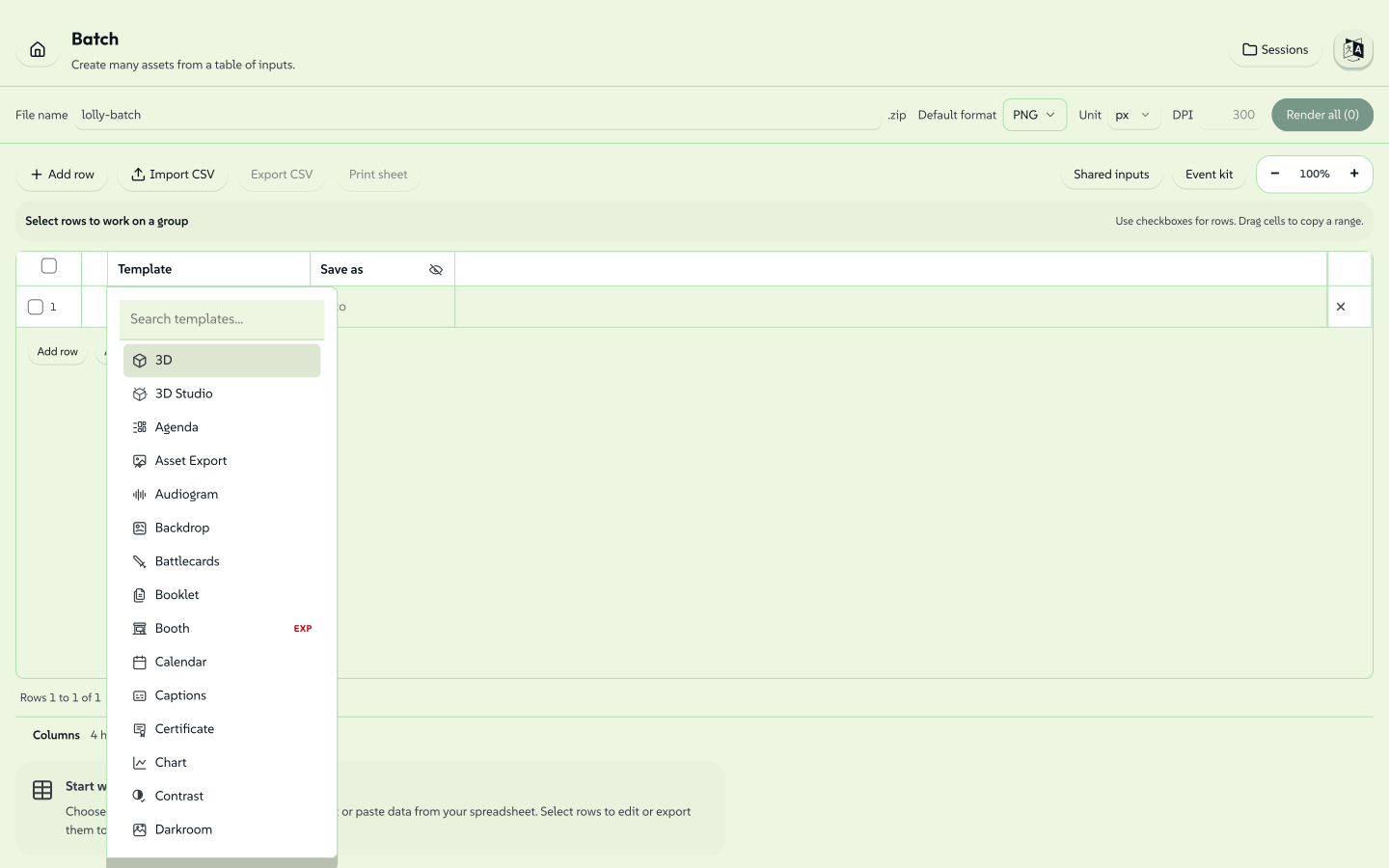
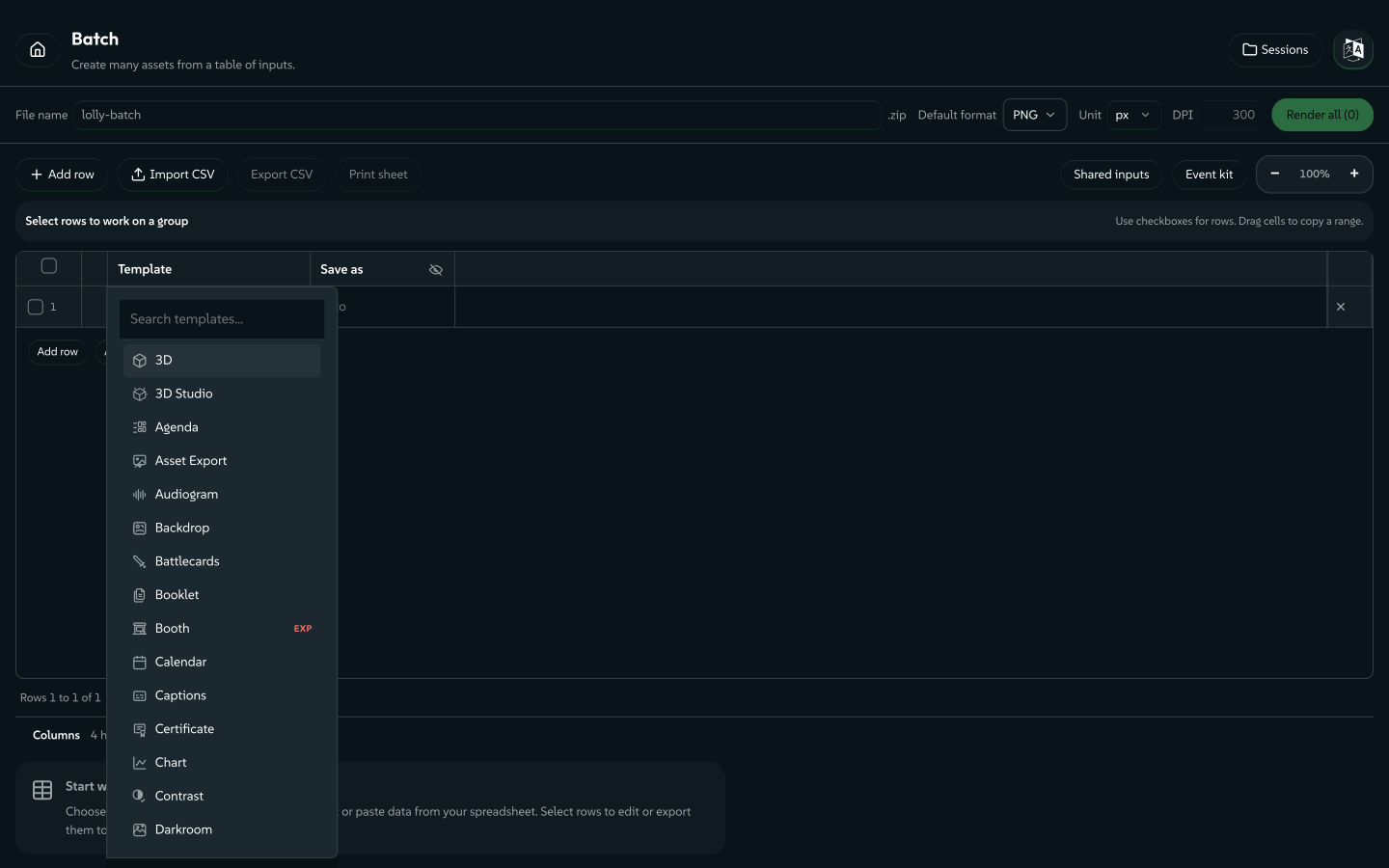
Batch mode on a fresh install: one empty row waiting for a tool, with the whole spreadsheet surface and its Render button in place before any data arrivessigned by Lollyvector SVGCheck it yourselfGet the signed file348 paths~77k nodes537 groups7 images3,100 KBBatch mode on a fresh install: one empty row waiting for a tool, with the whole spreadsheet surface and its Render button in place before any data arrivessigned by Lollyvector SVGCheck it yourselfGet the signed file348 paths~77k nodes544 groups7 images3,103 KB

One set of brand constraints, fixed once by a designer; three routes to the identical pre-approved output - and the machine route scales furthest of all, because it never tires while the files roll in.


The big picture: how the layers fit

Everything from here down is architecture. The diagram is the whole system in one view: tools are data at the top, the engine in the middle knows nothing of any platform, the shells below it implement one contract, and the catalogs supply the content.

                ┌─────────────────────────────────────────────┐
                │              Tools (data, not code)         │
                │   tool.json + template.html + hooks.js?     │
                └─────────────────────────────────────────────┘
                                    ▲
                                    │ talks to via Capability Bridge v1
                                    ▼
                ┌─────────────────────────────────────────────┐
                │                  Engine                     │
                │   loader · validator · runtime · template   │
                │   inputs · url-mode                         │
                │   PLATFORM AGNOSTIC. Knows nothing of DOM,  │
                │   filesystem, or You.                       │
                └─────────────────────────────────────────────┘
                                    ▲
                                    │ implements HostV1
                                    ▼
        ┌──────────────┬──────────────┬──────────────┬──────────────┐
        │  Web Shell   │ Tauri Desktop│ Tauri Mobile │  CLI Shell   │
        │   (PWA)      │              │              │              │
        └──────────────┴──────────────┴──────────────┴──────────────┘
                                    ▲
                                    │ fetches from
                                    ▼
                ┌─────────────────────────────────────────────┐
                │              Catalogs                       │
                │   catalog/tools/index.json + tool dirs      │
                │   catalog/assets/index.json + asset files   │
                └─────────────────────────────────────────────┘

Repository layout

Content is mounted as packs: community/, docs/, every shells/, both services/ and brands/suse are each their own repository, checked out as git submodules of this one. The parent owns engine/, schemas/, scripts/, tests/, api/, brands/lolly-start/ and profiles.json. See Build Guide » Getting the source for the checkout command and the cross-repo workflow.

lolly/
├── engine/           # Platform-agnostic core. Open source (MPL-2.0).
│   └── src/
│       ├── index.ts          # public surface - loader, runtime, template, inputs, url-mode
│       ├── loader.ts         # fetches and validates tool files
│       ├── runtime.ts        # orchestrates the 5-step lifecycle
│       ├── template.ts       # Handlebars hydration + annotateTemplate
│       ├── inputs.ts         # manifest → runtime input model
│       ├── url-mode.ts       # URL ↔ input state round-trip
│       ├── validate.ts       # JSON Schema validation of manifests
│       ├── compose.ts        # resolve nested tool renders (composes)
│       ├── embed.ts          # parse portable lolly.tools embed URLs
│       └── bridge/
│           └── host-v1.ts    # type re-export of the @lolly-tools/core contract
│
├── shells/
│   ├── web/          # PWA - hosted online; primary distribution
│   │   └── src/
│   │       ├── main.ts           # boot, routing
│   │       ├── theme.ts          # theme apply/persist (FOUC prevention)
│   │       ├── bridge/           # web implementations of HostV1 APIs
│   │       │   ├── index.ts      # compose all bridge pieces
│   │       │   ├── db.ts         # IndexedDB setup
│   │       │   ├── state.ts      # host.state - saved edits
│   │       │   ├── profile.ts    # host.profile - user details
│   │       │   ├── assets.ts     # host.assets - catalog + user uploads
│   │       │   ├── clipboard.ts  # host.clipboard
│   │       │   ├── export.ts     # host.export - rasterise/serialize
│   │       │   ├── net.ts        # host.net - allowlisted fetch
│   │       │   └── media.ts      # host.media - live camera frames (onFrame)
│   │       ├── catalog/
│   │       │   └── sync.ts       # boot-time catalog sync + offline cache
│   │       ├── styles/           # app-wide CSS (app.css, picker.css, tokens.css)
│   │       └── views/
│   │           ├── gallery.ts    # tool library listing + saved-state cards
│   │           ├── tool.ts       # mounts one tool (inputs + canvas + actions)
│   │           ├── picker.ts     # asset picker UI (invoked by host.assets)
│   │           ├── profile.ts    # user details editor
│   │           ├── projects.ts   # /p - folders of saved sessions (nested; folder/selection export)
│   │           └── free-canvas.ts # free-canvas editor overlay for render.layout:"editor" tools
│   │
│   ├── cli/          # Node.js CLI - same engine, headless jsdom
│   │   ├── bin/lolly.ts
│   │   └── src/
│   │       ├── run.ts    # loadTool → createRuntime → export → write file
│   │       └── bridge.ts # CLI implementation of HostV1
│   │
│   ├── tui/          # Interactive terminal shell (Ink) - reuses the CLI bridge
│   │   └── src/
│   │       ├── main.tsx  # full-screen app: Gallery / Projects / Profile / ToolView
│   │       └── bridge.ts # CLI bridge + on-disk state under ~/.lolly
│   │
│   ├── tauri-desktop/ # downloadable desktop app
│   └── tauri-mobile/  # iOS/Android app
│
├── tools/            # profile VIEW (gitignored) - data, not code. Merged from packs:
│                     #   community/ (public, brand-agnostic, MPL) + brands/<active>/tools (brand-owned).
│                     #   A SELECTION follows - the mounted set depends on the profile.
│   ├── qr-code/
│   ├── quotes/
│   ├── email-signature/
│   ├── snippet/
│   ├── countdown-timer/
│   ├── color-palette/
│   ├── color-block/           # typed/heterogeneous blocks (addMenu discriminator)
│   ├── dynamic-layout/
│   ├── tool-logo/         # "Logo" - auto-switching brand logo
│   ├── street-map/        # offline vector city-block maps
│   ├── url-shot/          # "URL Screenshot" (capture capability)
│   ├── strip-data/        # on-device metadata strip - JPEG/PNG/SVG/PDF (file in → clean file out)
│   ├── compress-pdf/      # on-device PDF compressor - recompresses images (file in → smaller file out)
│   ├── brand-lockup/      # "Brand Lockup" - SUSE logo lockups; HarfBuzz text-to-path (wasm)
│   ├── chart-creator/     # SVG charts from structured data
│   ├── filter/            # photo effects in one tool - halftone/scanline/posterize/voronoi (vector), duotone/pixel-stretch/imperfections (raster)
│   ├── meeting-planner/   # global timezone meeting scheduler
│   ├── calendar-ics/      # event → .ics calendar file plus a card
│   ├── digi-ad/           # "Animated Ad" - looping banner from scenes
│   ├── event-name-badge/  # conference badges - composes qr-code as an SVG
│   ├── wayfinding-signage/ # event signage; directions blocks auto-fit label text
│   ├── text-helper/       # on-device text workbench (format/decode/hash/de-identify)
│   ├── design/     # "Design" - freeform WYSIWYG editor canvas (render.layout: editor)
│   ├── multi-page-pdf/    # multi-page PDF document - cover, flowing content blocks, back page
│   ├── diagram-builder/   # org / layercake / process / cycle / pyramid diagrams
│   ├── logo-wall/         # many logos → auto-packed grid
│   ├── logo-lockup-partner/ # SUSE + partner co-brand lockup
│   ├── icon/          # favicon .ico / png / svg from text + colours
│   ├── lottie-digi-ad/    # animated Lottie ad banners
│   └── pose-geeko/        # pose the SUSE Geeko mascot - print-ready stills
│
├── catalog/
│   ├── tools/index.json        # tool registry
│   └── assets/
│       ├── index.json          # asset registry
│       └── suse/...            # logo, palette, etc.
│
├── schemas/          # JSON Schema for tool.json, asset entries, AssetRef
├── scripts/          # build-catalog-index.ts, checksum-assets.ts, validate-catalog.ts
├── tests/            # engine tests
└── docs/             # this file + authoring guides + positioning

Platform delivery model

The platform runs across several surfaces - web PWA, Tauri desktop/mobile, the scriptable CLI and the interactive TUI. All of them use the same engine and the same tool files.

Web (PWA) - primary distribution

Hosted at a SUSE-controlled URL. Works offline once the service worker has cached tools and assets. This is where most employees, vendors and partners will use the platform. No account required - state is stored in IndexedDB per device.

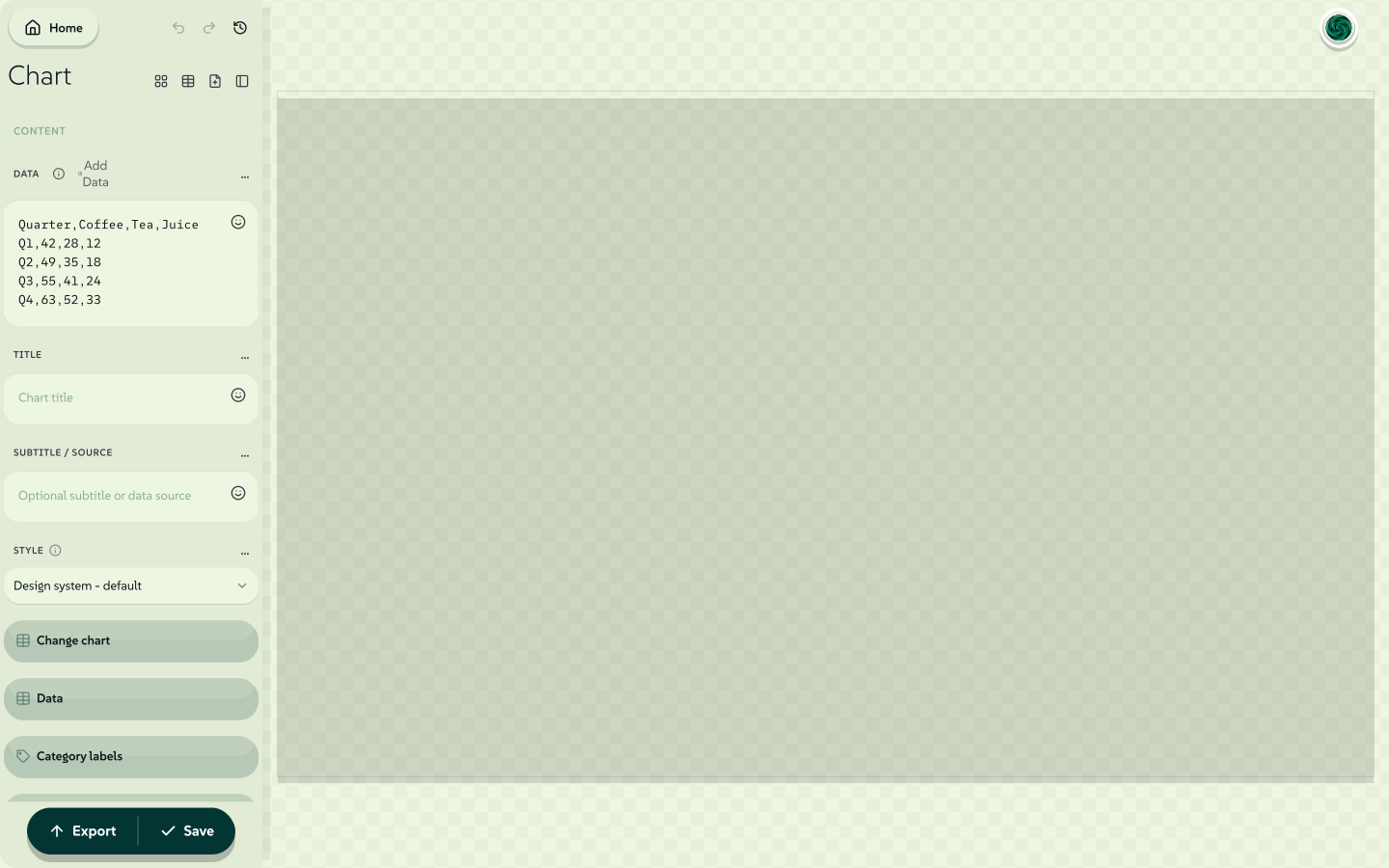
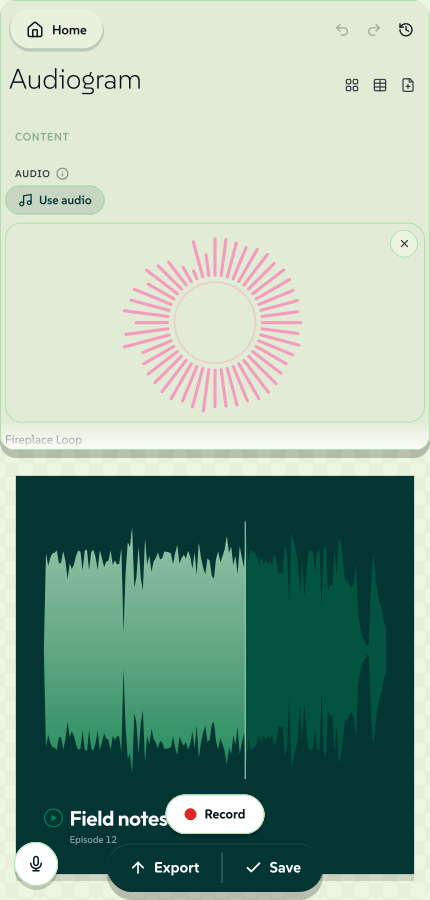
The web shell is responsive from one layout. On desktop a tool is a resizable controls sidebar beside a preview stage with trackpad-native canvas navigation (Cmd/Ctrl-wheel or pinch to zoom about the cursor, Space- or middle-drag to pan, 0/1/+/ keys and a Fit/% HUD). On mobile (≤640px) the controls become a top-anchored sheet with a drag grip that snaps peek/half/full (tap toggles) over a static full-screen preview, and a floating Render button opens the Export controls in a bottom-sheet popup. Touch gets pinch-zoom and drag-pan on the preview. The render path and the export controls are identical across both - only the chrome reflows.

The desktop split view - controls generated from the manifest on the left, the live canvas on the rightsigned by Lollyvector SVGCheck it yourselfGet the signed file5 paths989 nodes11 groups14 KBThe desktop split view - controls generated from the manifest on the left, the live canvas on the rightsigned by Lollyvector SVGCheck it yourselfGet the signed file5 paths989 nodes11 groups14 KB

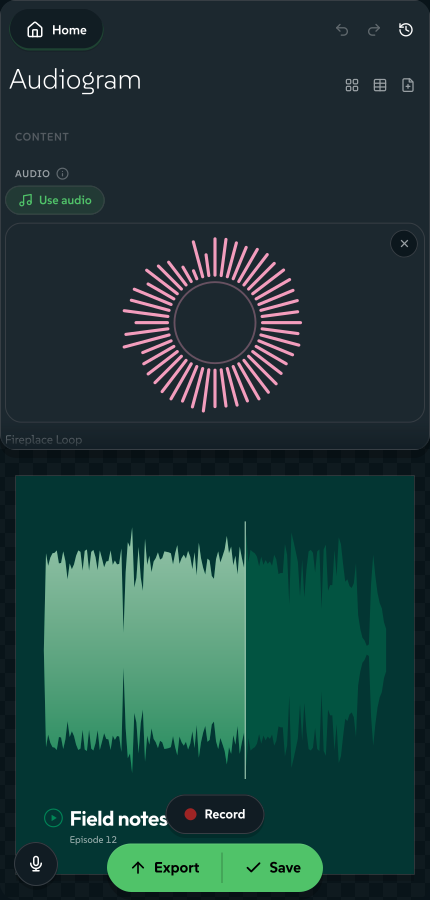
The same tool at phone width, with no second layout to maintain: the controls become a sheet at the top, the preview holds the whole screen and the render pill floats over it.

An audiogram on a 430px-wide screen - the controls sheet above, the finished square artwork below and the floating render pillsigned by Lollyvector SVGCheck it yourselfGet the signed file47 paths~1.9k nodes84 groups1 image212 KBAn audiogram on a 430px-wide screen - the controls sheet above, the finished square artwork below and the floating render pillsigned by Lollyvector SVGCheck it yourselfGet the signed file47 paths~1.9k nodes84 groups1 image211 KB

Batch mode (/pro). The web shell also ships a spreadsheet-style batch grid (shells/web/src/pro/) that renders many rows at once across one or many tools. It does CSV/TSV round-trip plus spreadsheet paste, per-row template/format/size/unit/dpi, a blocks-editor side panel with a live preview, collapsible export columns, a per-row "relevance" tag bar, left drag-handle row reorder, two-step delete confirm, saved batch sessions and a .zip download. This is the one-to-many surface behind the "mass content generation" positioning.

Tauri desktop / mobile

Packaged native app (small footprint via Tauri). Provides full offline availability, filesystem access for CLI-dependent tools (PDF Smasher, Font Outliner) and camera access. Scheduled for mid-2026 tooling enhancement.

CLI

lolly <tool-id> [--input=value ...] --output=file.png

Desktop users can invoke many tools from the terminal. The CLI shell loads the same engine, creates a jsdom DOM, runs the same render path and writes the file. URL mode is the transport - CLI is not a separate implementation. This guarantees CLI and GUI outputs are identical.

lolly qr-code --url=https://suse.com --output=qr.svg
lolly quotes --quote="Ship it." --output=quote.png
lolly                        # lists available tools
lolly qr-code                # lists inputs for that tool

TUI

npm run tui

The interactive counterpart to the CLI: a full-screen, keyboard-first terminal app (built on Ink) for browsing tools, filling in inputs, saving projects and exporting - all without a GUI. Its host bridge reuses the CLI's implementation for the DOM-free formats (SVG/EMF/EPS/HTML + text/data), and adds on-disk state under ~/.lolly plus an opt-in inline preview. Beyond that it has a browser render tier: a scoped headless Chromium (the same one the MCP server installs) that produces raster/PDF/video and live-URL capture on demand - driving a built copy of the web shell so output is identical, and launching only when you first export such a format. So url-shot (with crop + recolor + vector PDF/SVG) and every raster/pdf tool run in the terminal too. See the TUI guide.

Whichever surface you are on, the dashboard's Capabilities tab is the full map of what the platform declares it can do, grouped and readable without opening a single tool.


Tool categories

Tools are tagged with a category in their manifest for gallery grouping.

Rows are listed in gallery section order. The utility section always renders last in the gallery (after every other category, including future ones) - it's the on-device "Offline Utilities" drawer.

CategoryExamplesPlanned
everyoneQR Code Generator, Quote Card, Email Signature, Logo, Wordmark, Audiogram, Battlecards, Sequence, RecordEmployee Image Stationery
designerBrand Lockup, Design, Chart, Darkroom, Filter, Pose Geeko, BookletFont Outliner
eventMeeting Planner, Event Name Badge, Wayfinding Signage, Calendar ICS, Booth StudioEvent Stationery, Bulk Name Badges, Room Agenda Cards
product-CVE Alert, Product Release Announcement, Blog OG Image
utilityStrip Hidden Data, Text Helper, Compress PDF, Convert Image, Convert Font, Redact, Run Web Code, Screen Capture, URL ScreenshotUnit/format converters, more on-device privacy utilities

Those cells are examples, not inventories. Which tools exist is a property of the profile you mounted, not of this page: a brand pack adds its own, and can exclude a community tool it would rather not ship. catalog/tools/index.json - generated from the manifests, and the registry the gallery actually reads - is the authoritative list; to count what a profile mounts, count the manifests (ls community//tool.json brands//tools/*/tool.json) rather than trusting a number written down here. (A tool id present in two packs mounts once, from the winning pack.)

Tools are also classified by status: official (brand approved, no watermark), community (external contribution), experimental (watermarked exports). Most of the library is official; the newer studios and the capture tools tend to sit at community or experimental while they settle. Every surface shows the badge, so a reader knows what they are picking up before they open it - and, like the category cells above, the per-status membership moves too fast to enumerate here. Read it off the gallery or the generated index.

Design is the first tool built on the render.layout: "editor" free-canvas mode - a chromeless, direct-manipulation surface where you drag, resize, rotate and snap boxes of text, shapes and images, then export through the same render path as every other tool.

Strip Hidden Data is the first on-device utility (privacy: "on-device"): a content-transform tool that takes a file you supply, processes it entirely in the browser and hands back a clean copy - never uploaded, never watermarked, no provenance stamped. Text Helper is the second - an on-device workbench for everyday paste-into-a-website jobs (JSON format, JWT decode, Base64, URL encode/decode, SHA hashing). Compress PDF is the third - it shrinks a PDF by recompressing its images, again entirely on-device. The marker and its badge text "Runs on your device - nothing is uploaded" now cover the whole transform set: Strip Hidden Data, Text Helper, Compress PDF, Convert Image (HEIC/TIFF/AVIF → WebP/JPG/PNG), Convert Font, Redact (destroy regions of an image, SVG or PDF), Prompt Card and Rebrand (re-theme a .pptx in place) where the profile mounts it. This is a privacy-utility category that replaces handing confidential files to single-purpose websites.

The Utilities drawer, where every card is a tool that transforms a file you already havesigned by Lollyvector SVGCheck it yourselfGet the signed file154 paths~40k nodes234 groups802 KBThe Utilities drawer, where every card is a tool that transforms a file you already havesigned by Lollyvector SVGCheck it yourselfGet the signed file154 paths~40k nodes234 groups803 KB

Note: category and status are denormalised into catalog/tools/index.json (the registry the gallery reads) from each tool.json. The manifest is the source of truth - the index is generated by npm run build:catalog and npm run validate:catalog fails CI if the committed index drifts from the manifests.


Architectural commitments

These decisions are settled. Changing any of them is a major undertaking - they shape every other decision in the codebase.

1. Declarative tools, with an imperative escape hatch

A tool is a manifest (tool.json) + a template (template.html) + optional hooks.js.

The manifest declares inputs. Not the template. Inputs are not inferred from Handlebars tokens. The manifest is the contract; the template consumes named variables by {{id}}.

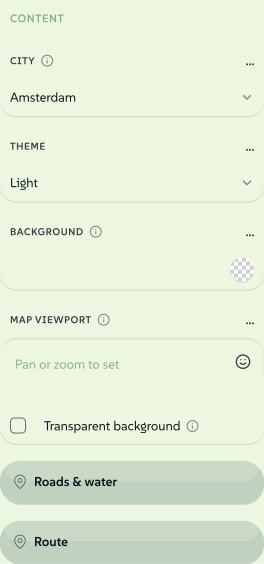
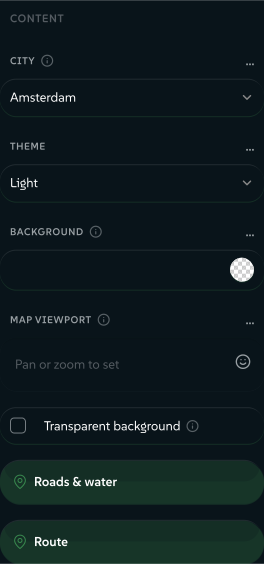
Street Map's control stack - a city dropdown, a theme select, weight sliders and colour triggers, every one of them drawn from a manifest linesigned by Lollyvector SVGCheck it yourselfGet the signed file39 paths~3.4k nodes70 groups2 images50 KBStreet Map's control stack - a city dropdown, a theme select, weight sliders and colour triggers, every one of them drawn from a manifest linesigned by Lollyvector SVGCheck it yourselfGet the signed file39 paths~3.4k nodes70 groups2 images50 KB

Hooks are optional. Most tools are pure declarative - manifest + template is enough. Tools needing computed values (QR encoding, chart data shaping) provide hooks.js exposing named lifecycle functions (onInit, onInput, onFrame - the per-frame live-camera hook for motion-reactive tools - onLevel, beforeExport, afterExport, exportFile - the file-in/file-out transform path used by on-device utilities like Strip Hidden Data - and exportStill, for a tool that owns its own deep raster). The host loads hooks via new Function('host', …) with the capability bridge injected as closure scope. This is a portability contract, not a security sandbox: hooks still run in the page realm and can reach window/fetch/document in a browser shell - host. is the supported, portable surface, not an enforced boundary. Async hook results are time-boxed (onInit 5s, onInput 2s, beforeExport/afterExport 5s, exportFile/exportStill 10s) and late results discarded; a runaway synchronous* hook cannot be preempted. Untrusted third-party hook code is therefore not safe to run until Worker isolation ships.

This matters because: declarative tools can be authored by non-developers. If every tool were a web app, the risk note "limited skills to create/maintain workhorse templates" becomes a permanent bottleneck.

2. Tools and assets are data, not bundled code

The web and Tauri apps fetch tool and asset catalogs from a known URL at boot, cache them locally and operate on whatever is there. Adding a new event tile or seasonal asset does not require an app release.

Asset bytes are SHA-256 checksummed to prevent CDN poisoning. Asset id + version drives cache invalidation.

3. The Capability Bridge is the only API tools see

Tools never touch the DOM outside their template area, never call fetch directly, never read the filesystem. They call versioned host.* methods. The contract's canonical definition is packages/core/src/host-v1.ts - the tool-author SDK @lolly-tools/core, so a third party can build against it without depending on the engine; engine/src/bridge/host-v1.ts is a type re-export of it, and engine/shell code keeps importing from that path unchanged:

Bridge APIWhat it does
host.profileUser's firstname, email, headshot, city, etc. Pre-fills inputs via bindToProfile.
host.assetsCatalog queries, asset resolution, host-provided picker UI.
host.stateSave / load input slots. IndexedDB on web, filesystem on Tauri, memory on CLI.
host.clipboardWrite text or image to clipboard (with platform fallbacks).
host.exportRasterise or serialise the render target. Applies watermark for experimental tools.
host.netAllowlisted fetch - only available if the tool declared "network" capability. (No shipping tool currently uses it.)

Optional, additive surfaces appear only when a shell provides them. Some are capability-gated - exposed only when the tool declares the matching flag: host.compose (embed another tool's render - compose), host.capture (page capture for URL Screenshot - capture) and host.recorder (mic/camera/display capture for the recording tools - microphone / camera / screen). The rest are feature-detected - present whenever the shell can provide them, with the tool keeping a fallback for shells that can't.

A handful of headline surfaces, to show what it covers - Host API documents every one, and packages/core/src/host-v1.ts is the contract itself:

SurfaceSinceWhat it adds
host.tokens1.0DTCG design tokens - the brand's own primitives
host.text1.0Text-to-path via HarfBuzz WASM (the wasm capability flags tools that rely on it)
host.media1.4Live camera frames driving the onFrame hook. Progressive enhancement, deliberately not gated by the camera flag - such a tool still works as an ordinary still-image tool
host.color1.40Perceptual colour maths: ΔEOK, WCAG + APCA contrast, OKLab ramps, class-breaks, categorical palettes, harmony schemes (1.60), CSS Color 4 mixing and gradient baking (1.68). Pure and synchronous - shells attach the engine's makeColorApi() rather than implementing anything, so it cannot drift
host.images1.60Decode / resize / re-encode bytes on device - the convert path (HEIC → JPEG, compress to WebP, downscale). Shipped in the web shell as a lazy facade, so the HEIC decoder never enters the boot chunk
host.geom1.64Exact vector geometry: path booleans, offsetting, stroke-to-fill, spline lowering, simplification, hit testing. Also pure, synchronous and attached from the engine (makeGeomApi()); failures are returned, never thrown

The rest follow the same rules and are documented alongside them: pdf (1.8) and pptx (1.58) for on-device document surgery, audio (1.71) and speech (1.96) for clip analysis and on-device TTS/transcription, viz (1.72) for the MilkDrop placeholder contract, codec (1.100) and layers (1.102) for deep-bit and layered-bitmap output, upscale (1.101) and matte (1.103) for the on-device models, raster (1.105) for hooks doing their own pixel work, connectors (1.106) for export-safe arrows and c2pa (1.85) for signing finished bytes. The count grows; the rules don't.

The declarable capabilities are: network, filesystem, clipboard, camera, microphone, screen, ffmpeg, wasm, capture, compose. (screen, added in 1.54, is display capture via host.recorder - the user picks a screen/window/tab in browser-native UI; distinct from capture, which rasterises a URL the tool itself names.)

The same tool runs in browser, Tauri and headless CLI because each shell implements this interface - the tool never knows which it's in.

The bridge is versioned. Adding methods is a minor version. Removing or changing signatures is a major version bump. When v2 ships, v1 must continue to work.

4. Asset IDs are forever

suse/logo/primary is a contract. Once published:

This makes saved tool states and URL-shared links durable across years.

5. URL mode is first-class

Every input must be expressible as a URL parameter:

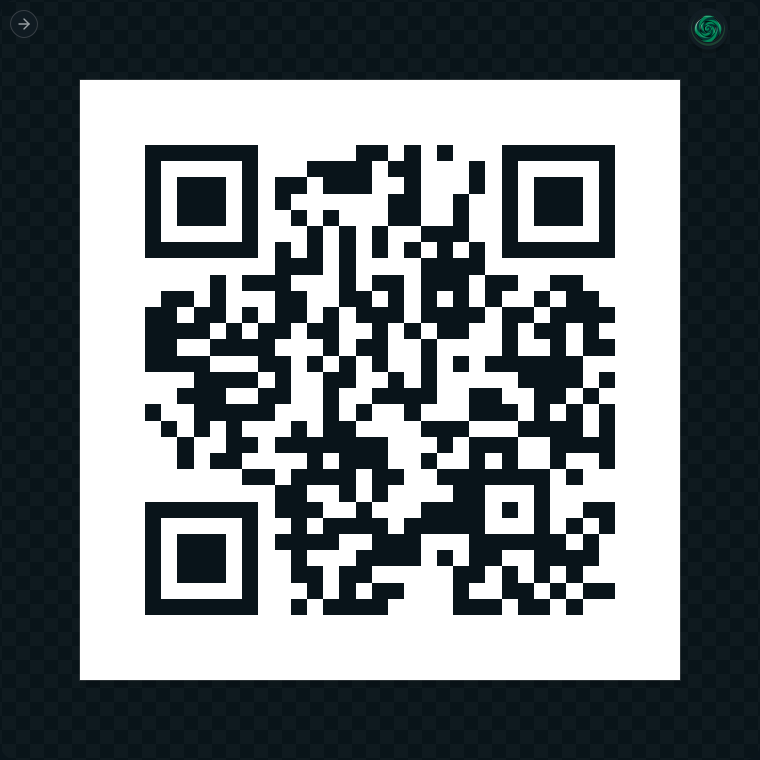
lolly.tools/#/tool/qr-code?url=https://suse.com&ecl=H

That link on its own, with nothing else in it, is the finished assetsigned by Lollyvector SVGCheck it yourselfGet the signed file17 paths~2.0k nodes39 groups24 KBThat link on its own, with nothing else in it, is the finished assetsigned by Lollyvector SVGCheck it yourselfGet the signed file17 paths~2.0k nodes39 groups24 KB

CLI mode is URL mode under a different transport - the CLI shell builds a URL-state object from argv and runs the same engine pipeline. There is one render path. CLI cannot drift from GUI because it isn't a separate implementation.

url-mode.ts handles the round-trip (parse and serialize). A set of reserved params is never forwarded to the tool as inputs: the output controls (format, export, copy, filename, width/w, height/h, unit, dpi), the print and provenance dials (bleed, marks, profile, password, c2pa, imprint, durable, meta, hdr, depth, cuts) and the state carriers (template, z - the "Shortest link" packed token - and zx, the same encrypted under a password). The RESERVED set in engine/src/url-mode.ts is the authority and is pinned by a test; URL Mode documents every one of them, including the handful not listed here. Asset inputs in URL mode are serialised by their id; the runtime resolves them via host.assets.get() before hydration. width/height are values in unit (default px, also mm/cm/in/pt/pc); with a physical unit dpi sets raster resolution. They set the canvas document size and pre-fill the export dimensions panel.

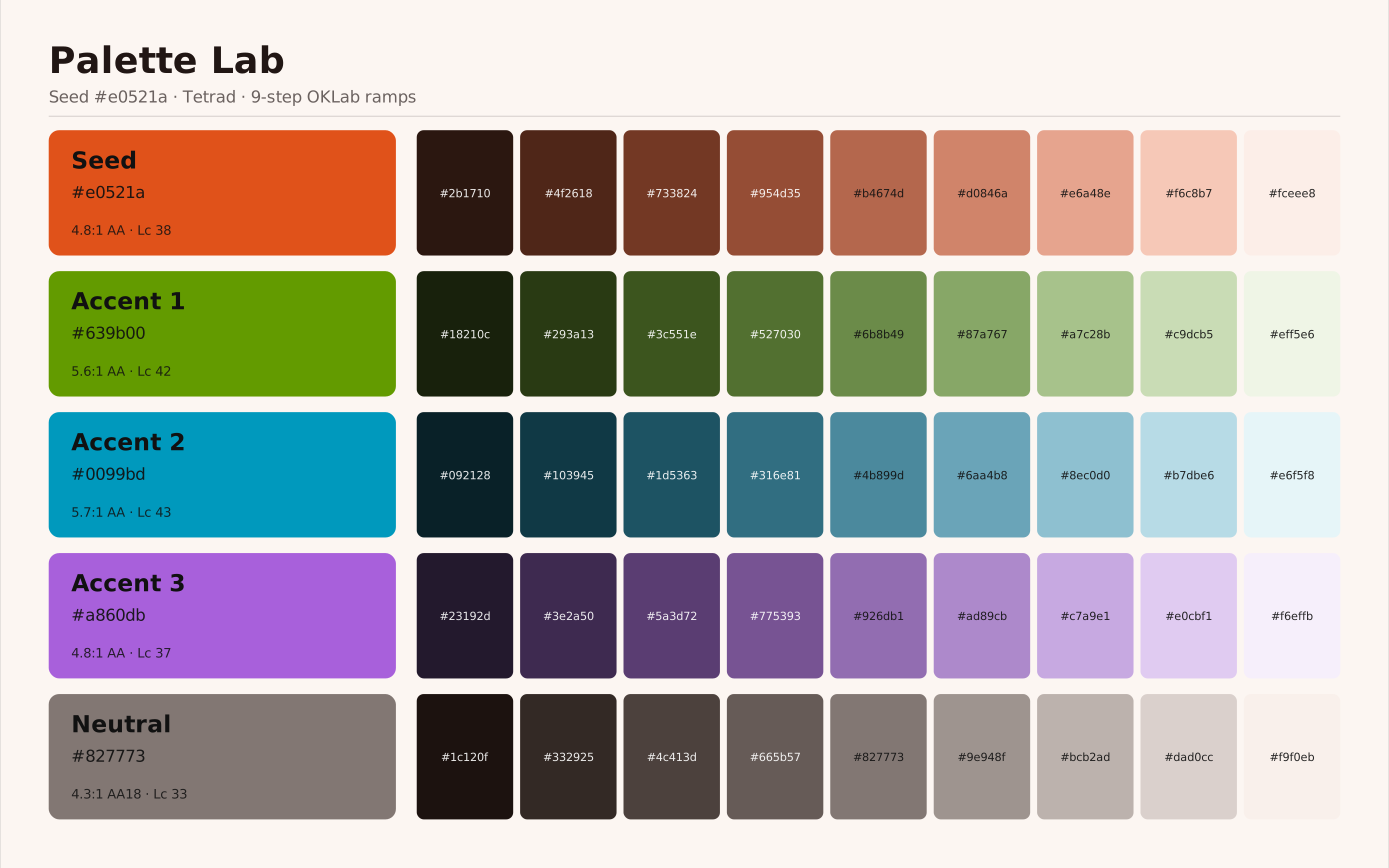
Because every input travels in the link, a parameter change is a different finished asset. This whole palette is one seed colour, a harmony and a step count:
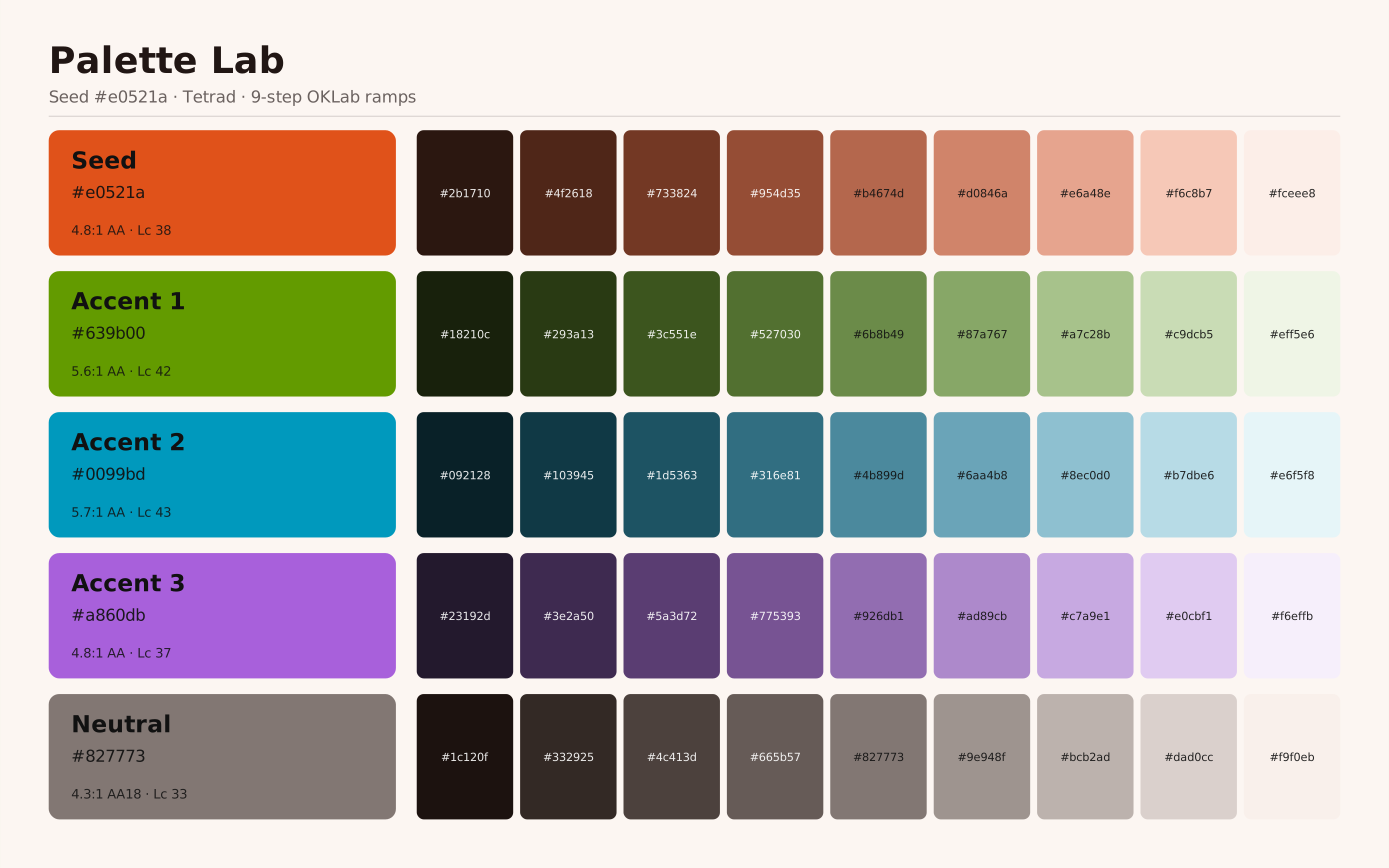
Nine steps across four hues, all grown from the single seed colour carried in the linksigned by Lollyvector SVGCheck it yourselfGet the signed file10 groups24 KBNine steps across four hues, all grown from the single seed colour carried in the linksigned by Lollyvector SVGCheck it yourselfGet the signed file10 groups24 KB

6. Storage goes through the bridge, not direct

Web shell: IndexedDB. Tauri: filesystem. CLI: in-memory. Tools see only host.state.save(slot, data) and host.state.load(slot). localStorage is not used - it's too small and can't hold blobs.

Users can save multiple named edit slots per tool and return to each session later. No account creation is required; state is per-device. Because the bridge is the only seam, that per-device state is also portable: shells/web/src/data-transfer.ts reads everything back out through host.profile/host.state/host.assets into a single lolly-backup zip that imports on any other install - the offline answer to "move to a new device" that doesn't need a server (full spec: docs/data-transfer.md). SUSE ID integration (multi-device sync) is a future milestone on top of this.

7. Maturity tags answer the "brand approved" risk by design

Every tool declares status: official | community | experimental in its manifest. The gallery sorts by status. Experimental tools watermark their exports automatically - the watermark is applied by host.export.render, not by the tool, so it cannot be opted out of by a non-official tool author.

This is a structural answer to the perception risk that using any tool implies brand approval. Process answers (a review queue, SUSE ID gating) layer on top.

8. Tool inputs are typed via the manifest, including assets

Inputs declare a type: text, longtext, number, boolean, color, select, asset, date, time, datetime-local, url, blocks, vector, table and file. The host renders a generic control per type from the manifest - tools write zero control code. (Pre-filling from the user's profile is not a type - any input can carry bindToProfile.) Three carry more weight than the rest:

9. Templates are logic-less (Handlebars, not EJS)

Handlebars was chosen over EJS deliberately:

Logic lives in hooks.js where it is explicit and reviewable. Available Handlebars helpers: {{default}}, {{upper}}, {{lower}}, {{eq}}, {{markdown}}, {{asset ref}}, {{asset ref "property"}} (plus data-format helpers icsStamp/rfcText/csvCell used by sibling .ics/.vcf/.csv templates).

10. Tools compose tools

A tool can embed another tool's render with no tool-to-tool imports - composition is resolved by the engine, never by tool code. There are two surfaces:

Compose any tool's render: an SVG child stays a true vector when the parent exports to SVG or PDF and rasterises crisply for PNG; PNG/JPG/WEBP children embed as images. Requires the compose capability. Composed children are intermediates - never watermarked or provenance-stamped - and composition degrades gracefully: a shell that can't render a child just omits the slot and the parent still renders.


What we explicitly chose not to do


Lifecycle, end to end

A user opens lolly.tools/#/tool/qr-code?url=https://suse.com&ecl=H:

  1. Boot. Web shell opens IndexedDB, constructs the capability bridge, syncs the tool and asset catalogs (or loads from cache when offline).
  2. Route. URL hash → tool view, with qr-code and URL params extracted.
  3. Load. loadTool('qr-code', fetchFile) fetches tool.json, validates against the JSON Schema, fetches template.html, styles.css and hooks.js source.
  4. Parse URL state. parseUrlState translates URL params into initial input values. Asset refs (?logo=suse/logo/primary) are parsed as lightweight { id, _unresolved: true } objects.
  5. Runtime. createRuntime(tool, host, initialValues) builds the input model (merging profile data, defaults and initial values), resolves asset refs via host.assets.get(), loads hooks (closure-scoped host, not sandboxed), calls hooks.onInit.
  6. Render. Shell subscribes to runtime; on every state change it receives { model, hydrated }. It renders input controls from the model and writes the hydrated template HTML into #tool-canvas.
  7. Interact. User types in an input → runtime.setInput(id, value) → constraints applied → hooks.onInput called → re-hydrate → re-render. The canvas updates live.
  8. Export. User clicks Download(PNG) → runtime.export(canvasNode, 'png')host.export.render (rasterises via dom-to-image-more; SVG/PDF go through dedicated DOM-walking vectorisers) → blob → host.export.download. The format range a tool can opt into is broad, and the render.formats enum in schemas/tool.schema.json is the authority on it - rasters and float rasters, vectors and cut files, print/CMYK, motion, editable documents (pptx, docx, odt), palette and data/text outputs, audio and font files. URL Mode names every id and what it produces. Audio is in that enum like anything else (wav, mp3, m4a, opus, declared by the audiogram and the recording tools); separately, a recording tool's render.capture mode drives host.recorder, whose take arrives as a finished Blob in whatever container the browser recorded. (Tools that set render.export: false - e.g. Color Palette, Countdown Timer, Strip Hidden Data, Text Helper, Compress PDF - hide the download/format/dimension controls.) Physical units are converted per format here (PDF → true page points, raster → pixels at DPI with a pHYs chunk). Authorship/provenance metadata (author, tool, source - built by engine/src/metadata.ts) is embedded per format: PNG iTXt, JPEG EXIF, PDF info dict, SVG <metadata>, GIF comment. Experimental tools get a watermark inserted by the host, not the tool.

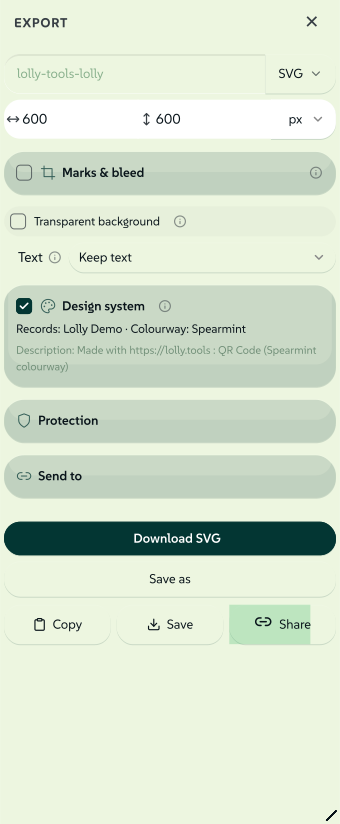
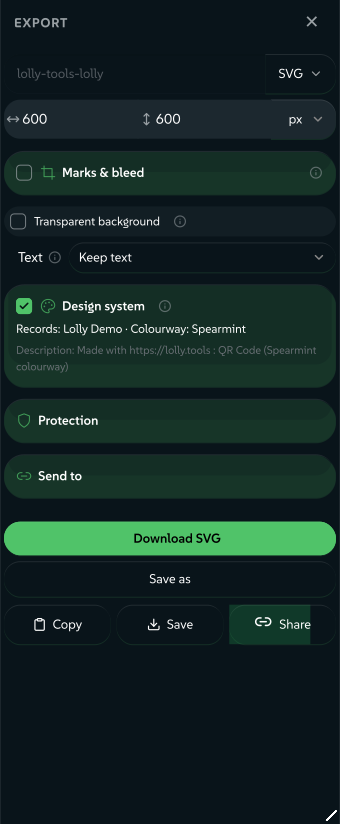
The export panel that ?options opens: the filename and format pair, the output size and the controls that write the filesigned by Lollyvector SVGCheck it yourselfGet the signed file49 paths~3.3k nodes61 groups3 images74 KBThe export panel that ?options opens: the filename and format pair, the output size and the controls that write the filesigned by Lollyvector SVGCheck it yourselfGet the signed file49 paths~3.3k nodes61 groups3 images74 KB

Same lifecycle in Tauri. Same lifecycle in CLI - jsdom provides the headless DOM; output goes to a file or stdout.


Open-source status

Code is MPL-2.0. engine/, shells/, services/, schemas/ and docs/ are open source under MPL-2.0 - a vendor-neutral scaffolding platform for brand tooling, with each shippable unit in its own repository under github.com/lolly-tools.

Tool content ships as brand packs, each with its own terms (see the pack's NOTICE.md). community/ is the public lolly-tools repository and its brand-agnostic tools are MPL-2.0 too. brands/suse/ is the private suse-lolly pack: the SUSE tools and the SUSE catalog, proprietary to SUSE, including its licensed PremiumBeat music. brands/lolly-start/ is the blank starter brand this repository owns. Fonts ship inside a pack under the SIL Open Font License 1.1 - the SUSE pack carries the SUSE and SUSE Mono typefaces.

The repo-root tools/ and catalog/ are gitignored views: a profile assembles them from community/ plus the active brand pack, which is why every script and shell reads those two paths and never a pack directly.

The split is enforced - there are no cross-imports from engine/ into tool content - so the platform/content boundary stays clean.


Where the engine ends and the host begins

If you can describe it in pure data + Handlebars → engine. If it touches the DOM, filesystem, network or any browser/OS API → host.

The line is sharp on purpose. The engine is the open-source part. Everything that knows about SUSE, specific platforms or runtime environments stays out of it.

For the next level of detail, engine/README.md enumerates every engine module and what it is responsible for, and Threat Model & Trust Boundaries records where that same line doubles as a trust boundary.