
A web page cannot read the pixels of another website, so the Lolly web app needs help to screenshot a page. In a Chromium-based browser (Chrome, Edge, Brave, Arc or Opera, from Chrome 111), the free Lolly URL Screenshot extension gives that help, using the same capture the desktop app uses. With it installed:
- URL Screenshot saves the page you composed as a file;
- a web address pasted into an image slot can become a screenshot of that page, with Screenshot this page;
- the Website source in Design System Setup can read one page to start a design system.
You approve every request, and the desktop app does the same jobs without the extension.
Before you install
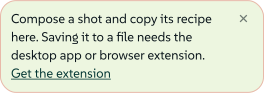
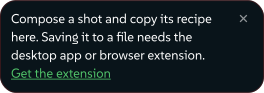
Until the extension is installed, URL Screenshot still opens, so you can compose a shot. A note at the top of the tool's controls says what is missing.
 signed by Lollyvector SVG4 paths~2.4k nodes4 groups30 KBCheck it yourselfGet the signed file
 signed by Lollyvector SVG4 paths~2.4k nodes4 groups30 KBCheck it yourselfGet the signed file
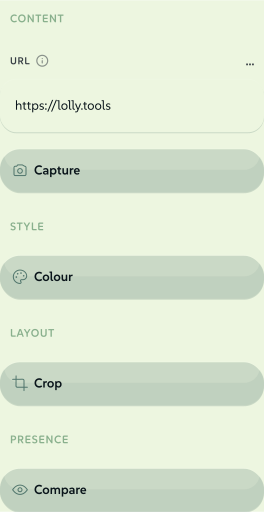
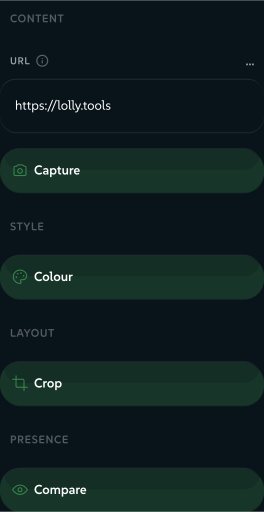
Every control works while you wait: the target URL, the scroll depth, the settle delay, the crop insets and the recolour. Only the capture itself needs the extension.
 signed by Lollyvector SVG31 paths~1.7k nodes38 groups30 KBCheck it yourselfGet the signed file
 signed by Lollyvector SVG31 paths~1.7k nodes38 groups30 KBCheck it yourselfGet the signed file
Install
From the Chrome Web Store: coming soon. Once the extension is published, you install it in one click.
Load it yourself (developers). The extension lives in the repository at shells/chrome-extension/. That folder is the production build, which works with Lolly at https://lolly.tools only.
- Open
chrome://extensions. - Turn on Developer mode (top right).
- Click Load unpacked and choose the
shells/chrome-extension/folder. - Reload the Lolly tab. Detection happens when the page loads, so the "Get the extension" prompt disappears. URL Screenshot (under Utilities) can then save captures to a file and becomes available in Batch mode.
For a local development server, run pnpm run pack:chrome-extension:dev and load dist/chrome-extension-dev instead. That package also accepts http://localhost:5173 and has Development in its name.
What happens when Lolly asks


- Lolly asks. A small script tells Lolly the extension is present, so a capture or a page reading can start with no further setup.
- You approve. The extension opens its own Approve page request window. It shows the requesting site, whether it wants a screenshot or the page contents, and the page address. Nothing is read until you press Approve once. Cancel, or closing the window, ends the request.
- Chrome asks once per site. The first time you approve a request for a site, Chrome also asks whether the extension may access that site. Chrome keeps that access once you allow it, but every later request still needs its own Approve once.
- The page is read in a background tab. The extension opens the target page in a background tab, captures it through the DevTools Protocol (the same
Page.captureScreenshotthe desktop app uses), closes the tab and hands the result back to the Lolly tab that asked.
An approval covers one request and expires after 30 seconds. Only one request can wait or run at a time, and an approved request stops after 55 seconds. If the Lolly page closes or changes, or the target page moves to another site, the request is cancelled.
The capture runs in your browser, on your network, so localhost and internal sites work. The page loads with your browser session, so a page you are signed in to can show private information in the result. The capture is not uploaded: the only network traffic is your own browser loading the page you asked for.
While a capture runs you may briefly see a "…started debugging this browser" banner on the temporary tab. That is the DevTools Protocol at work, and the banner clears when the shot is done.
Reading a site for Design System Setup
The Website source in Design System Setup starts a design system from a site you already have. In a Chromium browser the extension reads the page. In the desktop app, the app fetches the page itself. In a browser with no extension, the Website tile is not offered.
- One address, one page. After you approve, the extension opens the page in the same kind of background tab, reads the rendered markup, the stylesheet text and a handful of icon and logo images, then closes the tab. It does not follow links or crawl.
- Stylesheets hosted elsewhere (a CDN or a font service) are fetched too, because the page's colours and type live in them. Cross-origin requests go without your cookies; same-origin requests use them, as the page itself would.
- Everything is capped, with a limit on the number of stylesheets and images and on bytes, so a hostile or half-broken page returns partial material rather than hanging.
- Parsing happens on your device. The bytes go straight back to the Lolly tab that asked, which turns them into colours, type and logos.
Pasting an address only fills in the field. Nothing is read until you start the reading and press Approve once.
Permissions
The extension's manifest.json declares four permissions, plus site access that it asks for one site at a time. It sets minimum_chrome_version: 111, and the current version is 0.4.0.
| Permission | What it is for | When it is granted |
|---|---|---|
debugger | Drives the background tab through the DevTools Protocol, which takes the screenshot. | At install |
tabs | Opens the temporary background tab and closes it afterwards, and checks that neither the Lolly page nor the target page has moved since you approved. | At install |
scripting | Runs the one-page reader inside the site you named, for the Website source. | At install |
storage | Notes the id of a tab it opened, in session storage only, so the tab still closes if the browser suspends the extension mid-read. Cleared on the next start; nothing about you is stored. | At install |
optional_host_permissions: ["http:///", "https:///"] | Site access, not granted at install. When you press Approve once, the extension asks Chrome for access to the one site in that request. | The first time you approve a request for that site, after Chrome asks you |
The extension reads only the single page you approve. It does not read or send your browsing data, and nothing is uploaded.
Troubleshooting
- Still seeing "Get the extension"? Reload the Lolly tab.
- Nothing happens on this site? The extension works only on
https://lolly.tools, plushttp://localhost:5173in the development package. Another origin, such as a self-hosted copy of Lolly, needs its own build of the extension that lists that origin in bothmanifest.jsonandpolicy.js. Editing the manifest alone does not work. - A capture fails? Check that the URL is reachable and starts with
http://orhttps://. Some pages block automated capture. If you pressed Cancel, closed the approval window or waited longer than 30 seconds, start the capture again.