
This guide covers the optional organisation service. Configuration, console and API paths refer to your Lolly Work instance. The packaged console keeps its release-matched copy of this guide.
Lolly Work is the server an organisation runs beside Lolly. People keep making things on their own devices. Lolly Work adds the parts a team shares: one sign-in, shared projects, a governed library of brand assets, server renders, links you can turn off, approvals and an audit trail.
The current release is Lolly Work 1.2.0, paired with Lolly 1.2.0. The release notes list the exact component versions.
Ready to use
- Sign-in: OpenID Connect, GitHub, email and password, passkeys, proxy and device code
- SCIM provisioning and back-channel logout
- Roles, grants, invitations and requests
- Team projects with files, comments and versions
- A governed library with 15 kinds of source
- Rules for tools, feature flags and managed AI
- Server renders, durable jobs and signed links
- Delivery to five kinds of destination
- Approval chains, source review and one-file review
- Partner programmes with their own tools and tokens
- Brand pages and colour edits
- Signing, audit log, telemetry and SIEM
- Agents on one document, and scoped tokens for the organisation MCP endpoint
Check on your own systems
- Your identity provider: callbacks, groups and SCIM
- Each DAM tenant: field names and original files
- WebDAV and signed HTTPS delivery receivers
- Image digests, and arm64 at runtime
- Your pack against the installed engine
- Employee client binaries and their notices
- Audit heads kept outside the database
- Brand pages in other browsers and behind a CDN
- Hosted render API adapters against a live account
- The web shell and pack volumes on Kubernetes
Not built yet
- Per-token quotas for staff tokens
- Editable overlay defaults
- The
enforce.c2paoverlay key - Ending one chosen session
- Deciding approvals over the organisation MCP endpoint
- Recording a visual intent in a Work render
- Render dependency locking
- General event subscriptions
- A delivery claimant and staged-byte retention
- Moving a project between instances
- Live editing across several server nodes
- High availability and central publication
- Direct SAML
What Lolly Work 1.2.0 does, what to check on your own systems before you rely on it and what is not built.
signed by Lollywork-status-capabilities.htmlHTMLpixels, not shapes12 KBAI generatedgenerated by Claude Opus 5.5Check it yourselfGet the signed fileReady to use
- Sign-in. Your own OpenID Connect provider (one or several), GitHub, email and password, passkeys, a reverse proxy or a short code for the CLI and native apps. SCIM adds, changes and disables people from your directory. Back-channel logout from your provider ends the Lolly Work sessions that came from one provider session. See Sign-in and sessions.
- People and access. Roles that follow your directory groups, allow and deny grants, invitations with personal links, requests to join and requests for access. See Roles and grants and Invite people and handle requests.
- Team projects. A role on each project, shared files and subfolders, comments, saved versions, live editing and a safe choice when two people save the same session. See Team projects.
- A governed library. Your design system, assets members submit with optional review, your own metadata fields, collections, versions, expiry and holds, plus 15 kinds of DAM and storage source. See Catalog and content.
- Rules for tools. Lock, restrict or hide a tool's inputs per group. Govern feature flags and managed AI. Keep the whole policy as one document. See Policy and governance.
- Renders and links. Server renders in SVG and PNG, and JPG and PDF with a render worker. Durable render jobs and batches that recover after a restart, with signed callbacks, batches filled from a data source and delivery by reference. Signed links that expire and that you can turn off, including guest links. See Share renders and links and Render jobs and batches.
- Delivery. Send finished exports to S3-compatible storage, WebDAV, a signed HTTPS receiver, Brandfolder or Cloudinary, with an optional approval step. See Organisation delivery destinations.
- Approvals. Ordered chains with
any, quorum andallrules. Separation of duties. Review of a frozen set of source files, or of one exact exported file. The approved file can carry a signed record of the approval in its Content Credentials when the requester leaves that box ticked and the server can sign. One approval can cover a template's variants. See Approvals. - Partner programmes. Resellers, distributors and other partners each get their own tools, templates, files, company details and agent tokens, and files reach them by the licence each file records. See Run a partner programme.
- Brand pages and colour edits. Publish a design system's brand page on the instance, off by default, and let a brand manager change the instance's colours with no pack rebuild. See Host a brand page and Edit this instance from the studio.
- Records. Content Credentials signing, a hash-chained audit log, telemetry intake and dashboards, and SIEM forwarding. Lolly's own apps do not send telemetry events today, so the usage charts stay empty until a client sends them. See Audit log and Telemetry and dashboards.
- Agents. Invite an MCP agent to one document or one project, under your own identity. See Invite an agent to a document. A service token, narrowed to scopes and tools, can also connect an agent to the organisation MCP endpoint for renders, batches, delivery, catalog search and visual intents. See Connect an agent over MCP.
- Setup and packaging. A six-step guided setup in the console, container images, a Helm chart (with an optional render-worker tier) and Compose. See Configure your first Lolly Work instance and Install Lolly Work.
Try the hosted demo at lolly.work before you install. It renders for real: GET /render/<toolId>.<format> serves live output. It holds sample data that does not persist and runs apart from private workspaces, so use it for a trial, not as a production instance.
Check on your own systems first
Lolly Work's tests use recorded fixtures for identity providers and DAMs. They check the code against each vendor's published contract. They cannot show that your tenant matches that contract, so run these checks before you rely on an integration.
Brandfolder has successful integration use reported at SUSE, including administrator change management, in the deployment account recorded on 31 October 2026. That is evidence for the connected workflow. It does not qualify every optional field, another tenant or the separate outbound Brandfolder delivery adapter.
- Identity. Check your registered callbacks, real owner groups, SCIM subject correlation, denied groups, revocation and source disable. Customer setup walks through each one and shows which integrations it has actually observed.
- Sources. Each provider guide says what has been confirmed against a real tenant and what to verify on yours: field names, approval mapping and original-file checksums. Check a source on your own tenant gives the steps.
- Delivery. The S3 adapter has been checked live against an S3-compatible host. WebDAV and signed HTTPS have wire tests and opt-in checks that have not yet run against a real receiver. Brandfolder and Cloudinary are fixture-tested.
- Release artifacts. Lolly Work 1.2.0 ships signed server and render-worker images for Linux amd64 and arm64, and its release record does not claim native arm64 runtime qualification. Choose and verify the image digests, client and worker versions, registry access and any
imagePullSecretsbefore you install. - Your pack.
inspect:packand Customer setup load your tools through the installed engine and report incompatible requirements, missing files and unsupported server formats. A passing engine-pin check does not establish that your clients and workers match. - Employee clients. Lolly Work's audits, SBOM and notices cover its own deployment. Review the desktop and mobile binaries, their third-party notices and their distribution terms in the Lolly release you deliver.
- Audit anchoring. Lolly Work logs the audit head at boot and every hour. A database superuser can still bypass the append guard or truncate the tail, so collect heads in a store that your database administrators cannot change. See Audit log.
- Brand pages. A real published folder was served under its policy in Chromium, with no blocked request. Other browsers and an instance behind a CDN have not been checked.
- Moving off a hosted render API. The Bannerbear V5, Bannerbear V2 and Placid adapters, off by default, come from those vendors' public documentation and fixtures and have not run against a live account. The move from a hosted render API has a check list for anyone who holds one.
- Shell and pack on Kubernetes. Bring a built web shell on a volume you populate; brand packs are bring-your-own too (
pack.typedefaults tonone). A wrong shell path fails at boot rather than serving an ungoverned app.
 signed by Lolly Demovector SVG10 paths128 nodes141 groups194 KBCheck it yourselfGet the signed file
 signed by Lolly Demovector SVG10 paths128 nodes141 groups194 KBCheck it yourselfGet the signed file


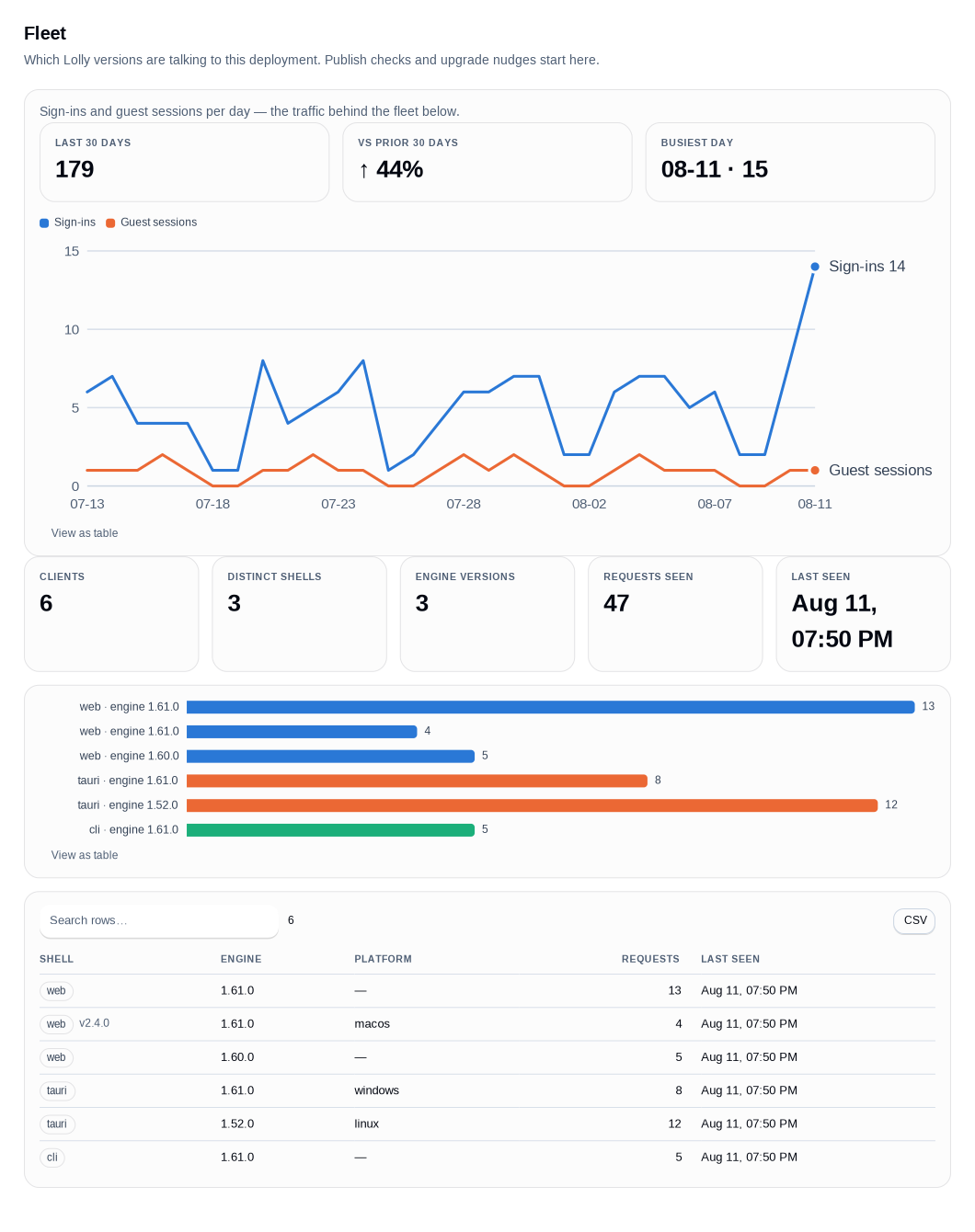
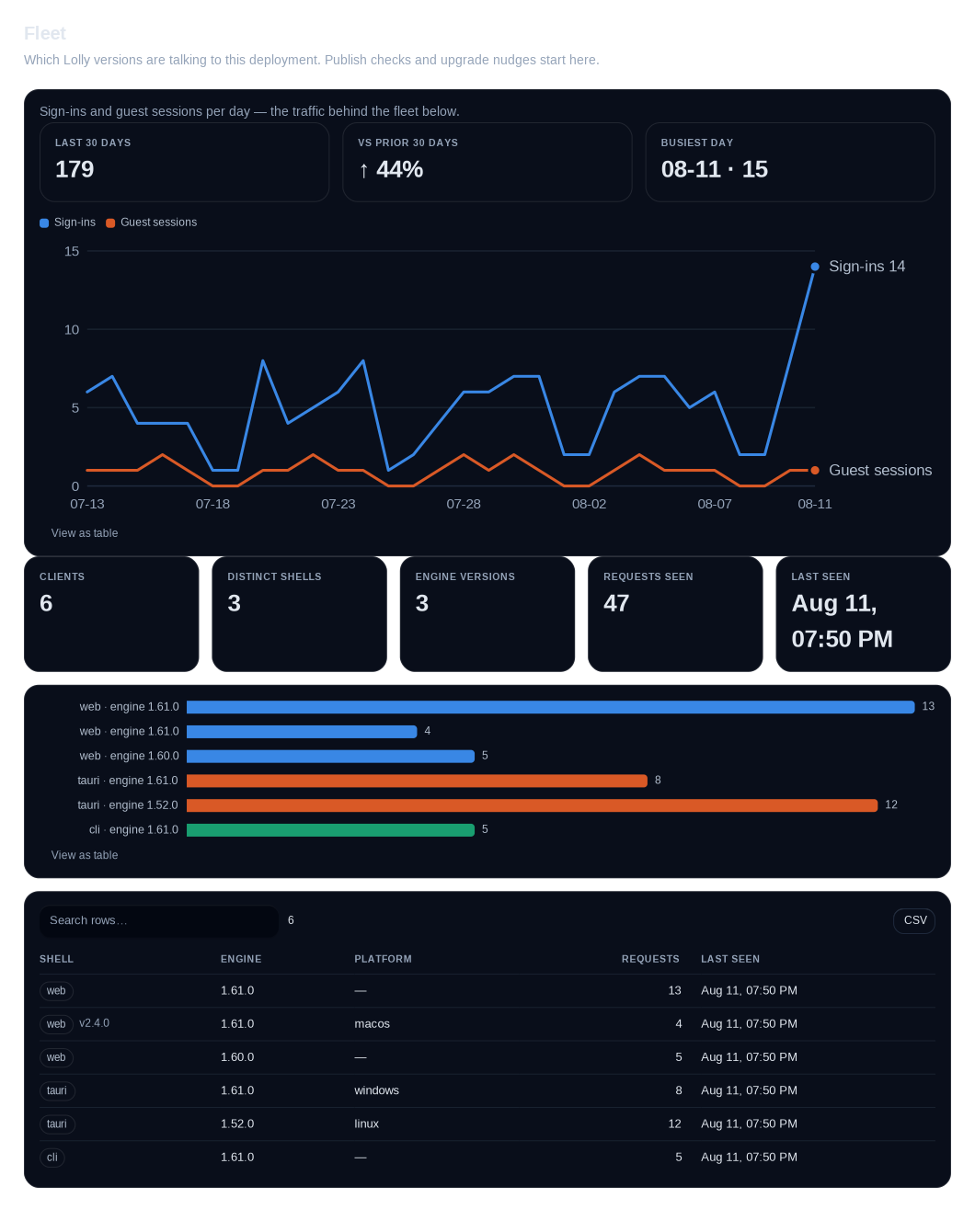
The console's Fleet view lists the Lolly versions that talk to your server, which helps when you match clients to a release.
In the next release
Nothing is finished on Lolly Work's main branch beyond 1.2.0 yet. The items this list held before 1.2.0 shipped in 1.2.0 and are now under the two lists above: the organisation MCP endpoint, scoped service tokens, more for durable renders, approval of one exported file, resolving a visual intent, brand pages, colour edits and the hosted render API adapters. The release notes give the details.
Not built yet
- Per-token quotas for staff tokens. A partner agent's token has its own limits and usage counts. Other service tokens share the automation routes' per-address rate limit, with no per-token quota or usage account yet.
- Editable defaults. An overlay stores
defaultsbut does not apply them. Clients, collaboration, automation and server renders still need one agreed precedence. - One overlay key.
enforce.c2pais declared, and the write paths refuse that key. - Ending one chosen session. An admin can end all of a person's sessions, not one of them. See Sign-in and sessions.
- Deciding approvals over the organisation MCP endpoint. A token holding
approvals.requestcan ask for a review of its own render. Deciding stays with people. - Recording a visual intent in a Work render. Choosing the tool is built. Recording the intent in the file is on the command line and the public MCP server.
- Render dependency locking. Receipts are partial and campaign reconciliation is not built. See Render jobs and batches.
- General event subscriptions. Callbacks announce the end of the job that asked for one. A feed of other events, with subscriptions and replay, is not built.
- Delivery operations. A replica-safe background claimant for queued deliveries, retention for staged retry bytes, and destination setup in the console or CLI.
- Moving a project between instances. Lolly Work previews what a move would involve; export and import are not built. See Preview a project transfer.
- Several server nodes for live editing. The live-editing server runs on one node.
- High availability and central publication. Trusted central pack publication, high availability and unattended delivery recovery have no selected deployment contract yet.
- Direct SAML. Connect a SAML-only provider through an OpenID Connect broker such as Keycloak.
Release history
- 1.2.0, 9 November 2026. The current release, matched to Lolly 1.2.0. Release notes.
- 1.1.3, 29 October 2026. Matched to Lolly 1.1.3. Release notes.
- 1.1.2, 20 October 2026. Matched to Lolly 1.1.2. Release notes.
- 1.1.1, 15 October 2026. Matched to Lolly 1.1.1.
- 1.1.0, 12 October 2026. Released together with Lolly web 1.1.0.
For contributors
A local pnpm test exercises only the memory store. CI runs the PostgreSQL leg with LW_TEST_DATABASE_URL set.