
Drop a file on Lolly Verify and the Content Credential is only the first thing it reads. It also looks for an AI declaration, Lolly's own invisible Imprint, other makers' watermarks, signatures from outside C2PA and data a file is quietly carrying. Each finding shows as a pip in the row under the verdict, "Verification checks at a glance", and is explained in full further down.
Every check runs on your device. Two network touches can happen, and neither sends the file:
- the opt-in deep scan downloads its detector models once, from the web app's own origin or, in the desktop and mobile apps, from Lolly's model host
lolli.li, never a third party; - on a build configured for a managed CA, Lolly Verify fetches that CA's revocation list.
The Lolly Imprint
Alongside its Content Credential, Lolly seals an invisible watermark into the pixels themselves: the Lolly Imprint. The credential travels in metadata and is lost to a re-save, a screenshot or a metadata strip. The Imprint rides in the image and survives recompression, so it remains a hint that an image came from Lolly after the credential is gone.
It is a supporting signal, not a cryptographic guarantee. Its key ships in public source, so a determined person can remove it; the Threat Model lists that as an accepted risk.
When Lolly Verify finds it, a green Lolly Imprint pip joins the row, marked detected, or in an image when the mark sits in a picture embedded inside a PDF or PPTX. The Imprint is on by default for raster exports; see Exporting for the switch.
 signed by Lollyvector SVG5 paths229 nodes9 groups1 image7 KBCheck it yourselfGet the signed file
 signed by Lollyvector SVG5 paths229 nodes9 groups1 image7 KBCheck it yourselfGet the signed file


Approval and intent records
A Content Credential can carry a record of an approval and a record of what the file was made to do. Lolly Verify shows them ahead of Made from, so the panels read as the file's story: approved, made for, made from, then its change history. A file with neither record shows neither panel, because an absent record says nothing about a file.
Approved gives the signer, the date of the decision, the request and a short fingerprint of the file that was reviewed. Hover over the fingerprint for the whole value, or use Copy digest. This file says whether the credential still checks. Lolly Verify holds no copy of the reviewed file, so it cannot compare the two pictures. The writer made that comparison when it recorded the approval. To check against a file you hold, compare its digest with the one shown here.
An approval can also cover every variant of a template, such as a data sheet each partner fills in with their own price. Then Covers reads "Approved as a template: inst/price-sheet v3 (PNG). Example file sha256 …", with the template's id and version and the format of the file in front of you. The fingerprint is the example file the reviewer saw, labelled as the example's, never as this file's: the reviewer approved the template and what it leaves open, not these exact pixels. An older version of Lolly shows no approval for such a file rather than a mislabelled one. lolly validate, the terminal app and lolly_verify print the same line with the whole fingerprint.
Each panel is a statement the signer made. The panel says whether a CA verified that signer or whether the signer is self-asserted. A record says a decision happened. It does not say the file meets a brand rule, a licence or a law.
When the check fails, the record stays on the page under the heading Approval record, under a warning and with a red Approval lamp, because you need to know the claim is there and cannot be relied on. Made for is not shown in that case: an intent record is read only from a credential that verifies.
Made for gives the purpose in words, the surface and the tool. Occasion, audience and region read "Text, fingerprinted", because only a fingerprint of the words is in the file.
A prompt appears only when the agent that made the file chose to record the words (what the record holds). It sits in a quoted block labelled as the prompt from the person who asked, as plain text with its line breaks kept. A long prompt starts collapsed, with Show all and Copy prompt below. Nothing in a prompt can run or link, and instructions written in one are only words. Read a prompt as what someone asked for. "Prompt, Text, fingerprinted" means the file holds only a fingerprint.
lolly validate, the terminal app and lolly_verify report the same facts in the same words.
Brand page
A design system's publisher can record the address of its brand page on exports. When a file holds one and its credential verifies, Brand page shows the host, such as acme.example. Lolly does not load the page, fetch anything from the address or show a preview. A click on the host warns you first, the same as any other link in a file.
The signer recorded this address. It does not show that the page belongs to anyone. Anyone can publish a page that looks like a brand's own, and anyone with a signing key can record any address. Read the host, then decide.
Only a plain https address on a named host is shown. When a credential does not verify, or the value is anything else, Lolly Verify says the file holds an address and leaves the address out. The same address in a file's own metadata is editable, so it is listed under Links in this file with the other unverified links. lolly validate, the terminal app and lolly_verify label the address as recorded data, and never print it as a link.
Partner
A file made for a partner company in a Lolly Work partner programme records the company beside the design system. Lolly Verify lists the record as Partner in the file's credential details, beside Design system: the company, the programme and the revision of the company's details, such as "Northwind IT, Resellers, EMEA programme, details revision 3". When the piece carried the company's partner kit, the fact ends with the kit's revision: ", kit revision 2". A programme with no company reads "Resellers, EMEA programme". The revision tells the workspace which of the company's details the file was made with, and the workspace keeps every revision.
The record is the company's, written by whoever signed the file. It holds no person, contact details, address, currency, token or agent, and of a kit only its id and revision. It does not show that the company approved the piece, and Lolly does not check the company's own brand rules.
AI-generated content
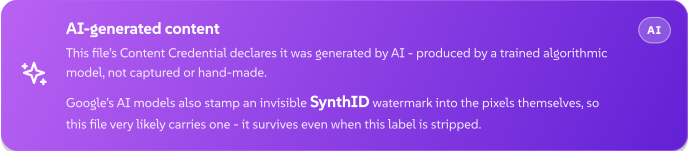
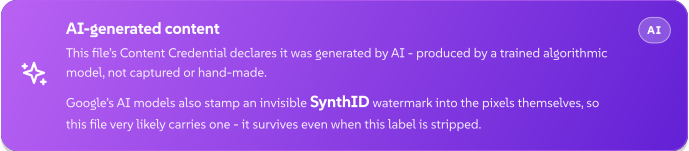
When a file declares that its pixels came from a trained model, Lolly Verify raises an AI-generated content flag, or Contains AI-generated content when only part of it did. The declaration comes from one of two places, and Lolly Verify says which:
- a signed C2PA assertion inside the credential;
- a bare IPTC "digital source type" tag in the file's metadata, the flag Gemini, Imagen, Midjourney and Meta AI write beside their output.
 signed by Lollyvector SVG11 paths~6.4k nodes10 groups72 KBCheck it yourselfGet the signed file
 signed by Lollyvector SVG11 paths~6.4k nodes10 groups72 KBCheck it yourselfGet the signed file


The metadata tag is genuine when present but easy to strip, so its absence never proves a file is not AI-made. It rides in an XMP packet, so the flag fires wherever Lolly reads one: JPEG, PNG, WebP and SVG stills, and MP4 or QuickTime video. GIF and TIFF carry no XMP packet that Lolly reads, so a bare tag in one of those is missed. A signed C2PA assertion in the same file is still read.
AI evidence in Lolly Verify covers the separate question of whether text or a layout looks machine-written.
Text reworded by Lolly
Lolly's on-device reword model leaves a public statistical watermark in its choice of words. On a build that ships that model, Lolly Verify checks pasted or extracted text for the mark and shows a Reworded with Lolly note when it finds one, with the score and how rarely unmarked text matches that strongly. When nothing is found, nothing is shown: most AI-written text was not reworded by Lolly, so "not found" says nothing.
A maker's own watermark, likely present
The large generators stamp their own invisible watermark into the pixels: Google's SynthID (also adopted by OpenAI) and Meta's Video Seal. Only the maker's own detector can read those, and Lolly cannot. So when a file's declared maker is one of them, Lolly Verify says the file very likely carries that watermark. This is a likelihood inferred from the declaration, never a claim that Lolly read the watermark.
Deep scan: TrustMark and Content Seal
For a real read of two open pixel watermarks, Lolly Verify offers an opt-in deep scan. A banner asks "Scan for invisible watermarks?", and one click downloads the detector models once (about 90 MB). After that, every image in the batch is scanned automatically, on the device.
- Adobe TrustMark is a genuine decode, checked by error correction. When the recovered payload passes that check, Lolly Verify shows Adobe TrustMark detected with the recovered bytes, as a green pip. The scan also recognises Lolly's own durable mark.
- Meta Content Seal is a read of Meta's open Pixel Seal and Video Seal watermark. It has no error-correcting check, so a decode that stays consistent across several re-encodings is reported as an amber Meta Content Seal likely: a statistical match, not a certainty. A flat or low-detail image can read as a false positive. Meta's production "Muse" image pipeline uses a separate proprietary variant that Lolly cannot read, so a hit never means "Meta AI", and absence rules nothing out.
Lolly can also write a TrustMark durable mark into its own exports. That switch sits in the export panel's Content protection card and is off by default, for the same reason the scan is opt-in: a neural pass plus a one-time model download.
SEAL signatures
Lolly Verify also checks for a SEAL record. Despite the name, SEAL has nothing to do with Meta's Content Seal. It is a cryptographic signature over the file's bytes, designed to have its public key published in DNS.
Lolly Verify makes no network request for SEAL, and no Lolly app looks a SEAL key up in DNS today. In a browser that lookup would show a third-party DNS service the domain and your IP address. The desktop and mobile apps run the same Verify view, and lolly validate does not check SEAL.
So the result depends on where the record keeps its key:
- Key inside the file. Checked fully offline. When the signature verifies against that key, Lolly Verify reports SEAL signature is internally consistent: the bytes match, but the domain is unconfirmed, because the key never came from DNS.
- Key only in DNS. Reported as SEAL signature did not verify, with the reason "no key resolver and no inline key".
A Signed by \<domain\> (SEAL) result needs a key confirmed in DNS, so no Lolly app shows one yet. That result would prove control of the domain, not a CA-verified legal identity, and nothing about the visual content.
Hidden data
Two reads look for data a file is quietly carrying.
- Appended payloads. Bytes added after a container legitimately ends (after a PNG's
IEND, a JPEG'sEOIor a GIF trailer) are flagged as Appended data found. Raw bytes shows them as a safe hex or text preview, and Download saves them; neither runs or parses them. A declared append, such as a motion photo's video or a gain map, is recognised and shown as Appended image or video data with no warning. - LSB steganalysis. A chi-square test on the image's least significant bits looks for the statistical fingerprint of hidden data. A match raises an amber LSB steganography likely pip. It is a hint, not proof: careful embedding can evade the test, and a smooth synthetic gradient can raise a false alarm.
Every file's embedded metadata (EXIF, GPS, IPTC and XMP) is also read out in full and grouped, with values that could identify a person, place or device marked. Beside it, Cleaned copy downloads a copy without them, Hidden Data opens the tool that strips them and, for JPEG, PNG, WebP, SVG and PDF, Lolly Redact opens the redaction tool.
Where each check runs
| Check | Lolly Verify (web, desktop, mobile) | lolly validate | MCP lolly_verify |
|---|---|---|---|
| Content Credential verdict | Yes | Yes | Yes |
| Metadata, AI declaration, appended data | Yes | With --metadata | Yes |
| Deep scan (TrustMark, Content Seal) | Opt-in | With --deep, which drives the same Verify view in a local browser | No |
| Lolly Imprint, LSB steganalysis, SEAL | Yes | No | No |
Every check runs on your machine, except over MCP, where the MCP server reads the file you send to that server. How the checks are built, module by module, is in Content Credentials engineering.