
This guide covers the optional organisation service. Configuration, console and API paths refer to your Lolly Work instance. The packaged console keeps its release-matched copy of this guide.
Connect one Google Drive folder, including a shared drive folder, and its files appear in the Lolly Work catalog for the groups you choose. The console walks you through it: the folder and groups, consent in the browser with a Google client you register, a test of one real file, then activation. Lolly Work reads the folder and never writes to Drive.
What you need from Google
- A Google Cloud OAuth client you register under APIs & Services > Credentials, on a project with the Google Drive API enabled. It needs the
https://www.googleapis.com/auth/drive.readonlyscope and offline access, so Google issues a refresh token. - The folder id: the part after
/folders/in the folder's Drive URL, not the whole share link. - The client id and secret are yours. The console or
lw providers authcaptures the refresh token.
Guided connection in the app
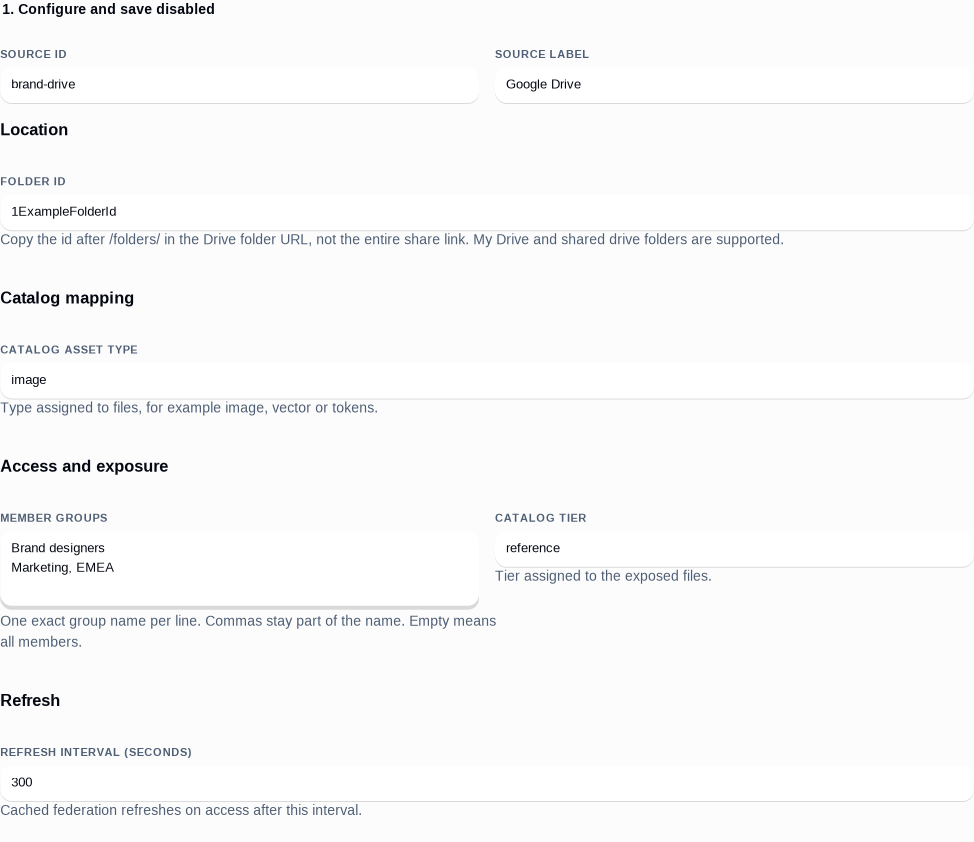
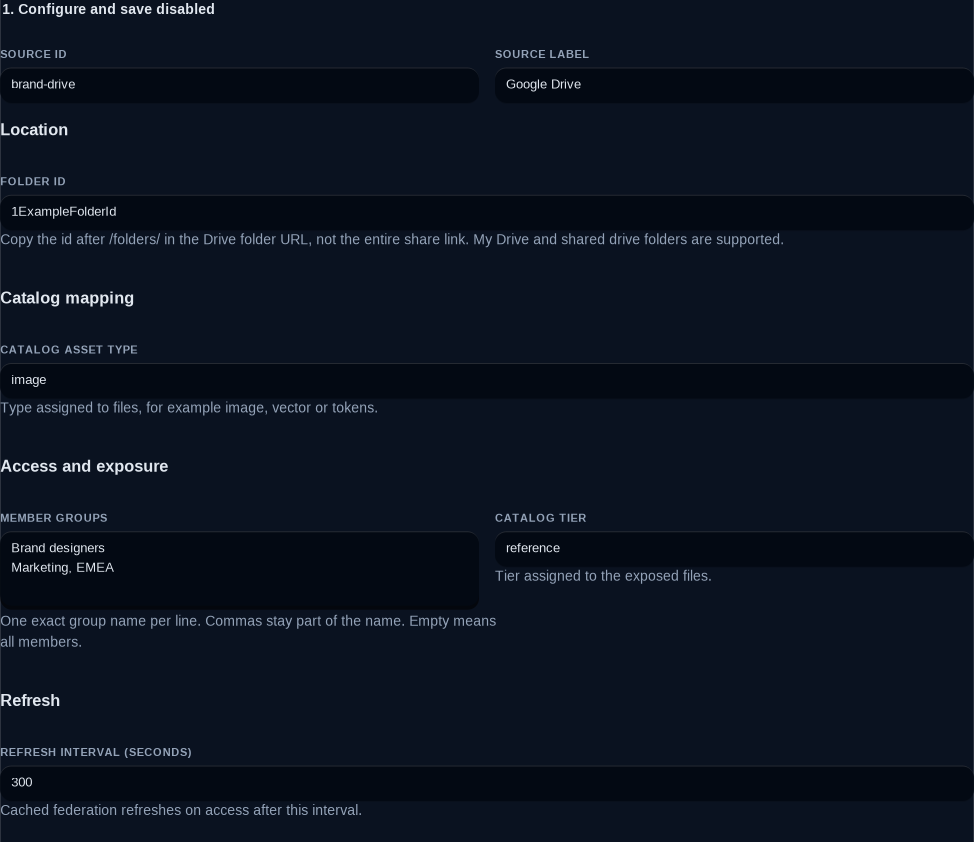
- Open Assets & tools > Providers and choose Guided connection on the Google Drive card. Enter a source id and label, the folder id, the catalog type, the refresh interval and the member groups, one exact group name per line. A comma is part of a name, and empty groups allow every member.
- Choose Save disabled source. The settings are saved, but nothing enters the catalog. An admin can stop here and hand the row to an owner.
 signed by Lolly Demovector SVG7 paths91 nodes55 groups172 KBCheck it yourselfGet the signed file
 signed by Lolly Demovector SVG7 paths91 nodes55 groups172 KBCheck it yourselfGet the signed file


The folder id is an example; copy yours from the folder's URL. Marketing, EMEA stays one exact group.
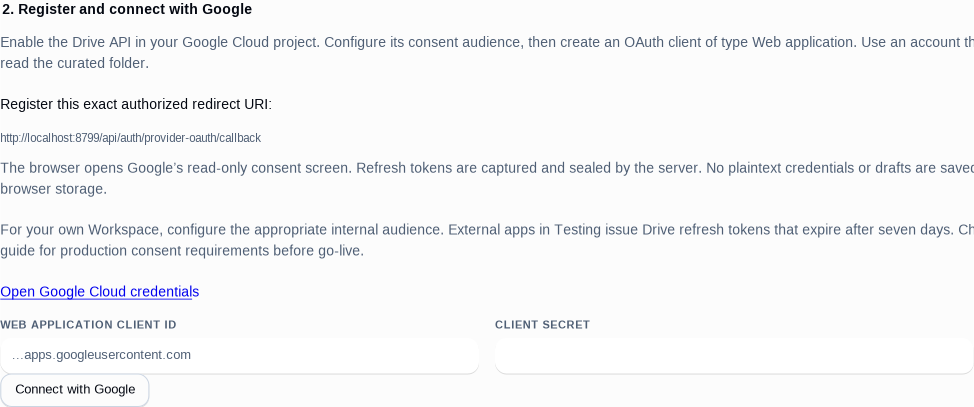
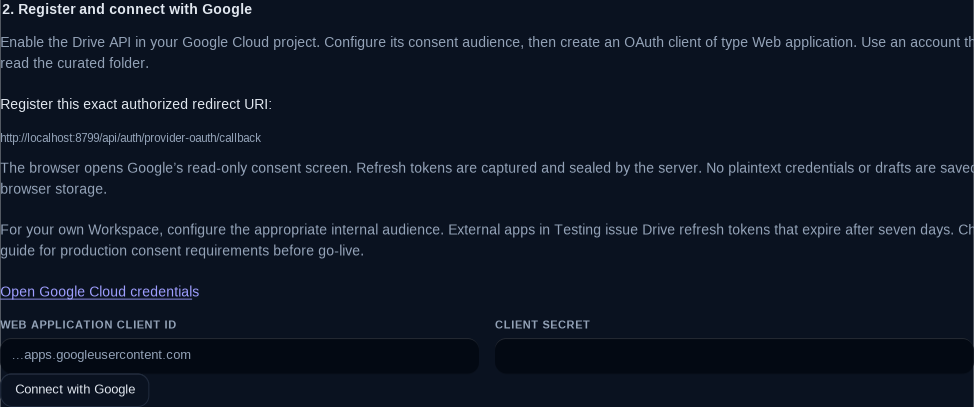
- In your Google Cloud project, configure the consent audience and create an OAuth client of type Web application. Register the exact redirect URI the console shows, including scheme, host and port:
<instance origin>/api/auth/provider-oauth/callback, which is separate from employee sign-in. Google's web application guide covers the registration.
 signed by Lolly Demovector SVG3 paths39 nodes17 groups165 KBCheck it yourselfGet the signed file
 signed by Lolly Demovector SVG3 paths39 nodes17 groups165 KBCheck it yourselfGet the signed file


This screen follows Save disabled source. The pictured loopback callback comes from a local evaluation instance, captured with no Google account or live grant; production uses your HTTPS origin.
- As an owner, enter the client id and secret and choose Connect with Google. Grant read-only Drive access with an account that can read the folder. The server checks the granted scope and the folder, then seals the refresh token. Nothing needs to be pasted.
- Back on the saved source, choose Test saved files and original. Check the file names, skipped records, sample limits and the original's byte count, type and SHA-256. Nothing from the test is stored, and the stored credential is never shown.
- Confirm the folder and groups, then choose Sync and enable source. A failed sync, or a folder with no exposed files, leaves the source disabled.
Consent needs an owner signed in to the console, LW_CREDENTIAL_SECRET on the server and an HTTPS instance URL (loopback HTTP is accepted for evaluation). Finish consent within ten minutes in the same signed-in browser; starting again replaces the earlier attempt.
A config-managed source, or one with advanced settings, uses the CLI consent flow instead.
Before you go live
- Consent audience. For a Workspace-only app, choose the internal audience and check your admin controls. An external app left in Testing issues refresh tokens that expire after seven days. Publishing the app does not promise a token will never expire or be revoked. See Google's app states and refresh-token expiry rules.
- A real check. Run the Google Drive check against the Workspace you will connect. Automated tests and a browser rehearsal do not replace that check.
The folder setting limits what the catalog exposes, not what Google allows. Connect an account with suitably limited access.
Recover a saved connection
Open the saved source row and choose Continue setup. That resumes after a closed panel, a cancelled consent or a server restart; carry on with that row rather than adding a duplicate id. A failed or cancelled consent keeps the credential that was stored before.
To change an enabled source, disable it first, save the new folder, groups or credential, reconnect if needed, test the original again and choose Sync and enable source. Any change to the settings or the credential cancels the earlier activation check.
What to check for each symptom
| Symptom | What to check |
|---|---|
| Consent controls are unavailable | Sign in as an owner; set a stable LW_CREDENTIAL_SECRET and restart. Use an HTTPS instance URL, or loopback HTTP for evaluation. |
| Google rejects the redirect | Register a Web application client with the exact callback shown, including scheme, host, port and path. |
| Connection was declined or expired | Start again in the same signed-in browser and finish within ten minutes. |
| Connection was not completed | Check the consent audience and test users, the enabled Drive API, read-only offline permission and access to the folder. |
| Settings changed during consent or activation | Review the source, save it disabled and repeat consent or the original-file test. |
| Preview or full sync finds no files | Put ordinary files directly in the folder, or turn on recursive, and check group and type exposure. Native Google documents are skipped, and so are subfolders unless recursive is on. |
| A working Testing grant stops after seven days | Finish the production consent setup and reconnect. |
Credential shape
The OAuth credential, captured by the browser or the CLI rather than typed:
{ "clientId": "…", "clientSecret": "…", "refreshToken": "…" }lw providers auth acme-gdriveinstance.json / lw providers add
{
  "id": "acme-gdrive",
  "kind": "gdrive",
  "label": "Acme Google Drive",
  "options": { "folderId": "1AbCdEfGhIjKlMnOpQrStUvWxYz" },
  "exposure": { "groups": ["design"] }
}options.folderId(required) is the folder's id from its Drive URL.options.recursive(optional, defaultfalse) reads the folders inside it too, breadth first, so a partner programme can be given one subfolder (Provider folders).options.maxDepth(default 4, at most 10) andoptions.maxFolders(default 500, at most 5,000) limit how far it reads; a sync that stops atmaxFolderssays so.
Verify
lw providers auth acme-gdrive
lw providers health acme-gdrive
The console's file test reads at most five pages, 1,000 files and one original of up to 32 MiB within 30 seconds, with metadata and token responses capped at 2 MiB. A sample is not a full inventory.
Notes / limits
- One folder, unless you turn on
recursive. Native Docs, Sheets and Slides are skipped. Shared drive folders work; the request flags follow Google's shared drive guidance. - No approval status or availability dates. Expose a curated folder of approved files.
- Search matches file names, not contents.
- Short-lived download links, fetched on each request, streamed through Lolly Work and pinned to Google's hosts.
Use as an offboarding destination
Export the permitted DAM originals and supporting records, upload ordinary files with Google Drive's own tools, then connect the selected folder using this guide. Lolly Work reads this source and does not copy a DAM library into Drive. Keep files directly in the selected folder, or turn on recursive. Native Google documents are skipped. Rebuild access, approval and expiry controls as needed and update references for the new identities.
The path chooser compares this route with self-hosted Lolly Work storage and other destinations, with open-source options first.