
This guide covers the optional organisation service. Configuration, console and API paths refer to your Lolly Work instance. The packaged console keeps its release-matched copy of this guide.
This page is for the brand or design-system admin who sets the rules members work within: which tools each group sees, which inputs they may change, which shell features they get and how to keep all of it as one reviewable document. A typical rule: sales can change the headline, but not the logo.
Governance is data, held on the server and exportable as one document. It never forks the pack's tool.json: the open-source tool definition stays untouched, and Lolly Work lays its rules over that definition. Everything here is live-editable in the console (This Deploy → Tools, This Deploy → Feature flags and Grants) and reaches connected shells on their next poll.
 signed by Lolly Demovector SVG6 paths78 nodes104 groups192 KBCheck it yourselfGet the signed file
 signed by Lolly Demovector SVG6 paths78 nodes104 groups192 KBCheck it yourselfGet the signed file


Tool overlays
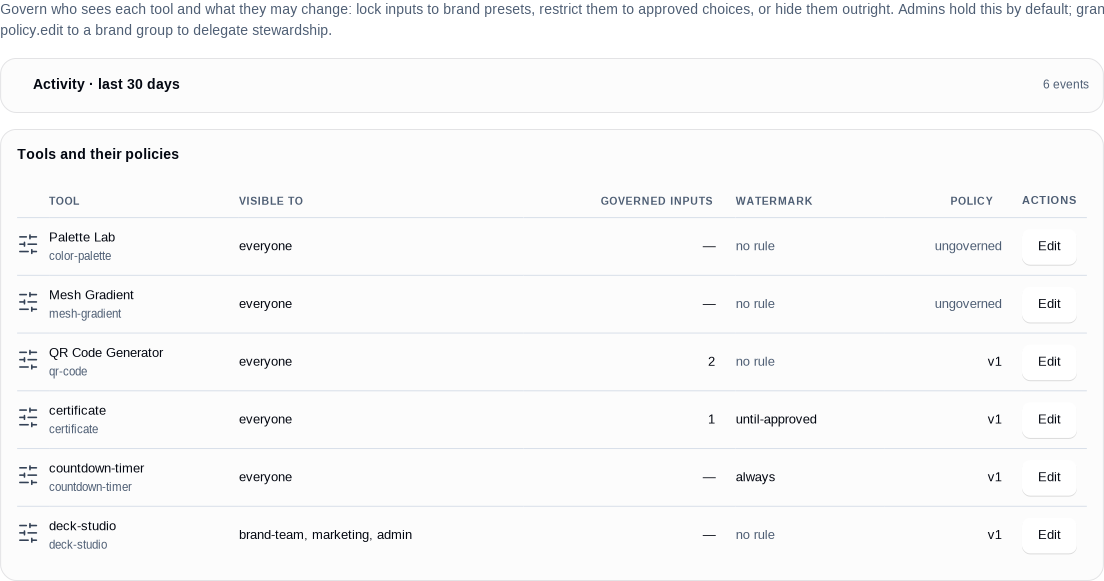
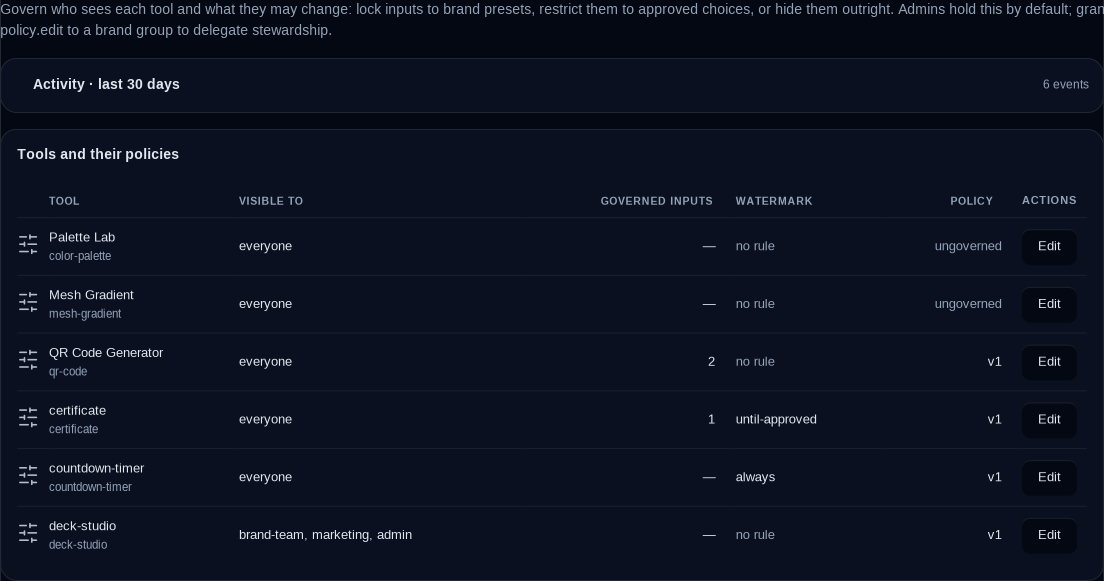
Each tool has one versioned overlay, saved with PUT /api/v1/policy/overlays/:toolId under policy.edit. That action is admin by default and can be granted to a brand group, so a brand team can govern inputs without holding the admin role. Saving records the before and after in the audit log and clears the render cache for exactly the affected renders.
Per-input access
inputAccess maps an input id (or * as the default) to an ordered list of rules. The first rule whose groups match the person wins, and no match means editable.
People in a partner programme are the exception: for them, order never decides. A rule for their company overrides their programme's rule, the stricter result wins across programmes, and a programme or company rule beats a rule for everyone. See Partner programmes. A tool's policy can also take inputs from a partner company's details, such as its logo or contact line (bindings, under Takes from the company; see company details in templates).
The rules for logo, in order
First match wins
- 1.
brand-teameditable - 2.
*(everyone)locked tololly/logo/primary
Who gets what
Two people open the tool
- In
brand-teamrule 1: editable - Anyone elserule 2: locked
- An input with no ruleseditable
- Order mattersPut exceptions above the rule for everyone. The editor warns when an earlier rule covers the same groups.
- Guests are the exceptionGoverning an input at all locks it for guests.
Lolly Work reads one input's rules from the top and stops at the first group that matches.
signed by Lollywork-governance-rule-order.htmlHTMLpixels, not shapes12 KBAI generatedgenerated by Claude Opus 5.5Check it yourselfGet the signed file| Level | Effect |
|---|---|
editable | a normal input |
choice | restricted to allow: [...] |
locked | replaced by value; the person never supplies it |
hidden | removed from the schema entirely |
"inputAccess": {
  "logo": [
    { "groups": ["brand-team"], "level": "editable" },
    { "groups": ["*"], "level": "locked", "value": "lolly/logo/primary" }
  ],
  "discount": [
    { "groups": ["sales-managers"], "level": "editable" },
    { "groups": ["*"], "level": "hidden" }
  ]
}
Enforcement happens on the server, before rendering. A locked input supplied by a caller is a 422 INPUT_LOCKED, and the locked value is used whatever the request said. The same pure functions filter the schema the shell sees, so the interface and the enforcement cannot disagree. An open link, whose recipients may set the tool's own inputs, still refuses a locked, hidden or disallowed one (INPUT_LOCKED, INPUT_HIDDEN, INPUT_NOT_ALLOWED).
A person never reads policy notes in Lolly: a locked input shows its value with no line naming the rule, and a hidden input is simply absent. Give the overlay a name and a rule a reason for the people who govern and the agents that render. The console's policy editor and Preview show both, and the 422 body carries them as { "error": { "code": "INPUT_LOCKED", "input": "bg", "by": "...", "reason": "..." } }, so an agent driving a render reads the explanation. org-config never carries them. Both are optional, and an unnamed overlay attributes nothing.
Guests are a special case: governing an input at all locks it for them (guest write authority).
Visibility
"visibility": { "groups": ["brand-team", "marketing"] }A tool with a visibility block is absent from the catalog feed for anyone outside those groups: not greyed out, not hidden in the client. * means everyone.
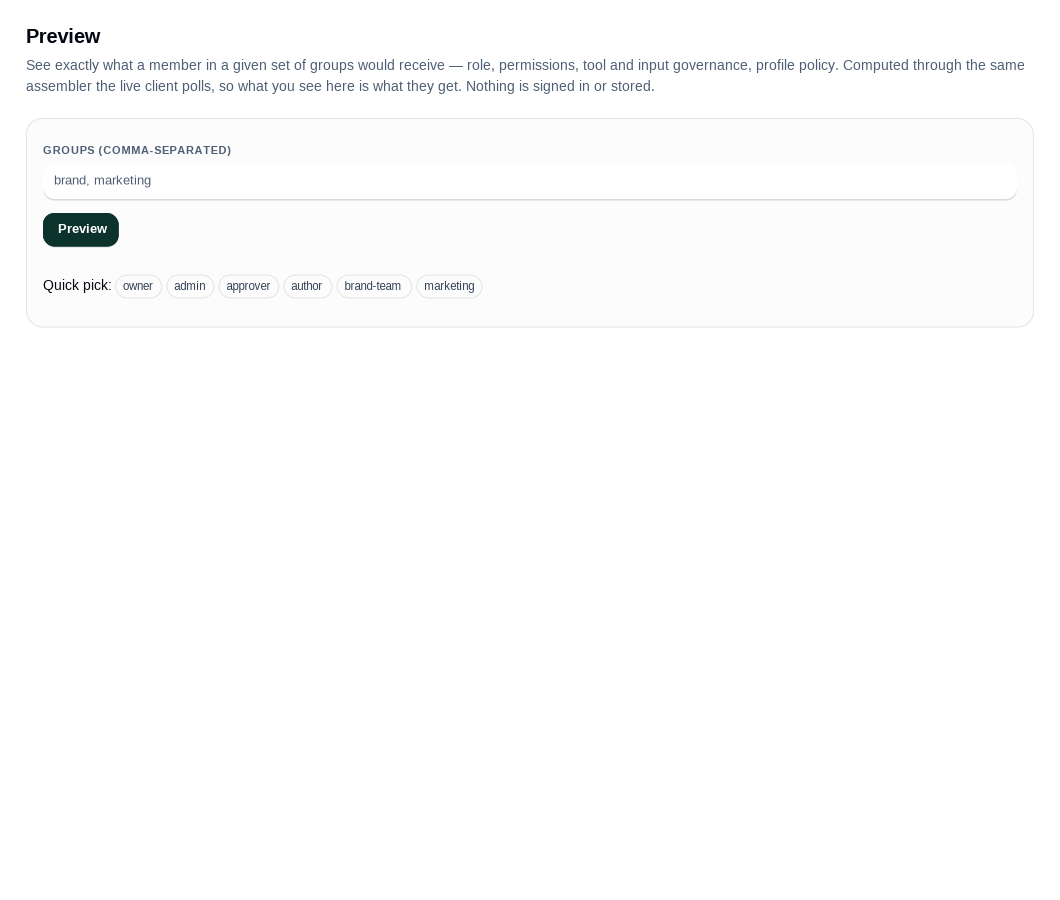
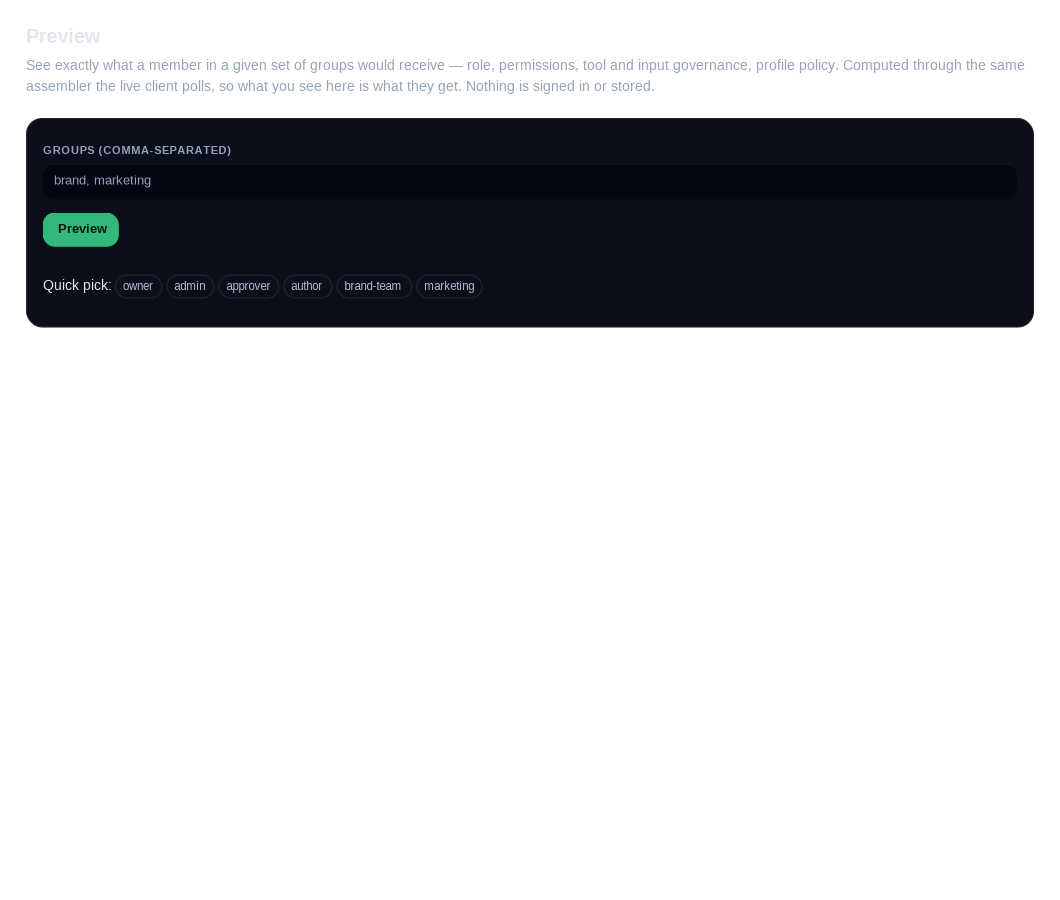
A tool.use grant changes the same list. A deny removes the tool for that group or person, whether or not the tool has an overlay, and an allow adds it for someone outside the visibility groups (explicit allow and the role default). The catalog feed, the tool's files, org-config, Preview, server renders and the organisation MCP all apply the same rule, and Preview lists every tool a set of groups would not see.
The enforce block
| Key | Values | Status today |
|---|---|---|
formats | for example ["svg","png"] | Enforced: restricts output formats. |
watermark | always | Enforced: every render carries the PREVIEW watermark. |
watermark | never | Enforced: no render carries the watermark. |
watermark | until-approved | Enforced on server renders: each render carries the watermark until a request for the same inputs is approved. See follow approval. |
defaults | input values for groups, as [{ groups, values }] | Applied when saved in that shape: new work and server renders start from the values for the person's groups, the most specific group winning, below a template's own values and the person's own entry. Stored in the older flat shape, defaults are not applied to a tool's initial inputs by org-config or the render paths. The policy editor marks them, and saving them again as group rules applies them. Locked presets do enforce values. |
escalation | a chain id | Enforced for requests: the chain a tool's exports go through, and an export review naming another chain is refused. Pair it with a deny on export.download to route a group through review (review an exported file). The chain must exist when you save. Otherwise the save answers 400 CHAIN_NOT_BOUND. |
approvalCovers | file (the default) or template-variants | Enforced under until-approved: with template-variants, one approval of a published template's version covers every partner render from it (one approval for a template's variants). |
c2pa | Declared in the overlay type, refused by the write paths. Signing is instance-wide through render.c2pa (Configure Lolly Work export signing). |
With no watermark rule, a server render carries no mark. The render pipeline can take a request for the preview mark, but no Lolly Work route makes that request today, so a share link or a preview does not ask for the mark.
The console offers No rule, Never watermark, Always watermark and Until approved. Stored fields the policy writer cannot keep, such as enforce.c2pa, block a console save with an explanation rather than being silently removed.
A watermark that follows approval
With until-approved, a server render carries the PREVIEW pattern unless an approved export review matches it: the same tool, the same tool version, the same format and the same input values. A different value, a new tool version or another format stays marked until someone approves that one too. A request in review, rejected or withdrawn leaves the mark on. A decision takes effect on the next render. An approved match lifts the mark everywhere, including share links. always and never keep their meaning.
Set a chain in Approval chain for exports as well. Without a chain, nobody can approve the tool, so its renders stay marked, and the console says so.
Server renders under this rule, share links included, are never stored by a browser or shared cache. An x-lolly-watermark header says how each one came out: Marked until approved or Approved, not marked. A durable render's output carries the same words, and its receipt gives the id of the approval that matched. The words are in the record, not the artwork.
Upgrading. Until this release until-approved was stored and not enforced. An instance already holding the setting starts showing PREVIEW on the first render after the upgrade. Change the rule first if that is not what you want.
What a match rests on. The match uses the input values the requesting app states. A member could send values that do not match the file they send.
What it covers. The rule applies to renders Lolly Work makes. Exports a person makes on their own device follow Approval chain for exports and their export.download permission instead.
Using the policy editor
- The console keeps saved format restrictions and input defaults when you edit inputs, visibility or watermarking.
- An unchanged preset or choice keeps its saved type, including strings that look like numbers. Enter a JSON array for choices that contain commas or typed values, for example
["blue, green", "42", 42]. Comma-separated simple choices still work. - An explicitly edited blank preset locks to an empty string.
- Remove a rule with Remove. Clearing its groups is an error, not an implicit deletion.
- Enter group names containing commas as a JSON array, for example
["Sales, EMEA", "brand"]; unchanged group lists are kept. - Move up and Move down order an input's rules. New exceptions are inserted before the first rule for everyone, and the editor warns when an earlier rule covers the same groups.
- Closing, switching tools or leaving with a draft offers Keep editing or Discard changes, and leaving the page also triggers the browser's unsaved-changes warning. A failed save keeps the draft.
- The form does not protect against another administrator replacing the same policy at the same moment; the API is a full replacement.
 signed by Lolly Demovector SVG2 paths26 nodes20 groups165 KBCheck it yourselfGet the signed file
 signed by Lolly Demovector SVG2 paths26 nodes20 groups165 KBCheck it yourselfGet the signed file


Before you rely on a rule, preview what a group will see (Checking your work).
Design systems and injectables
Two more tabs in This Deploy govern what members work with:
- Design system chooses which installed design system the deployment serves, and connects its published rules to tool inputs. Rules from a managed design system combine with the overlays on this page, and organisation locks, choices, formats and permissions stay authoritative. See Design-system administration.
- Injectables publishes assets and tools into members' shells, under
catalog.injectable.manage. The routes are in the API reference.
Profile governance
Identity fields the identity provider owns are managed, not editable. claimMap decides which claim fills firstname, lastname, email and title, and those fields reach the shell as mode: locked, source: idp, which draws the padlocks in the shell's profile view. The person keeps every field your organisation has no opinion about.
Feature flags
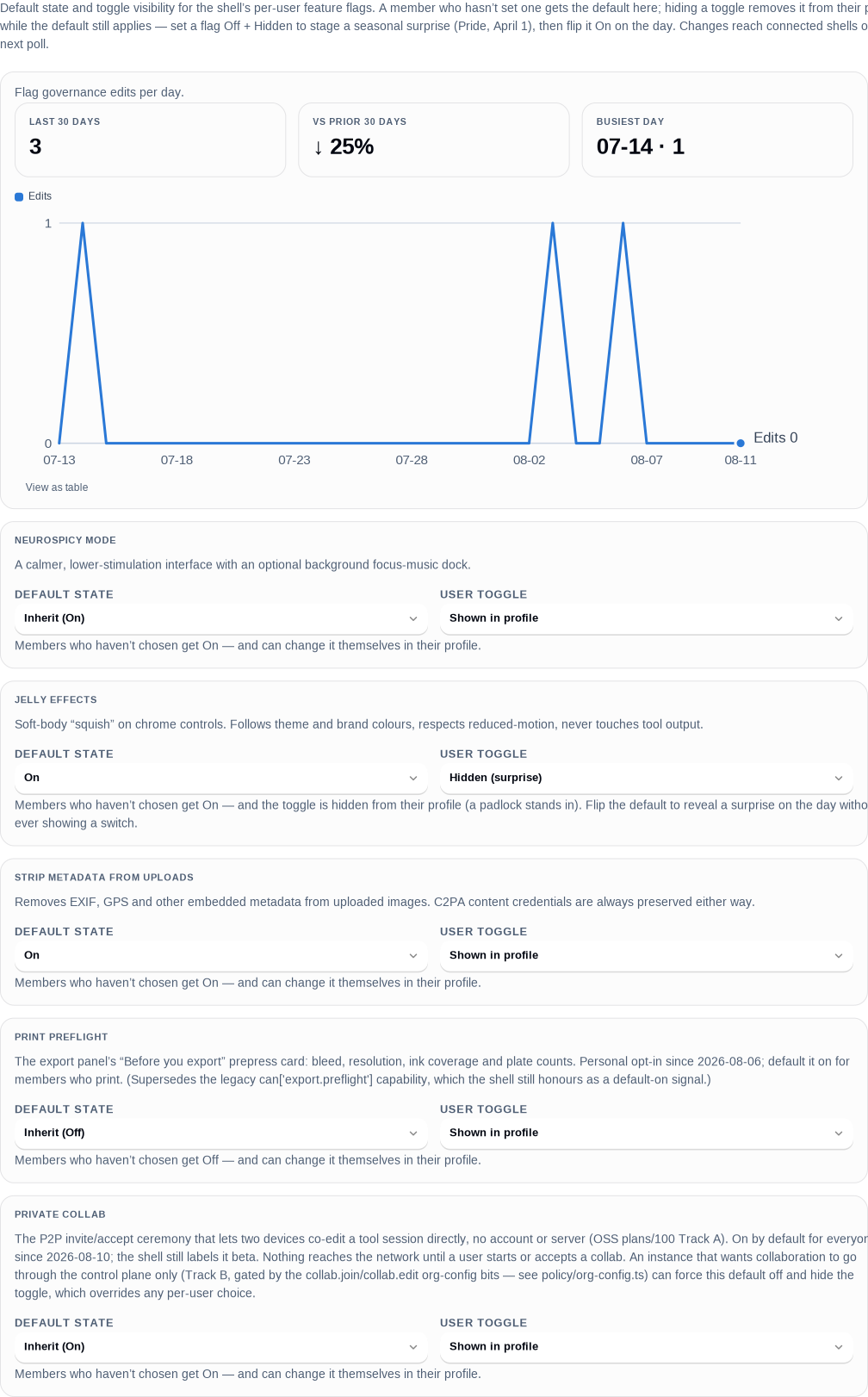
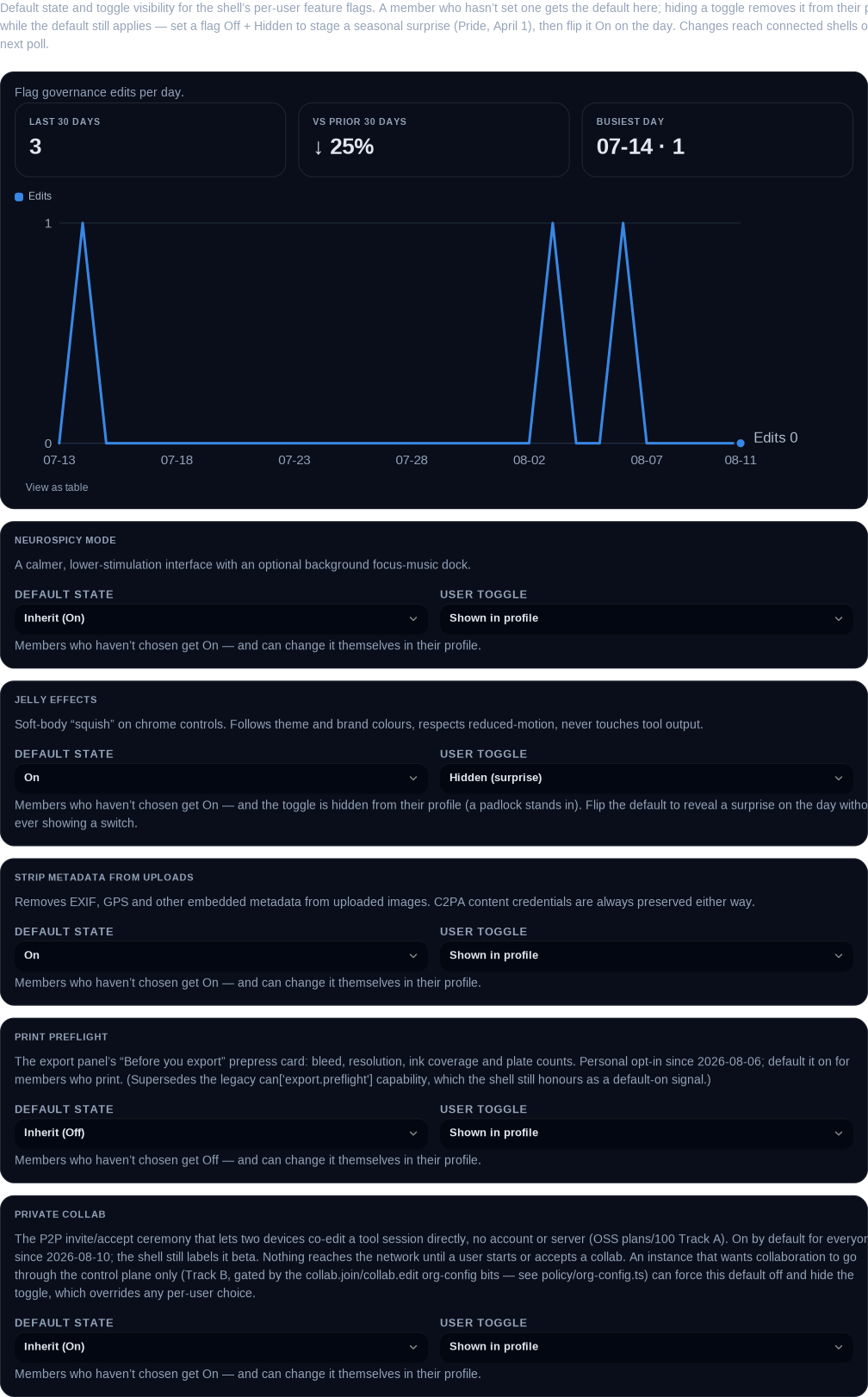
Lolly Work governs the shell's per-person feature toggles it knows about, with two settings per flag for the whole instance and the same two settings for any group you choose:
| Setting | Values | Meaning |
|---|---|---|
default | on, off or unset | what a person who has not chosen gets; unset inherits the shell's built-in default |
visibility | show or hide | whether the person sees the toggle at all; hiding removes the control while the default still applies |
 signed by Lolly Demovector SVG11 paths160 nodes83 groups10 images195 KBCheck it yourselfGet the signed file
 signed by Lolly Demovector SVG11 paths160 nodes83 groups10 images195 KBCheck it yourselfGet the signed file


Governable today (the ids are the shell's own):
| Flag | Built-in default | What it is |
|---|---|---|
neurospicy | on | a calmer, lower-stimulation interface with an optional focus-music dock |
jelly-effects | on | a soft squish on chrome controls; respects reduced motion and never touches output |
strip-upload-metadata | off | strips EXIF and GPS from uploaded images (Content Credentials are kept either way) |
export-preflight | off | the export panel's prepress card: bleed, resolution, ink coverage and plate counts |
private-collab | on | the device-to-device invite and accept for editing together; force it off and hide it to route collaboration through Lolly Work only |
nearby-discovery | on | mDNS discovery of nearby Lolly devices for handing over collab invites (native shells only) |
colourway-asset-treatments | on | the colour choices for two-colour icons and photos in Assets and the asset picker, one per colourway; force it off and hide it to show icons and photos only in their own colours |
GET /api/v1/policy/flags and PUT /api/v1/policy/flags/:flagId use the same policy.edit gate. The off and hide combination is how a seasonal surprise ships dark: stage it now, flip the default on the day, and it appears without ever having shown a switch.
Managed AI is different: it is a service execution switch with a deployment approval ceiling, and it has no personal override. It also takes no group rules and is never offered to a flag service. See Manage organisation AI policy.
Group rules
A group rule sets either setting for the members of one group, on top of the setting for everyone. Use one to let a team pilot a feature: set the flag Off and Hidden for everyone, then add a rule that sets it On and Shown for the pilot group. Nobody else sees a switch, and the pilot team can turn the feature off for themselves.
For one person, Lolly Work works out each setting in this order:
- A rule for a group the person is in wins over the setting for everyone.
- When several of the person's groups have rules, Off wins over On and Hidden wins over Shown. The order the rules were added in makes no difference, the same way a deny wins among grants.
- Without a matching rule, the setting for everyone applies, and then the shell's built-in default.
A rule may set only the default or only the toggle; the setting it leaves out stays the one for everyone. Group names match exactly as the identity provider or Lolly Work holds them, including letter case, and * is not a group. Each flag holds up to 100 rules, one per group.
In the console, open Group rules on a flag's card to add, change or remove a rule. Known groups are suggested, and any group name can be typed. Connected apps pick up the change on their next poll.
PUT /api/v1/policy/flags/:flagId takes the rules as groups, a list of { "group": "pilot", "default": "on", "visibility": "show" } entries in which default and visibility are optional; a rule's visibility may be show, which the setting for everyone never stores. A request without groups keeps the stored rules, so an older script that sets only the two settings for everyone cannot drop them, and "groups": [] removes them all. A second rule for the same group, a rule on ai or more than 100 rules answer 400. Every save is audited as policy.flag.edit, and the policy-as-code document carries the rules in each flag's groups.
Your own flag service
With featureFlags.ofrep set in instance.json, your organisation's flag service decides the default of the flags it lists, through OpenFeature (OFREP). It sees only the person's groups and role. The settings on this page are then the fallback whenever the service does not answer, and the toggle setting always stays Lolly Work's. The shell keeps reading one value per flag from Lolly Work, so it never contacts the flag service. The console shows a Flag service card with the service's address, its request and fallback counts and its last answer, and marks each flag the service decides. Configuration lists what is sent and how failures are handled.
Policy-as-code
One canonical document holds the whole governance state, serialized deterministically so that logically equal states hash the same:
- grants;
- tool overlays;
- approval chains;
- catalog-provider configuration and exposure (never credentials, runtime state or the enable switch);
- feature-flag governance, group rules included. A flag without rules exports as before, so an earlier export hashes the same;
- your catalog metadata definitions (
catalogFields), the fields you file assets under (catalog). The per-asset values are not policy and never appear in the document; - hidden catalog tags (
tagRules), one entry per scope:*for the whole catalog orprovider:<id>for one provider (catalog). The key is left out when nothing is hidden, so an earlier export hashes the same.
lw export --out governance.json                # GET /api/v1/config/export
lw apply governance.json --dry-run             # POST /api/v1/config/apply?dryRun=1 - shows the diff
lw apply governance.json                       # apply
lw apply governance.json --prune # also delete store-only entries--prune deletes what the document leaves outGrants, overlays, approval chains, feature flags and the other entries the store holds and the document does not are deleted; a catalog provider is pruned only while it is disabled. Run lw apply governance.json --dry-run --prune first and read the deletes in the diff.
The diff reports create, update, delete and unchanged per category, and the response carries the document hash. Two guards apply:
- A document that creates or removes a grant on an owner-only action needs the owner role (
403 OWNER_ONLY_ACTION), as described in the escalation guard. - Entries a config-managed catalog provider owns are conflicts, not overwrites (
409 CONFIG_MANAGED): editinstance.jsonand redeploy instead.
Pruning a catalogFields entry removes the definition only. Values already filed under it survive, hidden from every served surface until the definition comes back, so a taxonomy change never destroys the data filed under a field.
Seeding at boot
LW_SEED_CONFIG=./governance.json npm startSeeding is idempotent, so it is safe to leave set. It is trusted (it needs filesystem access), so it bypasses the owner-only HTTP guard and may seed owner-only grants. It still never enables a provider or stores a credential, because neither is in the document. Seeding brings a fresh deployment up already governed, and makes governance reviewable and promotable between environments, for example from version control.
Related
- Who may edit any of this: Roles and grants
- What a connected shell receives: Checking your work
- Provider exposure rules: Catalog and content