
This guide covers the optional organisation service. Configuration, console and API paths refer to your Lolly Work instance. The packaged console keeps its release-matched copy of this guide.
This page is for the admin deciding who can do what in Lolly Work, and for anyone checking why a person can or cannot do something. Lolly Work has two layers: a small fixed set of roles that follow your directory groups, and grants that adjust a role for one group, one person or one resource. When they disagree, deny wins.
Each role adds to the role below. Grants sit over the roles: any matching deny wins, then any matching allow, then the role default.
signed by Lollywork-permissions-ladder.htmlHTMLpixels, not shapes11 KBAI generatedgenerated by Claude Opus 5.5Check it yourselfGet the signed file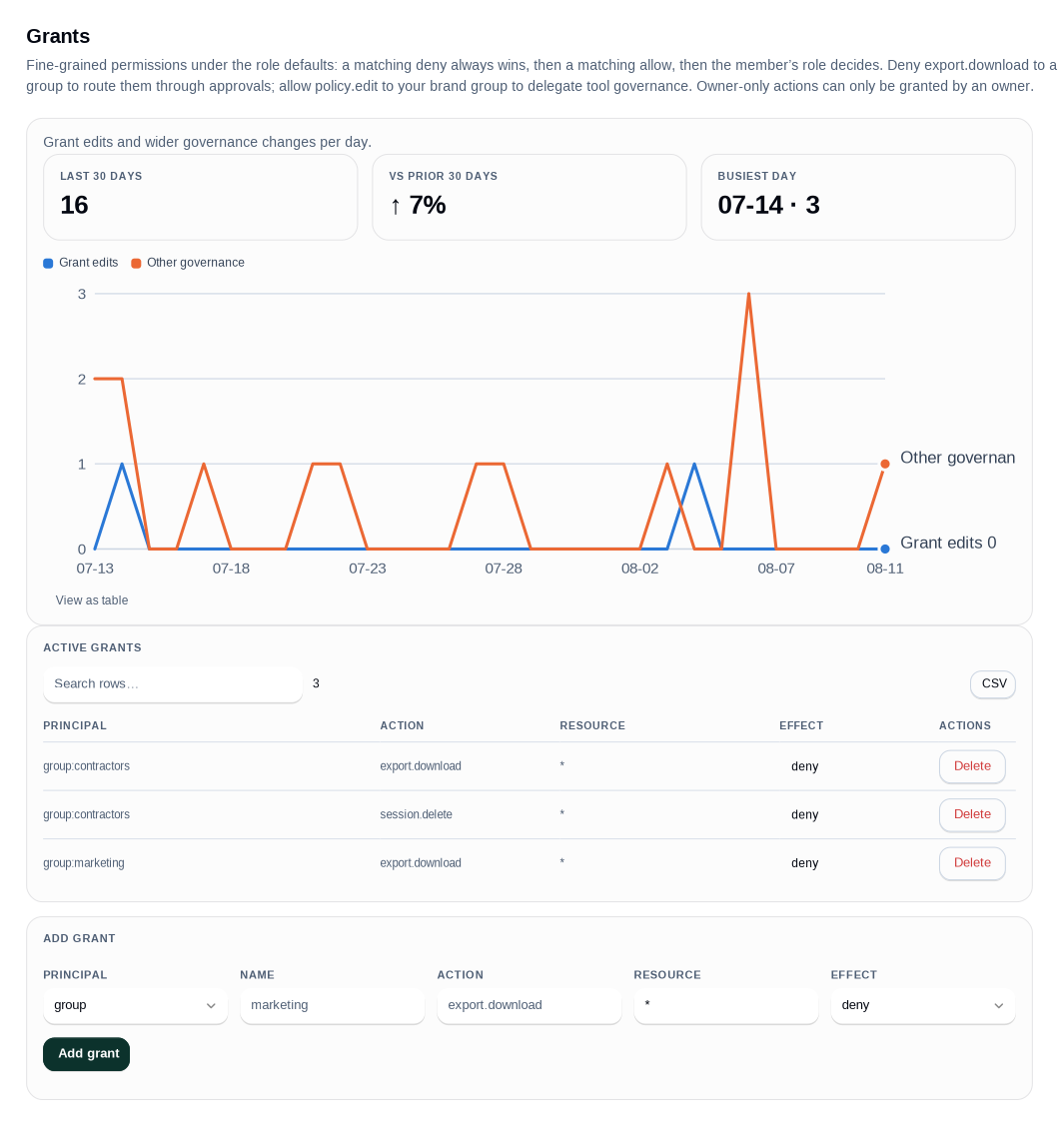 signed by Lolly Demovector SVG13 paths203 nodes96 groups2 images193 KBCheck it yourselfGet the signed file
 signed by Lolly Demovector SVG13 paths203 nodes96 groups2 images193 KBCheck it yourselfGet the signed file


Roles
| Role | Comes from | Adds |
|---|---|---|
viewer | a group mapped in idp.roleGroups.viewer, or a service token created with --role viewer | reading the catalog and sessions, joining live rooms, commenting |
member | the default for anyone signed in, or a group mapped in idp.roleGroups.member | using tools, saving and sharing sessions, creating projects and groups, exporting, delivering to an organisation destination, making links |
author | idp.roleGroups.author, or by default the group author | submitting assets to the catalog |
approver | idp.roleGroups.approver, or by default the group approver | acting on approvals |
brand-manager | idp.roleGroups.brand-manager only, with no default group | what a member can do, plus editing this instance's colours, publishing its brand page and selecting its design system |
admin | idp.roleGroups.admin, or by default the group admin | everything an author, an approver and a brand manager can do, plus running the catalog, policy, grants, links, telemetry, fleet, audit export, projects, server renders, invitations and partner programmes |
owner | idp.roleGroups.owner, or by default the group owner | the owner-only powers |
guest | a guest-edit link | nothing: access comes entirely from the link |
automation | a service token with scopes, never a person | using tools, server renders, delivering to an organisation destination, reading the catalog and audit export, each reachable only through the matching scope |
A person's role comes from their effective group set (provider groups plus local groups): the highest match in the order owner, admin, brand-manager, approver, author, member, viewer, using the groups mapped in idp.roleGroups, otherwise member. For owner, admin, approver and author, a group of the same name counts when that role has no mapping. A person holds one role, so someone mapped to both brand-manager and approver is a brand manager; add approval.act with a grant when one person needs both. Mapping your own group names is on Sign-in and sessions.
Every action by role
viewer:catalog.read,session.view,collab.join,comment.view,comment.create,comment.edit.member: viewer, plustool.use,session.create,session.edit,session.delete,session.share,comment.resolve,comment.moderate,project.create,group.create,export.download,export.request,delivery.create,link.create.author: member, pluscatalog.submit.approver: member, plusapproval.act.brand-manager: member, plusbrand.edit,brand.page.publish,brand.switch.admin: author and approver, pluscatalog.publish,catalog.expire,catalog.hold,catalog.scan,catalog.edit,catalog.collection.manage,catalog.provider.read,catalog.provider.manage,brand.switch,brand.edit,brand.page.publish,catalog.injectable.manage,policy.edit,grant.edit,link.revoke,link.create-guest,message.send,telemetry.view,fleet.view,fleet.manage,audit.export,project.manage,project.archive,approval.assign,export.server,user.invite,programme.manage.owner: admin, plusinstance.config,catalog.provider.credential,catalog.provider.publish,scim.manage,token.manage.guest: nothing.automation:catalog.read,tool.use,export.server,delivery.create,audit.export, each reachable only through the matching token scope.
Every action's route is in the API reference.
Projects add a second, narrower layer: each person has a role on each project they can see (owner, manager, editor, commenter or viewer), and project routes check both. Saving needs session.edit and editor on that project; renaming, sharing and inviting need manager. The project roles, where they come from and who can see who has access are in Team projects.
Grants
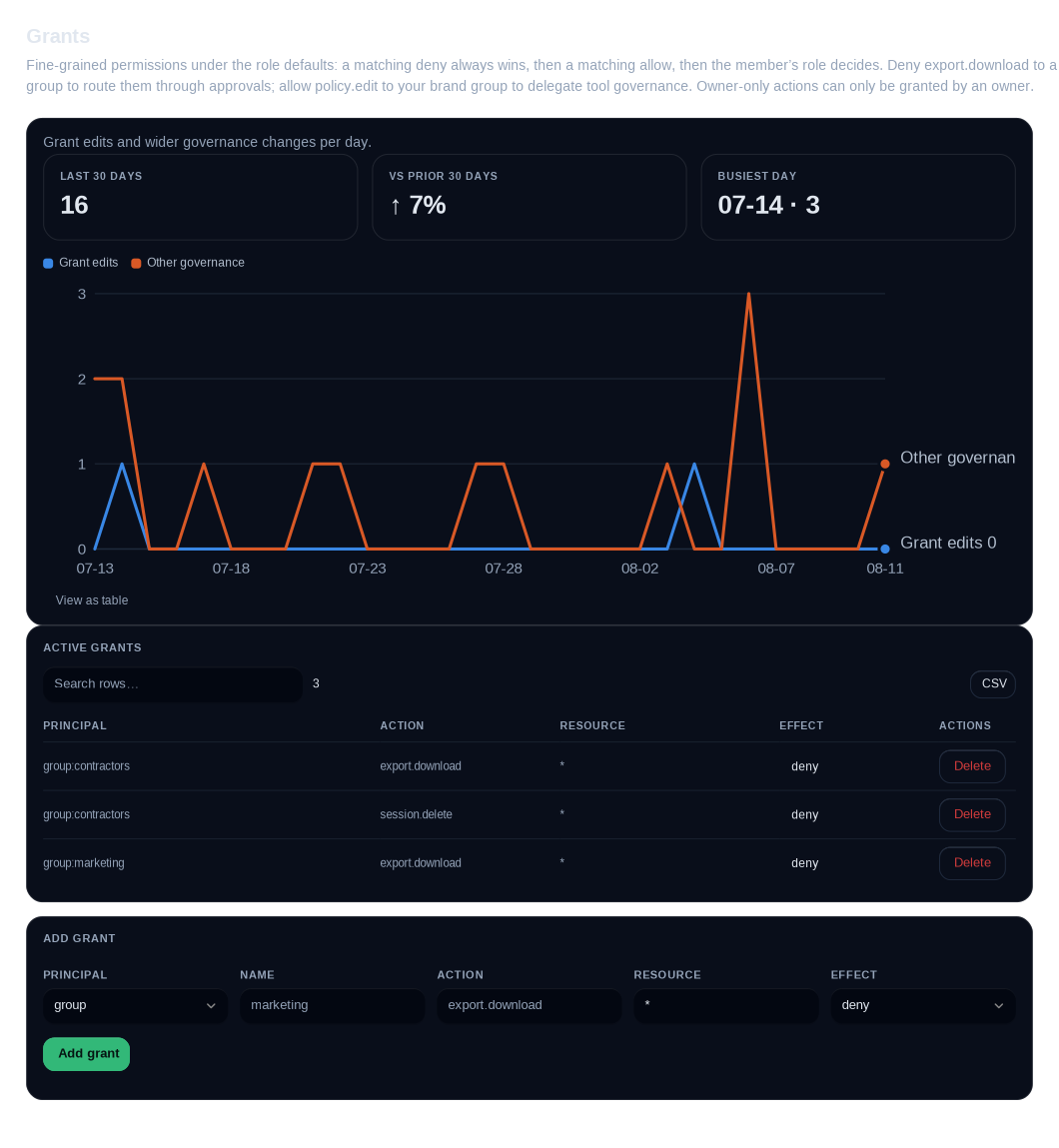
A grant is a row of (principal, action, resource, effect) that overrides the role default in either direction.
lw grants list
lw grants add group:brand policy.edit '*'            --effect allow
lw grants add group:contractors export.download 'tool:price-card' --effect deny
lw grants rm  group:brand policy.edit '*'
The same API sits behind GET/POST/DELETE /api/v1/grants and the console's Grants view, so the console and CLI always offer the same things.
| Field | Form |
|---|---|
principal | group:<name>, user:<id>, or * |
action | any action id from the role list above |
resource | *, or one of the forms in Which permissions narrow, such as tool:<id> |
effect | allow or deny |
Grants take effect on the next request: there is no cache to clear and no restart. Every change is audited.
A deny overrides every allow and every role default it matches, admins' and owners' included. A tool.use deny hides the tool in the app as well as in Preview, and a deny for everyone (*) also reaches anonymous callers on an open deployment. Preview the groups it affects first (Checking your work).
A rule that could never apply is refused with 400 GRANT_NEVER_MATCHES, which says what that permission is checked against: a permission no route checks, or a resource it is never checked against. The console marks such a rule if one was stored before this check, and deleting the rule changes nothing about access.
People in a partner programme, and a programme's agent tokens, can only ever be allowed a fixed list of actions, whatever a role default or a grant says: reading the catalog, using tools, their own sessions and comments, joining live editing, creating projects, exporting, asking for an export review, making links and submitting files. Every admin action is refused for them. A grant that cannot apply to partners carries a partnerScope note in GET /api/v1/grants and in the answer when it is made. Partner programmes lists the actions.
How evaluation works
server/src/rbac/evaluate.ts makes every decision, in the fixed order the figure shows. It never looks anything up itself. A resource arrives as the set of selectors it satisfies, for example ['tool:qr-code', '*'].
Which permissions narrow
Every permission is checked against *. These are also checked against one resource, so a grant can point at one:
| Permissions | Resource forms |
|---|---|
tool.use, export.download, export.request, export.server, link.create, link.create-guest | tool:<id> |
delivery.create | destination:<id> |
project.manage | project:<id> |
session.view, session.edit, comment.view, comment.create, comment.edit, comment.resolve, comment.moderate | session:<id>, project:<id> |
approval.act | chain:<id>, approval:<id>, or the subject of the request |
programme.manage | programme:<id> |
programme.manage is checked against programme:<id> in four places only: the programme's agent tokens, its usage report, View as and the review of a template published into the programme. The other programme routes check * only.
Every other permission is decided for the whole deployment, so its resource is *. Tag selectors such as tool:tag/<tag> are not checked; list each tool. There is no per-asset or per-tag catalog.read: to keep assets from a group, narrow who sees them with submission groups or provider exposure.
Explicit allow and the role default
Some decisions must tell "an explicit grant allows this" apart from "the caller's role happens to allow this". Tool visibility is the example: the member default of tool.use would otherwise show every governed tool. Those checks use the explicit-grant decision (grantDecision), which returns allow, deny or none. It matters when you are working out why a tool is or is not visible.
For tools the rule is: a matching tool.use deny hides the tool, and otherwise the tool shows when its overlay's visibility admits the person or an allow grant covers them. The catalog feed, the tool's files, org-config, Preview, server renders and the organisation MCP all ask that one question, so a tool Preview reports as hidden is absent from every one of them.
Common recipes
"Edit but not export"
The most common fine-grained request is two rows:
lw grants add group:contractors tool.use        'tool:campaign-banner' --effect allow
lw grants add group:contractors export.download 'tool:campaign-banner' --effect deny
The contractor opens the campaign banner tool and works on the banner. Deny wins over their member default, so the file cannot leave as a download. org-config carries the tool's own answer in tools["campaign-banner"].can, where it differs from the deployment-wide can bit, and Lolly offers Request approval or nothing in place of Download for that tool only. Preview shows the same answer beside the tool. Lolly versions from before this answer existed read only the deployment-wide bit, so the per-tool deny needs a current app.
Add the same pair for each tool the rule covers.
Let a team contribute assets
catalog.submit is the action behind catalog submit, the one route by which a member's file enters the catalog. The author role carries it, and one row lets a team contribute while everyone else reads:
lw grants add group:design catalog.submit '*' --effect allowThere is no separate action for deciding a submission. When policy.submit.chain sets a chain, the decision is an ordinary approval: eligibility is membership of the step's approver groups plus separation of duties (approvals). How the review queue works is on Catalog and content.
Let a team curate metadata and versions
catalog.edit is the action behind org-defined metadata: filling in the fields your organisation defines, and correcting an instance-owned asset's name, description and tags. It sits with admin rather than author, because contributing an asset and editing what the whole catalog says about one are different authorities.
lw grants add group:brand catalog.edit '*' --effect allowTwo things it does not give:
- Defining the fields is
policy.edit, because a taxonomy is governance and lives in the governance document. - It reaches only assets the caller can already see. The editor asks the same exposure question that link minting asks, and a submission still under review is edited through the review queue instead.
The same action covers the file side of curation (versions): replacing a published asset's file with a new version, rolling back, deleting a stored version and retiring an asset in favour of another (replacedBy). catalog.submit contributes an asset and catalog.edit changes what an asset already in the catalog says or serves, which is why a policy.submit.chain gates contributions and not versions.
Let a team curate collections
catalog.collection.manage is the action behind collections: creating a named, ordered set of catalog assets, choosing the groups that may see the set, and deleting a set. The action sits with admin for the same reason catalog.edit does.
lw grants add group:brand catalog.collection.manage '*' --effect allowTwo rules close the gap a shared set could open:
- A collection may only hold assets its curator can see. A link to a collection hands its holder every member, so without this rule a curator with a narrowed grant could add assets they were never shown and read them back through a link. The check runs when the set is saved, where the curator can be told which id was refused.
- Minting a link to a collection refuses any member the minter cannot see.
link.createis a member default while curating is an admin action, so this second check binds everyone who shares the set. A refusal reports how many members were unseen, never which ids.
Reading collections needs nothing extra: the per-caller catalog feed carries the collections a caller's groups admit, with members narrowed to the assets that caller is already served.
Narrow an organisation destination
delivery.create is the right to send to a fixed organisation destination, and every member carries that right. A deny takes one destination away from a group:
lw grants add group:contractors delivery.create 'destination:campaign-archive' --effect denyHow destination grants, approval chains and automation outputs interact is on Organisation delivery destinations.
Owner-only powers
Five actions stay with owners, so an admin can run the instance without being able to widen their own authority:
| Action | What only an owner can do |
|---|---|
instance.config | change the deployment configuration |
catalog.provider.credential | store a provider credential, flip its enable switch and run the exit's cutover |
catalog.provider.publish | publish Lolly exports out to a destination DAM, an outbound write to a third party |
scim.manage | mint a SCIM provisioning token for your provider |
token.manage | mint a service token for automation |
An admin can still shape a catalog provider and copy its files into the instance's own store. An owner can grant any of these actions to a group or a person.
The escalation guard
A grant that creates or removes any owner-only action needs the owner role, even though editing grants is otherwise an admin action. Attempting it returns 403 OWNER_ONLY_ACTION. The same guard applies when a governance document is applied.
Only an owner may create or remove an owner-mapped local group, assign owner membership, or change an owner account's local groups. The same applies to groups that hold owner-only grants. Admins may manage groups within their own role.
Guest write authority
Grants never evaluate a guest as a principal: server/src/collab/guests.ts imports nothing from rbac/. A guest's ability to write in a live room comes from the kind of link that admitted them. A guest-edit link gives a writer seat, and no other link kind admits a guest at all.
That asymmetry is easy to trip over. A grant such as
lw grants add '*' session.edit '*' --effect denysilences every member's write access in a live room (mayEditCollab calls evaluate()) and reaches no guest, because a guest's writer or observer seat never runs evaluate() against the guest's own principal.
The exception is link.create-guest, evaluated against the inviter. The gateway checks the inviter's standing again on every gesture and every keepalive (guestInviterStanding, then mayCreateGuestLinks, then evaluate(), in gateway.ts). An inviter who loses that action stops minting links and loses the guests already holding them, so offboarding an inviter removes their guests at once.
| Lever | Effect |
|---|---|
An inputAccess rule (governance) | Locks, hides or restricts one input for every guest, in every room, without naming anyone. Governing an input at all locks it for guests (below). |
Revoking the link (POST /api/v1/links/:id/revoke) | Ends that guest's write access on their next gesture. The room reads the link again per gesture and per keepalive, the same cadence a member's grant revocation takes. |
guestLinks.enabled: false (configuration) | The instance-wide switch. Stops new links and removes every guest already connected. |
Taking link.create-guest off the inviter (a deny grant, a role change, leaving the group that carried it or disabling the account) | Removes every guest that inviter admitted, on the guest's next operation or keepalive, and leaves other people's guests alone. It covers links nobody can list. |
The inputAccess lever works one way for guests: governing an input at all locks it for them. A guest carries only the synthetic guests group and never inherits the member-side editable fallback (vetoOps and inputIsGoverned, INPUT_LOCKED), so even {"groups": ["guests"], "level": "editable"} resolves to locked in a live room. An input with no rules stays editable for everyone, guests included.
Checking your work
Never guess what a person will see. Ask the same assembler the live client polls:
lw preview --groups marketing,contractorsThe console's Preview view and GET /api/v1/org-config/preview?groups=… give the same answer. The preview reports the resolved role, permissions, tool visibility, per-input governance and profile policy for that set of groups. It runs through the production code path, so it cannot drift from what the member actually receives.
For a partner programme or one of its companies, See what they get gives the same answer before anyone is invited, and View as partner opens the app itself as one of its partners (Partner programmes).
That answer is the org-config document a connected shell polls, GET /api/v1/org-config: the person's identity, role and permissions, tool and input governance, managed profile fields and feature flags, filtered for their groups and tagged with an ETag tied to the policy version. Profile fields that come from the identity provider arrive as mode: locked, source: idp, which is what draws the padlocks in the shell's profile view.
Related
- Locking individual tool inputs: governance
- Who can approve what: approvals
- Exporting the whole grant set as one document: governance