
This guide covers the optional organisation service. Configuration, console and API paths refer to your Lolly Work instance. The packaged console keeps its release-matched copy of this guide.
Once people rely on your instance, four jobs come round again and again: upgrading to a new release, proving that a backup restores, rotating secrets and keeping an eye on health and storage. This page takes them in that order, then covers the settings you tune less often.
- Upgrades Pick the release operation, then check, back up, migrate, roll out and check again.
- Backup and restore What a complete restore needs, and a restore into a separate target.
- Secret rotation What rotating each secret costs, and the clean break when the old value is gone.
- Monitoring The health routes and the gauges worth an alert.
The short version: check pending migrations and take a backup before every upgrade. Keep the session and link secrets the same across restarts. Restore into a separate database before you trust a backup. Alert on the audit chain and on source errors.
Upgrades
Choose the release operation before you change anything:
| Change | Workflow |
|---|---|
| Compatible web app change, with the backend, engine and tools unchanged | Shell deployment workflow: publish a qualified web app build and keep the current image |
| Qualified application image only, with compatible schema and configuration | Guarded app-only update: an explicit target, before and after digests, a dry-run plan and a reviewed apply |
| Database schema | Independent backup and migration review; Helm's pre-upgrade migration Job must succeed before the new application serves traffic |
| Mounted web app or pack, engine contract or instance configuration | A separate content or configuration release with matching compatibility and signature checks; an application image cannot replace mounted files |
| Database, storage, DNS, cluster or host | An infrastructure or migration runbook and independent recovery; the app-only helper does not make this move |
| YunoHost package | The package's own upgrade and backup lifecycle, with a review of custom configuration and a real Linux qualification run |
| The ready-made package | Its update steps |
Then, for every release:
- Check what is pending. Run
pnpm run migrate:statusand keep the previous qualified artifacts. - Back up and restore. Take a fresh backup and restore it into a separate target before you continue.
- Migrate. Complete any schema operation first: the image-only helper never runs the Helm migration Job or database migrations.
- Roll out. Apply the release, and record the same digest in your Helm or GitOps values so reconciliation cannot bring back an old image.
- Check readiness. Look at the Deployment and
/readyz;/healthzonly shows the process is alive. - Check what people use. Sign in, reconnect to a live session and try the exports you have turned on.
- Check the audit chain. Run
lw audit headand look at the chain gauge.
A failed or unclear update needs a look at the current resources, then a fresh, reviewed forward fix or application rollback. Do not restore an older database over new writes either.
Who applies migrations
Two store drivers sit behind one interface and pass the same conformance tests:
| Driver | When | Notes |
|---|---|---|
| memory | no DATABASE_URL | evaluation only: state ends with the process, and replicas do not share it |
| PostgreSQL | DATABASE_URL set | durable records and database-backed asset bytes; use the version your deployment profile qualifies |
Migrations are the files in migrations/*.sql, applied in file-name order, tracked in schema_migrations, each in its own transaction.
pnpm run migrate            # apply pending migrations
pnpm run migrate:status     # exit 1 if anything is pending
lw migrate [--check]        # same, run where the database is reachable (not via LW_BASE)
The owner-gated route GET /api/v1/system/migrations (instance.config) returns the pending list.
- Helm with its migration Job:
migrate.enabled=truesetsLW_AUTO_MIGRATE=false. The application runs no schema changes and refuses to start on a pending schema. The chart runs one migrate Job as a pre-install and pre-upgrade hook that must succeed before new pods start, so a skipped migration fails loudly instead of serving a half-migrated database. - One node (local or Compose): leave
LW_AUTO_MIGRATEunset. The server applies pending migrations at startup, with no separate step.
Notes on migrations 0075 and 0076
0075 adds the uploads table for scoped uploads and raises the project file size check to 4 GiB. It changes no budget: the configured project file limits stay as they are, and scoped uploads stay off until policy.uploads.enabled is set. Turning them on adds a second instance budget on the same asset store; read configuration first.
0076 adds the file scope, three nullable columns (role, derived_from and report) and metadata_bytes to the uploads table, and checks that only a file reference uses them. metadata_bytes is the size of a reference's derived_from and report as JSON, which the budgets charge on top of its bytes. It is 0 on every existing row, so existing rows keep their values and no budget changes. File references share the scoped uploads' switch and budgets, so they stay off until policy.uploads.enabled is set. Once it is, every member or service token with tool.use can keep and read back its own references for policy.uploads.fileTtlHours (a week by default).
Collaboration ownership and replacement
One process owns live collaboration, and a rollout replaces it rather than running two side by side; how a deployment fits together explains why. The default Recreate strategy and 60-second grace period let the old owner drain its sockets and release its room leases before the new one starts.
Expect a short reconnect window, and test reconnecting with a client that was already open. Acknowledged edits are durable; unacknowledged edits wait in each client's outbox. The session and link secrets must stay the same across restarts and releases, because they are not generated per pod. The render cache belongs to the process and warms up again after a replacement.
The web app at /
If you serve the web app (instance.shellDir), keeping it current is part of the upgrade. Under any access mode except open, the server refuses to start on a missing web app, or one too old to apply policy, because that would serve employees without the sign-in gate and locked inputs while the instance looked governed. LW_ALLOW_STALE_SHELL=1 turns the refusal into a loud warning; use it knowingly and briefly.
The catalogue key
A release web app has the publisher's catalogue key built in and refuses any catalogue that key did not sign. Lolly Work signs each person's catalogue with this instance's own key, LW_CATALOG_SIGNING_KEY, because each person sees a different set of tools. From Lolly 1.1.3, the web app reads the public half of the instance key from GET /api/v1/catalog/public-key at the address that served the web app, and accepts a catalogue signed with that key. Nothing in the web app is patched or rebuilt.
- Same address only. The web app takes the instance key only from the address that served its own code. Whoever runs that address already decides which code the web app runs, so believing that address about its catalogue key trusts nobody new. A web app on lolly.tools or on any other static host never asks for the key and keeps the key built into its release.
- Only for that key. The instance key verifies only a catalogue that carries its key ID. A catalogue signed by any other key, or not signed at all, is refused as before.
- One operator per address. A proxy that sends this address's
/api/paths to a service run by someone else would let that party offer a key. Serve Lolly Work and its web app from an address you alone operate. - No key, no catalogue. With
LW_CATALOG_SIGNING_KEYunset the route answers 404, as a server from before 1.1.3 does, and the web app refuses the catalogue. A key that does not load answers 503, and the server log says why without printing the key.
Rotating the key. Set a new LW_CATALOG_SIGNING_KEY and restart. A web app reads the public key again each time the catalogue syncs, so it takes the new key at its next sync, and from then on a catalogue signed with the old key is refused.
Offline. Each browser saves the last key it read for this address beside the catalogue it accepted. Offline, or while the route gives no answer, the browser checks the saved catalogue against the saved key. A 404 from the route removes the saved key.
Older web apps. A web app from before 1.1.3 does not read the route. Serve one built with this instance's public key, or use the ready-made package, whose first start writes the instance key into the web app it installs.
The desktop and mobile apps keep the key built into each app when connected to an instance, so this instance's own catalogue reaches only an app built with this instance's key. Pairing an app with a server, which is planned, can carry the key ID beside the server's certificate fingerprint, so the app can check the key it reads against one it was given in person. The same limit applies to an edit from the studio: a store app does not receive one.
Backup and restore
The database holds durable records and, with blobs.driver: "pg", stored asset bytes. It is one part of a complete restore:
| Recovery input | Keep and check |
|---|---|
| PostgreSQL | A consistent dump or tested point-in-time recovery with its checksum and its schema and release identity, then an independent restore |
| S3-compatible asset bytes | The bucket's referenced bytes and versions, with separately tested recovery; a database dump does not include them |
| Configuration and governance | The current instance.json and lw export, with the destination address, identity and source settings and permission mappings reviewed |
| Keys and credentials | Protected recovery copies of the signing, source-sealing and other keys you need, kept apart from non-secret configuration |
| Pack, web app and engine | Exact release manifests and digests, the engine contract, the configured private pack and any files needed to reproduce the signed release |
| Outside sources | Permission to reconnect, and any originals the source holds; references are not copies of outside bytes |
Keep off-host copies, and the keys to decrypt them, recoverable on their own. A successful upload or Kubernetes Job is not a tested restore. The optional encrypted PostgreSQL backup workflow starts suspended. Before you turn its schedule on, it requires an independent download and decryption and a restore into a throwaway database, and its archive size limit must fit your database. YunoHost's package backup includes its app and data folders and the database; protect that archive, and check its install, upgrade and restore lifecycle as official installation routes describes.
Published build artifacts can be rebuilt only while the exact source, dependencies, signing custody and private assets are still available. Keep any private pack bytes and any release you cannot reproduce. The server prints the audit head to its log at startup and every hour: collect that into an independently kept log system and check it arrives, because printing alone keeps nothing outside this deployment. Keep a snapshot beside the backup too (audit).
To restore:
- Restore into a separate, empty target and check the database and asset bytes.
- Apply the reviewed schema and release. Restore the configuration and keys, then mount the matching pack and web app.
- Keep identity callbacks and source access, or rebind them as a reviewed step. Stored source credentials need their original
LW_CREDENTIAL_SECRET; without that secret, re-enter them. - Check sign-in for the owner and for a viewer or editor, shared uploaded assets, document and agent permissions, live editing with a reconnect and a few representative exports.
- Record what the restore covered and how long it took.
A drill on a new host, and high-availability testing, are separate from recovering a dump on an existing cluster.
Secret rotation
| Secret | Cost of rotating |
|---|---|
LW_SESSION_SECRET | No sign-ins lost inside the window. Deploy the new value with LW_SESSION_SECRET_PREVIOUS=<old>, then drop PREVIOUS once the longest session lifetime has passed. Both verify; every new session signs with the current value. The audit log's MACs come from this secret too, so every older row stops verifying: run lw audit retire-key once after the rotation, while PREVIOUS is still set (audit) |
LW_LINK_SECRET | None inside the window, with the same two steps and LW_LINK_SECRET_PREVIOUS. Keep PREVIOUS as long as your longest-lived outstanding links (embed links default to 90 days), then drop PREVIOUS. Links signed with the old key stop working at that moment, not before |
LW_CREDENTIAL_SECRET | Stored source credentials can no longer be unsealed; re-enter them |
LW_METRICS_TOKEN | Update the scraper |
LW_RENDER_WORKER_SECRET | Rotate the application and the worker together |
LW_C2PA_SIGNING_KEY | New signatures use the new identity; old exports stay verifiable against the old chain |
LW_CATALOG_SIGNING_KEY | Restart with the new key. A web app from Lolly 1.1.3 takes the new public key at its next catalogue sync (the catalogue key). A web app built with the old public key refuses the catalogue until it is built with the new one |
Generate each secret once (openssl rand -hex 32), keep it in your platform's secret manager and rotate it only as planned.
When the old value is gone
The PREVIOUS variables need the old value. A platform that stores secrets write-only, such as a hosting platform's "sensitive" environment variable, cannot give it back, so a rotation there is a clean break:
LW_SESSION_SECRET: everyone signs in again, and outstanding guest and state tokens stop verifying. Every audit row written before the rotation fails its MAC until you record a retired-key boundary withlw audit retire-key --reason "…", or in the server containernode scripts/audit-retire-key.ts --reason "…".- Before the rotation, record the head while the old value still runs (
node scripts/audit-head.ts --jsonin the server container), and pass it with--expect-head <seq>:<hash>. - Run the command after every host that writes to the database runs the new value and you have signed in once, so no row signed with the old value comes after the boundary and one row shows the new key.
- Audit says what the command checks and what it cannot.
LW_LINK_SECRET: every issued share and embed link stops verifying; issue again the ones still needed.
Set the same new values on every host that serves this database, including each replica and any rollback deployment kept elsewhere, before any of them takes traffic.
Monitoring
GET /healthz     unauthenticated, cheap - liveness (the process answers)
GET /readyz      unauthenticated - readiness, the Helm chart's readinessProbe: 503 until the store answers, the catalog is prepared and, in production, migrations and setup checks pass; `checks` in the body says which one is holding it back
GET /metrics     Prometheus; loopback-only unless LW_METRICS_TOKEN is set
Gauges worth an alert:
| Gauge | Alert when |
|---|---|
lw_audit_chain_intact | 0: look into it at once |
lw_provider_last_error | 1 for a source you depend on |
lw_provider_assets | it drops sharply (an exposure or upstream change) |
lw_provider_credential_expiry_days | <= 14: rotate before the vendor's schedule forces it (only present where an expiry was given at credential entry) |
lw_siem_lag | it grows while forwarding is configured: the receiver stopped confirming |
lw_rate_limit_buckets | it nears rateLimit.maxBuckets |
lw_process_resident_memory_bytes | it climbs across a render-heavy day |
lw_blob_stored_bytes | it nears 10 GiB with driver="pg": see blob offload trigger |
lw_blob_read_bytes_total | increase() over 30 days nears 100 GiB with driver="pg" |
lw_ofrep_evaluation_errors_total | its rate() stays above zero while featureFlags.ofrep is set: people are getting Lolly Work's own flag settings, not your flag service's. The reason label (timeout, network, unauthorized, not_found, rate_limited, server, ...) says why; compare with lw_ofrep_requests_total |
lw_origin_bytes_total{class} counts the response body bytes the server wrote, after compression, by each route's delivery class (public-immutable, public-revalidate, public-bounded, link, instance-private and person-private). It does not alert; it shows how much traffic a CDN in front could take, since a CDN may serve only the public classes. HEAD, 204 and 304 answers count nothing.
The Helm chart's ServiceMonitor needs metricsToken, because without a token /metrics answers only on an evaluation instance's loopback address. Metrics and alerts lists every metric with its type and labels, and covers the suggested alerts and the Grafana dashboard the chart can install, both off by default.
Outbound traffic for models. When Lolly Work serves the web app, a request for /models/... that the web app folder cannot answer is passed to instance.modelOrigin, https://lolli.li by default, for any visitor. Set it to null, or to a mirror you run, where outbound traffic is restricted; see configuration.
OpenTelemetry export
A platform team that runs its own observability stack can have Lolly Work push traces, metrics and logs to an OpenTelemetry Collector or any backend that accepts OTLP. Export is off until you set an endpoint. Without one, Lolly Work starts no timer, opens no connection and sends nothing.
Lolly Work speaks OTLP over HTTP. Point it at the collector's HTTP port, usually 4318:
OTEL_EXPORTER_OTLP_ENDPOINT=http://otel-collector.observability.svc:4318
OTEL_SERVICE_NAME=lolly-work            # the default when unset
OTEL_RESOURCE_ATTRIBUTES=deployment.environment.name=production
With the Helm chart, set the otel values instead. The chart turns them into the same variables on the server container only; the migrate Job and the render worker export nothing.
otel:
  enabled: true
  endpoint: http://otel-collector.observability.svc:4318
  resourceAttributes:
    deployment.environment.name: production
  # A backend that wants an API key: a Secret key holding the whole
  # OTEL_EXPORTER_OTLP_HEADERS value, never the key itself in values.
  headersSecret: { name: otlp-auth, key: headers }
Elsewhere, set the variables in the server's environment: under environment: in Compose, or in the unit or shell that starts the server.
Variables Lolly Work reads
| Variable | Default | What |
|---|---|---|
OTEL_EXPORTER_OTLP_ENDPOINT | none: export off | base URL; Lolly Work adds /v1/traces, /v1/metrics and /v1/logs |
OTEL_EXPORTER_OTLP_TRACES_ENDPOINT, _METRICS_ENDPOINT, _LOGS_ENDPOINT | none | one signal's full URL, used as given. Setting only one sends only that signal |
OTEL_EXPORTER_OTLP_PROTOCOL (and per signal) | http/protobuf | http/protobuf or http/json. grpc is refused with a warning at boot |
OTEL_EXPORTER_OTLP_HEADERS (and per signal) | none | key=value pairs, comma separated, values percent-encoded. Sent with every export and never printed |
OTEL_EXPORTER_OTLP_COMPRESSION (and per signal) | none | gzip or none |
OTEL_EXPORTER_OTLP_TIMEOUT (and per signal) | 10000 | milliseconds per export request |
OTEL_EXPORTER_OTLP_CERTIFICATE, _CLIENT_CERTIFICATE, _CLIENT_KEY (and per signal) | none | file paths: a CA bundle to trust, and a client certificate and key for mutual TLS |
OTEL_SERVICE_NAME | lolly-work | service.name; wins over a service.name in the resource attributes |
OTEL_RESOURCE_ATTRIBUTES | none | extra resource attributes, key=value pairs |
OTEL_TRACES_EXPORTER, OTEL_METRICS_EXPORTER, OTEL_LOGS_EXPORTER | otlp | none turns one signal off |
OTEL_SDK_DISABLED | false | true turns all export off, whatever else is set |
OTEL_TRACES_SAMPLER, OTEL_TRACES_SAMPLER_ARG | parentbased_always_on | always_on, always_off, traceidratio and their parentbased_ forms; the argument is the ratio |
OTEL_PROPAGATORS | tracecontext | none stops Lolly Work reading an incoming traceparent |
OTEL_BSP_, OTEL_BLRP_ | 2048 queued, batches of 512, every 5 s for spans and 1 s for logs | the span and log batch settings from the OpenTelemetry specification |
OTEL_METRIC_EXPORT_INTERVAL, OTEL_METRIC_EXPORT_TIMEOUT | 60000, 30000 | how often the metrics are read and sent |
OTEL_EXPORTER_OTLP_METRICS_TEMPORALITY_PREFERENCE | cumulative | delta for a backend that needs deltas; lowmemory is read as delta |
A setting Lolly Work cannot follow prints one warning line at boot, giving the variable and never a header value. The boot line lists each signal's endpoint without user information or query.
Lolly Work sends protobuf by default because the OpenTelemetry default is protobuf and some vendors' direct intakes accept nothing else. JSON is there for a collector you want to read by eye. Lolly Work does not send gRPC: a collector accepts both HTTP encodings on port 4318, and refusing at boot is clearer than sending HTTP to a gRPC port.
What is sent
| Signal | Contents |
|---|---|
| Traces | one server span per HTTP request, named by method and route pattern (GET /api/v1/users/:id), with http.request.method, http.route, http.response.status_code, url.scheme and network.protocol.version. A 5xx answer marks the span as an error with error.type set to the status. Under it, a span per database statement with db.system.name, db.operation.name and db.collection.name (the table), and a render span with the tool id, the output format and whether a render worker is configured. A render the durable queue runs is a trace of its own |
| Metrics | the series GET /metrics serves, with the same names, labels and help text: counters as monotonic sums, gauges as gauges. Alerts written against /metrics, such as the monitoring list, can use the same names |
| Logs | the server's structured log records: the message, its level, the method, route, status and duration of an access line, and an error's type. A record made during a traced request carries that request's trace and span ids |
Each export also carries a resource: service.name, service.version, service.instance.id (random per process), the telemetry.sdk. and process.runtime. attributes, and your OTEL_RESOURCE_ATTRIBUTES. Lolly Work adds no host name; a home server's host name is often a person's name. Add host.name yourself if you want one.
Logs follow LW_LOG_HTTP and LW_LOG_FORMAT: the per-request access record is sent only when the access line is on. Boot and background messages go to stdout only.
What is never sent
Lolly Work's telemetry rules apply to this export too: nothing about identity leaves the instance. Each exported attribute comes from a fixed list in the server. A value read from a request is kept only when it belongs to a known set (the HTTP method) or follows a naming rule (a tool id, a format).
- No URL path and no query string. A span carries the route pattern, so
/api/v1/users/:idand never the id. - No header, cookie, session, bearer token, client address or user agent.
- No request or response body, and no database statement text or parameter.
- No error message. An error travels as its type, such as
RENDER_BUSYorTypeError; the message stays in the stdout log. - No incoming
tracestate. - No user id, email address or display name anywhere.
Lolly Work's test suite runs the export against a capturing receiver, sends requests that carry emails, cookies, bearer tokens, forwarded addresses, query values, bodies and user ids, and fails if any of them appears in the bytes of any export, in either encoding.
Delivery and back-pressure
A finished span or log record joins a bounded queue; the request does not wait for the export. Encoding and sending happen on a timer, one request at a time per signal. A record that arrives at a full queue is dropped. Lolly Work retries a 429, 502, 503 or 504 with backoff inside the export timeout; any other refusal drops the batch. Both cases count:
| Series | Meaning |
|---|---|
lw_otlp_exported_total{signal} | spans, data points or log records the receiver accepted |
lw_otlp_dropped_total{signal,reason} | items lost, with reason queue_full or export_failed |
These appear on /metrics and in the exported metrics, only while export is on. The first failed export prints a warning, then at most one every five minutes.
On SIGTERM Lolly Work drains live rooms as before, then sends what is queued and a last metric reading, within five seconds, before it exits.
Three consequences to plan for:
- The metrics read the database. The gauges are collected at each export interval, as they are at each Prometheus scrape. A database that scales to zero does not sleep while metric export is on.
- An incoming
traceparentis honoured. A request that arrives with one continues that trace and follows its sampled flag under the default sampler. Strip or replace the header at your ingress if outside callers should not choose what is sampled. - Health checks are requests. Probes of
/healthzand/readyzproduce spans; drop them in the collector if you do not want them.
Blob growth and version retention
Every version of an instance asset keeps its own bytes, and the default (policy.catalog.versionKeep: 0) keeps every version for ever. That is the right default: an organisation that has just moved its brand history out of a DAM should not find the product deleting the originals it moved. It does mean the asset store grows with contributions, not with the number of assets.
Do the sums before they surprise you. A brand team replacing 200 hero images four times a year at 8 MiB each adds roughly 6 GiB a year, on top of the originals. Where the bytes live decides the cost. With blobs.driver: "pg" the history sits in your database and in every database backup, which is usually the number that matters first. With "s3" it goes to object storage, which is cheap but still yours to manage over time. See configuration.
Two ways to bound it, and they combine:
- Retention. Set
policy.catalog.versionKeepto the number of versions to keep per asset, the current one included. Trimming happens when a new version arrives, oldest first, and deletes the trimmed versions' bytes. The served version is never trimmed, even when a rollback made an old one current, and an asset on hold is never trimmed at all, so a legal hold keeps the history it was set to preserve. Lowering the number does not sweep backwards: it applies to each asset the next time that asset gains a version. - Deleting a version by hand.
lw catalog version-rm <assetId> <n>, refused for the served version and for an asset on hold.
Neither replaces watching the store. GET /metrics carries the stored and read totals, and with blobs.driver: "pg" the server raises its own alert at the thresholds in the next section.
Blob offload trigger
With blobs.driver: "pg", project files and instance assets are bytea rows in PostgreSQL. That keeps an instance to one database to run and back up. Moving the bytes to object storage pays off only once the database holds enough of them, so the server measures two figures and raises an alert when either reaches its threshold:
| Figure | Threshold | Metric |
|---|---|---|
| Bytes stored in PostgreSQL | 10 GiB | lw_blob_stored_bytes{driver="pg"} |
| Bytes read from PostgreSQL in one calendar month (UTC) | 100 GiB | lw_blob_read_bytes_total{driver="pg"} |
Both thresholds are provisional and will be reviewed before object-storage offload is built. The alert needs no monitoring stack:
- Administrators (the admin and owner roles) see a banner above every console page while a threshold is exceeded. The console reads it from
GET /api/v1/alerts. - The daily check that also watches source credentials sends them one email per threshold per month, and a
blob.offload.thresholdwebhook event, through the notification channels. Without anotifyblock nothing is sent, and the banner still shows. - Each email is recorded in the
instance_blob_monthstable, so a restart or a second replica does not send it again.
The monthly read figure lives in the same table. Each server writes the bytes it has read there about once a minute while reads continue, whenever the figures are read and when it shuts down, so the month's total survives restarts and adds up across replicas. A crash loses only the reads not yet written. lw_blob_read_bytes_total counts from process start, like any Prometheus counter; compare increase(lw_blob_read_bytes_total[30d]) with the threshold.
The s3 driver reports reads but no stored total, because totalling a bucket means listing every object, and the store's own metrics already show its size. Neither the s3 driver nor the memory store raises the alert.
An alert changes nothing by itself: it says the move to object storage is due for planning.
blobs.driver to clear the bannerChanging the driver on a live instance does not copy the existing bytes, and the step that copies and checks them is not available yet.
Rate limiting
Per-address token buckets cover five surfaces: sign-in, telemetry, links, the automation API and published brand pages; configuration lists each bucket. Behind a reverse proxy, set rateLimit.trustedProxyHops to the number of proxies you actually run. 0 means never trust X-Forwarded-For. A wrong value either limits the whole world as one client or lets a header fool the limiter. Other console and API paths are not throttled.
Pre-store scan hook for submissions
An unconfigured instance stores whatever a member with catalog.submit sends, exactly as it stores whatever a federated source hands back. The project ships only the hook: wiring a scanner up, and keeping it current, is yours.
Wire one in instance.json under submit.scanHook. It is instance configuration, not organisation policy: it never appears in the policy-as-code document, in org-config or anywhere an app can read. The fields are listed in configuration.
{
  "submit": {
    "scanHook": {
      "kind": "exec",
      "target": "/usr/bin/clamdscan",
      "args": ["--no-summary", "-"],
      "timeoutMs": 10000,
      "onError": "reject"
    }
  }
}
The hook runs before anything is stored: a refusal means the bytes were never written to the asset store and no record was created.
execsends the bytes on standard input and reads exit0as clean and anything else as a refusal, with whatever the command printed as the reason (theclamdscan -pattern). It suits a single-node install: one configuration block, no new service.httpposts the bytes and reads any 2xx as clean and any other status as a refusal, with the response body as the reason. The request carriesx-lolly-submit-sha256so a gateway can cache its own verdicts. It suits serverless shapes and ICAP gateways.
onError covers the third case, neither clean nor infected: the scanner did not answer at all, through a timeout, a refused connection or a missing program. The default, reject, refuses submissions rather than quietly turning the gate off. Set allow only if you would rather take the bytes than block contributions during an outage.
The verdict is audited under catalog.submit either way. A refusal carries the code and the scanner's reason. An accepted submission records what the hook did as scan:
clean: the hook answered and passed the bytes.unavailable: the hook could not answer andonError: "allow"let the bytes through.absent: no hook is configured.
An outage you chose to ride out never reads as a clean scan, so "which files went in unscanned last Tuesday" stays a question you can answer.
Notifications
Without a notify block the instance sends nothing, ever; approvals and reviews live in the in-product inbox alone. With one, the moments that write an inbox message also reach people where they work:
| Moment | Mail goes to | Webhook event |
|---|---|---|
| Approval requested | the step's eligible approvers and nominees (never the requester) | approval.requested |
| Approval decided | the requester | approval.decided |
| Submission enters review | the review step's approvers | submission.queued |
| Submission decided | the submitter | submission.decided |
| Broadcast message sent | (nobody: mail would duplicate the inbox) | message.sent |
| Blob offload threshold reached | administrators (admin and owner roles), once a month per threshold | blob.offload.threshold |
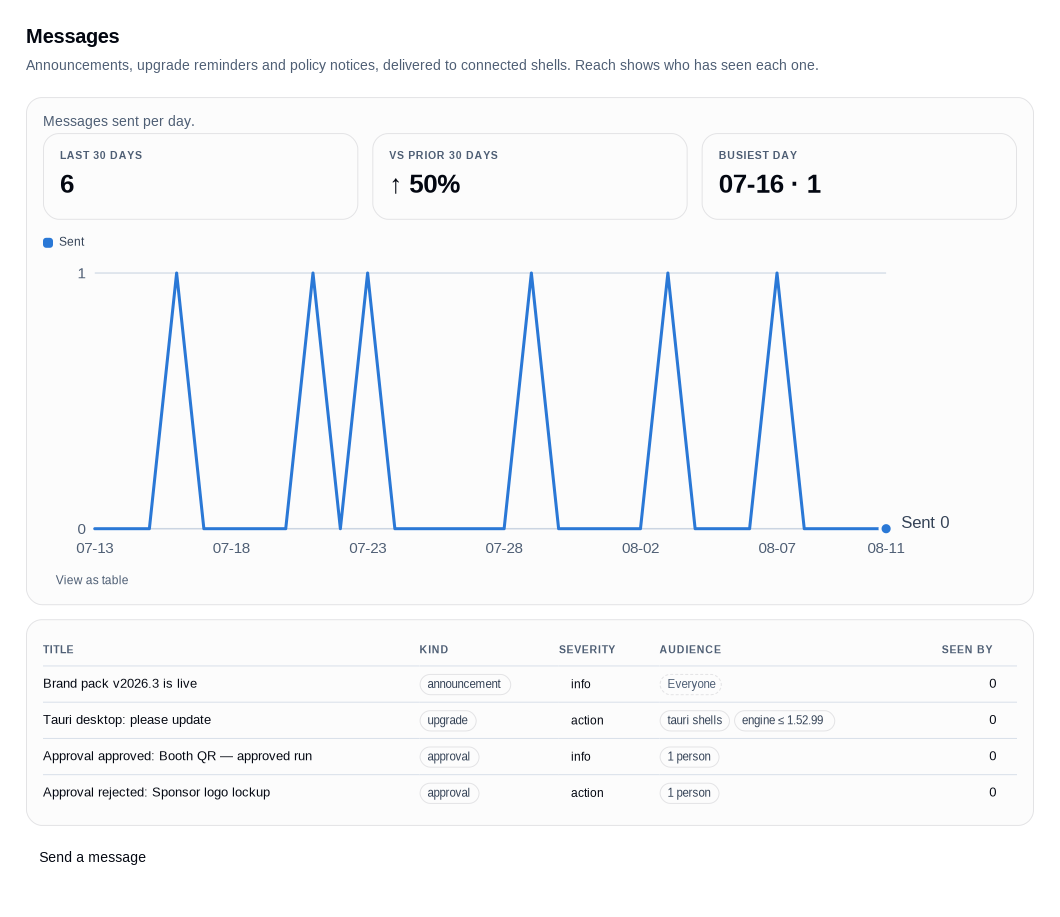
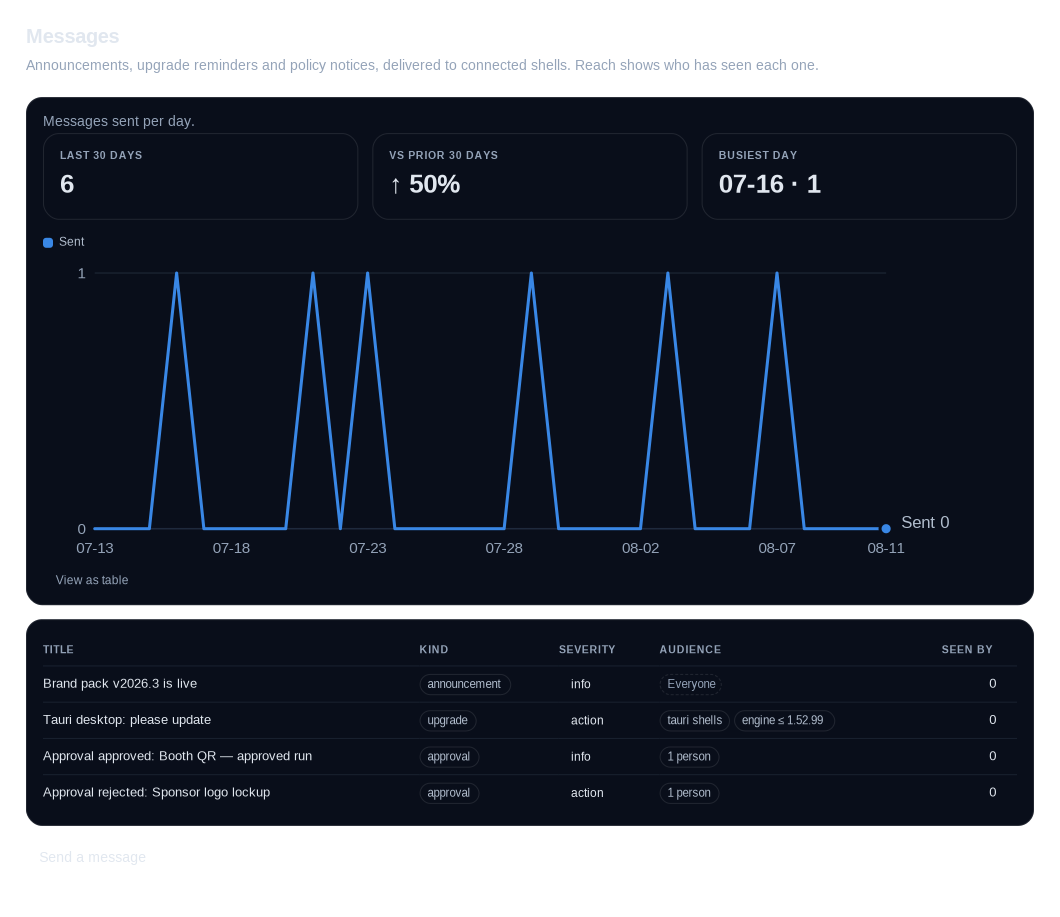
Admins write broadcast messages in the console:
 signed by Lolly Demovector SVG1 path30 nodes83 groups177 KBCheck it yourselfGet the signed file
 signed by Lolly Demovector SVG1 path30 nodes83 groups177 KBCheck it yourselfGet the signed file


Mail is plain text through your own relay (notify.smtp, see configuration); a person without an email address is skipped. Webhook events are posted to notify.webhook.url as JSON, with an x-lolly-timestamp header and x-lolly-signature: sha256=<hmac(timestamp.body)> keyed by LW_WEBHOOK_SECRET. Check both and refuse old timestamps, and forgeries and replays fail on arrival. Delivery tries once more, then counts the failure (lw_notify_total{outcome="failed"}) and logs it; it never blocks or fails the request that triggered the delivery. Neither channel reports home: both targets are your own, named in your configuration and reached only when your members act.
SIEM forwarding
siem.url streams the audit log to your Splunk, Sentinel or collector as signed JSON batches; configuration describes the block and its loss-free cursor. Check x-lolly-signature and x-lolly-timestamp at the receiver exactly as for notification webhooks.
Alert on lw_siem_lag, the events not yet confirmed. A healthy forwarder keeps it near zero, and a dead receiver makes it grow without losing anything. On a serverless deployment, where the forwarding loop cannot run, a service token polling GET /api/v1/audit is the supported path.
Retention and erasure
policy.retention bounds the two tables that grow with use and says how long deleted documents stay before they are purged; configuration has the keys and their rules (anchored audit trims, delivery before deletion, 0 keeps everything). Data lifecycle lists what a purge removes. The long-running server applies the policy at startup and daily. On serverless, schedule lw retention run (a service token works); the route and the timer run the same code. The same block can also expire finished render outputs after a set number of days (retention.renderOutputDays): a daily sweep on the long-lived server removes their bytes and keeps each render's record and receipt (output retention).
Account erasure is narrow by design. Run lw users erase-preview <id> first: it reports retained references and affected telemetry without changing data. lw users erase <id> then removes the account's identity row and de-attributes its telemetry in one step, or changes neither if a retained reference or a database error blocks the erasure. The account's unfinished uploads are removed first; if a scoped upload is still in progress, the erasure answers 409 ERASE_UPLOADS_REMAIN with nothing else changed, and you run it again. What blocks an erasure, and what it leaves behind, is in account data controls and data lifecycle. A successful account operation does not prove the whole request is fulfilled.
Console headers
The console loads its assets and API calls from its own address. Its HTML sends a Content Security Policy that allows the two preference scripts by their content hashes and blocks other inline scripts, script evaluation and framing. Console responses also send nosniff, no-referrer and X-Frame-Options: DENY. The policy allows inline styles for the console's existing controls and theme.
Changing the deployment design system
Use the console or lw brand to preview selection, retirement and download changes. Apply migration 0037 before turning on changes. Decisions and their audit records commit together in PostgreSQL, and every replica reads the shared revision. All replicas need the same mounted source contents and asset store; read-only production deployments show the inventory and the operator path.
Update source files by checking and redeploying them, never by deleting them through a local Lolly Remove action. Design-system administration covers restart behaviour, missing-source recovery, reference impact and reversible rollback.
Connecting apps to this instance
A Lolly app arrives as a neutral download (the store app, a desktop build or the public web app), and everything about your organisation reaches it once the person points it at this instance. The steps a person follows are in Use Lolly at your organisation; this section covers the administrator's side. Three routes, easiest first:
- A signed
.lollyinstance pack. Importing it sets the app's instance address once the signature checks out, and installs your brand as well. The pack is cut by the open-source repository'sbuild-instance-pack.ts, with this deployment as its instance address, then hosted here:lw instance pack <file.lolly>(owner) or the Connect card in the console's Fleet view.
- The instance serves it at
/connect/pack.lolly(public on anopeninstance, members only otherwise) and advertises it in the manifest'sconnect.packUrl. - Upload refuses any pack whose instance address is not this deployment, so nobody can quietly host a pack that enrols devices somewhere else.
- An app built with a pinned key refuses an unsigned or wrongly signed pack.
- A deployment can also carry the pack in its own mount and host it from startup (
instance.connectPack). The same inspection applies, and an owner's upload wins.
- The first-run instance sheet in the desktop and mobile apps: the person types this instance's address, and the app checks
GET /api/v1/instanceandGET /api/auth/config. - Change on the Lolly instance card in Settings, in an app already running.
In a desktop or mobile app, the person signs in through the system browser and approves the code shown, then returns to Lolly, which loads the workspace's brand, their projects and shared sessions. A browser opens the workspace at its own address, so its sign-in cookie also works for the private catalog and the collaboration sockets.
- Desktop and mobile apps need no CORS from this server. They send instance traffic through their own HTTP client, so an instance on another address works straight away. The open-source web app refuses to switch instance in a browser, so browser users get the web app at
/and the API from the same address, and no CORS opening is needed or offered. - Live sessions in the apps use a ticket. The apps ask for
POST /api/v1/collab/sessions/:id/socket-ticket. Each ticket lasts 30 seconds, works for one room and can be used once. The ticket request and the WebSocket upgrade must reach the same Lolly Work process, which the single collaboration owner guarantees. X-Lolly-Clientis the only signal a connected app sends: the app kind and version, the engine version and the platform, on requests the person's own use already makes. There is no heartbeat and no reporting home, and a device that stops using the instance simply stops appearing. While its person is signed in, and only then, the app adds aninstall/<id>token, so the install appears by name in the Fleet view. Rename and forget there only change the row; the device is never touched.
Enrolment, and leaving
People enrol from their app; the instance never reaches out to a device. While signed in, your policy applies, and work saved here (projects, sessions, submissions and audit) lives on the server. Either side can end it alone:
- The person leaves from the app: Leave on the Lolly instance card in Settings removes the organisation's brand, tools, cached catalog and install ID. Personal work is untouched, and a device that enrols again appears as a new install.
- The organisation disables the account, and every live session ends on its next request.
Afterwards there is no remote wipe, no export block and no exit fee, and a departed device keeps no organisation catalog. Exports made while enrolled keep their Content Credentials.
The engine pin, for Lolly Work maintainers
The open-source engine is bundled, pinned and unmodified. engine-pin.json records the pin, and pnpm run verify:engine-pin, which runs before pnpm test, fails if the bundled tree and the pin disagree. Re-pinning is a planned step: bump the pin, run the tests, check the bridge-contract version label and commit. Letting the pin fall far behind is a known maintenance risk; see status.
pnpm run repin-engine reports drift against the open-source checkout beside Lolly Work (LOLLY_OSS_DIR, or ../lolly): commits behind its HEAD, and the pinned against current engine and core versions. It only reads, and it is cheap, so run it in CI or before a release.
pnpm run repin-engine --apply re-pins. It backs up vendor/ and the pin to a temporary folder, runs the open-source repository's scripts/pack-engine.ts, unpacks the fresh tarballs into vendor/, adopts the new manifest as engine-pin.json and syncs the lockfile, then proves it all fits with pnpm run verify:engine-pin and pnpm test. Any failure restores the previous bundled tree and pin, so the working copy is never left half-updated. After a successful run, review the diff, including the bridge-contract version label, and commit.
Tests, type checks and the SBOM are contributor tasks, covered in the Lolly Work repository's contributing guide. The PostgreSQL store tests run only when LW_TEST_DATABASE_URL is set, so a pipeline that never sets it leaves that driver untested.
Related
- How the parts fit: deployment
- Every key and variable: configuration
- Anchoring the audit chain: audit
- Known gaps: status