
Lolly makes finished files from a few answers. Pick a tool, such as a QR code, a chart or a social card. Add your words, pictures or data, and download a PNG, PDF, SVG, video or slide deck that is ready to send.
Lolly is built around content sovereignty: control over how your content is created, governed, stored and moved across the systems you choose. Local production, editable work and portable tools support that control; optional organisation services connect the shared systems your team needs. What is content sovereignty? explains the idea with its practical limits.


What you can make
Each of these was made by filling in a tool's fields, or by typing them into a link. Nobody laid them out by hand.
A city map
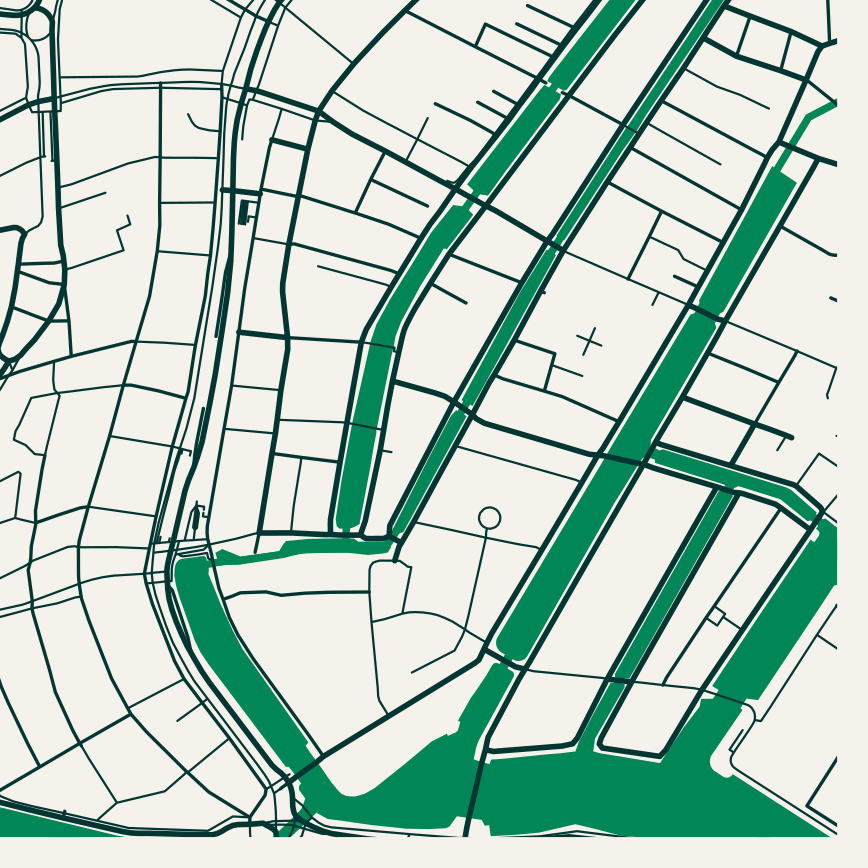 signed by Lollyvector SVG8 paths~25k nodes7 groups287 KBCheck it yourselfDescarcă fișierul semnat
 signed by Lollyvector SVG8 paths~25k nodes7 groups287 KBCheck it yourselfDescarcă fișierul semnat


A chart
 signed by Lollyvector SVG23 paths~2.5k nodes3 groups38 KBCheck it yourselfDescarcă fișierul semnat
 signed by Lollyvector SVG23 paths~2.5k nodes3 groups38 KBCheck it yourselfDescarcă fișierul semnat


The gallery holds many more: QR codes, certificates, diagrams, decks, audiograms, motion, generated music and the utilities that clean or convert a file you already have. Make your first file walks you through a QR code.
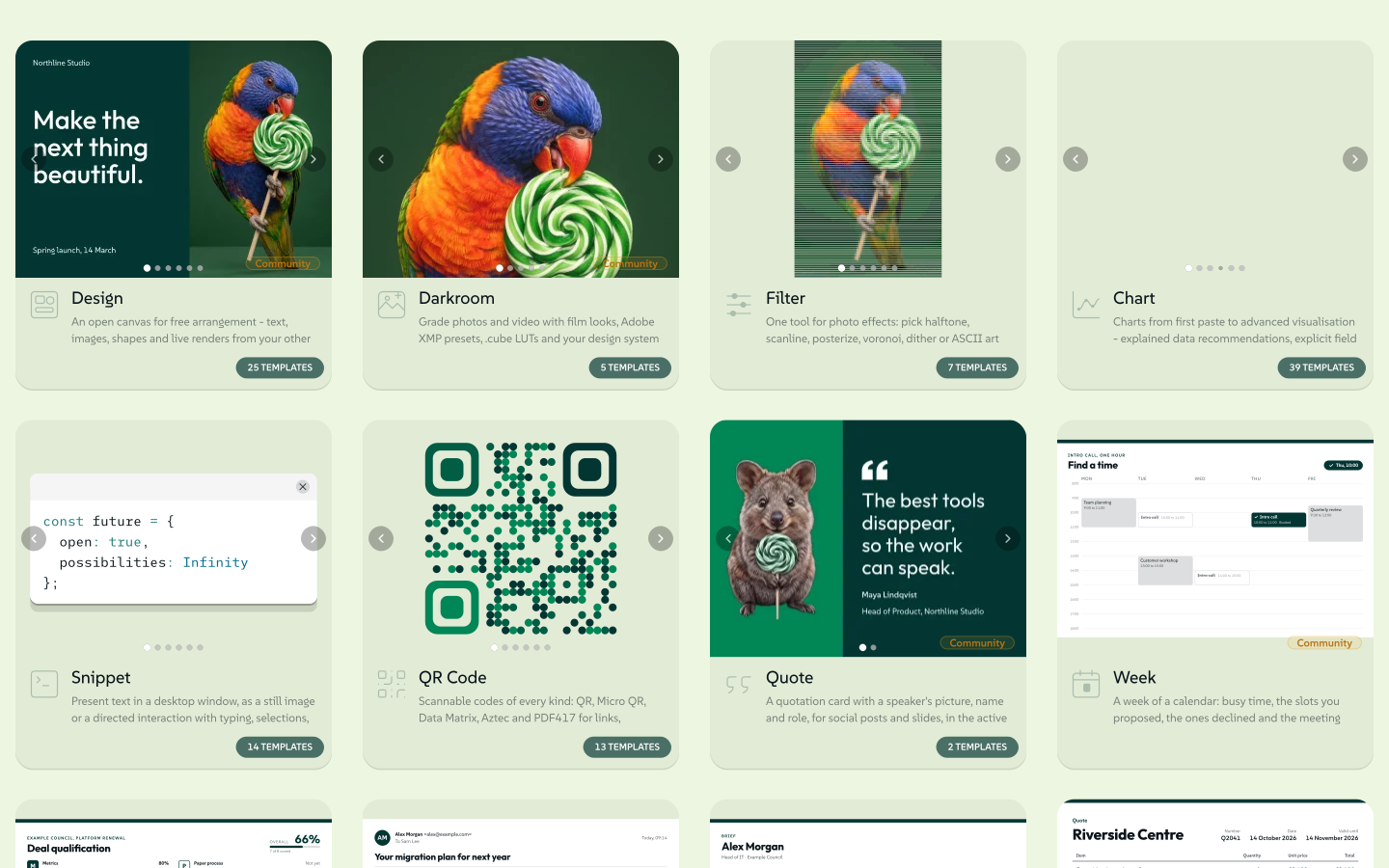 signed by Lollyvector SVG257 paths~52k nodes790 groups4 images836 KBCheck it yourselfDescarcă fișierul semnat
 signed by Lollyvector SVG257 paths~52k nodes790 groups4 images836 KBCheck it yourselfDescarcă fișierul semnat


Where the look comes from
The colours, fonts and logos come from a design system, set once. lolly.tools starts in Lolly Demo, Lolly's own sample design system, which is why everything is green at first. Meet Lolly Demo shows what it contains. Lolly Design System Setup (#/start) is where you make your own, and Start walks you through the choices.
Because the rules live in the tool, the tenth file looks as right as the first, and so does the file a colleague makes from the same tool.
Where it runs
Lolly makes the file on your device. You need no account. Once the tools and fonts you use are saved under Available offline, it keeps working with the network unplugged. Apart from fetching its own tool list, Lolly connects only when you use a feature that needs to, such as sending a file to Google Drive or turning on Sync. Privacy lists every one.
Use it in a browser at lolly.tools, or install the app on your computer or phone. It is the same app either way.
When a team needs more
An organisation can add Lolly Work, an open-source server it runs itself, for sign-in, shared projects, approvals and server jobs. Use Lolly at your organisation explains what changes for you. Everyday use never needs Lolly Work.
Your existing digital asset management system can stay the source of record for approved assets. Lolly Work connects a selected part of that library to Lolly tools, with access rules and supported source constraints. Use Lolly with your existing DAM explains how the two fit together.
Find your way
- Start: put your own brand in and bring the work you already have.
- How Lolly works: who does what, and how one tool with your rules makes many files.
- Create: making, animating, recording, sharing and exporting.
- Automate: the command line, links, agents and building your own tools.
- Manage: running Lolly for a team.
- Deploy: hosting Lolly and Lolly Work.
- Trust: privacy, security and checking a file yourself.