

Content Sovereignty
Studio quality files in seconds, on your own device.
Identical how you want, different when you need.
Free & open source: no account, no card, no catch.


Ways in
Pick a door, or just start making below.
Make something, right now
Three ordinary jobs. Pick one: it opens already filled in, and the words are yours to change.
 A code for the invitation
Print it on the invite or pin it to the noticeboard, and everyone lands in the right place.
Open this one
A code for the invitation
Print it on the invite or pin it to the noticeboard, and everyone lands in the right place.
Open this one
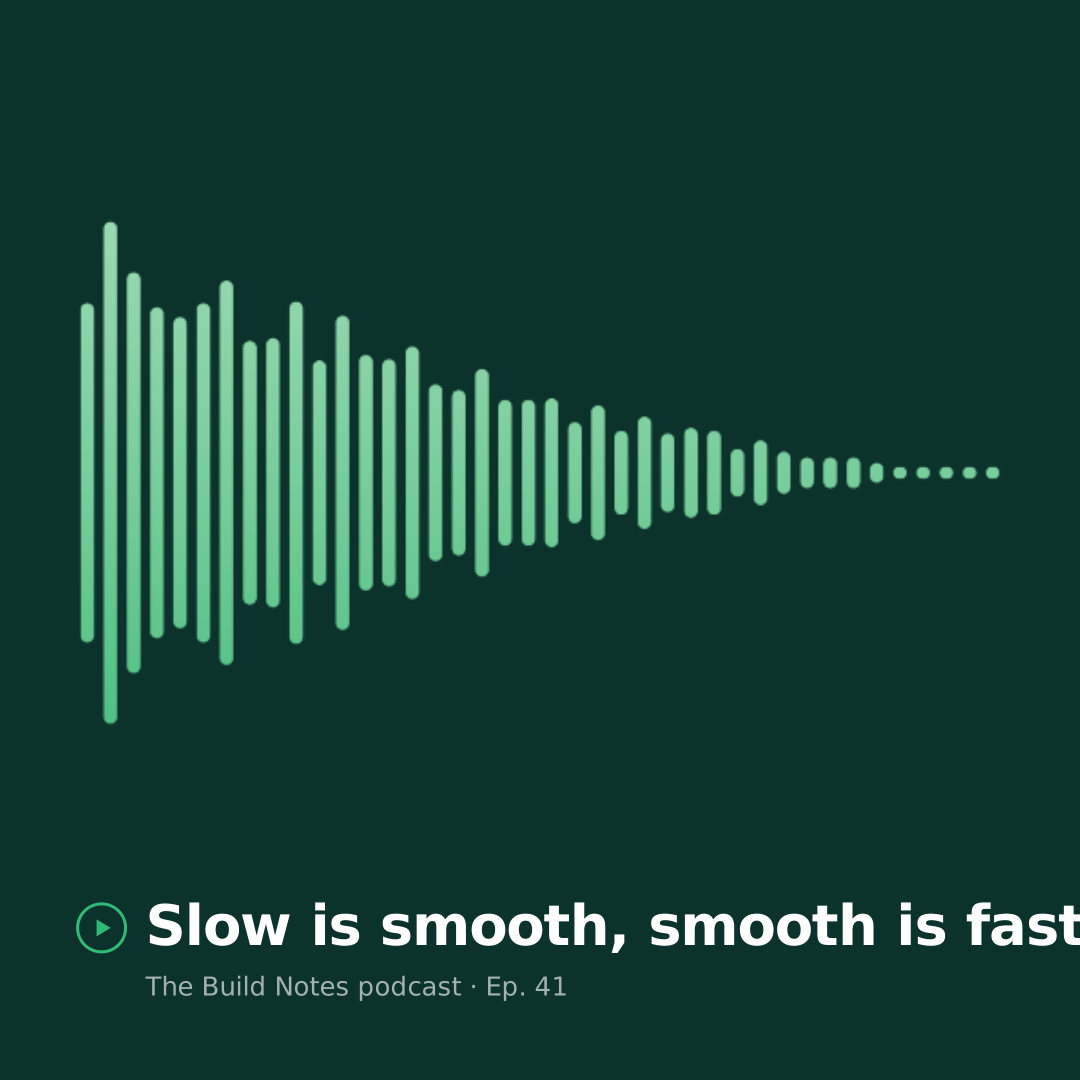 Feeling shy? Your voice is plenty
A voice note becomes a finished video: moving waveform, your words on the cover, your colours. No camera, no makeup needed.
Open this one
Feeling shy? Your voice is plenty
A voice note becomes a finished video: moving waveform, your words on the cover, your colours. No camera, no makeup needed.
Open this one
 A photo, ready for the poster
Drop in a picture and it takes on your two colours, so the poster looks like it was planned.
Open this one
A photo, ready for the poster
Drop in a picture and it takes on your two colours, so the poster looks like it was planned.
Open this one
Everyday creative work
shouldn’t be hard.
Most people don’t want a design studio. They want one correct file, now - without breaking the style, without waiting on someone and without being asked to sign up and pay before they can start. Lolly can help.

The quiet fear of picking the wrong colour or font. Over-thinking what was meant to be simple.
Every asset stuck with a busy human queue, a slow tool, or one more approval.
An account before you can start, a subscription that outlives the job, and predatory pricing ladders holding your work hostage.
The internet is optional with Lolly: use it when it helps, never surrender control. A font you pick, a place you look up, a link you share - things happen online only because you asked. Nothing you make ever leaves your device without your control and informed consent, Nobody is listening in. Go offline and everything you have works. Freedom is sweet.
AI, on your terms
You never need AI here. If you want it, three things are worth knowing.
AI helps only when you ask, and only with the piece you point it at. Nothing is decided for you.
If AI helps make something once, the result is yours. Using it again is free, however many times you need it.
A piece made by AI says so, and what you make carries your name instead of pretending to be someone else. Even the built-in help works this way: ask it a question and it answers with the manual’s own sentence and a link, never a made-up answer.

Who is it for?
Everyone with something to make. Start with the everyday jobs, or pick your line of work.
A poster for the fete, a price list for the stall, an invitation with a code that just works. You type the words; the layout, colours and type are already right.
- No account, no set-up. Open it and start; the first file takes about a minute.
- It comes out right. The design decisions are already made, so you cannot pick the wrong font.
- The old way was waiting for a favour or fighting a template site. Here it is type, look, done.
- Make three now. Make something in 60 seconds walks you through.
You need a quote card, an event tile, a localized signature - today, not next sprint. Lolly hands it back finished and on-brand, even if you've never opened a design tool. The rules live in the template, so the output comes out right.
- Fill in a few fields, get the finished asset. No fonts to pick, no colours to second-guess, no "is this the right logo?" The tool already knows. You bring the words.
- Endless variations, one source of truth. Localize a quote card into 12 languages, swap a brand lockup across 40 campaigns or make every size variant for every placement - without touching the design. Drive it all from a spreadsheet in the batch grid: paste or import a CSV, get one finished file per row.
- No creative-agency bottleneck for routine assets. Email signatures, event countdowns, quote cards, QR codes - everything your team needs on a Tuesday at 4pm, self-serve.
- No procurement round for a picture. No new subscription to approve, no licence to audit, no seat to buy for the person who needed one tile on a Tuesday.
You're on the road, the deck is wrong, the customer asked for something specific. Lolly turns any device into an asset studio - no designer, no wait, no excuses.
- Wait on nothing. If you're on the road, there are no days left before your meeting, you need assets now. Generate them.
- Fix the deck you already have. Drop the PowerPoint on Lolly and its slides open straight away, so you can pick the ones worth keeping and reuse them as sharp vector art - then rebuild the deck from a few lines of Markdown and send back a native, editable
.pptx. - One person, the whole campaign. Every rep, in every region, working from the same rules, with the same finish.
- World class experience. Nothing looks rushed even though it was rendered instantly. Nothing is a one-off - so every interaction gets a little more polished than the last.
- The work is already done when they ask. A tool built the first time somebody needed this asset makes it again in seconds, at any hour, in any time zone.
Build your info-editorial style once, then generate publication-quality assets from live data as it happens.
- Bring data directly into visuals. Connect structured data to chart, map and table templates. Update the numbers; the layout takes care of itself.
- Match your publication's style, exactly. Tools are authored with hard-coded typographic and color constraints - your house style enforced at the template level, not as a loose guideline.
- Print-ready or screen-ready. Export SVG, CMYK PDF, high-res PNG or 60fps video from the same template. One source, every format your production desk needs.
- Reusable formats for recurring stories. Election results, quarterly earnings, weather events - build the template once and reuse it every time the story runs.
Not everything is marketing. Consignment labels, badge runs, compliance one-pagers, incident notices - output where the layout carries the meaning and the data can't be wrong. Lolly treats a consignment label with the same rigour it treats a campaign poster.
- Structured data in, exact output. Feed a CSV or JSON table and every field goes precisely where the template expects it - one finished file per row.
- Physical precision. Real units (mm/cm/in/pt), true DPI, bleed and crop marks. A label printer or a print shop gets exactly what it needs.
- Logic runs inside the tool. Barcodes, date maths, conditional layouts, contrast checks - computed at render time, not by hand.
- Deterministic by design. Same inputs, same file, every time. Auditable, repeatable, automatable from the CLI or a pipeline.
You design systems and solve problems, not one-offs. Lolly is the execution layer that turns your design decisions into tools your whole organization can use - without you in the loop for every asset.
- The ceiling is the web platform itself. Advanced filters, compositing, animation, generative design: every web technology is available to the template author, and whatever a browser can draw, a tool can export at production quality.
- Tools compose tools. One tool can embed another tool's output as a live asset - a name badge that renders its own QR code, a card that drops in a live chart - with no design tool and no manual compositing.
- Author tools, not files. Build a template that generates 10,000 social cards rather than making 10,000 social cards. Your time goes to the design problem, not the production run.
- Eliminate the tedious. Optimal typesetting, logo placement, map pin positioning, color contrast checks, export sizing - all resolved at the template layer. You define the rules once, leave the repetition to the machine.
- Lock what shouldn't change, free what should. Hard-code the brand constraints. Expose only the variables that are actually meant to vary. The tool becomes the creative guardrail.
Images are build artifacts. Treat them that way. Lolly runs from the CLI so you can generate assets the same way you generate everything else - repeatably, automatically and as part of your workflow.
lolly qr-code --url=https://suse.com --output=og-qr.svg
lolly wordmark --text="Ship it." --output=wordmark.png- Put the model on the sketch, not the press. Generating press-quality media by prompt is expensive and gets close rather than right. A tool makes the same file every time, for nothing.
- Reproducible outputs. Same inputs produce the same file, every time. Commit a URL, regenerate on demand - no more checking in images or chasing the latest version from Slack.
- Get media out of your codebase. Generate OG images, QR codes, social cards and data visuals at build time instead of storing binaries in Git.
- Execute logic inside assets. Tools like Code Canvas and Chart Creator let you place real content - code snippets, structured data, live values - inside production-quality templates without building a custom renderer.
- Zero lock-in. Open source engine, local compute, no API keys, no rate limits.
Also built for machines
An agent fills in the same tools a person does, and the people who answer for them get the security case at technical depth.
Tell your model to use a tool, not hallucinate.
A URL with parameters is a few tokens. A creative brief plus image generation is thousands - and the result still isn't press-quality. Lolly gives your agent a deterministic, reviewable creative layer, ready for production.
- Production Quality doesn't drift. Tools produce production quality artwork at a fraction of the compute - done locally. Tools are hard-coded. When your model gets lazy, the layout won't. The typographic rules, the color values, the spacing - they're structural, not prompted.
- Save tokens at scale. Generating a custom event card from a URL costs a fraction of what it costs to prompt-engineer the same output through a generative model.
- Put data where it belongs. Structured inputs map to structured templates. Speaker names, session times, product versions - placed precisely where the design expects them, every time.
- Deterministic, auditable, version-controlled. Every output is reproducible from its inputs. No stochastic surprises in production assets.
Use Lolly to invite the team to KubeCon.

Parameters:
  title: "KubeCon 2026"
  date: "2026-11-10"
  location: "Atlanta"

Output the file URL.Creative files shouldn't be a security risk.
Every time someone uploads a file to a third-party service to "just make it look right," that's a data exfiltration event waiting to happen. Lolly eliminates the problem at the source - creative production stays on-premise and under your control.
- Data stays on the device. No cloud rendering, no analytics, no telemetry - and no network request at all beyond the handful a user explicitly triggers, each one named in the privacy policy. What colleagues create stays on their machine. On-device utilities help you out - nothing is uploaded. Even encryption and passwords happens on-device..
- Self-host for full air-gap control. Deploy on your own infrastructure; the two optional server components can be omitted entirely. Sovereign production states the whole posture, and Server Surface is the complete inventory.
- Reduce vendor surface area. One open-source platform replaces a sprawl of SaaS subscriptions for creative production. Fewer vendors means fewer contracts, fewer audits and fewer breach vectors.
- Enforce brand governance at the infrastructure level. Tools are authored once and distributed as data - not files, not manual processes. What goes out the door is exactly what was approved to go out the door.
- Get critical information into human-readable formats instantly. Incident communications, compliance reports, executive briefings - structured data becomes publication-quality output in seconds, no design bottleneck.
- Hardening, in the open. Lolly's cryptography and file-parsing engines are going through SUSE's infrastructure hardening: the experts behind more than three decades of security technology and services for the world's largest enterprises. Content Credentials and local encryption are strong by design. See Adoption & governance.
Lolly
Think of it like a vending machine for design: make a selection, get a result. Every time.
The Lolly engine works to achieve the highest quality each format can produce on your hardware, without comrpromise.
No SaaS fees, no usage limits, no vendor dependency.
Web PWA, Mac, Windows, Linux, iOS, Android, CLI, terminal TUI - same engine, same output.
Dozens in, dozens out and many of them both ways - the full breakdown is on the Formats page, and every format in detail on the Exporting page.
Outlined type, Spot color support, 60FPS · Media fit for the studio.
Tools
A self-contained template.
Layout rules and style, waiting for data
Knows its own layout, type, colors and brand rules. You bring the content - it handles everything else.
Authored once by someone who knows the brand. Everyone else just fills in the blanks.
Plain HTML, CSS and JS. Version-controlled, diff-able and reviewable like any other source file.
Open template.html in any browser - it just works. The tool is the app.
Some tools open as a direct-manipulation canvas - drag, rotate and snap boxes of text, shapes and images, exported through exactly the same path as everything else.
Treat a tool like an image inside another tool - a badge that renders its own QR code, a card with a live chart - and keep the smarts intact: still live, still re-rendered, never a flattened picture.
To render to PNG, PDF, SVG, video and more - use the Lolly platform.
Share it whole
When a link can't carry everything, Lolly says exactly what would go missing and offers the whole thing as one .lolly file instead: your images, the design, even the tool itself. You choose how much travels - your details, licensed art and the tool are each included only when you say so, and the person opening it is asked before a carried tool can run.
Work together, no internet needed
Two people, two devices, one design, edited live. Scan a code across the table and both screens hold the same session - on a plane, in a basement, on a hotspot. There is no server in the middle to trust or to fail.
Present it, full screen
A design's frames become slides: click through them on the big screen, open a speaker view with notes and a timer, or leave it looping on the screen in reception. No separate presentation app.
Organise, then render in bulk
Keep saved work in nested Projects folders. When it's time to ship, render a whole folder - or any handful you select - into a single zip. Or paste a spreadsheet and get one finished file per row.
Accessible, with sound
An interface that works the way you do - screen-reader friendly and fully keyboard-navigable throughout. Turn on gentle interface sounds, or switch to Neurospicy Mode: a calm focus beat that loops quietly while you work.
We built Lolly for ourselves. SUSE needed thousands of on-brand files, each with its name sealed inside, made without handing anything to outside services. So we built a tool that does all of it on the device, and released it as open source, like everything else we make. We keep maintaining it because we use it every day. There is no obligation: everything here works with or without us.
Didn't expect an infrastructure company here? The problem with everyday creative tools and modern AI is where your data goes, and that is the problem SUSE has worked on for more than three decades, securing IT for the largest enterprises in the world. We solve this challenge the way we fix everything: in the open, used in confidence, zero-trust creative sovereignty for all.
Prove what you made.
Keep what's yours.
Almost everything you export can carry a Content Credential - a tamper-evident C2PA seal made and signed right where you work. The tamper-evident seal covers every exported byte: change anything and a C2PA validator says so, and once you enrol an identity it also records who signed it. Rasters also carry the invisible Lolly Imprint in the pixels themselves, on by default, so your work can still be identified even after the credential is stripped.
- Tamper-evident by defaultThe seal covers every exported byte. Change one pixel and any C2PA validator flags it.
- Signed with a key only your browser holdsThe key is generated non-extractable, so no code - Lolly's included - can read it back out.
- Verify anything, yourselfThe Verify tab checks a file's credential, flags AI-generated content, reads the Lolly Imprint and surfaces hidden data.
Strip Hidden Data removes EXIF and metadata locally. Lock a PDF, a download or a share link with a password only you hold.
No backend in the core render path - no database, no server-side processing to operate. Run it entirely behind your own firewall; the optional server add-ons can be omitted.
Lolly is very new: cryptography and security testing are undergoing SUSE’s infrastructure hardening now. Content Credentials and local encryption are strong by design

All of it,
as you are,
on anything
Install it, or open a hosted address, or both at once - you decide.
Lolly Tools can work there.
Nothing to sell you, nothing to take
A version that has been released is licensed so it can never be taken back. The free Lolly always exists, whatever happens next.
Read it, run it, fork it, keep it. Nothing on this page needs to be believed: the code is public and the claims are checkable.
Lolly reports nothing back. Nobody, the makers included, can see who runs it or what they make. A tool that cannot see you has nothing to sell about you.
Your work never goes where you have no say. Anything that touches the internet happens because you chose it, at the moment you chose it, and the code that keeps that promise is open for anyone to read.



Made for us
We are a coalition of passionate designers, developers, marketers and IT operations experts - here to share solutions, not to sell you into a corner. Manual work, expensive ugly software and anything that slows us down day to day is the only adversary.
What's with the Quoll, Quokka and Koala?
They're adorable Australian animals who cause no harm to their environment. In a world of predators looking for your data, money or time - give them none and thrive.
Quoll-tea. Koala-ty. Quo'lity. We are obsessed with quality. Studio-quality media. When evaluating tools and platform improvements we ask: Is it good enough to make everything?
Questions & answers
The things people ask most.
What happens when I opt-in on the /profile page?
When you first use Lolly, everything you type anywhere is fully private until you deliberately want that information out there via media or a share link (if online).
With the opt-in selected, the profile details you choose are sealed into what you make, naming you as the source. Nothing is included without you picking it.
Lolly produces a large volume of content. We take a strict data minimization approach to prevent risk.
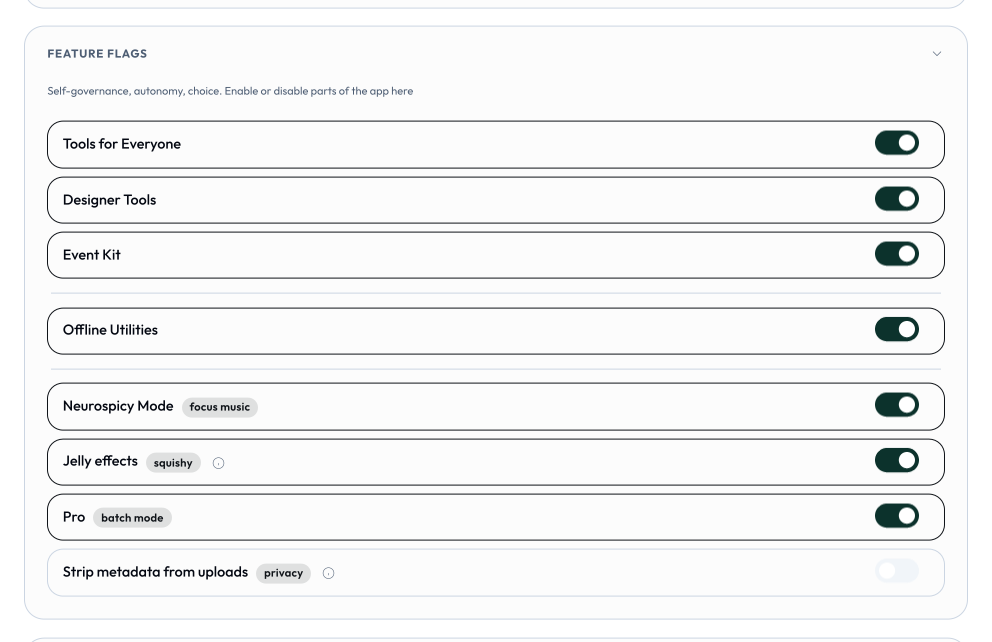
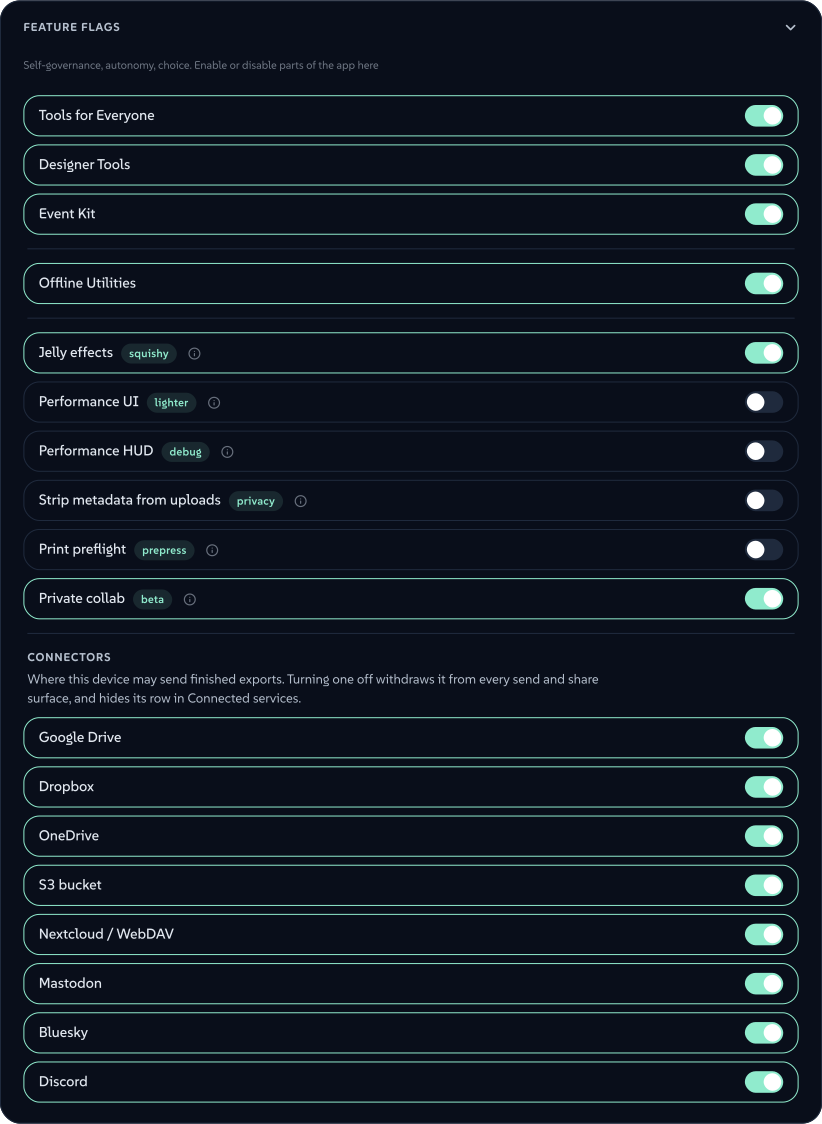
What are the feature flags?
Feature flags turn parts of Lolly on or off. Usually an administrator controls these - with Lolly, you are in control.
 signed by Lollyvector SVGCheck it yourselfGet the signed file42 paths~11k nodes128 groups127 KB
 signed by Lollyvector SVGCheck it yourselfGet the signed file42 paths~11k nodes128 groups127 KB


How do I get the mobile or desktop apps?
Anybody can distribute their own apps, the tools and configuration of those apps should vary widely depending on what audience it's intended for. So there's no one app unless you made it or someone relevant gives it to you.
Why the name "Lolly Tools"?
Lolly because freedom is sweet, and because in Australia, New Zealand and Britain a lolly is a sweet.
Tools because a tool sits still until you pick it up. It does not run when you are not using it, and it does not watch you while you are.
What hurdles could I expect adopting Lolly?
Lolly slots in wherever you already generate files - the CLI is the same engine as the App, so a pipeline run at 2am can't drift from what a person previews in a browser. The friction to adoption is rarely technical; it's organisational. Expect these:
A curated brand catalog has to be authored. Lolly is a platform, not a finished pack of your templates. For a governed rollout, someone defines the shared asset catalog (logos, palettes, fonts as permanent IDs) and writes the manifest + template for each output type. Individuals don't have to wait for that, though - in the open app anyone can ingest their own files into the catalogue and build tools in Design from day one.
No git required to contribute. Designers make their own tools and templates in the app, then share them with peers or submit them to whoever owns the deployment for default inclusion.
It's deliberately narrow - frame it that way. Lolly is not for bespoke or hero content. It is your personal DAM - hydrated and supercharged by your design system, tools and catalog - and it does have an open canvas (Design), but even there colours, type and assets conform to the active design globals, so free arrangement stays inside the system. Judged against Figma or Canva it will look limited. Judged as what it is - operationalised, recurring, massive-scale asset generation - nothing competes. The wrong framing is the most common set-back.
Change management on the producing side. Existing processes work today, even if the output is off-brand. Re-pointing them at the engine means re-testing re-learning, and "we can already make files" becomes the excuse not to migrate. Start by converting one high-visibility production quality output and showing the before/after side by side.
Lolly lifts everything up.
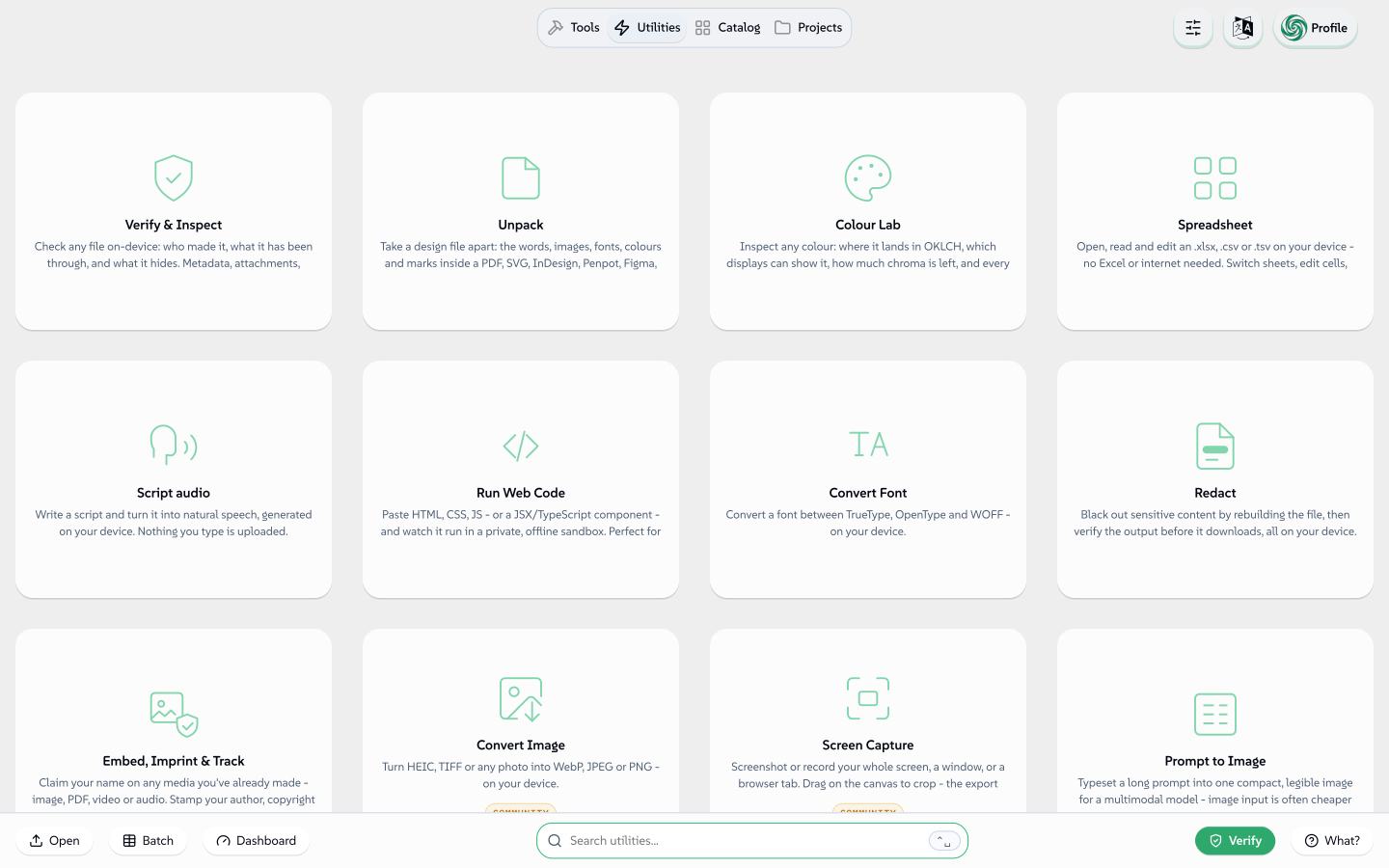
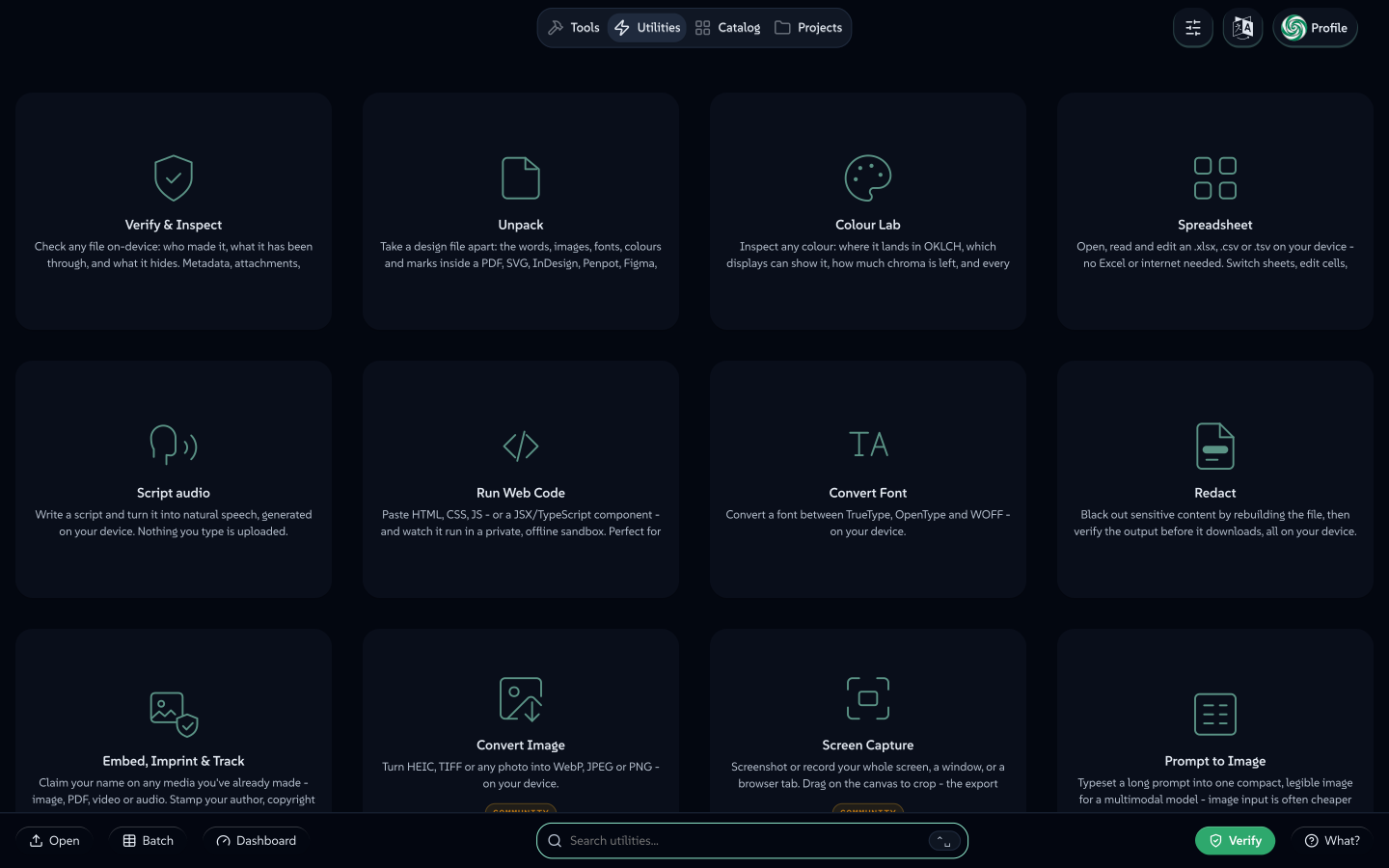
What makes utilities different from tools?
Basic Answer → Utilities don't always need to render and therefore can get a different UX.
Real Answer → The reason utilities are hostable inside Lolly Tools is to add yet-another 'convenience layer' of defence to disincentivise data-exfiltration.
Why? Because it is known that every day, people take confidential content they already have and hand it to a random website to perform one small mechanical operation:
- "Compress this PDF" → uploads a contract / payslip / board deck to unknown entities.
- "convert HEIC to JPG" → uploads personal photos (with GPS EXIF) to an ad-funded host
- "crop / resize this image" → uploads a product screenshot or unreleased asset
- "format this JSON" / "decode this JWT" → pastes API responses, tokens, secrets into a formatter
- "merge these PDFs" → uploads two documents that should never share a server
These sites and their massive clone long-tail are not trustworthy by default with unknown retention, unknown jurisdictions, unknown subprocessors and an ad/affiliate business model that has every incentive to keep what you give them. The operation is trivial; the content is the cost.
We win the war for governance with excellent convenience and service.
 signed by Lollyvector SVGCheck it yourselfGet the signed file154 paths~40k nodes234 groups802 KB
 signed by Lollyvector SVGCheck it yourselfGet the signed file154 paths~40k nodes234 groups803 KBTry it in the app


Can Lolly edit and render my Figma, Penpot, Illustrator or InDesign files?
Yes. Open Design and click Import a design: it accepts a native Figma .fig (Save local copy), a Penpot .penpot export, an Illustrator .ai or .pdf, an InDesign .idml (File → Export → InDesign Markup) or any SVG (the wide door - almost any design app exports it). No account, no plugin and no design app licence needed.
 signed by Lollyvector SVGCheck it yourselfGet the signed file13 paths444 nodes33 groups14 KB
 signed by Lollyvector SVGCheck it yourselfGet the signed file13 paths431 nodes33 groups14 KB


Layers arrive as editable boxes on the open canvas: text stays retypable, shapes stay shapes, images join your own image library and type and colours conform to the brand globals. Save it and the layout becomes a reusable, URL-addressable template anyone with Lolly can refill - and you can mix in live tools (a QR code, a chart) that re-render on load. From there it renders like anything else in Lolly - SVG, PDF, PNG and the rest, reproducible from its URL. See Import a design.
Can two people work on the same design without the internet?
Yes. One person shares an invite (a link, a QR code or a short code), the other accepts, and both devices hold the same session live - presence, focus rings and all. It works on any shared network, including a phone hotspot in a basement, because there is no server in the middle. See Working together.
Where did the SUSE-branded tools go?
They already live in a separate, private repository. A public clone doesn't fetch the SUSE brand pack at all, so a public build runs the neutral lolly-start profile - the brand-agnostic community tools plus a blank brand you fill in with your own. SUSE operates its own instance to protect its trademarks.
Why is it free? What's the catch?
We built Lolly for ourselves. SUSE needed thousands of on-brand files, each with its name sealed inside, made without handing anything to outside services. So we built a tool that does all of it on the device, and released it as open source, like everything else we make. We keep maintaining it because we use it every day. There is no obligation: everything here works with or without us.
That line is drawn in the licence, not in a promise: anything that runs locally is free, forever. A version that has been released is licensed so it cannot be taken back, and there is no contributor agreement that could relicense anyone's work. See positioning for the full statement.
How much is SUSE keeping private? (aka when is the rug-pull)
The engine, the shells, the schemas and the brand-agnostic tools are open source; SUSE's trademarks and branded tools are the part that stays private, and they are already separated out. You can find an unbranded instance of Lolly at lolly.ART.
The boundary is structural rather than promised. Every released version is open source and cannot be un-released, there is no contributor agreement that could relicense anyone's work, and the only thing held back is the trademark. When another company closed its enterprise Linux sources in 2023, SUSE co-founded OpenELA to keep that code open - the same posture this project inherits.
Full disclosure: SUSE is building out internal tooling to integrate Lolly within its IT systems - that's about SUSE's internal set-up, not public vs. private development. Lolly also aims to be built through Open Build Service, with secure supply-chain artifacts delivered by the SUSE Application Collection.
What flavour is that Lolly logo?
Some say Lime, others say Mint and sometimes Apple, Lolly brings the sweetness, you make the flavour happen!