
Everything that shapes what a Lolly instance is - which brand it wears, which tools it exposes, what each tool is allowed to do - is configuration held in files, not settings buried in an app. This guide is the map of those files and the commands that act on them.
Profiles: brand + tool set
A profile binds a set of tool packs to a brand catalog. profiles.json at the repo root declares them:
{
  "default": "suse",
  "profiles": {
    "suse":        { "label": "SUSE",  "tools": ["community", "brands/suse/tools"], "exclude": ["rebrand-deck", "street-map"], "assets": ["community/emoji-packs"], "catalog": "brands/suse/catalog" },
    "lolly-start": { "label": "Lolly Start (blank brand)", "tools": ["community", "brands/lolly-start/tools"], "assets": ["community/emoji-packs"], "catalog": "brands/lolly-start/catalog" }
  }
}
Content lives in the packs and nowhere else: there is no tools/ or catalog/ directory at the repo root, and nothing to switch. A profile is resolved per process:
pnpm run profile                        # which brand does this checkout resolve to, and from where
pnpm run profile suse                   # what would that profile resolve to
LOLLY_PROFILE=lolly-start pnpm run dev:web    # run one command under another brand
pnpm run build:catalog --profile=suse   # or name it on a catalog script
packages/node-shell/src/content-roots.ts is the resolver every script, shell and service asks. Precedence: an explicit --profile=<name>, then LOLLY_PROFILE, then profiles.json's default, then the first profile whose packs are all on disk - which is what makes a public clone with no brands/suse land on lolly-start by itself. It answers "where does tool <id> live" (toolFile, listToolFiles, readToolManifest) and "where is the catalog" (catalogFile) against the profile's roots, later roots winning on id collisions, so a brand pack can override a community tool of the same id. The optional exclude list drops tool ids from this profile after that merge - a community tool one brand would rather not ship stays available to every other profile, and an id that isn't there is warned about, not fatal.
A profile's optional assets list mounts shared asset roots, which is how one file can belong to every brand at once. A shared root is a directory holding its own index.json plus its files: those entries are appended to the brand's asset index, and their urls are the profile-independent /catalog/packs/<rootName>/<file>. community/emoji-packs/ is the one this repository ships. It holds the complete Twemoji Color emoji set as a single 15.7 MB on-demand bundle, both profiles list it, and suse and lolly-start therefore serve the same file with no copy in either catalog. readAssetIndex() is the merged index every Node reader asks for, the dev server assembles the same merge per request, and materializeInto writes each root to catalog/packs/<name>/ with the merged index beside it. Shared roots are additive: an asset id claimed by two roots is refused rather than resolved by order, and a root that is not on disk is skipped rather than treated as a missing pack, so a build that does not carry a shared root still resolves everything else.
One copy survives, because a browser still fetches /tools/<id>/… and /catalog/… over HTTP: materializeInto(dest) writes a real tools/ + catalog/ tree, and that is what a dist/ build, an RPM payload or a Docker image carries. Nothing materialises anything into your working tree, so an edit to a tool is an edit in its pack, committed there.
Brand packs
A brand pack is a directory (brands/<name>/) with a catalog/ and optionally its own tools/. A pack can live in this repository (as brands/lolly-start/ does) or be mounted from its own repository as a git submodule - which is how the one private pack, brands/suse, stays out of public clones, so an instance without access to it simply falls back to lolly-start. See Build Guide » Getting the source for checking one out.
Stand a new pack up from a design-tokens export:
pnpm run ingest:brand <source> --name <brand> [--label "Label"] [--register|--activate]<source> is any container Penpot / Tokens Studio export the same DTCG document in - a monolithic tokens.json, a one-file-per-set directory, or a project.penpot archive. The extracted document is written to catalog/assets/<ns>/tokens/brand.json as the pack's core-tier tokens asset, where <ns> is <brand> with hyphens stripped (an asset id can't carry - in its first segment, so --name acme-co yields assets/acmeco/…). Ingest also derives the pack's photo-treatment and icon-theme palette documents under catalog/assets/<ns>/palette/, so uploaded photos get on-brand washes and themable icons get colour pairings out of the box (icon themes are skipped when the palette has no accent). --register upserts the pack into profiles.json; --activate also builds and validates the catalog for it and prints the LOLLY_PROFILE=<brand> line that selects it (nothing is switched globally); --out picks a different destination and --force overwrites an existing pack. See Design Tokens for the token model and Quickstart for the end-user brand flow.
Brand lock
A brand's tokens asset can be marked read-only (brandLock on its index entry). The SUSE pack ships locked; lolly-start stays open. The lock protects that design system's material. People can still create, select and edit their own local systems, or make an editable copy of a locked system. isLocked() follows the selected system, and installUserTokens refuses edits to locked material while allowing creation and sync writes to a separate record. Tools and exports use the selected design system.
Capability gating (per tool)
Each tool.json declares the host capabilities it needs (schemas/tool.schema.json). The valid flags are:
network · filesystem · clipboard · camera · microphone · screen · ffmpeg · wasm · capture · composeA shell that can't provide a capability disables the tool rather than letting it fail - an ffmpeg tool is unavailable in the web PWA; a microphone/camera recording tool is unavailable in the headless CLI; a capture tool offers a browser add-on on Chromium and is marked desktop-only elsewhere. screen is display capture the user grants in browser-native UI (picking a screen, window or tab, via host.recorder) - distinct from capture, which rasterises a URL the tool itself names. This is how one catalog serves web, desktop and CLI without per-shell tool lists. network access is additionally allowlisted - a tool declares which hosts it may reach, and host.net enforces it.
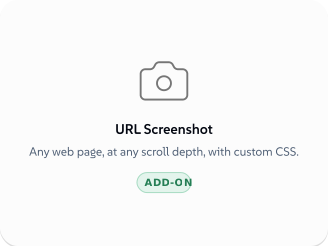
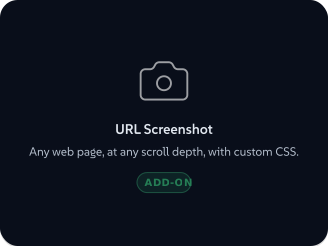
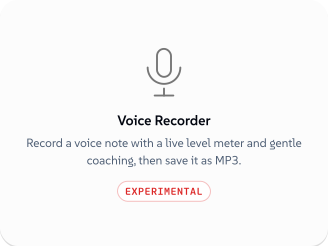
Notice the badge: URL Screenshot declares capture, the browser cannot provide it alone, so the tile offers the add-on instead of vanishing.
 signed by Lollyvector SVGOvěř si to sámStáhni podepsaný soubor3 paths~1.3k nodes11 groups18 KB
 signed by Lollyvector SVGOvěř si to sámStáhni podepsaný soubor3 paths~1.3k nodes11 groups18 KB


Curating what users see
Two mechanisms narrow the catalog without forking it:
- Per-instance tool set - point each instance at a different profile (or a brand pack with a curated
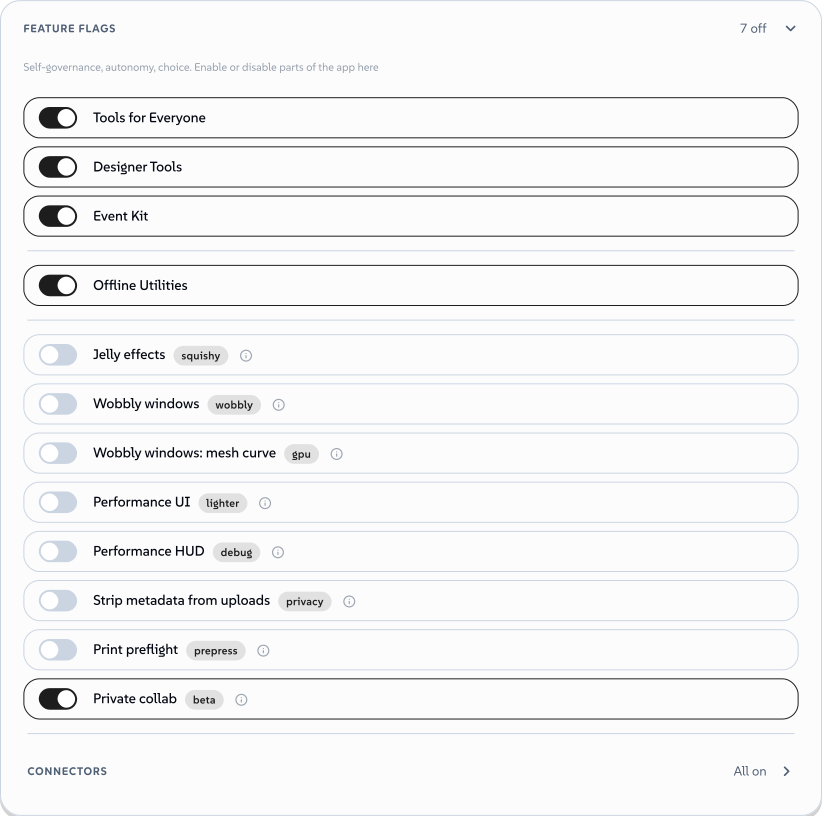
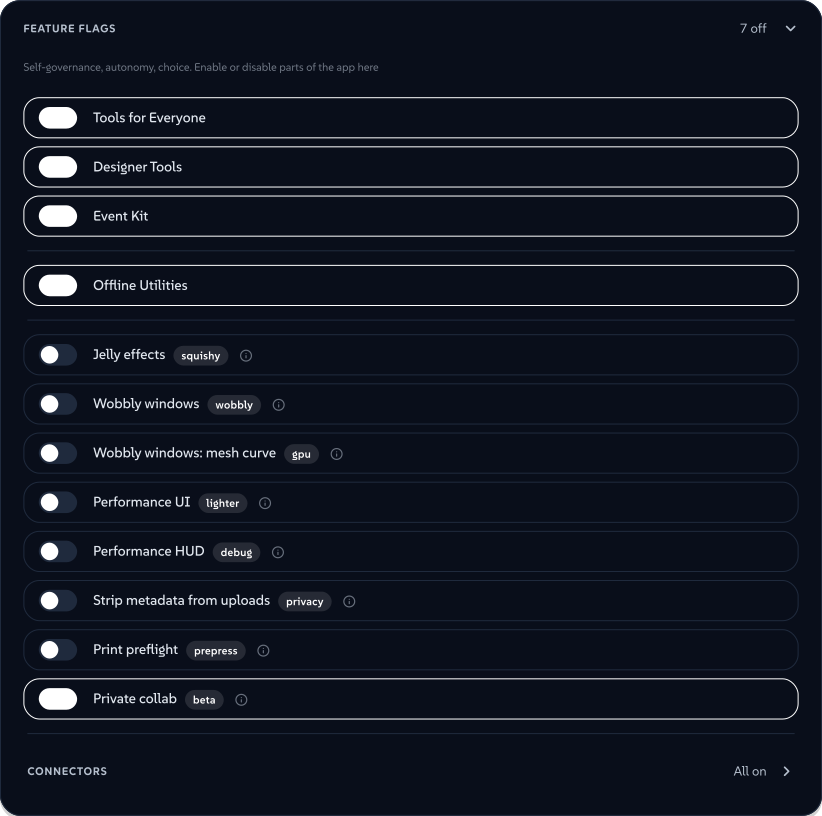
tools/root) so marketing, sales and IT can each see a different library from one codebase. - Per-user feature flags - surfaced in each person's Profile view, stored on their profile (so they sync). The gallery-category and Batch flags default to on (they show/hide whole gallery categories and the Batch entry), as do Neurospicy Mode (the focus-music player), the Jelly effects UI switch and Private collab (
private-collab, the peer-to-peer working-together feature, wearing a beta pill). Two are opt-in and default to off: Strip metadata from uploads, the privacy flag described below, and Print preflight (export-preflight), which puts the Before you export prepress card - bleed, resolution, ink coverage, plate counts - above the Download button. Preflight stays off by default on purpose: someone exporting a PNG for a chat message should never be ambushed by prepress findings, and the card never blocks an export either way. The category and Batch flags are purely personal preferences. Five of them - Neurospicy, Jelly effects, Private collab, Strip metadata from uploads and Print preflight - can additionally be governed by an optional deployment control plane (lolly.work), which sets the default applied when the user hasn't chosen and can hide the switch entirely; a hidden flag's governed default wins over a stored user value. Print preflight also honours the olderexport.preflightinstance capability, which reads as governance defaulting the flag on, so an instance that granted it keeps the card for members who haven't chosen. None of them ever gate output formats or any API surface. See Lolly for Operators for the governance model around this.
 signed by Lollyvector SVGOvěř si to sámStáhni podepsaný soubor43 paths~7.4k nodes111 groups91 KB
 signed by Lollyvector SVGOvěř si to sámStáhni podepsaný soubor43 paths~7.4k nodes111 groups91 KB


Strip metadata from uploads is the privacy one of those two opt-ins: turn it on and images uploaded to Assets are scrubbed of EXIF, location (GPS) and other embedded metadata on import. Content Credentials (C2PA provenance) are always preserved either way - a signed or AI-generated image keeps its credential whether the flag is on or off.
Maturity & watermarking
A tool's status controls trust signalling, enforced by the engine, not by convention:
experimental- every export is automatically watermarked by the host (the tool can't remove it), so work-in-progress can't be mistaken for finished output.community- no watermark, but flagged as community-maintained rather than brand-approved. The most-used value in the shipped packs.official- brand-approved, no watermark.
Promote a tool by changing one field in its manifest. The status is not an internal note: every surface shows it, so a reader knows what they are picking up before they open it.
 signed by Lollyvector SVGOvěř si to sámStáhni podepsaný soubor5 paths~2.1k nodes11 groups26 KB
 signed by Lollyvector SVGOvěř si to sámStáhni podepsaný soubor5 paths~2.1k nodes11 groups26 KB


Catalog build & validation
The manifest is the source of truth; catalog/tools/index.json is generated and must not drift.
pnpm run build:catalog     # index.json + asset checksums + preview bundle
pnpm run validate:catalog  # schema + invariants: checksums, file existence,
                          #   bindToProfile fields, palette refs, replacedBy chains
validate:catalog fails CI if the generated index drifts from the manifests, so run build:catalog after any tool.json or asset edit. Tool and asset IDs are permanent contracts - version in the manifest, never rename the path.
Engine & runtime knobs
Most runtime behaviour is fixed contract rather than deploy-time config, but two things stand out:
- Engine version -
ENGINE_VERSIONinengine/src/version.ts(read the live value there;engine/CHANGELOG.mdtracks every minor). The capability bridge is additive-only within a major, so shells and tools built against an older minor keep working. See Host API. - Hook budgets -
HOOK_BUDGET_MSinengine/src/runtime.tstime-boxes async tool hooks (onInit5s,onInput2s, export hooks 5–10s). It's exported for tests; async overruns are abandoned, sync overruns only logged (hooks are not a sandbox - see Threat model: what is not a boundary).
Organisation policy with lolly.work
Content profiles and brand packs configure what a build ships. Optional lolly.work adds policy for the running organisation instance: OIDC identity and SCIM provisioning, group permissions, managed profile fields, tool-input restrictions, selected feature flags and export settings. It also configures shared catalogs, projects, approvals, delivery and usage reporting. Personal preferences do not override controls labelled Managed by your organisation.
Keep that service's configuration in its own deployment. See its configuration and governance guides, plus Deployment for how it sits alongside this app. Static builds continue to use the settings on this page without needing an organisation service.
The services' own config
- CA service reads
services/ca/.envfor provider credentials and certificate policy (CA_CERT_DAYSdefault 30,CA_CERT_MAX_DAYSdefault 365, allowed day set). Policy stays server-side; see the Content Credentials Identity operator runbook. - MCP server needs an access token (OAuth or bearer) unless the operator opens it with
LOLLY_MCP_ALLOW_ANONYMOUS=1. A hosted server keeps a daily CPU and data-transfer budget (LOLLY_BUDGET_CPU_SECONDS_PER_DAY,LOLLY_BUDGET_EGRESS_MB_PER_DAY) and a PNG area cap (LOLLY_MCP_MAX_RASTER_PIXELS). Self-hosting, the limits and the tool surface are covered in MCP Server.
Supplied and local design systems
Profile > Design systems > Catalogue source shows the supplied tokens asset, its namespace, last-known origin and known version/checksum. Cached or unavailable material is labelled. Removing an imported or local copy changes this browser/device only. The confirmation shows the fallback; catalogue assets, personal sessions and uploads remain. Lolly instance > Design-system source opens the same explanation.
On a static host, change the source profile or catalogue, rebuild and validate every affected profile (pnpm run build:catalog:all and pnpm run validate:catalog:all), rebuild the web shell and redeploy. Refresh the catalogue afterwards. Removing a local copy cannot change the deployment's catalogue.
A catalogue can also offer design systems beside its own. List them as companionDesignSystems in its assets/index.json, each with a tokens asset id and a label:
"companionDesignSystems": [{ "tokens": "lolly/tokens/brand", "label": "Lolly Starter" }]Each entry must be a tokens asset in the same index, or lolly/tokens/brand, the blank starter that every web build carries. validate:catalog checks the list. A browser gets each companion once, as an editable local system that the person can remove, and the active system does not change. lolly.tools offers Lolly Starter beside Lolly Demo this way. A locked catalogue (brandLock) offers no companions.
On Lolly Work, an authenticated administrator can follow Manage instance design systems to inspect server sources and preview a default change or retirement. Stopping a connect download leaves the mounted catalogue available. A newer server advertises revisions: safe views refresh on focus or reconnect, while an open tool or editable local copy receives a notice and keeps its work. Older servers retain their existing refresh behaviour.