
Add portable behavior, live media, recording, speech and allowed network access.
Part of Authoring Tools.
Hooks (hooks.js)
Optional. Required only if you need computed values, async data or anything the template can't express.
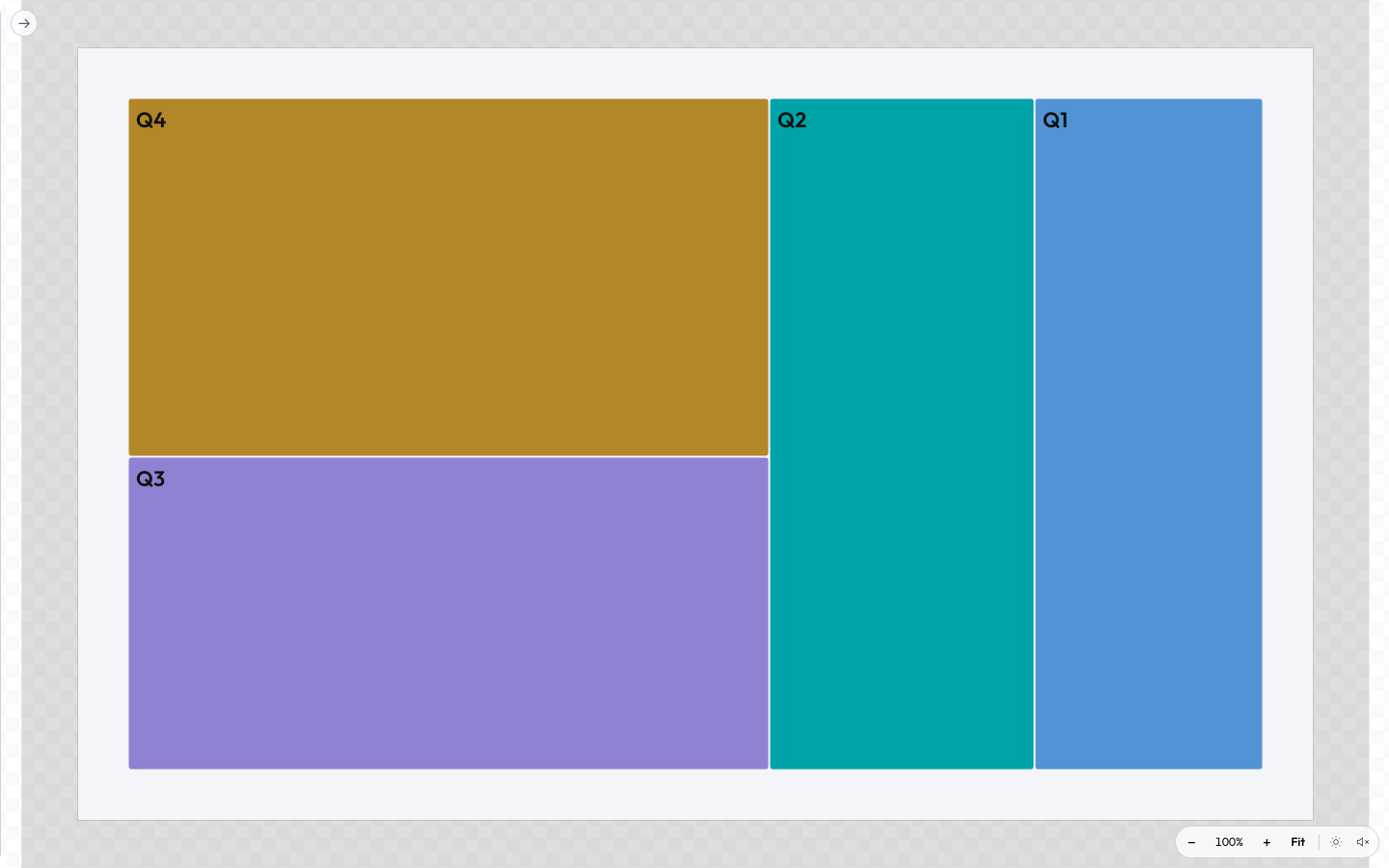
A layout no logic-less template could reach is the sign that you need one. The Chart tool parses its pasted table, runs the layout and hands the template a finished shape list as extras; the template itself just prints it.
 signed by Lollyvector SVGVérifie par toi-mêmeRécupérer le fichier signé56 paths417 nodes44 groups45 KB
 signed by Lollyvector SVGVérifie par toi-mêmeRécupérer le fichier signé56 paths417 nodes44 groups45 KBTry it in the app


// Top-level functions are picked up by name. Declare any you need.
function onInit({ model, host }) {
  // Run once. Return a patch object to seed derived values.
  return { computedThing: derive(model) };
}

function onInput({ id, value, model, host }) {
  // Run after every input change. Return a patch (or nothing).
  return { computedThing: derive(model) };
}

function beforeExport({ node, format, opts, host }) {
  // Modify the node, or call host APIs before raster/serialize.
}

function afterExport({ node, format, blob, host }) {
  // Fires after the export blob is produced. Cleanup, telemetry, chaining.
}

function exportFile({ model }) {
  // The transform path - for on-device utilities with a `file` input. Read the
  // picked file's bytes and return the transformed file: { bytes, mime, filename }.
  // Bypasses the DOM render/export pipeline entirely. See the file-input guide (tool-files.md).
}

function exportStill({ node, format, opts, host }) {
  // Own a raster still the 8-bit DOM raster cannot originate - 16-bit or HDR PNG,
  // OpenEXR, Radiance. Called before host.export.render; `opts` carries depth/hdr/
  // width/height/dpi. Return { bytes, mime } to short-circuit the export to those
  // bytes (computed in float, via host.codec), or null to decline and fall through
  // to the normal path for that format.
  return null;
}

function onFrame({ frame, model, host }) {
  // Live camera (v1.4). Runs once per webcam frame so the render reacts to motion.
  // `frame` = { width, height, data (RGBA Uint8ClampedArray), t }. Read pixels
  // synchronously; return a patch like onInput. See "Motion-reactive tools" below.
  return { svgContent: traceFrame(frame, model) };
}
Declared hooks must be flagged in the manifest's hooks object ({ "onInit": true, ... }) - a manifest with no hooks object never loads hooks.js at all, and the flags are what validation and shell affordances (e.g. the transform-download wiring for exportFile) read.
Shared helper regions (community/_shared/)
hooks.js must stay self-contained (no import/require - tools are data), so helpers that several tools need (the filter overlay block, canRaster, loadImage, esc, clamp, safeColor) are maintained once in community/_shared/*.js and copied byte-for-byte into each consumer between marker comments:
// === lolly:shared clamp - generated from community/_shared/math.js; edit there and run pnpm run sync:shared ===
function clamp(v, a, b) { return v < a ? a : (v > b ? b : v); }
// === /lolly:shared clamp ===
Never hand-edit inside the markers: edit the canonical file, run pnpm run sync:shared and pnpm run validate:catalog fails on any drift. See community/_shared/README.md.
Motion-reactive tools (onFrame)
Declare an onFrame hook and your tool can react to a live camera - the shell shows a "Go live" toggle wherever a camera is available (host.media), and the runtime drives onFrame once per frame. This is pure progressive enhancement: onFrame is never called where there's no camera, so the tool still works as an ordinary still-image tool. Do not add camera to capabilities - that would require a camera and hide the tool where there isn't one.
A frame carries raw pixels (frame.data, RGBA), so the usual move is to wrap them in a canvas the still pipeline already understands and reuse it:
function onFrame({ frame, model }) {
  const c = document.createElement('canvas');
  c.width = frame.width; c.height = frame.height;
  c.getContext('2d').putImageData(new ImageData(frame.data, frame.width, frame.height), 0, 0);
  return { svgContent: build(c, inputsFrom(model)) }; // same builder as onInit/onInput
}
Keep it cheap - onFrame isn't time-boxed, but the runtime drops a frame if the previous one is still rendering, so an expensive per-frame render just lowers the frame rate. The filter tool's effects are the reference (halftone/scanline/posterise/duotone); pixel-tracers wrap the frame as above, while the SVG-filter duotone hands the frame back as a data-URL image instead.
Recording tools (render.capture + onLevel)
Set render.capture and the tool grows a record button that captures the user's mic, camera or screen to a file - the audio/video counterpart to the file transform path. Four modes:
"audio"- mic only (a voice recorder). Also shows a live input-level meter when the tool declares anonLevelhook."video"- camera only, silent (no mic track)."av"- camera + mic (a talking-head recorder - use this, not"video", when the clip needs sound); the shell also mounts an audio-level + background-noise coaching HUD."screen"- display capture (engine v1.54). The shell mounts a Screenshot + Record pair and the browser's own picker chooses the screen, window or tab, so the tool never names or sees a target it wasn't handed.
Recording prompts for a device permission, so - unlike the live-camera onFrame path - it is a gated capability: declare "microphone" for audio, "camera" for video, both for av and "screen" for screen. The tool is then unavailable on shells that can't record (the headless CLI provides no host.recorder). The recorded bytes reach the user through the transform path (host.export.file, never watermarked) or become a template asset a compositing tool wraps.
"render": { "width": 1080, "height": 1080, "formats": ["png", "svg"], "capture": "audio", "actions": ["download", "save"] },
"capabilities": ["microphone"],
"hooks": { "onInit": true, "onLevel": true }
The onLevel hook - a live VU meter / sound check. Declare it and the runtime drives it once per audio-level sample (from the pre-record meter, and again during the take), exactly like onFrame drives a camera frame - drop-overlap, not time-boxed. It returns a patch like onInput:
function onLevel({ level, model, host }) {
  // `level` is an AudioLevel (below). Return a patch the template renders.
  return { barPct: Math.round(Math.min(1, level.rms / 0.5) * 100), tooHot: level.clipping };
}
An AudioLevel is { rms, peak, dbfs, clipping, t } - rms (0–1 loudness, the value a VU bar tracks), peak (0–1 instantaneous), dbfs (peak in dB; 0 = clip, −∞ = silence) and clipping (true while peak sits at the "too hot" threshold, ~0.99). Engine v1.19 adds four optional background-noise cues (feature-detect - undefined on shells that don't compute spectral levels): noiseFloor (dBFS floor in the quiet gaps), snr (dB signal-to-noise; ≲15 dB = a noisy room), hum (0–1 share of energy in the mains bands - electrical hum / ground loop) and hiss (0–1 spectral flatness - broadband fan/HVAC hiss). The noise cues are trustworthy only from the raw meter (the sound-check runs the mic with noise-suppression/AGC off); a recording session runs them on for a clean file, so its floor reads artificially low.
voice-recorder (capture: "audio" + onLevel coaching), top-tail-recorder (capture: "av") and screencap (capture: "screen", declaring ["screen", "microphone"]) are the reference tools; the host.recorder bridge (meter / record) is documented in Host API.
What you can call:
- Everything on
host.*your manifest'scapabilitiesallows. - Pure JS computation.
What to stay away from:
window,document,fetch,localStorage. Hooks are loaded vianew Functionwithhostinjected as closure scope - a portability contract, not a sandbox - so in a browser shell these globals are technically reachable. But leaning on them ties your tool to browser shells (it breaks headless in the CLI) and prevents strict Worker execution. Sideloaded tools already use strict isolation.host.*is the only supported surface. (Browser-only paths like theonFramecanvas trick above are the deliberate exception.)- Importing other modules. Hooks are loaded as a single source string, so
importdoesn't work. - Slow work. Async hook results are time-boxed (
onInit5s,onInput2s,beforeExport/afterExport5s,exportFile10s) and a result that arrives late is discarded; a synchronous overrun can't be preempted and just gets logged as a warning.
Transcribing audio (render.transcribe)
Engine v1.150. Point at an audio/video input and a text input, and the shell mounts the whole speech-to-text affordance for you - consent for the one-time on-device model download, a background job whose toast owns progress and cancel, and one undoable write into the target input:
"render": {
  "width": 1920, "height": 1080, "formats": ["png", "srt"],
  "transcribe": { "source": "clip", "target": "captions", "format": "srt", "auto": "autoCaption" }
}source- id of theassetinput holding the clip. While it is empty the button is disabled and says why.target- id of thelongtext(ortext) input the result is written into. One write, so one undo.format-"srt"(default) or"vtt"for numbered subtitle cue blocks, or"words"for the plain spoken text, one cue per line, no timestamps.auto- optional id of abooleaninput. While it is on, a freshly recorded or freshly picked source runs with no click. The consent sheet still appears the first time the model is not on-device.
Everything runs locally: the clip is decoded and read on the device, and nothing is uploaded. A clip with no speech writes an empty value and says so - never invented text. The declaration is feature-detected, not capability-gated, so a shell without on-device speech (the headless CLI) mounts nothing and leaves the target input exactly as the URL or the saved session set it. Pair it with a template.srt / template.vtt sibling (see Data formats) to export the cues as a sidecar file.
Newer optional host APIs (feature-detect)
The bridge grows by addition: new host.* APIs arrive in minor engine versions, are never removed and are optional - an older shell simply doesn't have them yet. Feature-detect and degrade. If your tool genuinely can't work without one, raise the manifest's engineVersion floor instead (e.g. ">=1.60") - the engine refuses to load a tool whose range excludes the running version, which fails clearer than a missing method would. Recent additions:
host.images- on-device image decode / resize / re-encode: the "HEIC to JPEG, compress to WebP, downscale" utility shape as a first-class API. Bytes (or a Blob) in, encoded bytes + dimensions out;decodereports EXIF-oriented dimensions and a MIME type sniffed from the bytes;resizenever upscales;encodeconverts towebp/jpeg/png(it reads more formats than it writes); an animated source flattens to its first frame. Read the result'smime/width/heightrather than assuming the request was honoured exactly - a shell may fall back (e.g. PNG where WebP encoding is unsupported). Not gated by acapabilitiesflag:if (host.images) …and degrade where it's absent. Everything runs locally; the bytes are never uploaded.host.geom(v1.64) - exact vector geometry: path booleans (union/intersect/difference/xorover an array of paths, plusselfUnionfor the canonical form of one),offset,stroke(a stroked path in, a filled outline out),simplify,fromNodes+continuity(pen-tool node lists with handles and a continuity constraint) and measurement (bounds,area,contains,winding,nearest, which reports the contour / curve /tto split at). The currency both ways is an SVG path-data string - the thing already in your template, your state and your URL - withparse/toPathDataexposing whole cubics for callers that want to walk the curves. Nothing flattens or samples: results stay real Béziers. Failures are returned, not thrown - every method answers{ ok: true, … }or{ ok: false, code, message }, soif (!r.ok) …and render something sensible; a throw out of a hook would only be logged and discarded, leaving your tool silently unresponsive. Thecodetells you what to do:'invalid-path'(malformedd- reject it),'too-large'(past the parse ceilings, whichlimits()reports),'limit'(the answer exists but this engine won't guess at it past its bounded-work ceiling - retry with simpler operands or a coarsertolerance),'invalid-argument','unsupported'.ok: truewithd: ''is an answer - a legitimately empty region (a non-overlapping intersection, an over-shrunk offset) - not a failure. Path data is parsed defensively, so a pasted or URL-supplieddis safe to hand straight in. Feature-detecthost.geom.function onInput({ model, host }) { if (!host.geom) return {}; // older shell: leave the path alone const values = Object.fromEntries(model.map(i => [i.id, i.value])); const cut = host.geom.difference([values.shape, values.hole]); if (!cut.ok) return { pathError: cut.code }; // never silently wrong const outline = host.geom.stroke(cut.d, 4, { cap: 'round', join: 'round' }); return { shapePath: cut.d, outlinePath: outline.ok ? outline.d : '' }; }host.text.fontUrl(family, { weight?, italic? })- resolve a font family the host knows (brand statics, user-uploaded faces, on-device Google Fonts, the platform face) to a fetchable font file usable asfontUrlinhost.text.toPath()/preload(). A variable face comes back with thevariations(e.g.["wght=700"]) needed to reach the requested weight - pass them through totoPath(), which otherwise shapes the default instance. Resolvesnullwhen no file can be found for the family, so keep your<text>/CSS fallback. Feature-detecthost.text?.fontUrl.
Network access (host.net)
Tools are offline-first: by default a tool gets no host.net, so it has no supported way to reach the network (per the hooks note above, that's a review-enforced contract, not an isolation guarantee). A live-data tool (weather, status, an RSS ticker, an iCal feed) opts in with two manifest declarations - the capability, and an explicit allowlist of what it may fetch:
"capabilities": ["network"],
"network": {
  "allowlist": [
    "https://api.example.com/*",
    "https://example.com/status.json"
  ]
}
The allowlist rules:
httpsonly. Entries are full URLs; plainhttpnever validates.- A bare entry allows that exact URL only - byte-for-byte, query string included.
- *A trailing
/makes an entry a prefix wildcard* -https://api.example.com/allows everything under that path. The wildcard must follow a path separator (/, never a bare), so a prefix can't bleed into a lookalike host:https://api.example.com*would also matchhttps://api.example.com.evil.io/. - 1-32 entries. Small by design - name the endpoints you actually call.
- Fail-closed everywhere. No
networkblock, or a URL no entry matches, means everyhost.net.fetchrejects - identically in the web shell, offscreen batch/gallery renders, the CLI and the TUI. The host applies the allowlist per mounted tool; nothing a hook does can widen it. Response bodies are also size-capped (64 MB), so a wrong or compromised endpoint can't stream unbounded bytes into memory.
In hooks, host.net.fetch is an ordinary fetch - just gated:
async function onInit({ model, host }) {
  try {
    const res = await host.net.fetch('https://api.example.com/v1/status');
    if (!res.ok) return { statusText: 'unavailable' };
    return { statusText: (await res.json()).status };
  } catch {
    return { statusText: 'offline' }; // the tool must still mount without a network
  }
}
Keep fetches inside the hook time budget (onInit 5s, onInput 2s), return template-ready extras and always render something sensible when the fetch fails - a network tool that renders blank offline is a bug, not a constraint.