
This guide covers the optional organisation service. Configuration, console and API paths refer to your Work instance. The packaged console keeps its release-matched copy of this guide.
Federate one Google Drive folder as a read-only catalog source. The app provides typed configuration and browser consent using your own registered Google Cloud web application. The CLI consent flow remains available for advanced and config-managed sources.
What you need from Google
- A Google Cloud OAuth client you register (APIs & Services → Credentials), with the
https://www.googleapis.com/auth/drive.readonlyscope and offline access (refresh token). Enable the Drive API on the project. - The folder id - the trailing segment of the folder's Drive URL.
- BYOT: the client id/secret are yours; the app or
lw providers authcaptures the refresh token.
Guided connection in the app
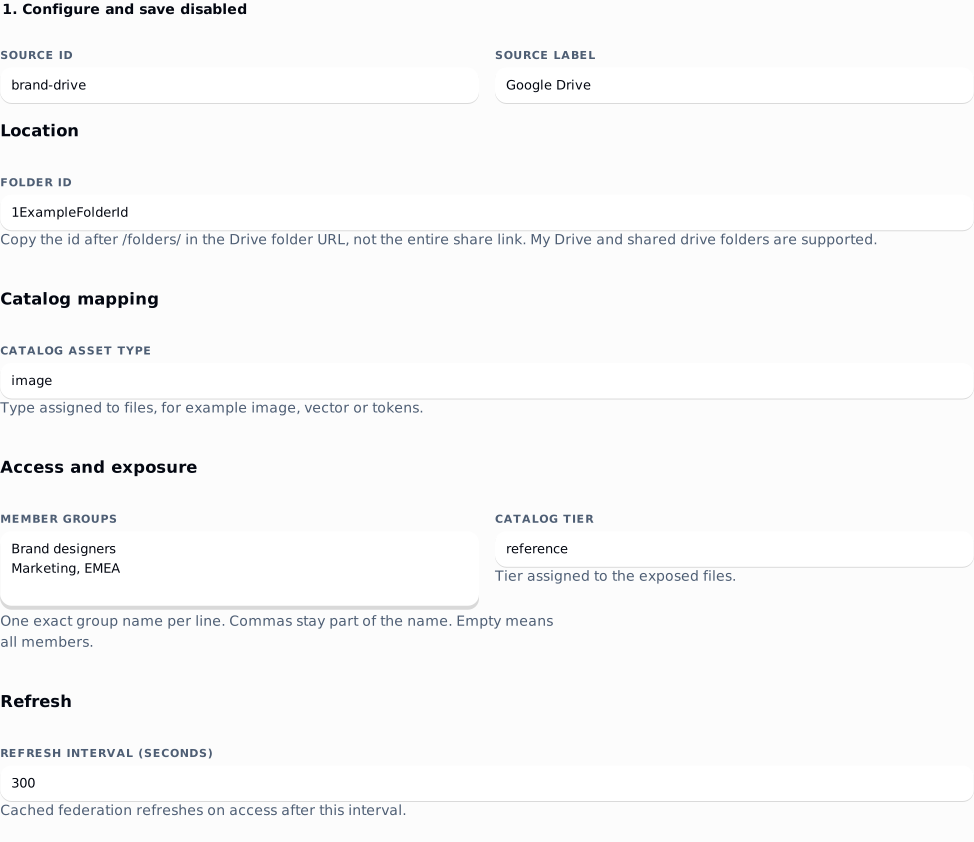
- Open Providers → Google Drive → Guided connection. Enter a source id and label, the folder id, catalog type, refresh interval and member groups. Enter one exact group name per line; commas are part of the name. Empty groups allow all members.
- Choose Save disabled source. Configuration is durable, but the source does not enter the catalog. An admin can save it and hand it to an owner using Continue setup.
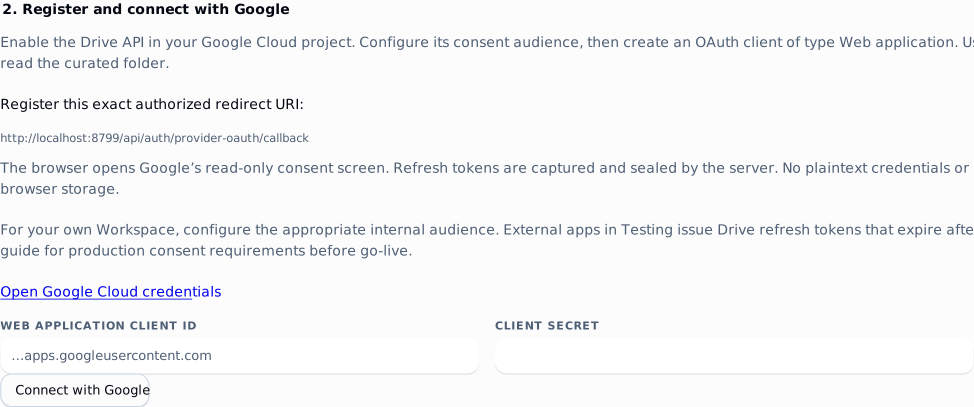
- In your Google Cloud project, enable the Google Drive API, configure the consent audience and create an OAuth client of type Web application. Register the exact authorized redirect URI shown in the app, including its scheme, host and port. It is
<instance origin>/api/auth/provider-oauth/callback, separate from employee SSO. See Google's web application registration and consent documentation. - As an owner, enter that client id and secret, then choose Connect with Google. Grant
https://www.googleapis.com/auth/drive.readonlyusing an account that can read the folder. The server captures an offline refresh token and seals it after checking the granted scope and selected folder. No OAuth JSON needs to be copied into the form. - Google returns you to the saved source. Choose Test saved files and original. Review file names, skipped records, sample limits, original byte count, MIME type and SHA-256. No source file or preview fragment is saved, and the stored credential is not returned.
- Confirm the folder and member groups, then choose Sync and enable source. A failed sync or zero exposed files leaves it disabled. Settings or credential changes invalidate activation evidence; test the saved source again. A bounded sample is not a full inventory.
- Finish the live verification below before accepting the customer installation.
 signed by Lolly Demovector SVGVérifie par toi-mêmeRécupérer le fichier signé7 paths91 nodes55 groups172 KB
 signed by Lolly Demovector SVGVérifie par toi-mêmeRécupérer le fichier signé7 paths91 nodes55 groups172 KB


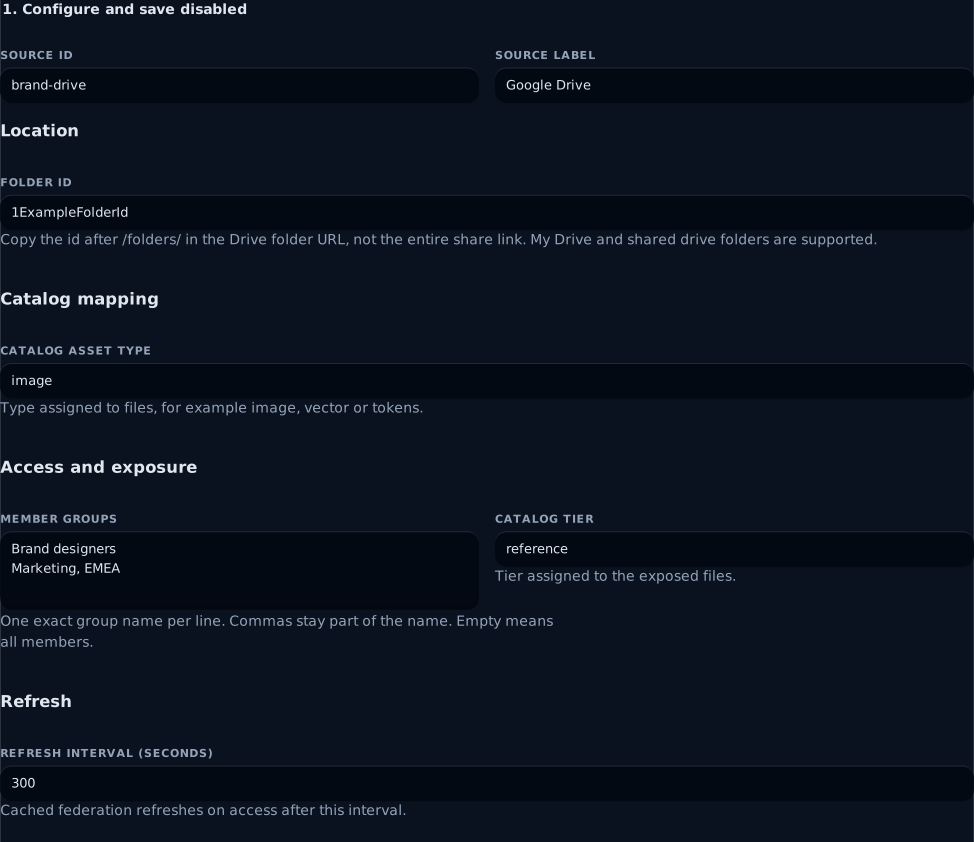
The folder id is an example. Copy the actual id from your Drive folder URL and enter each member group on its own line. Marketing, EMEA remains one exact group.
 signed by Lolly Demovector SVGVérifie par toi-mêmeRécupérer le fichier signé3 paths39 nodes17 groups165 KB
 signed by Lolly Demovector SVGVérifie par toi-mêmeRécupérer le fichier signé3 paths39 nodes17 groups165 KB


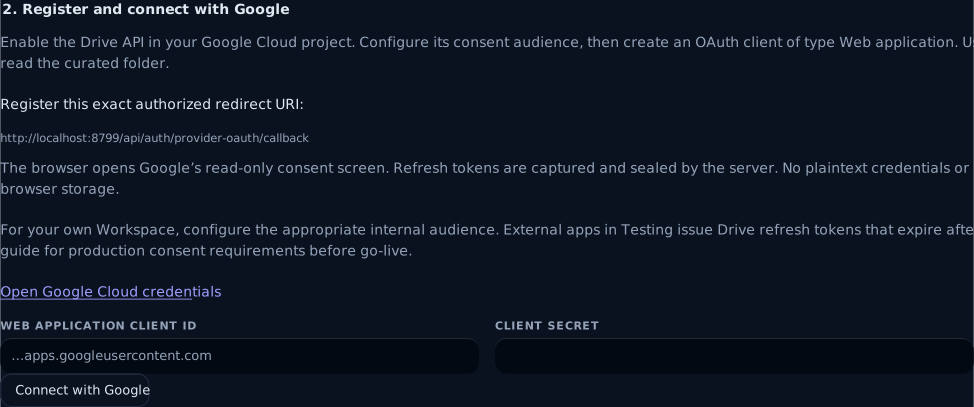
This registration screen follows Save disabled source. Register the callback shown by your own instance, then enter its web client credentials. The pictured loopback callback belongs to the local evaluation example; production uses your HTTPS origin. No Google account or live grant was used for these screenshots.
Consent requires an owner browser session, LW_CREDENTIAL_SECRET and an HTTPS instance URL (loopback HTTP is accepted for evaluation). The latest consent started in that browser replaces any earlier pending consent; finish it within ten minutes in the same signed-in session. Cancelling, missing offline permission or a failed exchange retains the prior credential. Continue setup resumes a saved source after closing the panel or restarting the server. Disable an enabled source before editing or reconnecting the source. Config-managed or advanced settings continue through their existing API/CLI contract.
For an organization-only Workspace app, configure the appropriate internal audience and check its administrator controls. External apps in Testing issue Drive refresh tokens that expire after seven days; use the applicable production consent/verification setup before go-live. Publishing does not guarantee a token will never expire or be revoked. See Google's OAuth app states and refresh-token expiration rules. The app requests account-wide read-only Drive scope; its folder setting limits catalog exposure, not Google's grant. Connect an account with suitably limited source access.
Recover a saved connection
Open the saved source row and choose Continue setup. An admin can save the disabled folder settings and hand this row to an owner for consent. After a closed panel, cancelled consent or a server restart, continue with that source rather than adding a duplicate id. A previously stored grant is retained when a new consent attempt fails.
Disable an enabled source before editing its folder, groups or credential. Save the changed settings, reconnect when needed, test the saved original again and choose Sync and enable source. A changed configuration or credential invalidates the earlier activation check. Failed syncs and empty exposed folders remain disabled.
| Symptom | What to check |
|---|---|
| Consent controls are unavailable | Sign in as an owner; set stable LW_CREDENTIAL_SECRET and restart. Use an HTTPS instance URL, or loopback HTTP for evaluation. |
| Google rejects the redirect | Register a Web application client with the exact callback shown, including scheme, host, port and path. The provider callback differs from employee SSO. |
| Connection was declined or expired | Start again in the same signed-in browser session and finish within ten minutes. A newer consent attempt replaces the earlier pending attempt. |
| Connection was not completed | Check consent audience/test users, the enabled Drive API, read-only/offline permission and access to the selected folder. |
| Settings changed during consent or activation | Review the current source, save disabled and repeat consent or the original-file test as appropriate. |
| Preview or full sync finds no files | Put supported ordinary originals directly in the selected folder and review group/type exposure. Native Google documents and subfolders are skipped. |
| A working Testing grant stops after seven days | Complete the appropriate production consent setup and reconnect; external Testing refresh tokens have a limited lifetime. |
Live verification before acceptance
- Put a known ordinary image or vector file directly in the curated folder. Compare the preview checksum and byte count with that original; folders and native Docs/Sheets/Slides are skipped. The preview reads at most five pages, 1,000 files and one 32 MiB original within 30 seconds; metadata/token responses are capped at 2 MiB.
- Enable only after reviewing the sample and full-sync counts. Sign in with a permitted member group, find the external file in the catalog and fetch its original. Repeat with a member outside the configured groups and confirm the asset and original are denied.
- Disable the source and confirm its catalog entries disappear and an earlier blob URL cannot serve. Reconnect and test a revoked grant to rehearse recovery.
- Record the source/account, folder, installed app version, group results, known-original checksum and consent audience/status. Run this against the actual customer Workspace: automated fixtures and browser rehearsal do not discharge live acceptance.
Credential shape
The sealed OAuth JSON blob - captured by browser or CLI consent, not typed:
{ "clientId": "…", "clientSecret": "…", "refreshToken": "…" }lw providers auth acme-gdriveinstance.json / lw providers add
{
  "id": "acme-gdrive",
  "kind": "gdrive",
  "label": "Acme Google Drive",
  "options": { "folderId": "1AbCdEfGhIjKlMnOpQrStUvWxYz" },
  "exposure": { "groups": ["design"] }
}options.folderId(required) - the federated folder's id from its Drive URL.
Verify
lw providers auth acme-gdrive
lw providers health acme-gdrive
Notes / limits
- One flat folder, including a shared drive folder. Subfolders are not walked and native Google documents are not converted. Shared-drive request flags follow Google's shared drive API guidance.
- No native approval status or availability dates; expose a curated folder of approved files.
- Download URLs are short-lived (
expiringUrls) - fetched per request, streamed, host-pinned. Supports server-side search. - Supports the exit (materialize → cutover). Does not accept published exports.
See also: OAuth onboarding · catalog · permissions.