
Type a question and Ask Lolly answers with the section of these guides that covers it, word for word, with the page it came from cited and an Open in docs link straight to that section. Nothing is generated: the answer is retrieved, quoted and attributed, on your device.
Under the quoted section sit the places in the app that match the same question: a tool, a utility, a saved project, a catalogue asset, a setting or a page of the app. Each row only navigates. Nothing in an answer changes a setting, opens a file or acts for you, the same rule Search follows.
Asking a question
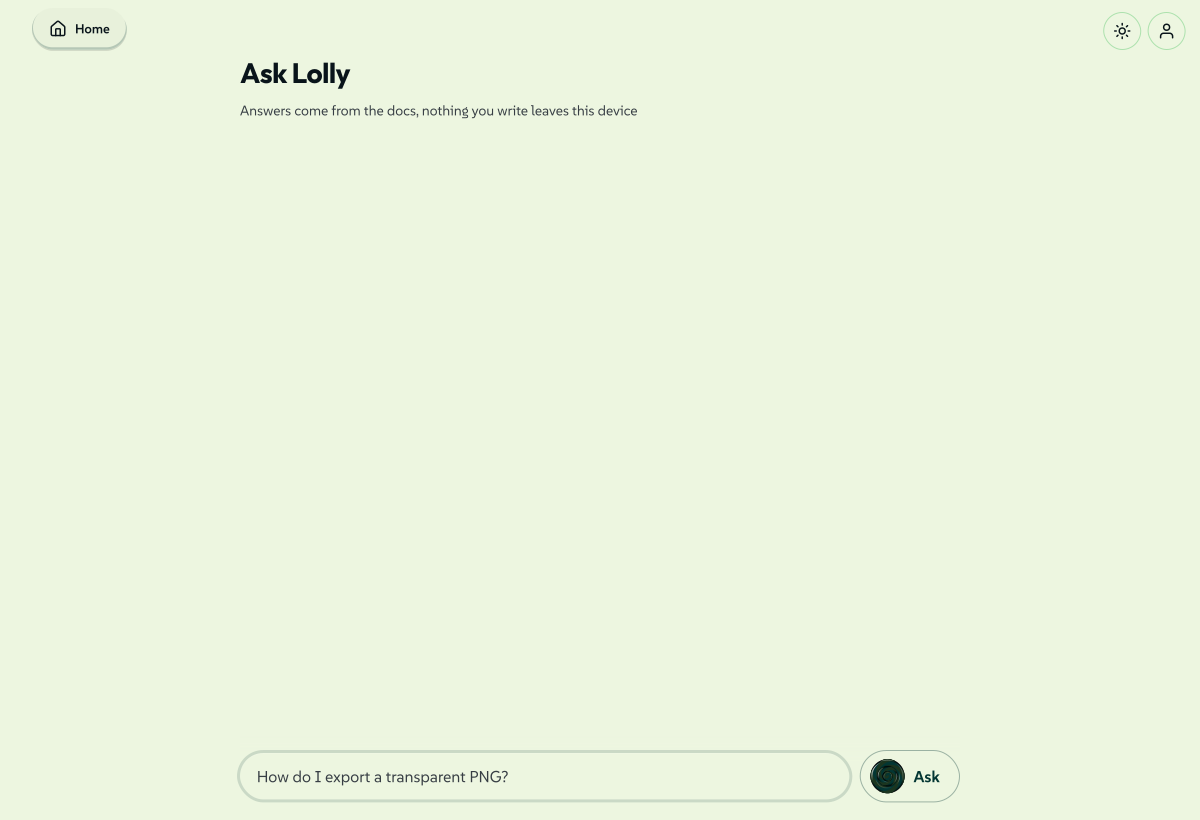
Type into the question field at the foot of the view and press Enter. Anything shorter than two characters is ignored. Answers stack up above the field, newest last, and you can keep asking.
 signed by Lollyvector SVG64 paths~2.8k nodes45 groups68 KBTự kiểm chứngTải tệp đã ký

Each question is answered on its own: earlier questions carry no context forward, so "what about PDF?" after a question about exporting is read as a question about PDF and nothing else. Ask the whole question each time.
The first word of your question decides what leads the answer:
| You start with | What leads |
|---|---|
| where, find, open, show, go to, goto, take, jump, navigate, switch | the places in the app that match |
| make, create, generate, build, design, convert, resize, compress, remove, strip, export, render, add | the tools that match |
| anything else - including how do I and what is | the documentation section, which is the default |
Both halves are always retrieved, so a misread question reorders an answer rather than losing half of the answer.
Matching drops the common question words (how, do, I, the, my) and ranks a section by how many of your remaining words it covers, then by where they matched: a heading counts for more than body text. Matching is by substring, folded for case and accents, so a typo is not corrected. When nothing matches, Ask says so and points at the documentation index rather than inventing an answer.
Better matching is optional. After your first answer, Ask can offer a small matching model, with its download size, that helps match a question to a guide that uses different words for the same thing. It downloads only when you agree, runs on this device and only changes which sections rank first: the answer is still the documentation's own words. You can also download it from Settings → Preferences → Available offline, where it is listed as Ask matching model (Available offline).
What comes back
An answer card is assembled in a fixed order:
- The section itself, rendered from the documentation source - paragraphs, lists, tables, code and quotes, with in-app and
/infolinks live. A long section is capped with a Show more that opens it in place. Images are dropped, and a link out to another site renders as plain text rather than an anchor. - The citation - Page › Heading - and the Open in docs link to that exact section.
- More in the docs - up to four other sections that matched, as links.
- The in-app rows, under the same group headings Search uses.
The full text comes from the plain-markdown twin each documentation page publishes at /info/<slug>.md, and those twins are English only. In another language - and on the handful of pages not built from markdown - the answer falls back to the short extract held in the search index instead of the whole section. The citation and the Open in docs link are there either way, pointing at the page in your own language.
Where it lives
The route is #/ask. It has no tab and no tile in the Utilities grid; the ways in are the search bar and the address itself.
- From search. Every result panel carries an *Ask Lolly: your query*** row at the very bottom, under whatever concrete hits the other groups found. It hands the question over as
#/ask?q=…, and the view asks the question once on arrival. The handed-over words arrive in lower case with punctuation dropped, so refine them in the question field if you need to. - From a link.
#/ask?q=how%20do%20I%20export%20a%20transparent%20pngopens the view with that question already asked. The hash is the entry seed only: questions you type afterwards are answered in place and never rewrite the address.
The search bar steps aside inside this view, since the question field takes Enter, and the back pill returns you to wherever you came from.
The answers on screen last for this session: they are still there if you navigate away and come back, and a reload clears them. Nothing is written to storage, so there is no history to manage.
Offline
Answers are assembled from two static files the documentation site already publishes: the per-language search index and the page's markdown twin. Both are fetched by name, so Ask keeps working with no connection once they are cached. Reading the guides in the app caches them as you go, and Guides & docs under Available offline takes the whole site, screenshots included, in one download.
Without them the documentation half of an answer simply does not appear, with no error. The in-app rows still do, because those are matched against data already on the device.
Privacy
Your question never leaves the device. Matching runs locally against files fetched by name, so what you typed is not part of any request; there is no server that sees it, no account it is attached to and no record of it after you reload. See the Privacy Policy for the complete list of what the app ever fetches or sends.
Related: Search for the bar that hands questions over. Using Lolly for the rest of the app. Settings for taking the documentation offline first.