
Lolly là hai phần của một dự án mã nguồn mở. Lolly là engine, ứng dụng và công cụ để tạo, chỉnh sửa, chuyển đổi và xuất ngay trên thiết bị của bạn, không cần tài khoản. Lolly Work là máy chủ tổ chức, chạy trên hạ tầng của chính bạn, cho đăng nhập, dự án chung, phê duyệt và kết xuất trên máy chủ. Cả hai đều theo MPL-2.0. Trang này so sánh cặp đôi đó với những cách khác mà mọi người thiết kế, quản trị và sản xuất tệp.
Các công cụ hiện nay
Mỗi vòng cho điểm mức độ đầy đủ mà một loại sản phẩm đáp ứng một khả năng, với mỗi loại được chấm theo đại diện tốt nhất của nó. Cột Lolly bao gồm Lolly và Lolly Work cùng nhau, và mỗi hàng nói phần nào cung cấp gì. Mở tên một hàng để xem lý lẽ đằng sau điểm của nó. Các cột được sắp theo hàng Overall completeness ở trên cùng: trung bình của các hàng được chấm, trừ hàng chi tiêu.
Lolly includes lolly.work, the same project's separately deployed organisation service. Local creation needs no account; shared work and server rendering use the configured instance. Competitor scores: August 2026. Lolly coverage: 28 September 2026.
| Capability | Lolly+ lolly.work | Penpotopen design | CanvaAffinity Cavalry |
Adobedesktop pro | Brand DAMFrontify Bynder |
Cloudinarymedia pipeline | Figmaonline pro | Render APIsBannerbear Placid Creatomate |
|---|---|---|---|---|---|---|---|---|
| Overall completenessunweighted mean - weight rows for your own context · columns are sorted by this row | 84 | 70 | 57 | 48 | 41 | 41 | 41 | 34 |
Production maturity & track recordCanva, Adobe, Figma, Bynder/Frontify: a decade-plus at massive scale. Render APIs: years in production pipelines. Penpot: shipping, large community, younger at enterprise scale. Lolly: version 1.0 public since 30 August 2026 under MPL-2.0, and SUSE runs it as an internal deployment; no usage data is shared yet and there are no public case studies yet. Cloudinary: 2012, enterprise media infrastructure at global scale. |
25 | 75 | 100 | 100 | 100 | 100 | 100 | 75 |
Mass generation from data (CSV / API)Lolly: batch grid and CLI, plus lolly.work's recoverable server jobs and batches with retries, cancellation and retained outputs. Canva: Bulk Create + Autofill API - real, but Enterprise-gated, async, text/image fields only; Affinity Publisher adds desktop data merge. Adobe: InDesign data merge and scripting. Figma: Buzz fills templates from CSV or XLSX, free in beta (Aug 2026) - cloud- and account-gated, 50. Penpot: open API/MCP, not purpose-built. Render APIs: this is their entire product - account- and cloud-gated, so 75 under the method rule. DAM: Studio-style batch create and resize. Cloudinary: URL-driven overlays and named transforms derive variants at scale - account-gated, 75. |
100 | 50 | 50 | 50 | 75 | 75 | 50 | 75 |
Offline & air-gap operationLolly: standalone creation works offline once its assets are available; lolly.work's organisation services need a reachable instance, which can run on an internal network. The Canva column is scored on its best family member: Affinity (free since Oct 2025) runs offline as a desktop suite once a verified account activates it - 75, the same deduction Adobe takes. Canva's own Offline (2026) still edits pre-synced designs only, per device, in a 14-day window. Adobe: desktop apps run offline; licensing phones home. Figma: cached-file viewing and limited editing. Penpot: self-host on your infra behind a firewall (server required). Cloud APIs and DAM: none. |
100 | 75 | 75 | 75 | 0 | 0 | 25 | 0 |
On-device rendering - data never leavesLolly: local rendering and conversion in-browser or CLI need no upload. Choosing lolly.work's shared storage, work collabs or server rendering sends the relevant data to the configured instance. Adobe: local desktop rendering, but cloud services and telemetry in the suite. Figma: canvas renders locally, files live in Figma's cloud. Penpot: 90 - rendering happens in the browser and the save target is a server that can be your own sovereign private cloud, even your own laptop, with private export throughout; only the server hop separates it from Lolly. Canva itself is server-side by design; the column's 75 is Affinity - local desktop rendering, account activation and telemetry, the same shape as Adobe. Render APIs, DAM: server-side by design. |
100 | 90 | 75 | 75 | 0 | 0 | 25 | 0 |
Hard brand constraints (structural)Lolly: templates fix layout rules and expose permitted inputs. lolly.work adds group access, input policies, shared catalogues, approvals and audit records. Copy and usage rights can still need review. Canva: element locks - permission-based, admin-set and static: no template logic such as conditional logo switching or responsive recomposition at fill time, and Canva AI does not yet respect Brand Controls - 50. Render APIs: templates are fixed (only declared fields vary) but no governance layer. DAM: locked templates with restrictions. Figma: Buzz templates hold locked guidelines at fill time; the design surface stays review-enforced - 50. Penpot: tokens and systems enforced by review, not runtime. Adobe: libraries, little enforcement. Cloudinary: presets and Enterprise-gated transformation templates fix operations, not brand layout - 50. |
100 | 50 | 50 | 25 | 75 | 50 | 50 | 75 |
C2PA provenance, signed at creationAdobe: the broadest shipped implementation (Photoshop, Lightroom, Premiere, Firefly) - signing happens locally in the desktop apps and in the cloud for the Content Authenticity web app, and nothing signs without an Adobe account and an Adobe-provisioned identity, so it is account-gated end to end: 75 under the method rule. Lolly: optional on-device signing without an account, plus lolly.work server signing with a configured organisation identity. A verifier must trust the signer's root to show a trusted identity. Version 1.0 is public and SUSE runs it internally, but no usage data is shared yet, so 75. Penpot: 50 via the official Lolly Export plugin - the same on-device engine signing Lolly uses, opt-in, as in Lolly (and disclosed plainly: it is Lolly's own plugin). No evidence of C2PA writing in Canva, Figma, render APIs or DAM as of Aug 2026. Cloudinary: 50 - signs images on delivery (fl_c2pa, CAI member since 2020), attesting delivery by Cloudinary rather than creation by you. |
75 | 50 | 0 | 75 | 0 | 50 | 0 | 0 |
CLI, pipeline & AI-agent automationLolly: CLI, TUI, MCP server and URL mode, plus lolly.work's authenticated render API, recoverable batches and governed delivery. One engine across the local and server paths. Render APIs: API-first, webhooks, integrations - account- and cloud-gated, so 75 under the method rule. Penpot: open API, plugins, official MCP server. Canva: Connect API - Enterprise-gated, async, rate-limited. Adobe: UXP/ExtendScript plus Firefly APIs. Figma: strong REST/plugin API, no render pipeline. DAM: asset-management APIs. Cloudinary: API-first media pipeline - account-gated, 75. |
100 | 75 | 50 | 50 | 50 | 75 | 50 | 75 |
Live collaboration (real-time co-editing)Figma: the scale benchmark - 200 simultaneous editors, up to 500 people in a file - account and cloud required. Canva: mature real-time editing across the product, same precondition. Penpot: real-time multiplayer with live cursors; self-hosting lifts the vendor-account precondition, but a server is still required. Lolly: direct two-device private collabs without an account, plus authenticated work collabs through lolly.work with shared edits, cursors and saved team sessions. Partial reflects the current single-node work deployment and limited operating history. Private collabs work without internet on a shared network; work collabs need the organisation's instance. Adobe: Live Co-Editing in beta, cloud documents only. Render APIs: no editing surface. DAM: comments and approvals, not canvas co-editing. Cloudinary: DAM comments and workflows, no canvas co-editing. |
50 | 75 | 75 | 25 | 25 | 25 | 75 | 0 |
No design skill requiredCanva: the category benchmark for ease. DAM: fill a locked template. Lolly: fill in fields using an existing tool, or publish a tool from Lolly Design through Share with rules. lolly.work manages access and input policy for the team. Render APIs: swaps design skill for developer skill. Adobe, Figma, Penpot: professional tools. Cloudinary: the media library is easy; transformations are developer territory. |
100 | 25 | 100 | 25 | 100 | 50 | 25 | 50 |
Open source, self-hosted, no lock-inPenpot: MPL-licensed, 51k+ stars, self-host via Docker/K8s - fully verifiable today. Lolly and lolly.work: MPL-2.0 open source in separate repositories, both self-hostable. lolly.work provides the organisation services as part of the project. The current 75 reflects the young project and limited deployment history. Everything else is proprietary SaaS or proprietary desktop. |
75 | 100 | 0 | 0 | 0 | 0 | 0 | 0 |
Cost at production scaleLolly + lolly.work and Penpot: no per-seat software licence charge for the open-source self-hosted path; hardware, storage and operations remain costs. Render APIs: metered - roughly $0.005–0.049 per image, credits often expiring monthly. Canva/Figma: per-seat; Canva's automation needs Enterprise, though Affinity itself is free since Oct 2025. Adobe: premium per-seat suite. DAM: sales-led enterprise quotes, MAU or seat models. Cloudinary: credit-metered across transforms, storage and bandwidth - 25. |
100 | 100 | 50 | 25 | 25 | 25 | 50 | 25 |
Annual medium enterprise spendIndicative list-price arithmetic for a medium enterprise - think 500-5000 people - August 2026: a guess range, not a quote; deals vary and the seat mix dominates. Ring = how much of the board's largest annual spend (US$500k) you keep; the number in the ring is each range's upper bound. Canva (US$75k-400k; Affinity free since Oct 2025 pulls the design-seat share down), Adobe (US$100k-500k) and Figma (US$30k-250k) assume the realistic creative-seat share of an organisation this size - tens to hundreds of seats, not a licence for every employee. Render APIs price by usage (US$5k-60k). DAM is quote-only, commonly US$50k-250k and up. Penpot is hand-set at 99: "your server" can be your own laptop - a small technical hurdle at well under 1% of an Adobe-scale spend. Lolly + lolly.work: US$0 in software licence charges for self-hosting. The figure excludes devices, organisation hosting, storage, support and administration; these need a separate budget. Standalone Lolly does not need the organisation service. Cloudinary: US$30k-150k, credit-based; enterprise contracts commonly sit near US$82k. |
$0 | $0 | $400k | $500k | $250k+ | $150k | $250k | $60k |
So sánh khả năng: nghiên cứu đối thủ và điểm số từ tháng 8 năm 2026; phạm vi Lolly + Lolly Work được xem xét ngày 28 tháng 9 năm 2026. Chấm điểm: 0 không có, 25 mức tạm bợ, 50 có thật nhưng bị giới hạn hoặc chưa đầy đủ, 75 mạnh nhưng có lưu ý, 100 là năng lực cốt lõi.
signed by Lollypositioning-comparison.htmlHTMLpixels, not shapes40 KBAI editedgenerated by GPT-6Check it yourselfTải tệp đã kýGhi chú chấm điểm
Tính năng sẵn có và độ chín khi sản xuất là hai việc riêng. Lolly đã phát hành: phiên bản 1.0 ra mắt dưới dạng mã nguồn mở ngày 30 tháng 8 năm 2026, bảo mật của nó chưa được kiểm toán độc lập và bằng chứng áp dụng mới chỉ vài tháng (Adoption & Governance có tình trạng hiện tại). Có đăng nhập một lần, phê duyệt hay kết xuất trên máy chủ không thiết lập được một thành tích sản xuất, nên điểm độ chín phản ánh điều đó. Điểm của đối thủ giữ nguyên đợt xem xét tháng 8 có ghi ngày.
Một quy tắc chi phối bảng. Điểm tuyệt đối (100), ở các hàng chạm vào nội dung hoặc danh tính của bạn, cần một khả năng bạn dùng được không cần tài khoản và không điều kiện tiên quyết trên đám mây; các hàng về chính sản phẩm, như độ chín và độ dễ dùng, được miễn. Quy tắc đó làm Adobe mất điểm ở Content Credentials: cách triển khai rộng nhất đã phát hành (Photoshop, Lightroom, Premiere, Firefly) ký cục bộ và trên đám mây, nhưng không bao giờ thiếu tài khoản và danh tính Adobe, nên 75. Nó giới hạn các API kết xuất ở sản xuất hàng loạt và tự động hóa vì cùng lý do.
Canva được chấm theo thành viên gia đình tốt nhất của nó cho mỗi hàng, vì nó sở hữu Affinity và Cavalry (cả hai được tặng miễn phí vào tháng 10 năm 2025). Kết xuất ngoại tuyến và trên thiết bị được 75 nhờ Affinity, một bộ phần mềm máy tính vẫn cần tài khoản đã xác minh và mang telemetry, khoản trừ mà Adobe cũng chịu; chế độ ngoại tuyến riêng của Canva chỉ chỉnh các thiết kế đã đồng bộ trước, trên một thiết bị, trong một khoảng thời gian giới hạn. Autofill được 50: có thật nhưng bị giới hạn ở Enterprise và bất đồng bộ, và chỉ điền văn bản và ảnh. Sản xuất hàng loạt của Figma tăng từ 25 lên 50 khi Buzz ra mắt tính năng điền từ bảng tính (bản beta miễn phí, tháng 8 năm 2026).
Điểm 75 về Content Credentials của Lolly bao gồm ký trên thiết bị và ký phía máy chủ của Lolly Work với danh tính tổ chức đã cấu hình; một bên xác minh vẫn phải tin người ký (Content Credentials Identity). Điểm 50 của Penpot đến từ plugin xuất riêng của Lolly cho Penpot: cùng cách ký của engine, tùy chọn tham gia và được công bố như của Lolly. Penpot được 90 về kết xuất trên thiết bị: một canvas trình duyệt với đích lưu trên máy chủ của nó, có thể tự lưu trữ. Cloudinary có cột riêng cho thư viện tài nguyên, API biến đổi và CDN của nó; đợt xem xét tháng 8 chấm việc ký khi phân phối của nó là 50.
Cộng tác trực tiếp của Lolly gồm collab riêng tư giữa hai thiết bị và work collab có xác thực qua Lolly Work, với chỉnh sửa chung, con trỏ và phiên nhóm đã lưu. Điểm Partial phản ánh bản triển khai work một nút hiện tại và lịch sử vận hành ngắn, không phải việc thiếu chỉnh sửa nhóm. Ước tính giá là phép tính số học từ giá niêm yết có ghi ngày để biết quy mô, không phải mua sắm.
Khi nào nên dùng Lolly
Hãy dùng Lolly khi
- Cần lặp đi lặp lại cùng loại tệp: ô sự kiện, thẻ tên, chứng nhận, cảnh báo, thẻ mạng xã hội
- Nhiều tệp đến từ một mẫu và một bảng giá trị, trong Lolly Batch hoặc CLI
- Màu sắc, kiểu chữ và tài nguyên phải ở trong hệ thống thiết kế, kể cả trên canvas mở
- Một thiết kế Figma, Penpot, Illustrator, InDesign hoặc PDF đã hoàn chỉnh cần trở nên chỉnh sửa và lặp lại được (Import a design)
- Các tệp phải được tạo trên thiết bị hoặc máy chủ của chính bạn
Hãy tìm thứ khác khi
- Công việc là chỉnh sửa ảnh chụp chi tiết hoặc minh họa
- Bạn đang thiết kế và làm nguyên mẫu giao diện ứng dụng
- Bạn cần kho ảnh stock và thư viện mẫu lớn sẵn sàng từ ngày đầu
- Bạn cần một dịch vụ được quản lý có thành tích dài ở quy mô lớn
Thiết kế đã nhập và design token dùng chung cho phép một đội kết hợp Lolly với các ứng dụng chuyên dụng, trong khi Lolly Work quản trị tài nguyên chung, xem xét và bàn giao.
Cả một bộ trình chiếu cho thấy giới hạn trên: trong Markdown Slides một bộ trang được khai báo dưới dạng dữ liệu, dàn trang trực tiếp và xuất thành tệp PowerPoint gốc, chỉnh sửa được.
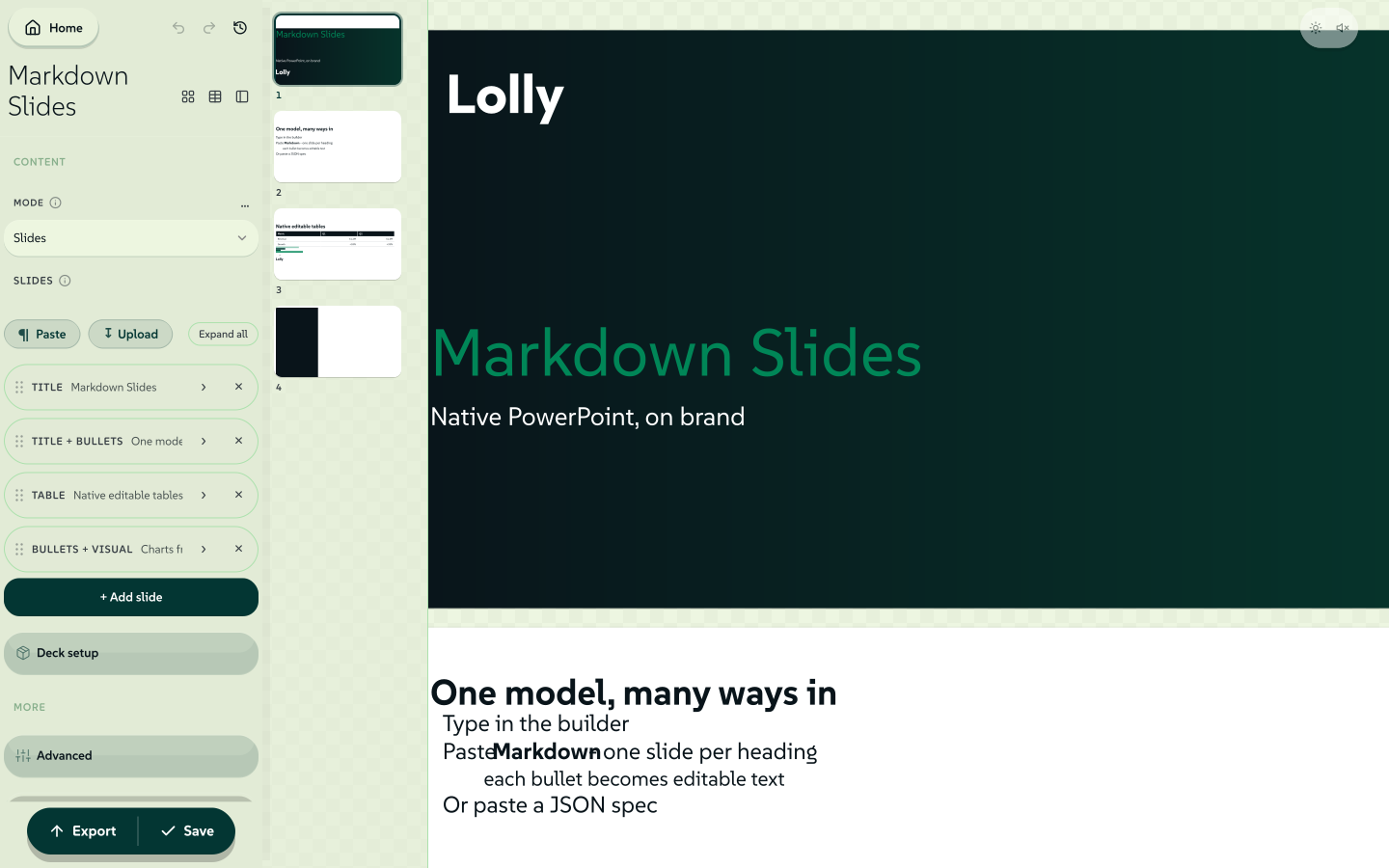 signed by Lollyvector SVG135 paths~17k nodes252 groups1 image226 KBCheck it yourselfTải tệp đã ký
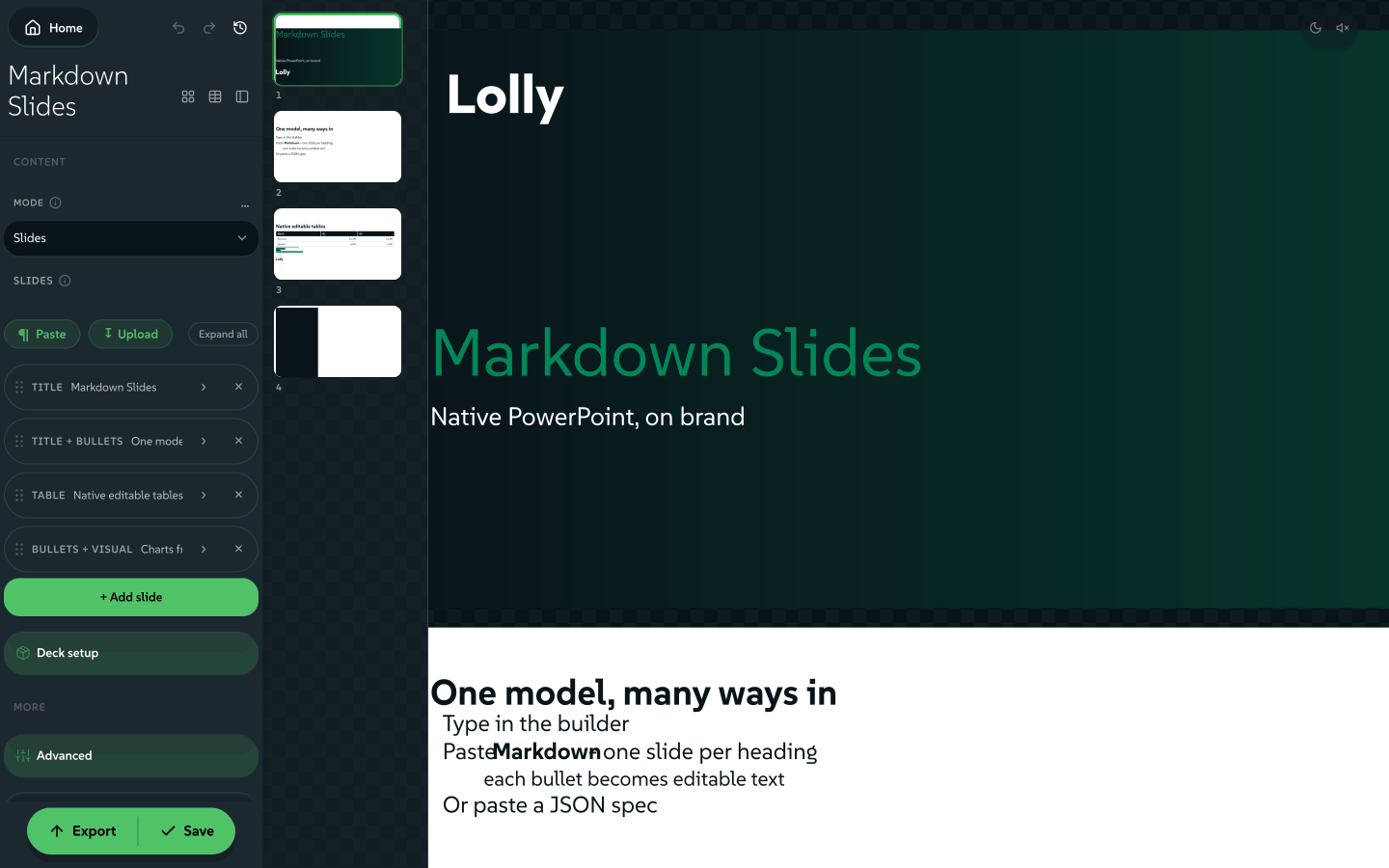 signed by Lollyvector SVG128 paths~17k nodes252 groups1 image225 KBCheck it yourselfTải tệp đã ký


Quy tắc nằm trong công cụ
Lolly đặt các quy tắc thương hiệu dùng lại được vào công cụ: màu sắc, phông chữ, lề tràn, khoảng cách và đầu vào được phép. Mẫu cố định những phần mà người nhận không được đổi. Lolly Work thêm quyền truy cập theo nhóm và chính sách đầu vào quanh mẫu đó, với chuỗi phê duyệt cho bản gửi danh mục và bàn giao.
Kiểm tra một công cụ một lần giúp sản xuất lặp lại dễ hơn, vì mỗi đầu ra thừa hưởng quy tắc bố cục của nó. Nội dung chữ, ảnh tải lên và quyền sử dụng vẫn có thể cần kiểm tra, và Lolly Work cung cấp danh mục chung và các bước phê duyệt cho việc đó. Với đội sáng tạo, công cụ là lan can bảo vệ: bạn vẫn mang dữ liệu, nội dung chữ và hình ảnh, còn công cụ giữ mọi kết quả đúng thương hiệu.
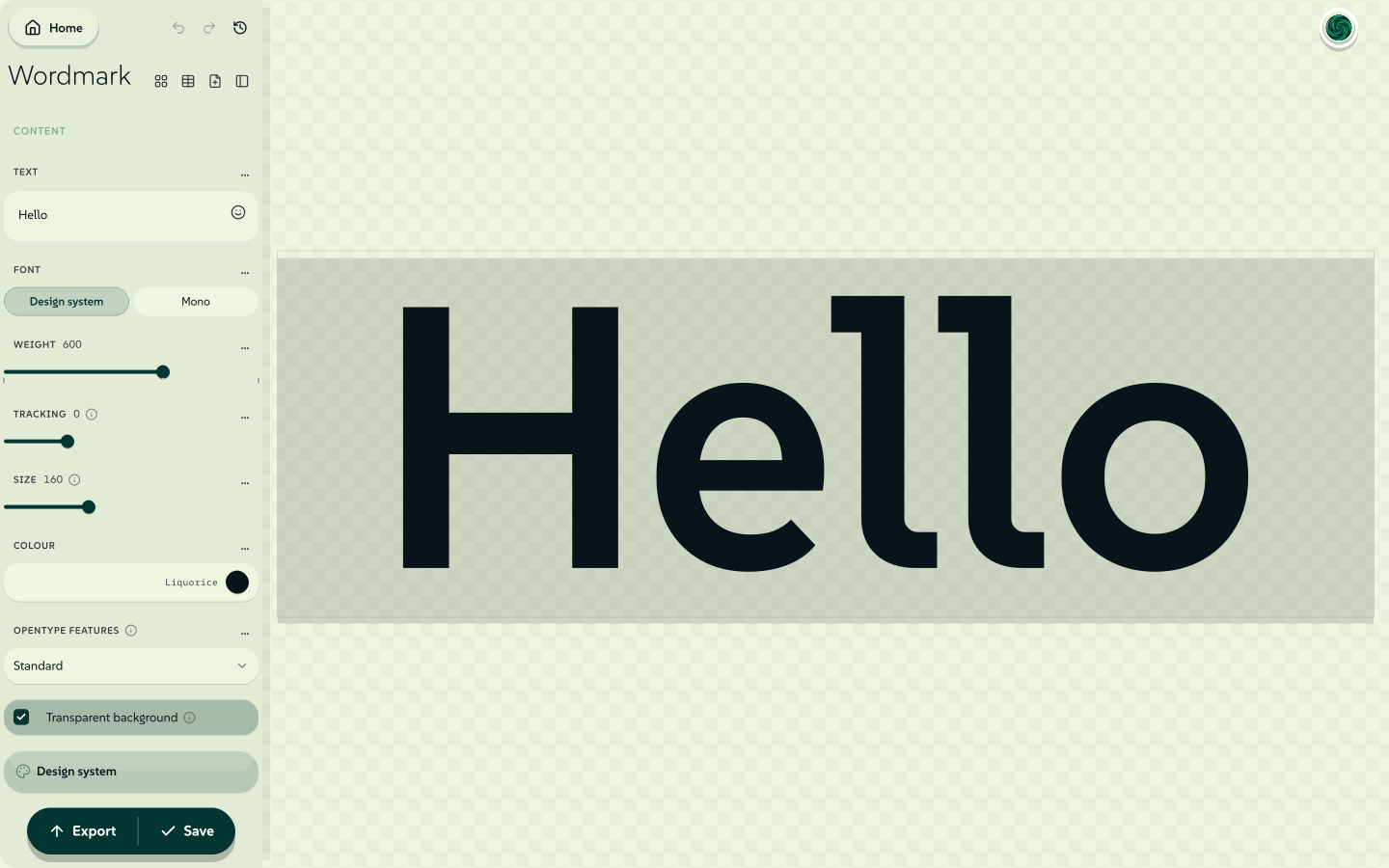 signed by Lollyvector SVG121 paths~4.6k nodes197 groups2 images113 KBCheck it yourselfTải tệp đã ký

Ba điều nữa làm cách tiếp cận này khác biệt:
- Tệp cuối cùng, từ đầu vào. Đầu vào vào, tệp hoàn chỉnh ra, không có "giờ hãy lưu nó từ công cụ thiết kế rồi chỉnh sửa lại".
- Công cụ ghép công cụ. Một công cụ có thể nhúng bản kết xuất của công cụ khác vào một tệp hoàn chỉnh, không có ràng buộc mã giữa chúng.
- Mở đến tận đáy. Engine là mã nguồn mở, và công cụ, tài nguyên cùng design token là các tệp bạn có thể giữ trong quản lý phiên bản hoặc quản lý trong Lolly Work, không phải các hàng trong cơ sở dữ liệu của người khác.
Thiết kế táo bạo vẫn sống sót qua lan can bảo vệ. Bản đồ thành phố cỡ áp phích này là các đường phố và mặt nước vector thật, từ một danh sách thả xuống và hai ô màu không thể trỏ ra ngoài hệ thống thiết kế:
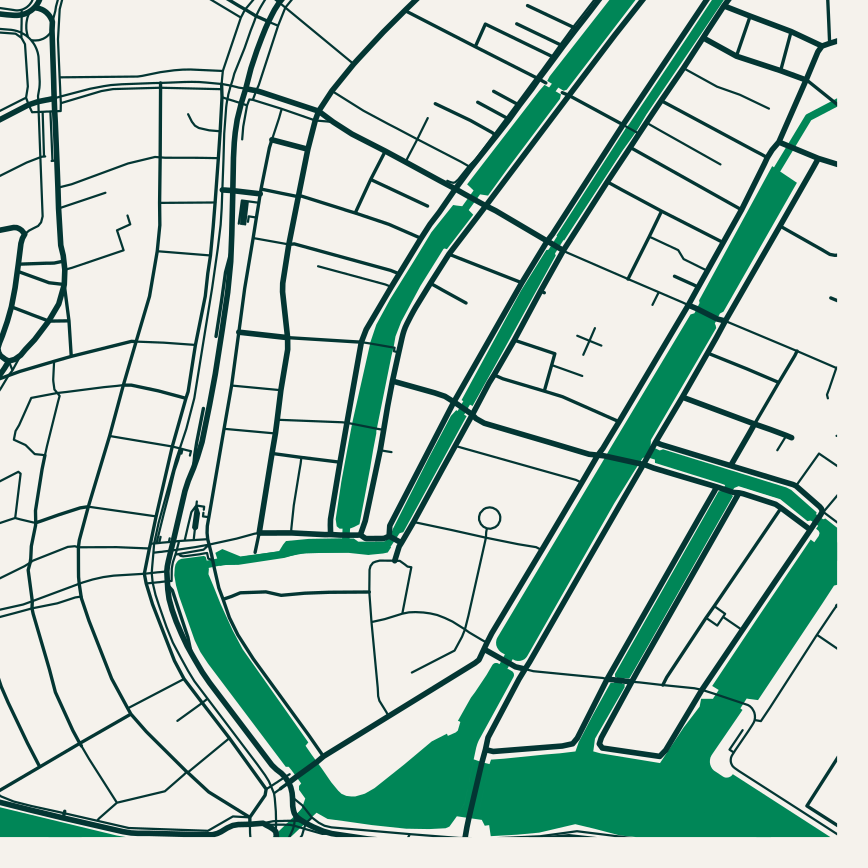 signed by Lollyvector SVG8 paths~25k nodes7 groups287 KBCheck it yourselfTải tệp đã ký
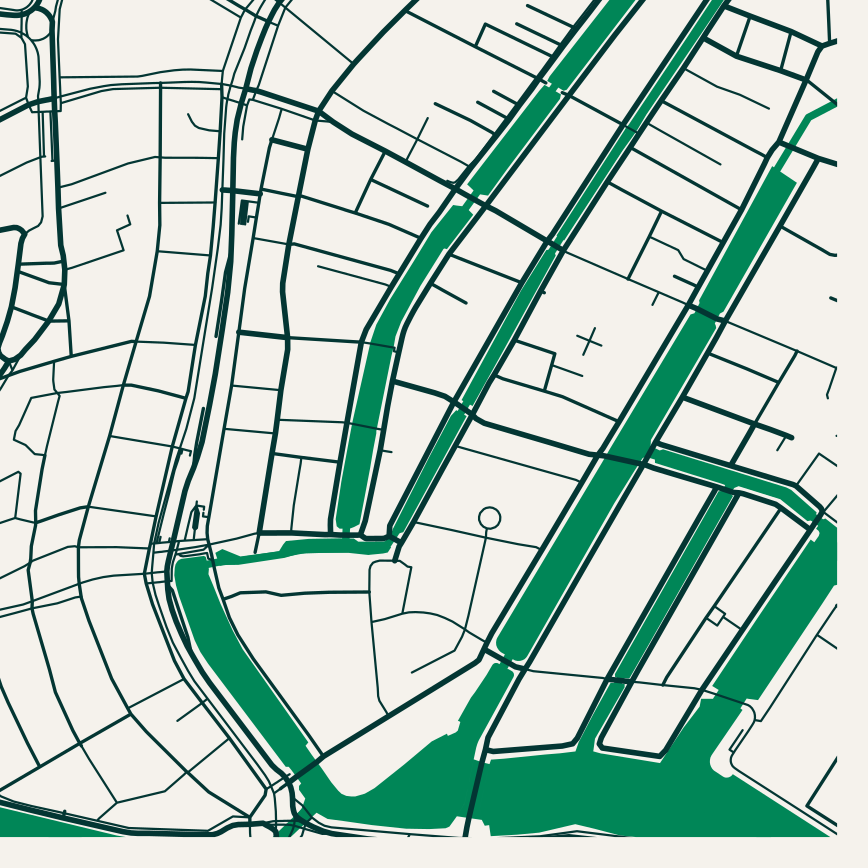 signed by Lollyvector SVG8 paths~25k nodes7 groups287 KBCheck it yourselfTải tệp đã ký


Đổi mới theo xác suất, mở rộng quy mô theo tính xác định
Hầu hết lời chào bán "sáng tạo bằng AI" đặt mô hình sai phía của một ranh giới cũ. Các thầy chép và họa sĩ minh họa thời xưa đã xác định ranh giới đó nằm ở đâu. Bạn làm phóng khoáng trên bản phác, nơi mọi thứ thử được và không gì bị ràng buộc. Rồi bạn đến máy in, nơi cam kết. Bản phác là nơi có nghệ thuật, còn máy in là cách nó đi xa, và tác phẩm in đáng tin vì máy in giữ lời hứa ở mỗi lần ép.
Lolly là máy in. Hãy mang bất cứ gì bạn thích đến phần ý tưởng, một mô hình, một nhà thiết kế hay một bản vẽ thô, nhưng ngay khi một ý tưởng phải thành nhiều tệp, nó đi qua thứ gì đó kết xuất giống nhau mỗi lần, từ các đầu vào ai cũng đọc lại được. Phép so sánh ở trên thực ra là về ai khiến bước cam kết đó lặp lại được.
Tin tưởng quá trình sáng tạo, mở rộng bằng sự nghiêm ngặt.
Miễn phí mãi mãi
Nếu nó kết xuất trên thiết bị của bạn, nó miễn phí mãi mãi. Engine, các shell, công cụ và định dạng là mã nguồn mở, và một phiên bản đã phát hành không thể bị thu hồi. Lolly Work cũng là mã nguồn mở. Một tổ chức trả cho hạ tầng và vận hành mà họ chọn, không có phí giấy phép phần mềm theo chỗ ngồi hay theo lượt kết xuất khi tự lưu trữ. Questions & answers kể câu chuyện đằng sau lời hứa.
Nội dung của bạn ở đâu
Công việc sáng tạo của Lolly có thể chạy trên phần cứng bạn sở hữu, và design token, phông chữ, logo cùng công cụ của nó là các tệp bạn có thể giữ. Với Lolly Work, dự án chung, tài nguyên, chính sách và bản ghi kiểm toán nằm trong bộ nhớ mà tổ chức của bạn cấu hình. Trust giải thích vì sao điều đó quan trọng, và Privacy Policy cùng Verify It Yourself để bạn kiểm tra lời khẳng định thay vì tin lời chúng tôi.
Từng công cụ một
Lolly compared, tool by tool so sánh Lolly với Canva, Adobe, Figma, Penpot, cổng thương hiệu, API kết xuất và trình chuyển đổi trực tuyến, mỗi thứ một trang, và nêu what runs where.