
This guide covers the optional organisation service. Configuration, console and API paths refer to your Work instance. The packaged console keeps its release-matched copy of this guide.
This page is for the person who decides how colleagues sign in to Lolly Work. By the end you will know which sign-in methods to offer, who gets in, how long someone stays signed in and how to end their access.
How a sign-in works
Every sign-in answers two questions. Your identity provider answers the first: who is this? Work answers the second: do they belong here? Work checks its admission rules on every sign-in, before it writes an account. When both answers are yes, Work finds the person's account, or creates one, and sets a session cookie.
- Your identity providerWho is this? The token or password is verified first.
- Work admissionDo they belong here? Disabled accounts, directory pins, verified email, the lists, an invitation.
- The accountLink to a known sign-in, or create one.
- A session
lw_session, renewed while in use
- Refused at admissionA 403 page and an
auth.deniedaudit row. No account is written. - Checked again laterEvery renewal and every device sign-in asks the admission question again.
The provider proves who someone is; Work decides whether they belong, then links the account and starts a session.
signed by Lollywork-identity-two-questions.htmlHTMLpixels, not shapes11 KBAI generatedgenerated by Claude Opus 5.5Провери самВземи подписания файлA session is a signed token. Work keeps no table of live sessions, only a small store of revoked ones (sign-outs and back-channel logouts).
| Principal | Cookie | Comes from | Lasts |
|---|---|---|---|
| Member | lw_session | any member sign-in: OpenID Connect, GitHub, email and password, a passkey, a reverse proxy, a device code or the dev provider | policy.sessionTtlHours (default 12 hours), renewed while in use up to policy.sessionMaxHours |
| Guest | lw_guest | admission through a guest-edit link | the remaining lifetime of that link |
Cookies are HttpOnly, SameSite=Lax, Path=/ and Secure whenever instance.baseUrl uses https. A member session wins when both cookies are present. Every token carries a typ domain in its signed payload, so a session token can never be replayed as a guest token, a link signature or an OAuth state.
Choose how people sign in
| Method | Suits | Set it up |
|---|---|---|
| Your OpenID Connect provider (Keycloak, Entra ID, Okta, Auth0, Google) | most organisations | Set up enterprise identity, then the provider recipes |
| More than one provider | a migration in progress, or a subsidiary with its own directory | More than one IdP |
| GitHub | teams that already work there | the GitHub recipe |
| Email and password | people your provider cannot reach | below |
| Passkey | a quick second way in, added after a first sign-in | below |
| Reverse proxy | hosts that already sign people in, such as YunoHost | Reverse-proxy sign-in |
| Device code | the CLI and native apps | below |
| Dev provider | local development, demos and tests only | The dev provider |
Each method ends the same way: the same admission checks, the same role derivation, the same cookie and an auth.login audit row.
Email and password
Some people cannot use the instance's identity providers. A Google Workspace administrator, for example, can restrict which third-party apps the organisation's accounts may sign in to. For those people, add one kind: "password" entry to idp.additional (configuration):
"additional": [{ "id": "email", "kind": "password", "label": "Email and password" }]The sign-in chooser then offers Sign in with email and password, a form the server renders. With no other sign-in configured, /api/auth/login is that form.
There is no sign-up and no email is sent. A person gets a password like this:
- An admin or owner invites the address, or the address is already admitted by the lists or belongs to an account.
- In the console, they press Copy sign-in link on the invitation, or Copy password link on the person. The console copies a one-time link and shows its expiry.
- They send the link themselves, by chat or email. It works once, for 7 days. A new link for the same address cancels any unused one.
- The person opens the link, sees their address and chooses a password: 12 to 256 characters, and not the address. The same page asks for an optional name (1 to 80 characters), which becomes the account's display name in People lists, presence and notices.
An invitation can do this in one link. When the admin ticks Can set a password, the invite link itself offers Set a password (setting a password from the link).
A forgotten password works the same way: ask the person who invited you for a new link. The old password keeps working until the new one is set. Setting it ends every session the account had, so a password that got out stops working everywhere at once.
Whoever holds a link can sign in as its address, so some links are owner-only:
- a link that leads to an owner: an owner's account, a
bootstrapOwnersaddress or an invitation into an owner group; - a link that adds a password to an account that already signs in another way, unless it is the issuer's own account.
Each link is judged again when it is opened and when it is used, on its issuer's standing at that moment. If the issuer has been disabled or is no longer an admin, or the address now needs an owner, the link stops working, and an auth.password.link.refused audit row says why. An owner signs in with a password only when an owner issued the link that set that password.
A password sign-in finishes like any other: admission runs, an open invitation is accepted and its groups join, and the sign-in joins the existing person who holds the same verified email (one person, several sign-ins), unless that person's only verified sign-ins are pinned to a directory. A password brings no provider groups.
Work stores a password sign-in as unverified, because an admin typed the address and no mailbox proved the address. A later sign-in through another provider therefore never joins an account by a password's address. A person who wants both adds the other sign-in from their profile while signed in with the password.
Removing the email and password sign-in from a person, from their profile or in the console, deletes the password; a new one needs a new link. The sign-in an account was created with cannot be removed. Disable access is the way to stop that one, and it also cancels the person's unused links.
Guessing is slowed twice over:
- Every attempt uses the
authrate-limit bucket. - Ten attempts in a row without a success lock the address for 15 minutes, and a success resets the count. An attempt is counted before its password is checked, so a burst of parallel guesses gets no more than ten checks. Attempts during a lock are not counted.
An admin or owner can Unlock a person from the console without making them choose a new password. Anyone can lock an address by guessing its password. An unknown address, a wrong password and a locked address all get the same answer: "That email and password do not match." The form carries a signed double-submit token against login CSRF. Passwords are stored as scrypt hashes, and passwords, hashes and link tokens never reach a log line or the audit chain.
An instance whose only sign-in is email and password has no admin to issue the first link. The operator prints one for an address listed in bootstrapOwners, on the machine where the server runs:
docker compose exec server node scripts/password-link.ts --email ana@example.comThat link behaves like one an owner issued: once, for 7 days and still subject to admission. The same command lets a locked-out bootstrap owner back in.
Passkeys
A person who already has an account can add a passkey and use it as another way in. Passkeys are offered when instance.baseUrl is https on a host name, or http://localhost. A base URL that is an IP address turns them off.
- Adding one. In Lolly, Settings shows Account security for a signed-in member, which opens
/api/auth/security. Adding or removing a passkey needs a sign-in within the last 10 minutes; otherwise the page asks the person to sign in again first. A person can hold at most 10 passkeys, and the device must verify the user with a screen lock, fingerprint, face or security key. - Signing in. When passkeys are on, the sign-in page offers Sign in with a passkey (
/api/auth/passkeys/login). The server refuses a passkey that belongs to a disabled account; otherwise it sets an ordinarylw_sessioncookie at the account's current session epoch. A passkey brings no provider groups. - Routes.
POST /api/auth/passkeys/register/optionsand.../register/verify,POST /api/auth/passkeys/authenticate/optionsand.../authenticate/verify, andPOST /api/auth/passkeys/:id/remove.
A passkey is a local credential with no provider session. A provider logout or Sign out on all devices leaves the passkey in place. To stop passkey sign-in, disable the account or send SCIM active=false. Set up enterprise identity explains how passkeys behave during offboarding.
Device-code sign-in
A device that cannot run the browser flow, such as the CLI or a native shell against a gated instance, signs in with a code:
- The device asks
POST /api/v1/auth/devicefor a short code. - The person opens
/activatein any browser where they are already signed in, and confirms the code. - The device's next poll collects an ordinary session cookie for that person.
The approving browser session is the whole authority. The flow never touches provider credentials and works the same over OpenID Connect and the dev provider. Before it sets the cookie, the server checks the person's admission, invitation and disabled state again, so an account closed during the flow gets nothing (denied). Codes last ten minutes and work once. Pending codes are listed in the console's Fleet view, where an admin can deny one but never approve one. Codes are database rows, so any replica answers the poll: high availability needs no sticky sessions, and function-only deployments have the flow too.
Who may sign in
Completing a sign-in at the provider proves who a person is, not that they belong. idp.admission decides that, on every OpenID Connect, GitHub, password and reverse-proxy sign-in, after the provider's token (or the password) is verified and before an account is written. A refused person gets a 403 page and leaves only an auth.denied audit row.
"idp": {
  "issuer": "https://accounts.google.com", "clientId": "…", "displayName": "Google",
  "hostedDomain": "example.com",
  "admission": { "domains": ["example.com"], "invitations": true },
  "bootstrapOwners": ["ana@example.com"]
}
The checks run in this order, and the first one that applies decides:
- A disabled account is refused. Work reads every account with the same email, under every provider, so a person disabled under one provider cannot sign in through another, or as a fresh account the lists or an invitation would admit. Re-enable each of their accounts to let them back in.
- Directory pins. When
hostedDomainis set, Google'shdclaim must equal that domain. WhentenantIdis set, Entra'stidclaim must equal that tenant ID. A mismatch or a missing claim always refuses, whatever the lists say. - No admission block. With no
idp.admission, every verified sign-in is admitted. This is the behaviour from before admission existed, and production setup shows a warning about that setting. - Unverified email. An email the provider does not vouch for (below) is refused before the lists are read, so the refusal never reveals whether an address is listed or invited.
- The lists. An open invitation for the email (while
invitationsis notfalse), the email inemails, or its domain indomainsadmits the person. Emails compare without regard to case. The domain is the part after the last@, matched exactly, soexample.comdoes not admitsub.example.com. An empty policy ({}) admits invitations only.
With hostedDomain set, only accounts in that Google Workspace get past step 2, invited people included. To let in people from outside it, add a second Google registration without hostedDomain (an idp.additional entry) and admit those people by exact emails or by invitation, never by domains.
The refusal page starts with the workspace name ("Example Studio is invite only"), shows the account the person used, and says to sign in with the account the invitation went to or to ask an admin. It links to /api/auth/login?prompt=select_account so a browser holding several accounts can pick another; behind a proxy only the proxy can switch accounts, so the link is left out. With policy.requests.join on, a person refused as not invited can also ask to join. The page never shows which emails or domains are listed.
Admission is checked at every sign-in. Removing someone from the lists blocks their next sign-in, and the console's disable ends live sessions at once (offboarding).
Invitations admit one address each, with optional groups and an end date. Inviting, invite links, requests to join and requests for access have their own page: Invite people and handle requests.
Verified email
Admission by email, domain or invitation needs an address the provider vouches for. Each provider's emailVerification says how:
claim(the default): the provider's ID token must carryemail_verified: true, the boolean. The string"true"does not count, and a missing claim is not verified.trusted: every email this provider sends counts as verified. Use it only for a provider pinned to your own directory that omits the claim, such as Entra single-tenant withtenantIdset.
email_verified vouches for the email claim and nothing else. When claimMap.email points at another claim (preferred_username, upn), the mapped value counts as verified only when it equals the email claim. Otherwise the address is unverified under claim, and you must choose trusted on purpose for a provider whose usernames you control. A reverse proxy is the authority for the address it sends, so proxy sign-ins count as verified.
Bootstrap owners
A provider such as Google sends no groups, so nobody could reach the owner role. idp.bootstrapOwners lists the emails that get the owner group when their account is first created: the first name in roleGroups.owner, or the literal owner.
- It applies only to an admitted person with a verified email.
- The group is stored in local membership, and an owner may remove it later; later sign-ins do not restore the group.
- Each grant writes an
auth.bootstrap-owneraudit row. - Every bootstrap owner must be admitted by
emailsordomains, and the server refuses a configuration where one is not. That check reads the lists only: ahostedDomainortenantIdpin can still refuse the owner's account, so check that the owner passes every pin on the provider they will use.
Once real owner groups exist, empty the list.
Audit actions for sign-in and admission
auth.denied: actoranonymous; payloadprovider,idp,reasonand the lowercasedemail. Reasons arenot-invited,email-unverified,hosted-domain,tenantanddisabled. A refused device sign-in has providerdeviceand reasonnot-admitted. A refusal that came from an invite link addsinvitationId.auth.login: carriesadmittedVia(email,domain,invitationorlinked) whenever a policy admitted the person.providerisoidcfor an OpenID Connect provider, orgithub,password,passkey,proxy,deviceordev.auth.failed: a GitHub sign-in that could not finish (see the GitHub recipe).auth.bootstrap-owner: payloadidpandgroup.auth.password.link.issue,auth.password.link.refused,auth.password.set,auth.password.fail,auth.password.locked,auth.password.unlockandauth.password.remove.auth.passkey.addandauth.passkey.remove.- Invitations and requests write
invite.andaccess.rows, listed in Invite people and handle requests.
Session length and renewal
A member session lasts policy.sessionTtlHours. With policy.sessionMaxHours set, a person who keeps working is not sent back to sign in when it ends:
- Sign in. The cookie records
authAt, when the sign-in that started its chain happened. - Keep working. Past half its lifetime, the next qualifying request gets a fresh cookie for another
sessionTtlHours, with the sameauthAt. - Reach the cap. No renewal reaches past
authAt + sessionMaxHours. The last one is cut short. - Sign in again. After the cap, the person starts a new chain.
sessionMaxHours is optional. Absent, it equals sessionTtlHours and nothing is renewed. It must be at least sessionTtlHours and at most 720. A typical setting keeps the session short and the cap at a few days, for example sessionTtlHours: 12 with sessionMaxHours: 72.
The renewal rules in detail
- Qualifying requests are every API write, and reads of the documents the apps poll:
GET /api/auth/session,GET /api/v1/org-configandGET /api/v1/inbox. Their responses are private and never kept by a shared cache, which aSet-Cookiemust not reach. Pages, assets and other reads never renew. - A cookie minted before
authAtexisted counts from its sign-in time, which every sign-in but the dev provider's records, or else from when it was issued. - A renewal that would add less than a minute is skipped.
- Each renewal asks again what a sign-in would: the account must be enabled, the cookie must be at the account's current session epoch, and the person must still be admitted (the lists, or an invitation that is not revoked). A revoked, disabled or no longer admitted person gets no new cookie, so their session ends when the current cookie does, or at once for a disable or an epoch bump.
- A renewal is not a sign-in: the time of the last completed sign-in, which passkey changes ask for, does not move.
- Nothing else starts a new chain without a sign-in. A device approved at
/activategets a cookie in the approving browser's chain, ending no later thanauthAt + sessionMaxHours. Once the approving chain has reached its cap the device is refused (denied, audited asauth.deniedwithreason: 'session-max'). - With renewal off, a device approved at
/activategets only the approving browser's remaining time, at mostsessionTtlHoursfrom its sign-in. A CLI or desktop sign-in approved late in a browser session therefore ends sooner; signing in again in the browser first gives it the full lifetime. - Removing one of your own sign-ins ends every session you hold and keeps the browser you acted from signed in, with a cookie in the same chain and cut the same way.
One person, several sign-ins
A person may sign in with Google one day and GitHub the next. Both sign-ins belong to one account: the same projects, groups, inbox and role. Each sign-in is an identity (one provider subject, such as github:4242), and user_identities (migration 0039) links each identity to one account. The session cookie always identifies the account's own users.sub, the subject it was created with, whichever sign-in was used.
How a sign-in finds its account. After the provider proves who the person is, and before anything is written, the server looks in this order and stops at the first answer:
- an identity row for this subject;
- an account created with this subject before identities were recorded (the identity row is written now);
- when the provider links by email and confirmed the address, exactly one account that already holds a confirmed identity with the same address. The new identity joins it, and the audit log records
identity.linkwithvia: "email"; - otherwise a new account, created with this subject.
Step 3 has two guards:
- When two or more accounts hold that address, nothing is linked. The sign-in gets an account of its own, and the log records
identity.link-ambiguouswith the number of candidates so an owner can sort it out. - When every confirmed identity holding the address came through a provider pinned to a directory (
hostedDomainortenantId), only a provider with the same pin may join that account. The pin is what ties the account to the organisation's directory, and GitHub never checks an address again once it has verified it, so a former holder of a reassigned mailbox could still present it there. Such a sign-in gets an account of its own, the log recordsidentity.link-heldwithreason: "pinned", and the person can still add it by hand.
Admission still runs before any write, and a sign-in linked to a disabled person is refused. When a linked sign-in's own address is not on the admission lists, the person is admitted on their own standing: their account's email must pass the lists, the provider's pins still apply, and auth.login records admittedVia: "linked". That standing lasts only while the account's own sign-in has been used within idp.linkedStandingDays (default 30). After that, a person deleted at their work provider can no longer get in through a linked personal sign-in.
A sign-in that is not the account's own leaves the account's name and email alone. Provider groups are kept per sign-in, and the account carries the groups of every sign-in used within idp.linkedStandingDays. So a GitHub sign-in neither clears the groups a work provider sent nor keeps them alive: when the work provider drops a group, the next sign-in there removes it, and when the work sign-in goes unused for the window, its groups lapse. A sign-in added by hand asserts no groups until its first real sign-in.
Which providers link by email. Per provider, linkByEmail decides:
- additional providers default to
false; - the primary defaults to
trueunderclaimandfalseundertrusted; - an explicit setting overrides those defaults;
- owner and admin accounts never join by email;
- a trusted provider enabled for linking still needs a
hostedDomainortenantIdpin.
An identity's verified address is recorded whatever its provider's linking preference, but automatic linking needs that provider's permission. Trusted verification accepts a missing claim, never an explicit negative or malformed one.
"additional": [
  { "id": "github", "kind": "github", "clientId": "Iv1.abc", "displayName": "GitHub",
    "clientSecretRef": "LW_IDP_GITHUB_SECRET" },
  { "id": "entra", "issuer": "https://login.microsoftonline.com/<tenant>/v2.0",
    "clientId": "...", "displayName": "Microsoft", "emailVerification": "trusted",
    "tenantId": "<tenant>", "linkByEmail": false }
]
Adding a sign-in by hand. A signed-in person opens GET /api/auth/link?idp=<id>&returnTo=<path>. Work runs that provider with the account picker, because the browser is often still signed in to the account already linked, and links the identity it returns to the current account, whatever its email. The session that started the link must be the one that finishes it, and a link never starts a new session. An identity that already belongs to someone else is refused with a 409 page and an identity.link-refused audit row. A new link writes identity.link with via: "self".
Seeing and removing sign-ins. GET /api/v1/me/identities lists the person's own sign-ins (idp, displayName, email, emailVerified, linkedAt, lastLoginAt, canUnlink and a subjectHash, the first 16 hex characters of the SHA-256 of the subject, so a raw provider subject never leaves the server). It also lists the sign-ins the instance offers, each with its linkPath.
DELETE /api/v1/me/identities/<idp>/<subjectHash>removes one and answers 204.- Two are never removed: the sign-in the account was created with (409
ACCOUNT_SIGN_IN) and the last one (409LAST_SIGN_IN). - Admins and owners see anyone's sign-ins at
GET /api/v1/users/<id>/identitiesand in each person's detail on the console's People view. Removing one there (DELETE /api/v1/users/<id>/identities/<idp>/<subjectHash>) needsgrant.edit, and an owner's sign-ins are owner-only. - Each removal writes
identity.unlinkwithby: "self"or"admin"andsessionsRevoked: true. Every session carries the account's own subject, so a removal ends every session of the account, as Sign out on all devices does. A person removing their own sign-in gets a fresh session on the device they used. - A removed identity whose provider links by email and confirms a matching address joins the same person again at its next sign-in. To keep one out for good, set
linkByEmail: falseon that provider or disable the account.
An invitation is accepted by whichever account signs in with the invited address, including an existing account that reaches it through a newly linked sign-in. Adding a sign-in from the profile accepts it at once when that provider vouches for the invited address and links by email (invite.accept with via: "link").
Upgrading. Migration 0039 writes one identity row per existing account from users.sub (the provider is the prefix before the first :, or primary when there is none), with the email marked unconfirmed. Nothing links by email to a backfilled row until that person signs in again through the same identity and the provider confirms the address.
Groups → role
Groups arrive from the provider claim that groupsClaim points at. The console can add local groups on top, for structure your directory does not model:
GET/POST /api/v1/groups              # list / create a local group
DELETE   /api/v1/groups/:name
PUT      /api/v1/users/:id/local-groups
The effective group set is the union of provider and local groups. With no explicit mapping, the highest literal owner, admin, approver or author group wins, otherwise member. Map your own group names without renaming directory groups:
"idp": {
  "roleGroups": {
    "owner": ["Work Owners"],
    "admin": ["IT Administrators"],
    "approver": ["Legal, EMEA"],
    "author": [],
    "viewer": ["Read Only"]
  }
}- The order is owner, admin, approver, author, member, viewer; the highest match wins. Unmatched accounts remain members.
- Omitted high roles keep their literal defaults, and an explicit empty array turns that mapping off.
- Names are exact, case sensitive and may contain commas. Duplicate assignments and wildcard names are refused.
- Existing accounts resolve roles from the current mapping on authenticated reads, including directory paging.
- Local group editing can grant any mapped role and is an audited administration action.
- Additional providers namespace subjects, not groups, so give groups distinct names if authority differs.
Customer setup validates mappings, previews the intended owner, generates deployment files and requires a real owner sign-in before its preview API removes an enabled development login. It also checks installed OpenID Connect discovery and matches retained SCIM creation and sign-in events by durable subject and account ID, without displaying tokens.
Group membership is also how governance targets people: overlay visibility, approval-chain eligibility, provider exposure and grant principals (group:<name>) all read groups. What each role may do is in Roles and grants.
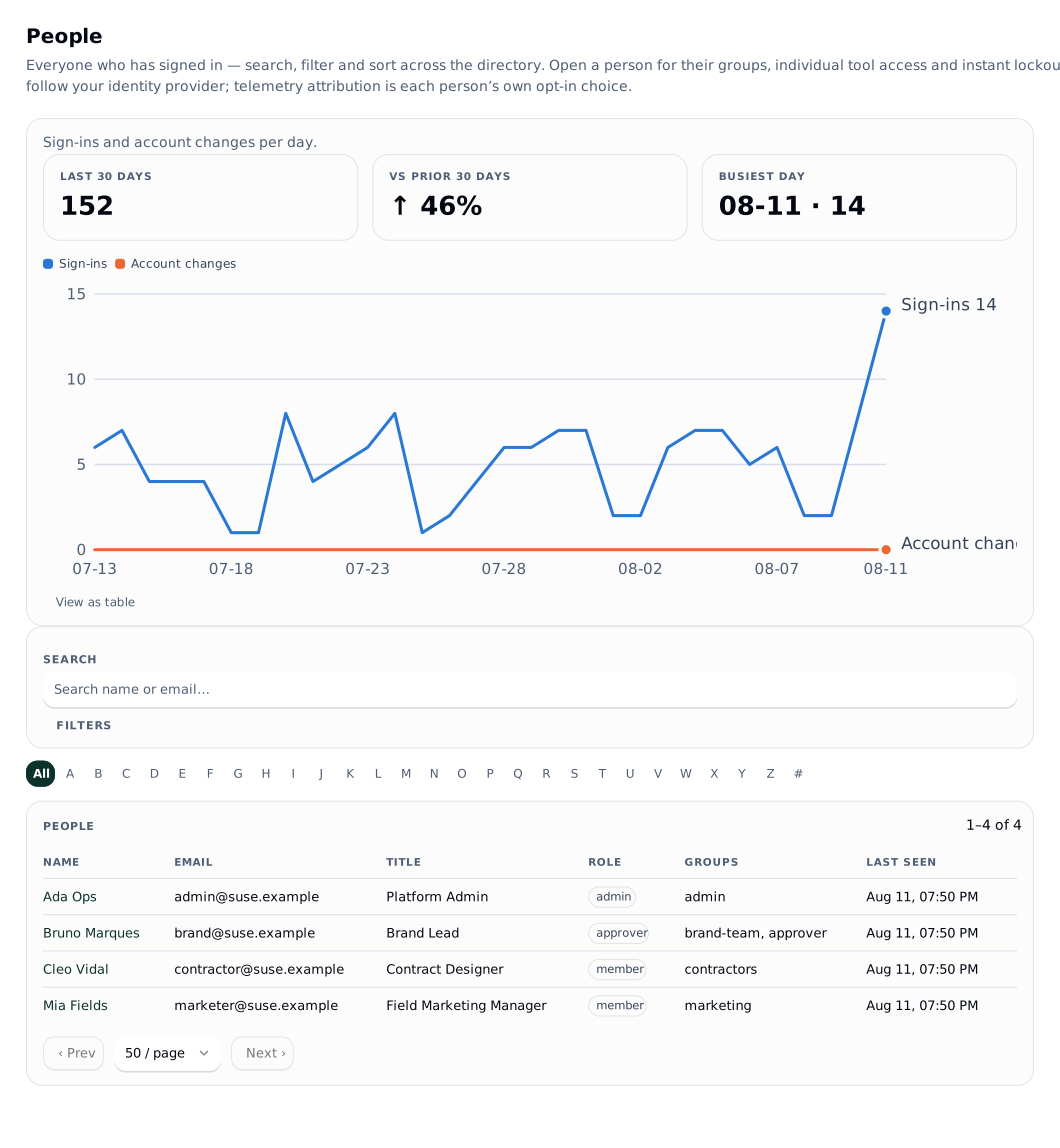
Offboarding, disable and revocation
 signed by Lolly Demovector SVG6 paths112 nodes120 groups1 image195 KBПровери самВземи подписания файл
 signed by Lolly Demovector SVG6 paths112 nodes120 groups1 image195 KBПровери самВземи подписания файл


Disabling someone is instant and ends their sessions:
POST /api/v1/users/:id/disabled # { disabled: true } (or SCIM active=false)resolveMember rejects a disabled account on every request, and disabling also bumps the person's session epoch, a counter each session token carries from when it was minted. A token minted before the bump is refused from that moment, so every live session of the disabled person ends on its next request, with no window to ride out. SCIM active=false does exactly this. The bounded offboarding operation, which also revokes the person's links and tokens, is in Account data controls. Both preserve another active owner.
Every way a session can end:
| Action | Ends | Who |
|---|---|---|
Disable access, or SCIM active=false | every session of the person, at once | admin (console) or your provider (SCIM) |
Sign out on all devices (POST /api/v1/me/revoke-sessions) | every session you hold, in any browser or app | the person themselves |
Admin revoke (POST /api/v1/users/:id/revoke-sessions, grant.edit) | every session of another person, without disabling them | admin |
Sign out (POST /api/auth/logout) | this browser's session chain and any guest cookie | the person |
| Provider back-channel logout | the sessions from one provider session (sid) | your provider (setup) |
| Session expiry | the session, at sessionTtlHours, or the cap with renewal | automatic |
Details that matter:
- Sign out on all devices takes the person's own session cookie only. A service token or an agent acting for someone gets
401. It allows five calls an hour per person (429 RATE_LIMITED,retry-after), clears this browser's cookies as sign-out does (204), and is audited asuser.sessions.revokedwith the person as both actor and subject and payload{ self: true }. The admin route writes the same action without that marker. - Replaying a signed-out cookie cannot restore access. Renewals carry the same revocation id. Older cookies use a token-specific fallback carried into renewal, which leaves other device sessions active. Revocation markers stay in the logout store for 31 days, longer than the 30-day maximum session chain.
- A group or role change is immediate for API authorization:
requireActionreads the live account on every request and ignores the role in the cookie. Only the role a shell's own token claims waits for the next mint, and loweringpolicy.sessionTtlHoursshortens that window. - An admin cannot end one chosen session of another person, only all of them.
Ownership transfer, retained content and personal-data review are separate actions; see Account data controls.
Guest sessions
A guest-edit link admits someone with no account. The server sets an lw_guest cookie scoped to that link's tool, and its session when the link identifies one, for whatever remains of the link's lifetime. Guests carry the guest role, which grants nothing by default: their access comes entirely from the link. policy.guestLinks.maxTtlHours caps the lifetime, and guestLinks.enabled: false refuses new guest links outright.
How a guest joins is in Share renders and links, and what a guest can do in a live room is in Roles and grants.
Machine credentials
Your provider's SCIM connector and your automation sign in with bearer tokens, not cookies. Both are owner-minted, shown once and stored as hashes. SCIM provisioning and service tokens cover minting, expiry, rotation and scope.