
Encode each input type, keyframes and compact values.
Part of URL Mode.
Setting tool inputs
Every input defined in a tool's manifest can be set as a URL parameter using its id as the key.
String, text, longtext, url
Pass the value directly. URL-encode spaces and special characters.
?quote=The+best+way+to+predict+the+future+is+to+create+it.
?name=Andy+Fitzsimon
?url=https%3A%2F%2Fwww.suse.com
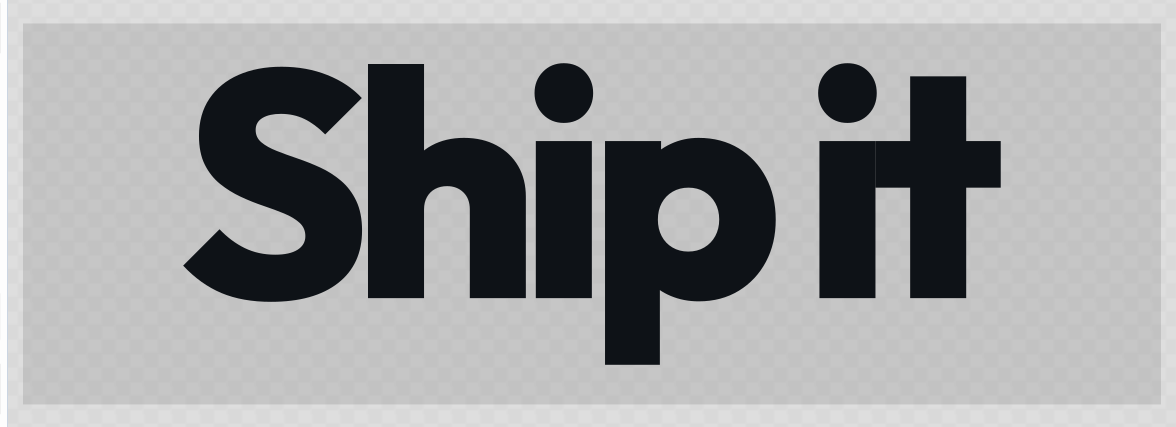
The Wordmark tool is nothing but text params, so a link is the whole brief: /#/tool/wordmark?text=Ship it&weight=800&tracking=-12&size=200.
 signed by Lollyvector SVGI-check mo mismoKunin ang signed na file1 path125 nodes5 groups4 KB
 signed by Lollyvector SVGI-check mo mismoKunin ang signed na file1 path125 nodes5 groups4 KB


Select
Pass the option value (not the label).
?theme=dark
?ecl=H
A one-word change swaps the whole render: ?theme=dark repaints a design from the URL alone.
Number
?size=800
?padding=4
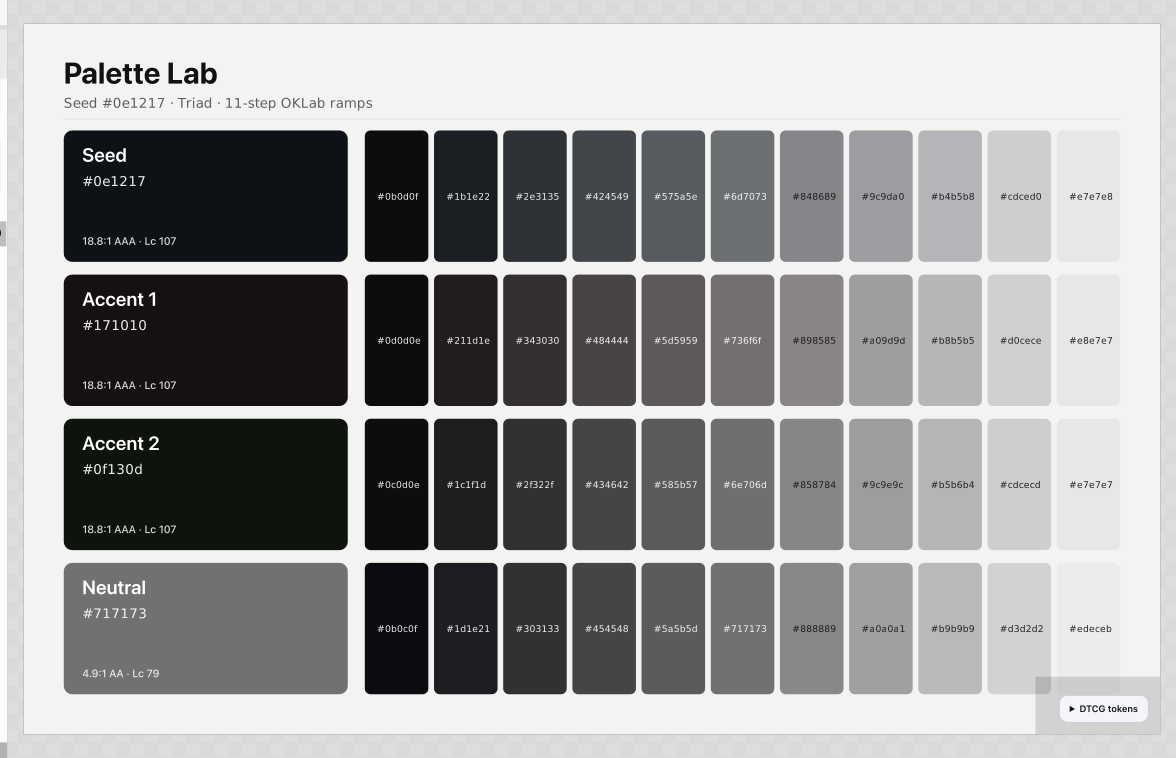
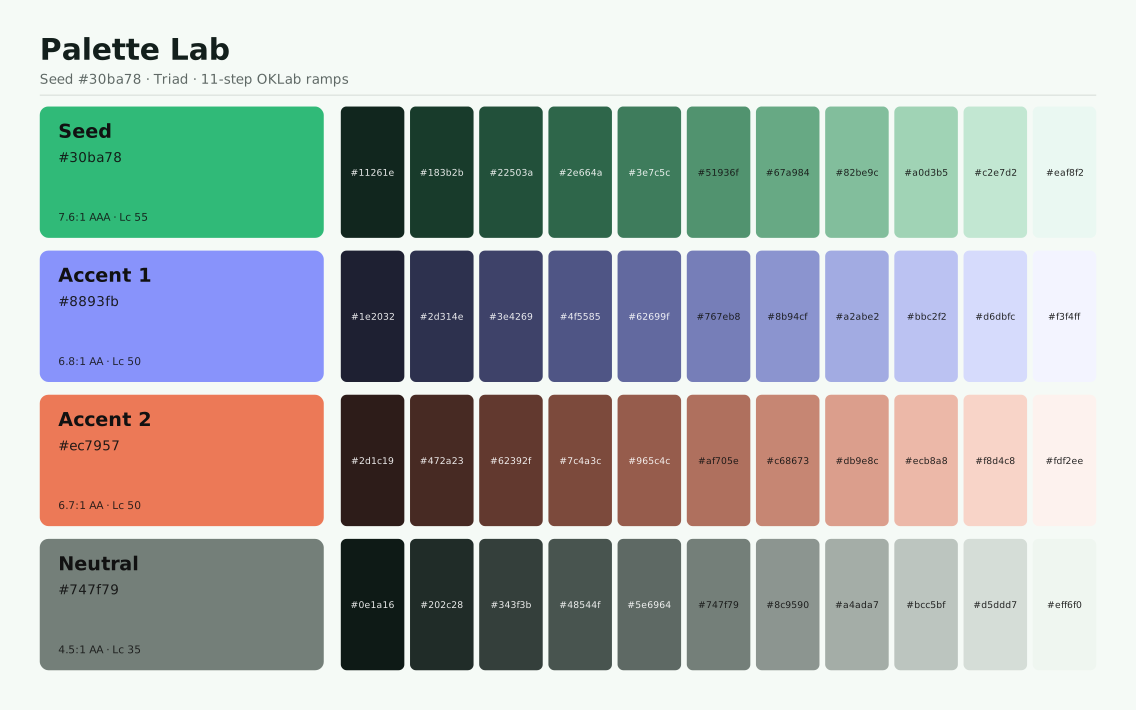
A number can also set how much of a thing gets made. Colour Palette builds one ramp cell per step, so /#/tool/color-palette?steps=11 returns a wider sheet than the default seven.
 signed by Lollyvector SVGI-check mo mismoKunin ang signed na file9 groups24 KB
 signed by Lollyvector SVGI-check mo mismoKunin ang signed na file9 groups24 KB


Boolean
1 or true for on, 0 or false for off.
?join=1
?showBorder=false
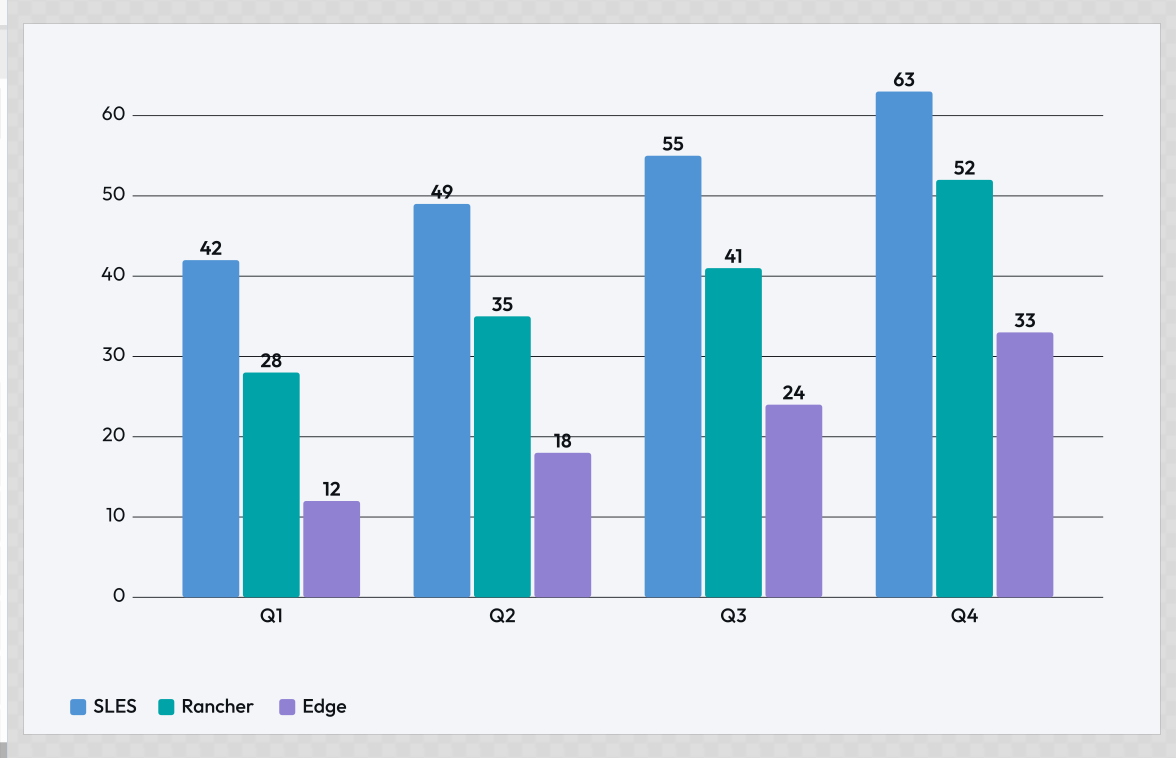
One flag can add a whole layer of information: /#/tool/chart?showValues=1 prints the number on every bar.
 signed by Lollyvector SVGI-check mo mismoKunin ang signed na file26 paths~1.6k nodes5 groups28 KB
 signed by Lollyvector SVGI-check mo mismoKunin ang signed na file26 paths~1.6k nodes5 groups28 KB


Color
Pass a hex value (URL-encode the #).
?color=%230c322c
?background=%23ffffff
Colour params stack. Mesh Gradient takes one per stop, so three hex values in a link are three fields of colour in the render.
 signed by Lollyvector SVGI-check mo mismoKunin ang signed na file9 groups5 KB
 signed by Lollyvector SVGI-check mo mismoKunin ang signed na file9 groups5 KBTry it in the app


Asset
Pass the asset's library ID - the runtime resolves it to the full asset object at render time.
?logo=suse/logo/primary
?headshot=team/andy-fitzsimon
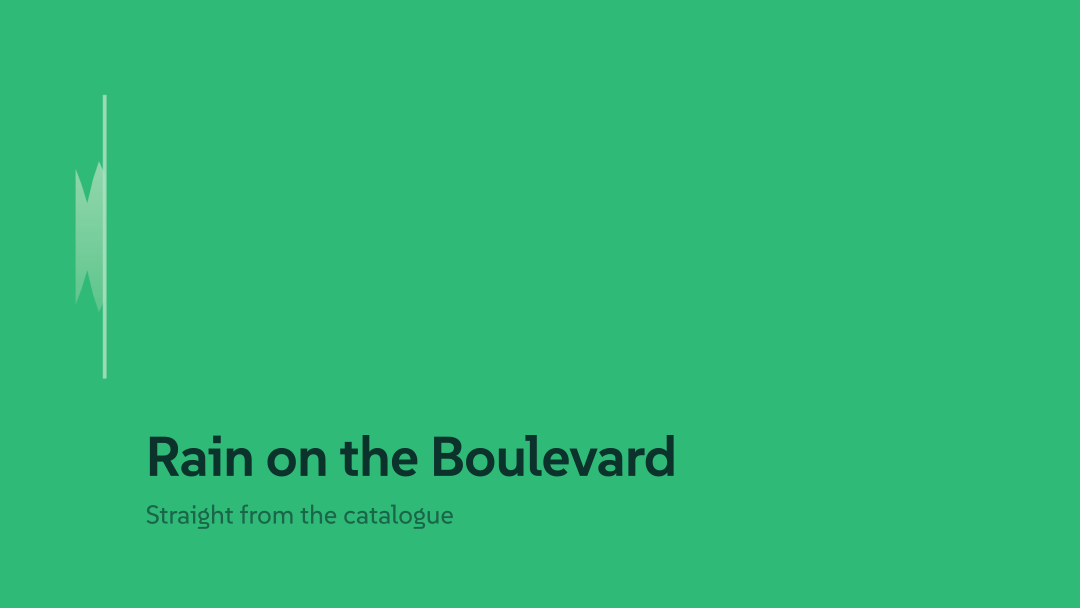
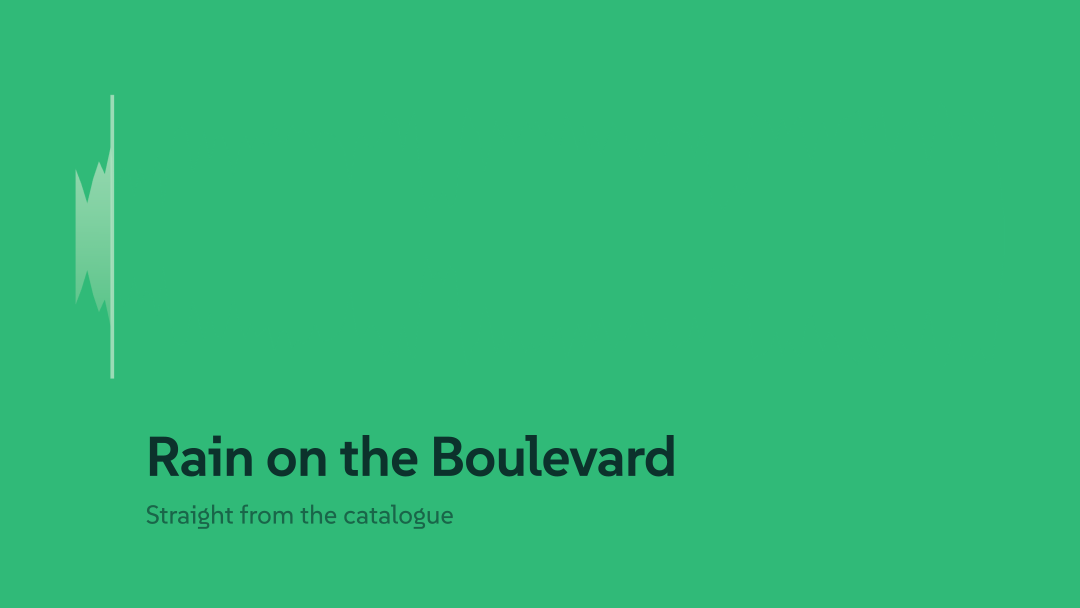
To discover asset IDs, open the asset picker in the tool UI and inspect the value shown when an asset is selected. An audio ID works the same way as an image: Audiogram decodes whichever track the link names and draws its real waveform.
An explicit AssetRef.pin, available from engine 1.185, requests an exact retained version and optional format. The existing version property remains metadata about the last resolution; it does not by itself pin an asset. For typed state, use { id: "library/photo", source: "library", pin: { version: "v1", format: "png" } }. The engine's encodeAssetVersion(id, pin) writes the reserved #lolly-version= suffix inside the asset value; let serializeUrlState perform the outer query encoding. Pins survive top-level and block asset fields. A missing version stays represented with an empty image URL and a resolution warning, rather than substituting current bytes or deleting the reference. Uploaded asset ids remain device-local even when pinned; editable .lolly files and explicit transfers can carry the referenced retained bytes.
 signed by Lollyvector SVGI-check mo mismoKunin ang signed na file3 paths~1.1k nodes10 groups1 image109 KB
 signed by Lollyvector SVGI-check mo mismoKunin ang signed na file3 paths~1.1k nodes10 groups1 image111 KB


An asset value can also be another tool's render. When a user pastes a Lolly tool link into the asset picker (a share link or an embed URL), the chosen value's "id" is the canonical embed URL of that render, so it round-trips through the URL exactly like a library id - just longer:
?hero=https%3A%2F%2Flolly.tools%2Ftool%2Fqr-code.svg%3Furl%3Dhttps%3A%2F%2Fsuse.com%26w%3D600%26h%3D600On load the runtime re-renders it via host.compose.renderUrl instead of looking it up in the catalog. This is how one tool's output (a QR code, a filtered hero graphic) flows into another tool's image slot through a plain shareable link. See Tool composition and the authoring guide.
User-uploaded images are device-local and not URL-shareable. Images a user adds from their own device (
AssetRef.source: "user", ids likeuser/upload/…) live only in that device's local storage. There is no shareable id to encode, so they are deliberately omitted from the URL - a link that referenced one would not resolve on another device. To share a layout that uses a personal image, the recipient must select their own. (Avoiding this would require cloud hosting, which the platform intentionally does not do.)
Blocks
Blocks inputs are repeating groups of fields (e.g. a list of team members, each with a name and city). Pass the value as a JSON array of objects, URL-encoded.
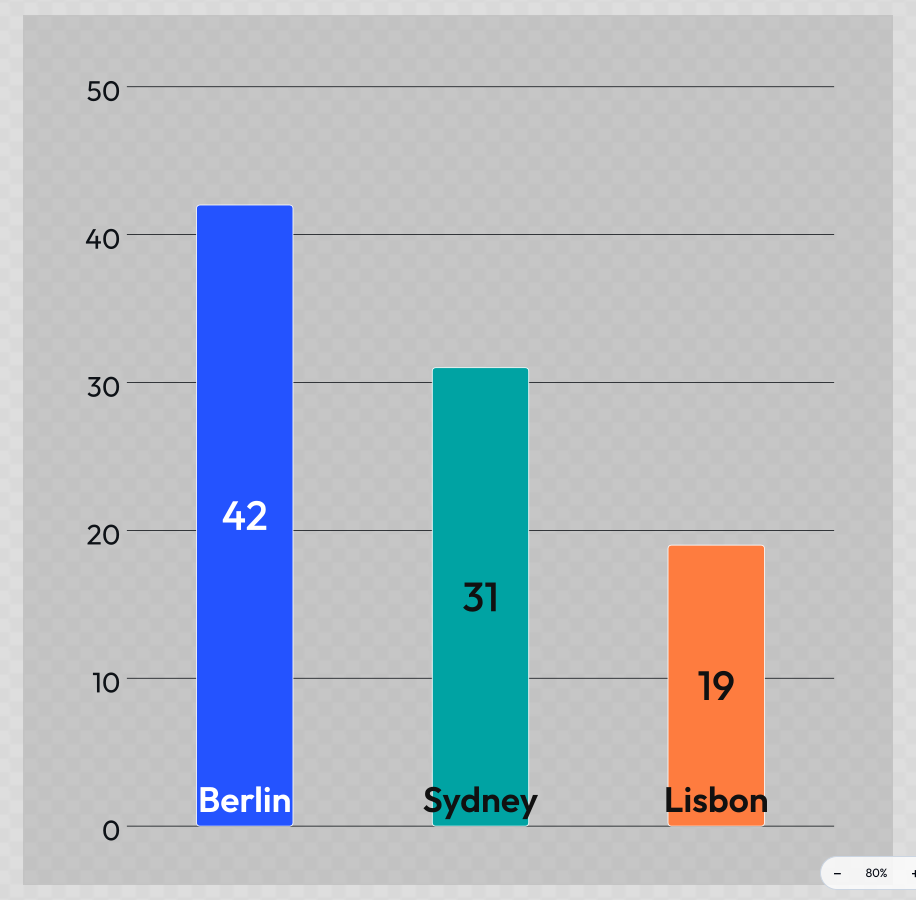
?people=[{"name":"Andy","city":"Nuremberg"},{"name":"Lisa","city":"Sydney"}]Each object's keys must match the field ids defined in the tool's manifest. Fields can be omitted - missing fields are treated as empty strings. Chart Creator's data input is a blocks list of label, value and colour, so a whole dataset travels in the link:
 signed by Lollyvector SVGI-check mo mismoKunin ang signed na file2 paths~3.1k nodes1 group39 KB
 signed by Lollyvector SVGI-check mo mismoKunin ang signed na file2 paths~3.1k nodes1 group39 KB


CLI:
lolly meeting-planner --people='[{"name":"Andy","city":"Nuremberg"},{"name":"Lisa","city":"Sydney"}]'The URL updates automatically as block items are added, removed or edited in the UI - copy from the address bar to get a shareable link with all entries included.
Blocks with a JSON representation larger than 8 KB are not written to the URL to avoid exceeding browser URL limits. In that case, use a saved state
slotfor sharing.
Vector
A vector input is a fixed group of numbers edited as one control (e.g. a zoom + x/y offset). It has no single-param form - pass each field as a flat dotted param <inputId>.<fieldId>:
?imageFraming.zoom=200&imageFraming.x=30&imageFraming.y=70One readable value per param. Used by tools such as pose-geeko, chart-creator, filter, dynamic-layout and quotes. Mesh Gradient parks each colour stop with one, so adding ?pos1.x=8&pos1.y=8&pos2.x=92&pos2.y=12&pos3.x=50&pos3.y=94 to the gradient above drives its three blooms out to the edges:
 signed by Lollyvector SVGI-check mo mismoKunin ang signed na file9 groups5 KB
 signed by Lollyvector SVGI-check mo mismoKunin ang signed na file9 groups5 KB


File
A file input (the user's own file, processed in memory) is never put in a URL - its bytes live only on the device, so there is nothing shareable to encode. On the CLI a file param is a filesystem path, loaded into memory before rendering:
lolly strip-data --source=./photo.jpg --format=jpg --output=clean.jpgIn the web shell a file input can't be pre-filled from a URL; a link that referenced one resolves as blank, and the recipient picks their own file.
Table
A table input (a user-defined grid: column headings + rows, e.g. battlecards) is always one compact param - the header row first, then one ~-separated segment per data row, cells ,-separated and percent-escaped so prose cells full of commas survive:
?t=Pain,Summary,Strategy~Assurance,Is%20it%20open%3F,Table%20stakes%2C%20compete%20with%20whyA JSON form ({"columns":[…],"rows":[…]}) also parses. Long tables ride the packed z link like any other big state. On the CLI the same value works inline, or --<inputId>-data=table.csv fills the input from a CSV / TSV / Markdown-table file (first row = headings):
lolly battlecards --data-data=./cards.csv --output=deck.pdfKeyframe tracks
kf is not an input type - it is a sub-field of a blocks input (one per box), and like every other sub-field it rides the block's own encoding described under Compact encoding below.
A box's kf field packs a whole animation track (position, size, scale, rotation, opacity, blur, depth) into one compact string, charset A-Za-z0-9._()- only. Keyframes are separated by ; inside a keyframe, tokens are separated by _. The first token is always t<ms> (the keyframe's local box time, unscaled). The remaining tokens are channel values and an optional ease token:
- Channels:
x12.5,y-40,s1.2,r15,z140,o0.8,b2.5, the size pairw1280/h720, the tilt pairrx-8/ry20, plus camera-onlyf/a/p. Tilt is a camera channel:rxpitches the camera andryyaws it, in degrees, about the point it is already looking at - so the centre of the frame stays put and the artwork turns around it. Negativerxpitches the camera down over the surface, which puts the near edge of a layer at the bottom of the frame and sends the far edge toward a horizon at the top. Any non-zero angle makes the projection a perspective one rather than a flat scale, and a motion export of a tilted scene is captured off the live page frame by frame; a tilted scene that also holds a video clip refuses to export as motion, with a notice saying so. - Absolute vs relative.
x/y/s/r/o/bare offsets and multipliers over what the box already had, so a track composes with the authored pose and with any enter/exit transition.z,wandhare absolute and replace the box's own field for the segment they are keyed on. Size is the channel to reach for when the content must reflow - a keyedwre-lays-out the box, so text rewraps and a border stays one pixel wide, wheresscales the finished picture instead. - Ease: one of the eight presets
el/ei/eo/eio/ev/ea/es/ek, the holdehor a paren-delimited beziereb(0.32)(0)(0.67)(1). Absent meanseio(ease-in-out), so an uneased segment is smoothed, never linear. - Longest name wins. A token is read as the longest channel name whose remainder parses as a number:
rx-8is channelrxat -8, never channelrfollowed by junk. A token that matches no channel or ease form that way is skipped rather than rejected, so a hand-edited link degrades gracefully instead of failing the render.
t0_z0_b4*t1500_eo_z140_b0*t4000_eh_z140_x-60kf is written by the app, never hand-typed in practice, and hooks always re-parse and re-serialise it rather than passing the raw field through - so an unparseable or malicious value simply emits no track.
Compact encoding (opt-in)
Tools can opt into a shorter URL form, which the web shell emits when you copy a share link (the live address bar keeps the readable long form). Both the long forms above and the compact forms below parse, so either kind of link works:
urlKeyaliases - an input (or block field) can declare a short key, e.g.textColor→tc, so?tc=ff0000sets it.- Colors without
#- a 6-char hex is stored bare (?color=0c322c), restored to#0c322con parse. - Tilde-delimited block arrays - instead of JSON, blocks serialise as
field,field,field~field,field,field(one~-separated group per item; values URL-encoded, colors#-less). - Omitted defaults - values equal to the input's default are dropped from the URL entirely.
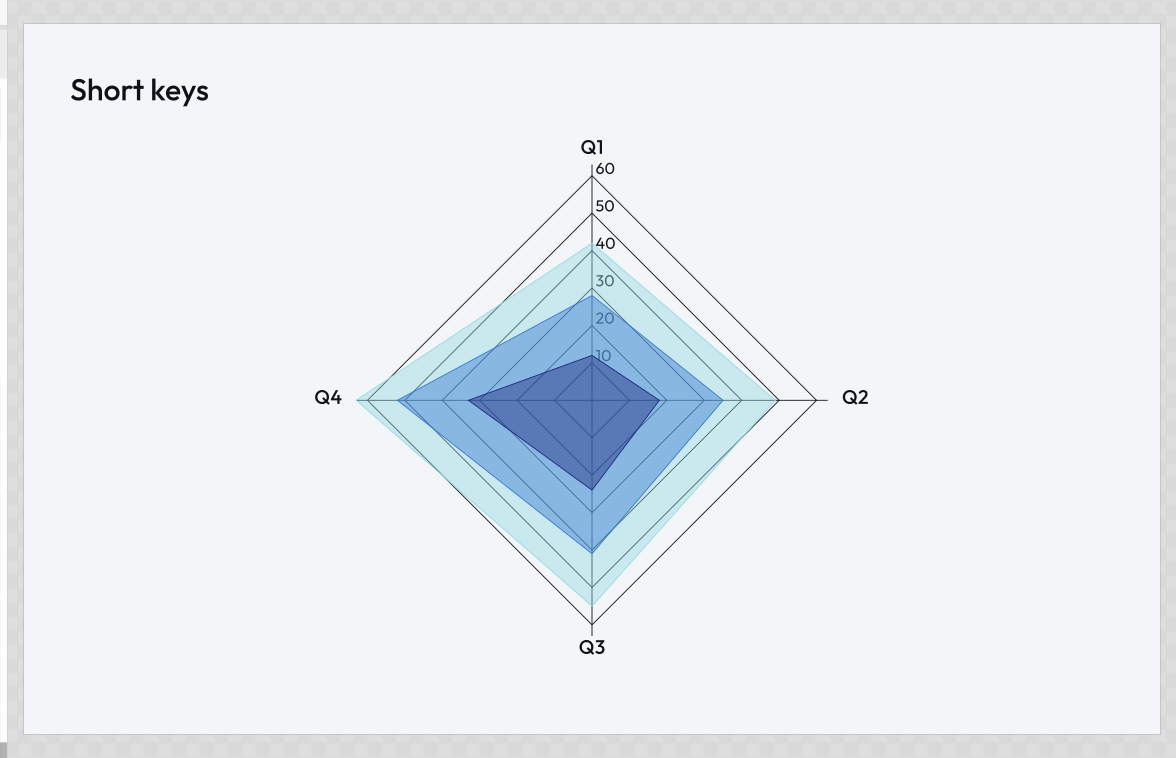
chart-creator is a live tool that uses urlKey, so a link copied via its Copy URL / share button won't match the long-form examples in this doc - that's expected. d3 uses them too: ?ct=radar&pl=cool&t=Short keys&lg=0 is chart type, palette, heading and legend in twelve characters of query.
 signed by Lollyvector SVGI-check mo mismoKunin ang signed na file11 paths808 nodes2 groups15 KB
 signed by Lollyvector SVGI-check mo mismoKunin ang signed na file11 paths808 nodes2 groups15 KB

