

本文件記錄了 Lolly 平台的目的、結構與架構決策,同時反映了產品願景與程式碼庫的現況。
狀態: Lolly 已經發佈。1.0 版本於 2026 年 8 月 30 日以 MPL-2.0 開源發佈,功能、預設值和工具目錄在各個版本之間仍會變動。引擎是具確定性的,每個外殼背後都是同一條算繪路徑。它的安全性尚未經過獨立稽核,採用情況的證據也只有幾個月的歷史。關於目前狀態以及如何衡量採用情況,詳見採用與治理。
這一頁怎麼讀。 內容按順序分成兩類。前半部是 為什麼會有這個平台:問題所在、定位,以及單一素材所經歷的 生命週期。從全局觀開始則是 各層如何組成:給貢獻者看的架構文件,涵蓋 engine/shell/pack 的分工、儲存庫配置、交付目標,以及限制平台每一次變更的承諾。如果你來這裡是要 修改程式碼庫而非了解產品,請從全局觀開始讀起。
有兩份輔助文件比本頁更深入。儲存庫中的
engine/README.md是引擎逐模組的地圖,附有自動產生的表格,列出每個模組 解析或寫入的內容。威脅模型與信任邊界 則是以信任邊界角度重新閱讀同一份架構,任何關於 引擎將什麼視為不受信任的問題,都應該去看這一頁。
為什麼會有這個平台
可重複的創意工作,規律性高到不值得每次都動用專業人力,但對品質的要求又高到無法在沒有防護機制的情況下外包。放著不管,只會走向三種結局之一:緩慢、不一致,或被鎖在供應商的範本裡。
這個平台就是直接的解答:
規模化的程式化創意與內容產出 - 素材由輸入產生,規則只需設定一次,供任何需要的人使用。
Lolly 不是設計系統誕生的地方 - 而是它被產出的地方。把它想成一台設計自動販賣機:選好項目,拿到成品。每次都是如此。引擎會為眼前的硬體,盡力產出每種格式所能達到的最高品質,而且同一套引擎在其發行的每個平台上,都會產出相同的檔案。
結果就是豐足:每一場活動都有正確的標示、每一則 CVE 警示都符合公司風格、每一張標籤都印刷乾淨、每一個電子郵件簽名檔都是最新的 - 而且全部出自早已承載這些規則的工具。這個平台處理的是重複、可作業化的創意工作,刻意不做成客製化的創意工具 - 旗艦作品仍由設計師掌控。
機率性創新,確定性擴展
每一場關於 AI 在創意流程中該扮演什麼角色的爭論,最後都卡在同一個問題:哪一部分該交給機器?這其實是個老問題,而且早有定論。抄寫員與泥金裝飾畫師早已在兩種工具之間工作 - 一邊是隨手的草稿,什麼都還沒定案、什麼都能嘗試;另一邊是印刷機,之所以令人望而生畏,正是因為它一旦付印就無法更改。藝術發生在草稿裡,而讓作品觸及所有人的則是印刷機。沒有人會把兩者混為一談,而兩者也都持續進步 - 新的墨水、新的字體、新的印刷機 - 每一項進步都與其所服務的技藝與意圖相輔相成。
Lolly 也劃出同樣的界線。以機率性的方式探索:一個模型、一位設計師、一個粗略的想法、一個走向沒人預料到之處的提示詞。接著以確定性的方式擴展 - 能變成許多輸出的,是一個工具,而工具每次都會依可讀的輸入,以相同方式算繪。探索可以保持自由,因為下游沒有任何東西仰賴它每次都得出相同結果。輸出之所以值得信任,是因為它不是猜測。讓 AI 的實驗轉化為可預測、可重現的成果,並不是什麼新的學問;這正是當初讓印刷品值得信賴的那套分工方式。
信任創意過程,以嚴謹擴展規模。
與其他替代方案相比
Lolly includes lolly.work, the same project's separately deployed organisation service. Local creation needs no account; shared work and server rendering use the configured instance. Competitor scores: August 2026. Lolly coverage: 28 September 2026.
| Capability | Lolly+ lolly.work | Penpotopen design | CanvaAffinity Cavalry |
Adobedesktop pro | Brand DAMFrontify Bynder |
Cloudinarymedia pipeline | Figmaonline pro | Render APIsBannerbear Placid Creatomate |
|---|---|---|---|---|---|---|---|---|
| Overall completenessunweighted mean - weight rows for your own context · columns are sorted by this row | 84 | 70 | 57 | 48 | 41 | 41 | 41 | 34 |
Production maturity & track recordCanva, Adobe, Figma, Bynder/Frontify: a decade-plus at massive scale. Render APIs: years in production pipelines. Penpot: shipping, large community, younger at enterprise scale. Lolly: version 1.0 public since 30 August 2026 under MPL-2.0, and SUSE runs it as an internal deployment; no usage data is shared yet and there are no public case studies yet. Cloudinary: 2012, enterprise media infrastructure at global scale. |
25 | 75 | 100 | 100 | 100 | 100 | 100 | 75 |
Mass generation from data (CSV / API)Lolly: batch grid and CLI, plus lolly.work's recoverable server jobs and batches with retries, cancellation and retained outputs. Canva: Bulk Create + Autofill API - real, but Enterprise-gated, async, text/image fields only; Affinity Publisher adds desktop data merge. Adobe: InDesign data merge and scripting. Figma: Buzz fills templates from CSV or XLSX, free in beta (Aug 2026) - cloud- and account-gated, 50. Penpot: open API/MCP, not purpose-built. Render APIs: this is their entire product - account- and cloud-gated, so 75 under the method rule. DAM: Studio-style batch create and resize. Cloudinary: URL-driven overlays and named transforms derive variants at scale - account-gated, 75. |
100 | 50 | 50 | 50 | 75 | 75 | 50 | 75 |
Offline & air-gap operationLolly: standalone creation works offline once its assets are available; lolly.work's organisation services need a reachable instance, which can run on an internal network. The Canva column is scored on its best family member: Affinity (free since Oct 2025) runs offline as a desktop suite once a verified account activates it - 75, the same deduction Adobe takes. Canva's own Offline (2026) still edits pre-synced designs only, per device, in a 14-day window. Adobe: desktop apps run offline; licensing phones home. Figma: cached-file viewing and limited editing. Penpot: self-host on your infra behind a firewall (server required). Cloud APIs and DAM: none. |
100 | 75 | 75 | 75 | 0 | 0 | 25 | 0 |
On-device rendering - data never leavesLolly: local rendering and conversion in-browser or CLI need no upload. Choosing lolly.work's shared storage, work collabs or server rendering sends the relevant data to the configured instance. Adobe: local desktop rendering, but cloud services and telemetry in the suite. Figma: canvas renders locally, files live in Figma's cloud. Penpot: 90 - rendering happens in the browser and the save target is a server that can be your own sovereign private cloud, even your own laptop, with private export throughout; only the server hop separates it from Lolly. Canva itself is server-side by design; the column's 75 is Affinity - local desktop rendering, account activation and telemetry, the same shape as Adobe. Render APIs, DAM: server-side by design. |
100 | 90 | 75 | 75 | 0 | 0 | 25 | 0 |
Hard brand constraints (structural)Lolly: templates fix layout rules and expose permitted inputs. lolly.work adds group access, input policies, shared catalogues, approvals and audit records. Copy and usage rights can still need review. Canva: element locks - permission-based, admin-set and static: no template logic such as conditional logo switching or responsive recomposition at fill time, and Canva AI does not yet respect Brand Controls - 50. Render APIs: templates are fixed (only declared fields vary) but no governance layer. DAM: locked templates with restrictions. Figma: Buzz templates hold locked guidelines at fill time; the design surface stays review-enforced - 50. Penpot: tokens and systems enforced by review, not runtime. Adobe: libraries, little enforcement. Cloudinary: presets and Enterprise-gated transformation templates fix operations, not brand layout - 50. |
100 | 50 | 50 | 25 | 75 | 50 | 50 | 75 |
C2PA provenance, signed at creationAdobe: the broadest shipped implementation (Photoshop, Lightroom, Premiere, Firefly) - signing happens locally in the desktop apps and in the cloud for the Content Authenticity web app, and nothing signs without an Adobe account and an Adobe-provisioned identity, so it is account-gated end to end: 75 under the method rule. Lolly: optional on-device signing without an account, plus lolly.work server signing with a configured organisation identity. A verifier must trust the signer's root to show a trusted identity. Version 1.0 is public and SUSE runs it internally, but no usage data is shared yet, so 75. Penpot: 50 via the official Lolly Export plugin - the same on-device engine signing Lolly uses, opt-in, as in Lolly (and disclosed plainly: it is Lolly's own plugin). No evidence of C2PA writing in Canva, Figma, render APIs or DAM as of Aug 2026. Cloudinary: 50 - signs images on delivery (fl_c2pa, CAI member since 2020), attesting delivery by Cloudinary rather than creation by you. |
75 | 50 | 0 | 75 | 0 | 50 | 0 | 0 |
CLI, pipeline & AI-agent automationLolly: CLI, TUI, MCP server and URL mode, plus lolly.work's authenticated render API, recoverable batches and governed delivery. One engine across the local and server paths. Render APIs: API-first, webhooks, integrations - account- and cloud-gated, so 75 under the method rule. Penpot: open API, plugins, official MCP server. Canva: Connect API - Enterprise-gated, async, rate-limited. Adobe: UXP/ExtendScript plus Firefly APIs. Figma: strong REST/plugin API, no render pipeline. DAM: asset-management APIs. Cloudinary: API-first media pipeline - account-gated, 75. |
100 | 75 | 50 | 50 | 50 | 75 | 50 | 75 |
Live collaboration (real-time co-editing)Figma: the scale benchmark - 200 simultaneous editors, up to 500 people in a file - account and cloud required. Canva: mature real-time editing across the product, same precondition. Penpot: real-time multiplayer with live cursors; self-hosting lifts the vendor-account precondition, but a server is still required. Lolly: direct two-device private collabs without an account, plus authenticated work collabs through lolly.work with shared edits, cursors and saved team sessions. Partial reflects the current single-node work deployment and limited operating history. Private collabs work without internet on a shared network; work collabs need the organisation's instance. Adobe: Live Co-Editing in beta, cloud documents only. Render APIs: no editing surface. DAM: comments and approvals, not canvas co-editing. Cloudinary: DAM comments and workflows, no canvas co-editing. |
50 | 75 | 75 | 25 | 25 | 25 | 75 | 0 |
No design skill requiredCanva: the category benchmark for ease. DAM: fill a locked template. Lolly: fill in fields using an existing tool, or publish a tool from Design through Share with rules. lolly.work manages access and input policy for the team. Render APIs: swaps design skill for developer skill. Adobe, Figma, Penpot: professional tools. Cloudinary: the media library is easy; transformations are developer territory. |
100 | 25 | 100 | 25 | 100 | 50 | 25 | 50 |
Open source, self-hosted, no lock-inPenpot: MPL-licensed, 51k+ stars, self-host via Docker/K8s - fully verifiable today. Lolly and lolly.work: MPL-2.0 open source in separate repositories, both self-hostable. lolly.work provides the organisation services as part of the project. The current 75 reflects the young project and limited deployment history. Everything else is proprietary SaaS or proprietary desktop. |
75 | 100 | 0 | 0 | 0 | 0 | 0 | 0 |
Cost at production scaleLolly + lolly.work and Penpot: no per-seat software licence charge for the open-source self-hosted path; hardware, storage and operations remain costs. Render APIs: metered - roughly $0.005–0.049 per image, credits often expiring monthly. Canva/Figma: per-seat; Canva's automation needs Enterprise, though Affinity itself is free since Oct 2025. Adobe: premium per-seat suite. DAM: sales-led enterprise quotes, MAU or seat models. Cloudinary: credit-metered across transforms, storage and bandwidth - 25. |
100 | 100 | 50 | 25 | 25 | 25 | 50 | 25 |
Annual medium enterprise spendIndicative list-price arithmetic for a medium enterprise - think 500-5000 people - August 2026: a guess range, not a quote; deals vary and the seat mix dominates. Ring = how much of the board's largest annual spend (US$500k) you keep; the number in the ring is each range's upper bound. Canva (US$75k-400k; Affinity free since Oct 2025 pulls the design-seat share down), Adobe (US$100k-500k) and Figma (US$30k-250k) assume the realistic creative-seat share of an organisation this size - tens to hundreds of seats, not a licence for every employee. Render APIs price by usage (US$5k-60k). DAM is quote-only, commonly US$50k-250k and up. Penpot is hand-set at 99: "your server" can be your own laptop - a small technical hurdle at well under 1% of an Adobe-scale spend. Lolly + lolly.work: US$0 in software licence charges for self-hosting. The figure excludes devices, organisation hosting, storage, support and administration; these need a separate budget. Standalone Lolly does not need the organisation service. Cloudinary: US$30k-150k, credit-based; enterprise contracts commonly sit near US$82k. |
$0 | $0 | $400k | $500k | $250k+ | $150k | $250k | $60k |
現今各創意工具的功能完整度,調查於 2026 年 8 月。評分標準:0 分表示不具備,25 分表示需以變通方式達成,50 分表示有實際功能但受限或不完整,75 分表示強大但有但書,100 分表示核心能力。
signed by Lollypositioning-comparison.htmlHTMLpixels, not shapes40 KBAI generatedgenerated by GPT-6自己驗證取得已簽署檔案差距很明顯:目前已上市的產品,沒有一個能同時做到以限制為先、可離線使用、低技術門檻、內部就能取得的輸出。Lolly 甚至包含一個開放式畫布 - Design - 其中的色彩、字體與素材都遵循品牌全域設定,因此自由排列仍然維持以限制為先。它不是一套不受限制的設計套件:設計師仍會使用 Illustrator 與 Figma 來製作客製化的旗艦作品。各種排列組合則可以用這個工具來組裝。
 signed by Lollyvector SVG367 paths~62k nodes773 groups3 images1,453 KB自己驗證取得已簽署檔案
 signed by Lollyvector SVG367 paths~62k nodes776 groups3 images1,454 KB自己驗證取得已簽署檔案


適用情境: 快速產生可作業化的創意素材 - 活動版塊、姓名識別證、簽名檔、CVE 警示、QR code、社群卡片、託運標籤、結構化報告。
不適用情境: 客製化的主視覺內容。
一場活動的生命週期
要看清 Lolly 究竟是什麼,最清楚的方式不是看功能清單 - 而是跟著一份素材,看它如何在不同人手中流轉。以下追蹤一張在地化的活動卡片如何在組織中傳遞:
- 創意人員訂下規則。 設計師在 Design 工具中製作基礎範本,將品牌的字體排版與色彩變數寫死進去。他們製作的不是一張卡片 - 而是一次性完成基礎工作,從此再也不必手動在地化。
- 開發人員將它規模化。 同一個範本透過 CLI 接入夜間排程管線,自動產生最新的圖表或新的語言版本 - 沒有設計師需要重新開啟檔案。
- 製作人直接使用它。 一位在飛機上離線的業務代表,開啟同一個工具,為客戶會議產生一份完全符合品牌規範的簡報。不需要設計技能、不需要網路、不需要等待。
第二步中的「最新圖表」就像這樣的算繪結果,由一段資料字串與少數幾個參數產生,完全沒有人開啟設計檔案:
 signed by Lollyvector SVG15 paths~1.3k nodes4 groups20 KB自己驗證取得已簽署檔案
 signed by Lollyvector SVG15 paths~1.3k nodes4 groups20 KB自己驗證取得已簽署檔案


重點不在於 Lolly 分別對設計師好、對開發人員好、對業務人員也好,各自獨立不相干。而是一場接力賽:創意人員最初的成果由開發人員加以規模化,進而賦能給製作人。飛機上那位非技術背景業務代表所享有的毫不費力的體驗,之所以可能,正是因為設計師訂下的嚴謹規範以及開發人員的部署工作。
這就是力量倍增器。Lolly 不是一個裝著各種角色專用工具的抽屜 - 而是一條確定性的素材生命週期,每個角色都會參與其中,每經過一雙手,前一份成果的價值就會被放大。
一個工具,多種產出
品牌規則存在於工具中,而不在它產出的每個檔案裡(詳見Lolly 與其他方案的比較)。把工具一次做對,之後每一份產出都會繼承相同的字體、顏色與間距,無論是一張卡片,還是一份跨十幾種語言、逐行排列的試算表。你如何檢查自己的工作、由誰來檢查,依然由你決定;Lolly 只是讓值得檢查的東西變小,產出做得更快。
同一個確定性工具能以三種方式達到這樣的規模,而且都會產出完全相同的結果:
- 一個人,在應用程式中操作。
/pro批次網格:貼上或匯入資料列,每一列產出一份完成的素材,下載為 zip 檔。不需要設計技能、不需要等待。 - 一位開發人員,透過命令列。 CLI 以無頭模式執行相同的引擎與相同的算繪路徑,因此可以在腳本或夜間管線中逐列依序執行該工具。在迴圈中呼叫
lolly <tool> --field=…就是整個整合工作。 - 一個系統或 AI 代理,透過 MCP。 同一個工具以程式化方式操作,保持相同的精確度,任務有多少列就處理多少列。
 signed by Lollyvector SVG133 paths~15k nodes185 groups1 image195 KB自己驗證取得已簽署檔案
 signed by Lollyvector SVG133 paths~15k nodes185 groups1 image195 KB自己驗證取得已簽署檔案


一套品牌限制,由設計師一次訂定;三條路徑通往完全相同的輸出。
全局觀:各層如何組成
從這裡開始的內容全部屬於架構層面。這張圖以單一視角呈現整個系統:最上層的工具是 資料,中間的引擎對任何平台都一無所知,其下的殼層則 實作同一份合約,而目錄提供內容。
                ┌─────────────────────────────────────────────┐
                │              Tools (data, not code)         │
                │   tool.json + template.html + hooks.js?     │
                └─────────────────────────────────────────────┘
                                    ▲
                                    │ talks to via Capability Bridge v1
                                    ▼
                ┌─────────────────────────────────────────────┐
                │                  Engine                     │
                │   loader · validator · runtime · template   │
                │   inputs · url-mode                         │
                │   PLATFORM AGNOSTIC. Knows nothing of DOM,  │
                │   filesystem, or You.                       │
                └─────────────────────────────────────────────┘
                                    ▲
                                    │ implements HostV1
                                    ▼
        ┌──────────────┬──────────────┬──────────────┬──────────────┐
        │  Web Shell   │ Tauri Desktop│ Tauri Mobile │  CLI Shell   │
        │   (PWA)      │              │              │              │
        └──────────────┴──────────────┴──────────────┴──────────────┘
                                    ▲
                                    │ fetches from
                                    ▼
                ┌─────────────────────────────────────────────┐
                │              Catalogs                       │
                │   catalog/tools/index.json + tool dirs      │
                │   catalog/assets/index.json + asset files   │
                └─────────────────────────────────────────────┘
儲存庫配置
Lolly 是單一儲存庫。engine/、schemas/、scripts/、tests/、api/、docs/、community/、brands/lolly-start/、每個 shells/ 以及兩個 services/ 在其中都只是一般目錄。唯一的例外是 brands/suse,一個私有的 git 子模組,存放 SUSE 工具包與目錄,採選擇加入方式,且不會出現在公開複製版本中。特定建置會讀取哪些內容包,是由內容設定檔(profiles.json)決定,並依處理程序個別解析,而非全域切換。子模組內變更的提交方式與複製指令請參見建置指南 » 取得原始碼。
lolly/
├── engine/           # Platform-agnostic core. Open source (MPL-2.0).
│   └── src/
│       ├── index.ts          # public surface - loader, runtime, template, inputs, url-mode
│       ├── loader.ts         # fetches and validates tool files
│       ├── runtime.ts        # orchestrates the 5-step lifecycle
│       ├── template.ts       # Handlebars hydration + annotateTemplate
│       ├── inputs.ts         # manifest → runtime input model
│       ├── url-mode.ts       # URL ↔ input state round-trip
│       ├── validate.ts       # JSON Schema validation of manifests
│       ├── compose.ts        # resolve nested tool renders (composes)
│       ├── embed.ts          # parse portable lolly.tools embed URLs
│       └── bridge/
│           └── host-v1.ts    # type re-export of the @lolly-tools/core contract
│
├── shells/
│   ├── web/          # PWA - hosted online; primary distribution
│   │   └── src/
│   │       ├── main.ts           # boot, routing
│   │       ├── theme.ts          # theme apply/persist (FOUC prevention)
│   │       ├── bridge/           # web implementations of HostV1 APIs
│   │       │   ├── index.ts      # compose all bridge pieces
│   │       │   ├── db.ts         # IndexedDB setup
│   │       │   ├── state.ts      # host.state - saved edits
│   │       │   ├── profile.ts    # host.profile - user details
│   │       │   ├── assets.ts     # host.assets - catalog + user uploads
│   │       │   ├── clipboard.ts  # host.clipboard
│   │       │   ├── export.ts     # host.export - rasterise/serialize
│   │       │   ├── net.ts        # host.net - allowlisted fetch
│   │       │   └── media.ts      # host.media - live camera frames (onFrame)
│   │       ├── catalog/
│   │       │   └── sync.ts       # boot-time catalog sync + offline cache
│   │       ├── styles/           # app-wide CSS (app.css, picker.css, tokens.css)
│   │       └── views/
│   │           ├── gallery.ts    # tool library listing + saved-state cards
│   │           ├── tool.ts       # mounts one tool (inputs + canvas + actions)
│   │           ├── picker.ts     # asset picker UI (invoked by host.assets)
│   │           ├── profile.ts    # user details editor
│   │           ├── projects.ts   # /p - folders of saved sessions (nested; folder/selection export)
│   │           └── free-canvas.ts # free-canvas editor overlay for render.layout:"editor" tools
│   │
│   ├── cli/          # Node.js CLI - same engine, headless jsdom
│   │   ├── bin/lolly.ts
│   │   └── src/
│   │       ├── run.ts    # loadTool → createRuntime → export → write file
│   │       └── bridge.ts # CLI implementation of HostV1
│   │
│   ├── tui/          # Interactive terminal shell (Ink) - reuses the CLI bridge
│   │   └── src/
│   │       ├── main.tsx  # full-screen app: Gallery / Projects / Profile / ToolView
│   │       └── bridge.ts # CLI bridge + on-disk state under ~/.lolly
│   │
│   ├── tauri-desktop/ # downloadable desktop app
│   └── tauri-mobile/  # iOS/Android app
│
├── community/        # the brand-agnostic tool pack - data, not code. Public (MPL-2.0).
│                     #   A SELECTION follows; a profile mounts these plus whatever
│                     #   tools the active brand pack carries of its own.
│   ├── qr-code/
│   ├── snippet/
│   ├── countdown-timer/
│   ├── color-palette/
│   ├── street-map/        # offline vector city-block maps
│   ├── url-shot/          # "URL Screenshot" (capture capability)
│   ├── strip-data/        # on-device metadata strip - JPEG/PNG/SVG/PDF (file in → clean file out)
│   ├── compress-pdf/      # on-device PDF compressor - recompresses images (file in → smaller file out)
│   ├── chart/             # SVG charts from structured data
│   ├── filter/            # photo effects in one tool - halftone/scanline/posterize/voronoi (vector), duotone/pixel-stretch/imperfections (raster)
│   ├── meeting-planner/   # global timezone meeting scheduler
│   ├── calendar-ics/      # event → .ics calendar file plus a card
│   ├── wayfinding-signage/ # event signage; directions blocks auto-fit label text
│   ├── text-helper/       # on-device text workbench (format/decode/hash/de-identify)
│   ├── design/     # "Design" - freeform WYSIWYG editor canvas (render.layout: editor)
│   ├── multi-page-pdf/    # multi-page PDF document - cover, flowing content blocks, back page
│   ├── diagram-builder/   # org / layercake / process / cycle / pyramid diagrams
│   ├── logo-wall/         # many logos → auto-packed grid
│   ├── icon/              # favicon .ico / png / svg from text + colours
│   └── lottie-digi-ad/    # animated Lottie ad banners
│
├── brands/            # brand packs - a catalog each, and optionally tools of their own
│   ├── lolly-start/   # the blank starter brand, owned here
│   │   └── catalog/
│   │       ├── tools/index.json    # tool registry, generated per brand
│   │       └── assets/
│   │           ├── index.json      # asset registry
│   │           └── lolly/...       # logo, palette, tokens
│   └── suse/          # PRIVATE submodule - the SUSE tools and the SUSE catalog
│
├── schemas/          # JSON Schema for tool.json, asset entries, AssetRef
├── scripts/          # build-catalog-index.ts, checksum-assets.ts, validate-catalog.ts
├── tests/            # engine tests
└── docs/             # this file + authoring guides + positioning
平台交付模型
這個平台可在多個介面上運作 - web PWA、Tauri 桌面/行動版、可腳本化的 CLI,以及互動式 TUI。它們全部使用相同的引擎與相同的工具檔案。
Web (PWA) - 主要發布管道
託管於 SUSE 控管的網址。一旦 service worker 快取了工具與素材,即可離線運作。大多數員工、供應商與合作夥伴都會在這裡使用這個平台。不需要帳號 - 狀態會依裝置儲存在 IndexedDB 中。
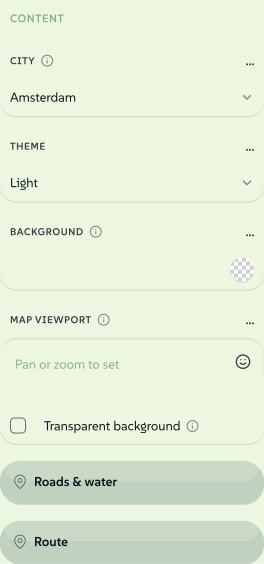
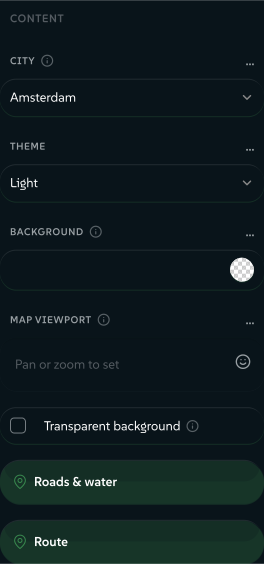
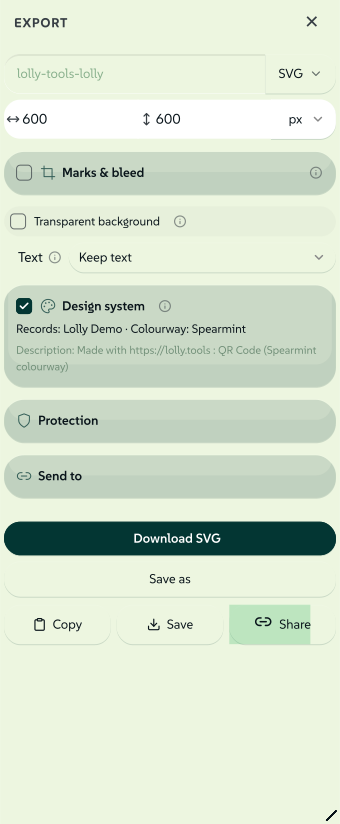
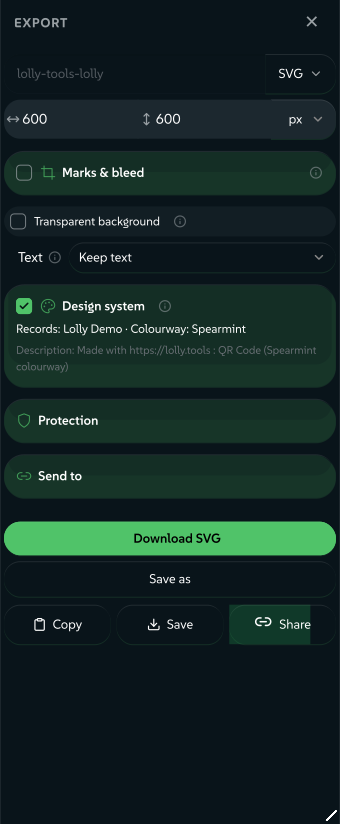
web 殼層採用單一版面配置做響應式設計。在桌面版上,工具是一個可調整大小的控制項側邊欄,搭配一個預覽舞台,並具備原生觸控板式的畫布導覽(Cmd/Ctrl + 滾輪或雙指縮放以游標為中心縮放、按住 Space 或中鍵拖曳平移、0/1/+/− 按鍵,以及 Fit/% HUD)。在行動裝置上(≤640px)控制項會變成一個上方固定的面板,附有可拖曳的把手,可吸附至窺視/半展開/全展開三種狀態(點擊可切換),覆蓋在靜態的全螢幕預覽上,而浮動的 Render 按鈕會以底部彈出面板開啟 Export 控制項。觸控操作可在預覽上進行雙指縮放與拖曳平移。兩者的算繪路徑與匯出控制項完全相同 - 只有介面外框會重新排版。
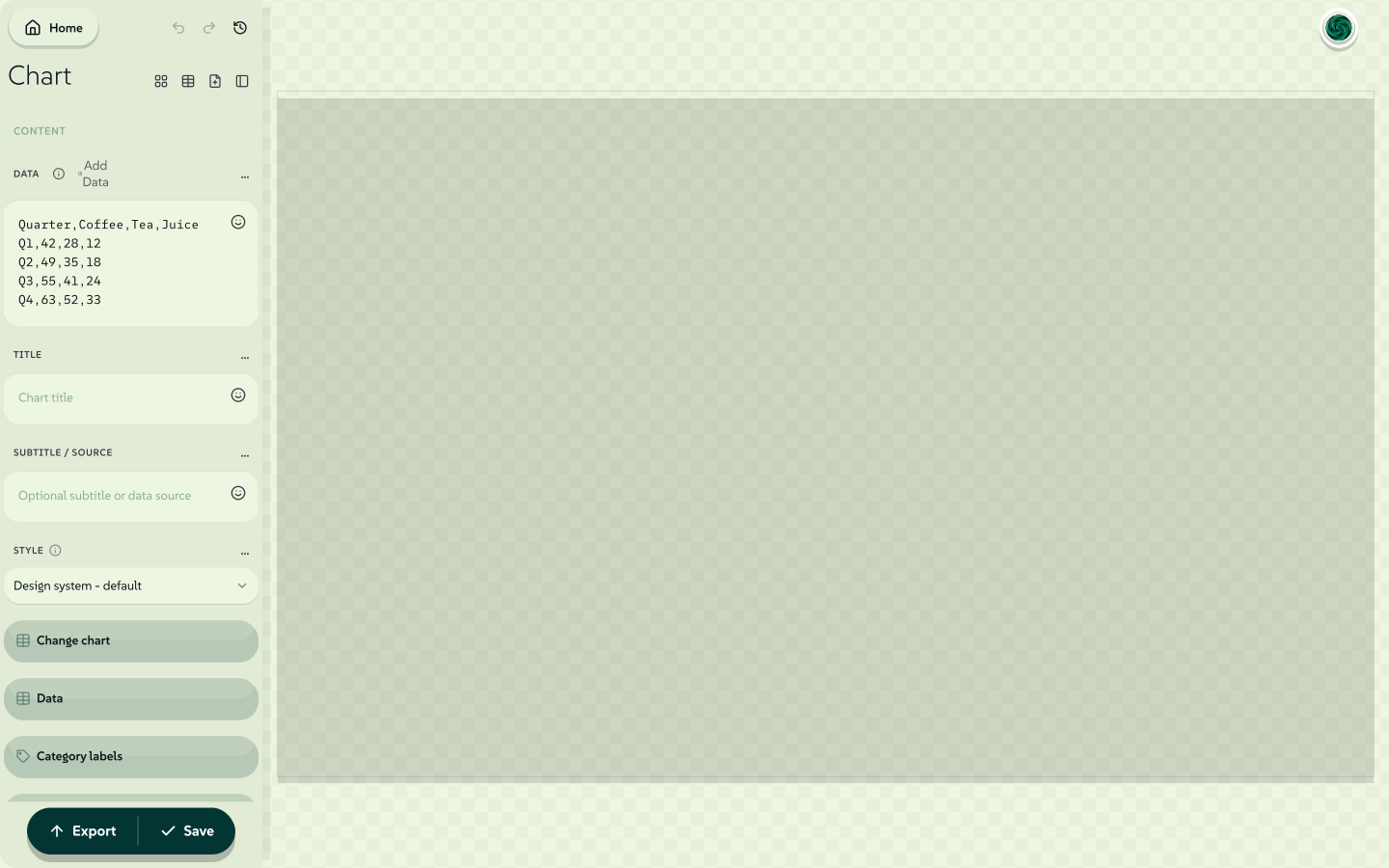 signed by Lollyvector SVG131 paths~6.1k nodes158 groups1 image142 KB自己驗證取得已簽署檔案

同一個工具在手機寬度下,不需要維護第二種版面:控制項變成頂端的表單頁,預覽佔滿整個畫面,輸出按鈕則浮在其上。
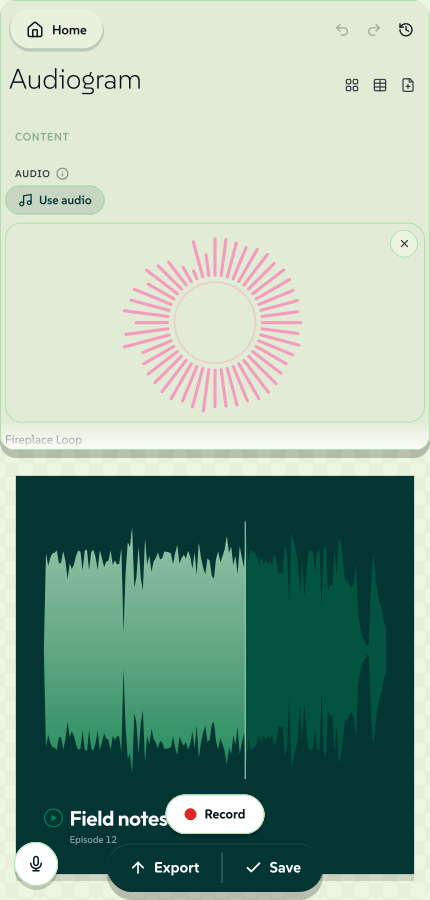 signed by Lollyvector SVG97 paths~3.3k nodes113 groups99 KB自己驗證取得已簽署檔案
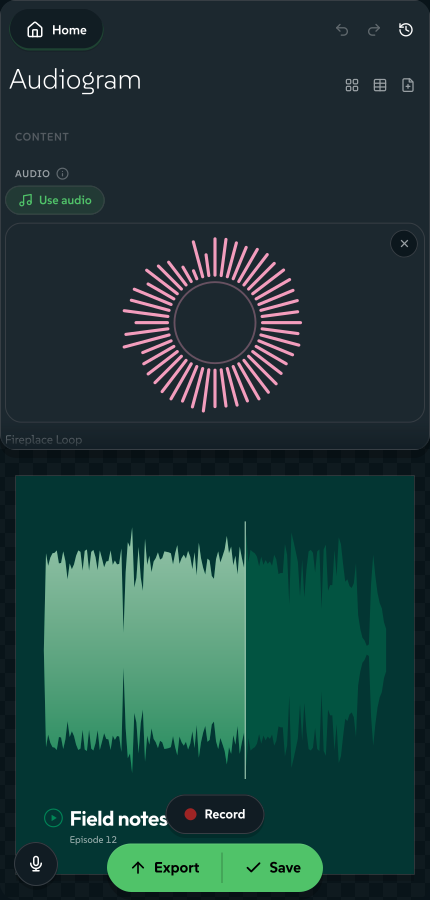 signed by Lollyvector SVG97 paths~3.3k nodes113 groups100 KB自己驗證取得已簽署檔案


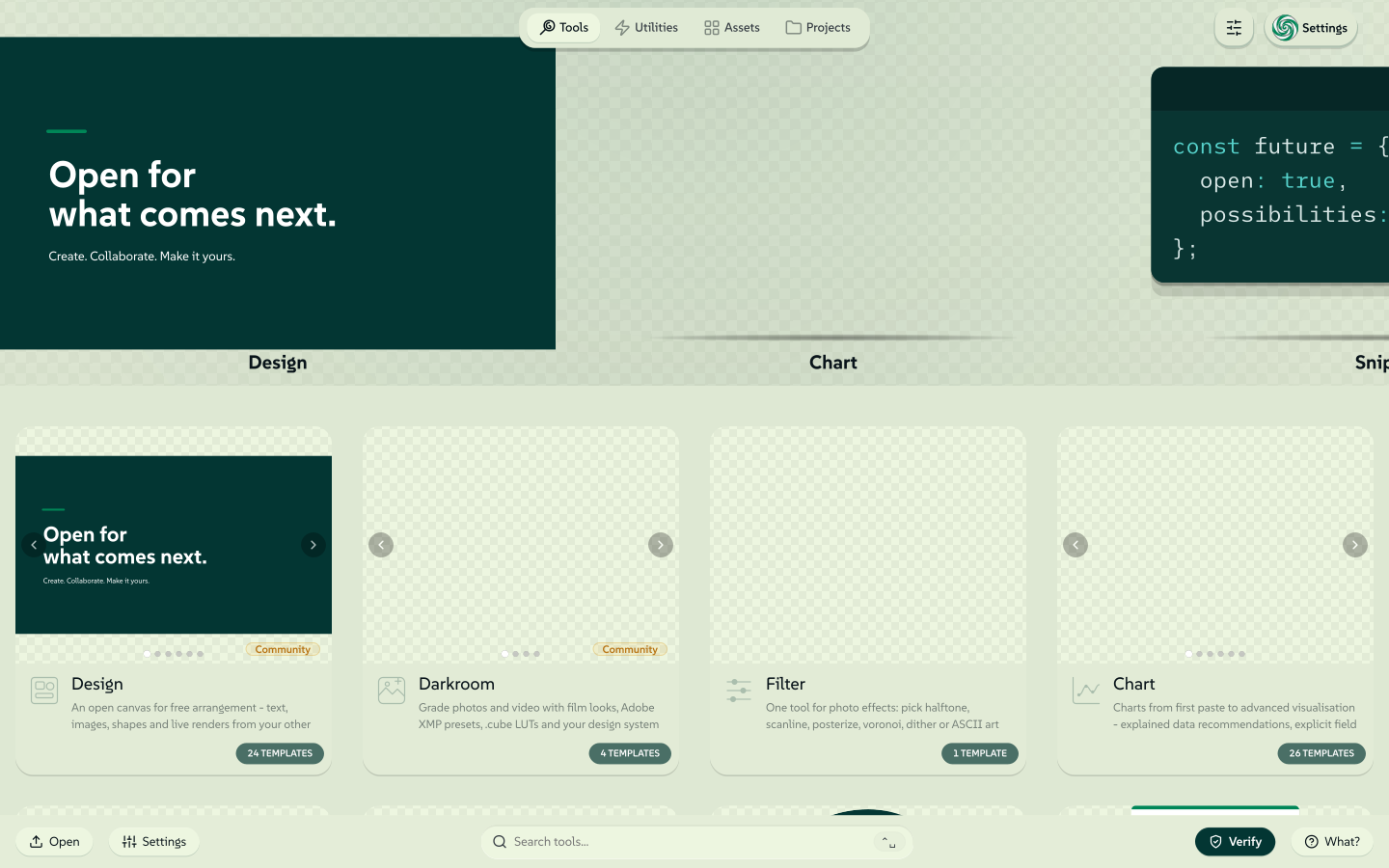
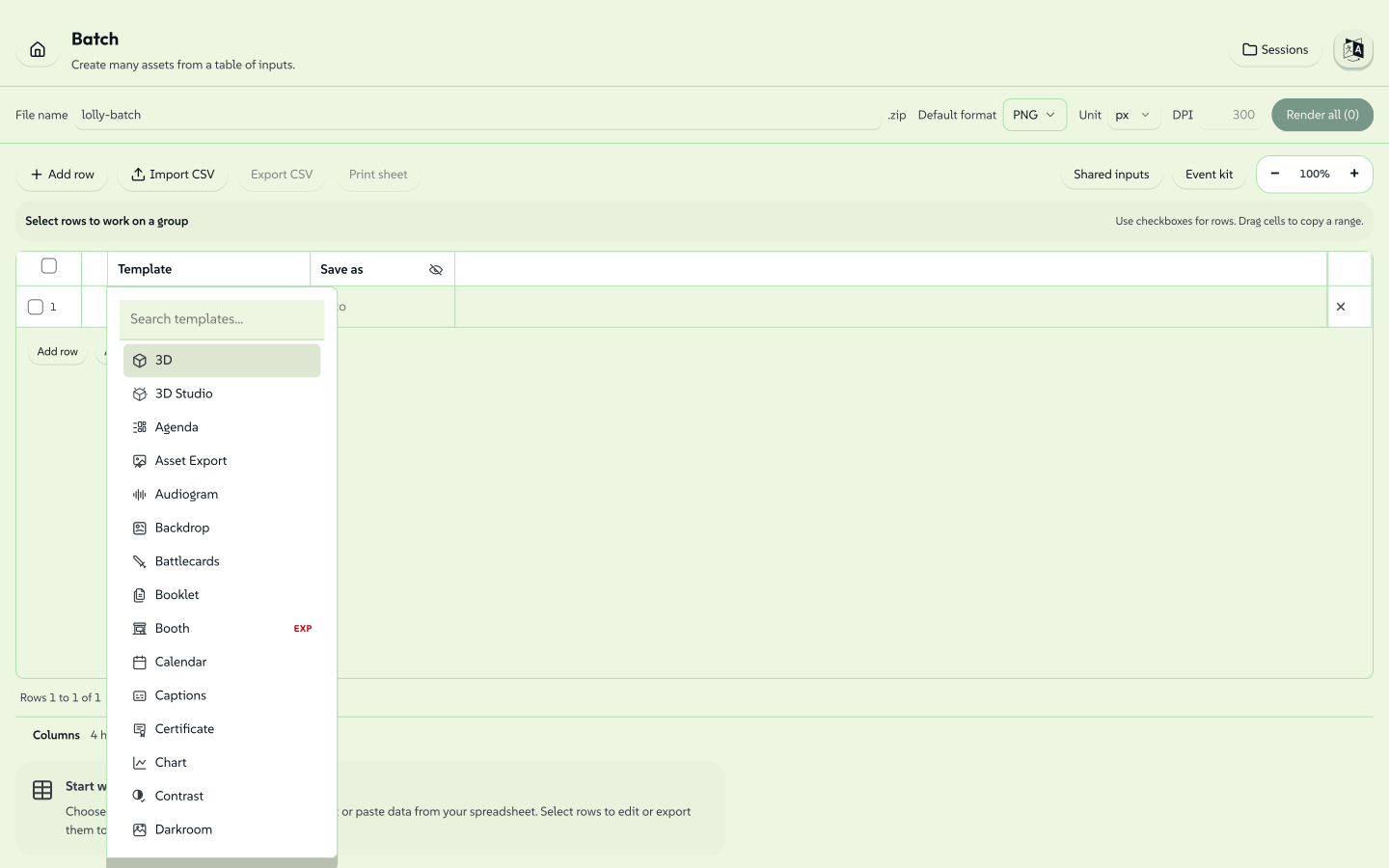
批次模式(/pro)。 Web shell 也提供一個試算表風格的批次網格(shells/web/src/pro/),可一次跨一個或多個工具算繪多列。它支援 CSV/TSV 雙向轉換與試算表貼上、逐列的樣板/格式/尺寸/單位/dpi、附即時預覽的 blocks 編輯側欄、可收合的輸出欄、逐列「相關性」標籤列、左側拖曳把手可重新排序、兩階段刪除確認、已儲存的批次工作階段,以及 .zip 下載。這就是「大量內容產出」定位背後的一對多介面。
Tauri 桌面版/行動版
打包好的原生應用程式(透過 Tauri 保持小體積)。提供完整離線可用性、供仰賴 CLI 的工具(PDF Smasher、Font Outliner)使用的檔案系統存取,以及相機存取。預計 2026 年年中進行工具強化。
CLI
lolly <tool-id> [--input=value ...] --output=file.png
桌面版使用者可以從終端機呼叫許多工具。CLI shell 載入同一個引擎、建立一個 jsdom DOM、執行同一條算繪路徑,並寫出檔案。URL 模式就是傳輸方式 - CLI 並非另一套實作。這確保 CLI 與 GUI 的輸出完全一致。
lolly qr-code --url=https://suse.com --output=qr.svg
lolly quotes --quote="Ship it." --output=quote.png
lolly                        # lists available tools
lolly qr-code                # lists inputs for that tool
TUI
pnpm run tui
CLI 的互動版對應物:一個以鍵盤操作為主的全螢幕終端機應用程式(以 Ink 打造),可瀏覽工具、填寫輸入、儲存專案並輸出 - 全程不需要 GUI。其 host bridge 針對無 DOM 的格式(SVG/EMF/EPS/HTML + 文字/資料)重用 CLI 的實作,並加上 ~/.lolly 底下的磁碟狀態,以及可選擇啟用的行內預覽。除此之外,它還有一個瀏覽器算繪層:一個範圍受限的無頭 Chromium(與 MCP 伺服器安裝的是同一套),可依需求產生點陣圖/PDF/影片與即時 URL 擷取 - 驅動一份已建置好的 web shell 副本,因此輸出完全一致,並且只在你首次輸出這類格式時才啟動。因此 url-shot(含裁切、重新上色與向量 PDF/SVG)以及每個點陣圖/pdf 工具,也都能在終端機中執行。詳見 TUI 指南。
無論你在哪個介面,儀表板的 Capabilities 分頁都是平台宣告自身能力的完整地圖,依分類整理,不需要開啟任何一個工具就能閱讀。
工具分類
工具在其 manifest 中以 category 標記,用於藝廊分組。
各列依藝廊區塊順序列出。utility 區塊在藝廊中永遠最後呈現(排在所有其他分類之後,包括未來新增的分類)- 它是裝置端的「離線工具」抽屜。
| 類別 | 範例 | 規劃中 |
|---|---|---|
everyone | QR Code Generator, Quote Card, Email Signature, Logo, Wordmark, Audiogram, Battlecards, Sequence, Record | Employee Image Stationery |
designer | Brand Lockup, Design, Chart, Darkroom, Filter, Pose Geeko, Booklet | Font Outliner |
event | Meeting Planner, Event Name Badge, Wayfinding Signage, Calendar ICS, Booth Studio | Event Stationery, Bulk Name Badges, Room Agenda Cards |
product | - | CVE Alert, Product Release Announcement, Blog OG Image |
utility | Strip Hidden Data, Text, Compress PDF, Convert Image, Convert Font, Redact, Run Web Code, Screen Capture, URL Screenshot | 單位/格式轉換器,更多裝置端隱私公用工具 |
這些欄位是範例,不是完整清單。哪些工具存在,取決於你所掛載的 profile,而不是這個頁面 - 品牌套件會加入自己的工具,也可以排除某個它不想提供的社群工具。catalog/tools/index.json - 由 manifest 產生,也是藝廊實際讀取的登錄檔 - 才是權威清單;要計算某個 profile 掛載了多少工具,應清點 manifest(ls community//tool.json brands//tools/*/tool.json),而不是信任這裡寫下的數字。(同一個工具 id 若出現在兩個套件中,只會掛載一次,以優先的套件為準。)
工具也依狀態分類:official(品牌核准,無浮水印)、community(外部貢獻)、experimental(輸出加浮水印)。函式庫中大多數是 official;較新的工作室與擷取類工具在穩定下來前,通常會落在 community 或 experimental。每個介面都會顯示徽章,讓讀者在開啟工具之前就知道自己拿到的是什麼 - 而且,就像上方的分類欄位一樣,各狀態下的工具成員異動太快,無法在此列舉。請以藝廊或產生的索引為準。
Design 是第一個建立在 render.layout: "editor" 自由畫布模式上的工具 - 一個無外框、直接操作的介面,你可以拖曳、縮放、旋轉並吸附文字、形狀與圖片方塊,再透過與其他所有工具相同的算繪路徑輸出。
Strip Hidden Data 是第一個裝置端公用工具(privacy: "on-device"):一個內容轉換工具,會接收你提供的檔案,完全在瀏覽器中處理後傳回乾淨的副本,不會上傳、不會加浮水印,也不會蓋上來源標記。Text 是第二個,一個裝置端工作台,用於日常貼上網站的作業(JSON 格式化、JWT 解碼、Base64、URL 編碼/解碼、SHA 雜湊)。Compress PDF 是第三個,它透過重新壓縮圖片來縮小 PDF 檔案,同樣完全在裝置端進行。標記及其徽章文字「在你的裝置上執行,沒有任何內容會被上傳」現在涵蓋整組轉換工具:Strip Hidden Data、Text、Compress PDF、Convert Image(HEIC/TIFF/AVIF → WebP/JPG/PNG)、Convert Font、Redact(在圖片、SVG 或 PDF 中銷毀指定區域)、Prompt Card,以及在設定檔掛載時的 Rebrand(就地重新套用 .pptx 的主題)。這是一個隱私公用工具類別,取代了將機密檔案交給單一用途網站處理的做法。
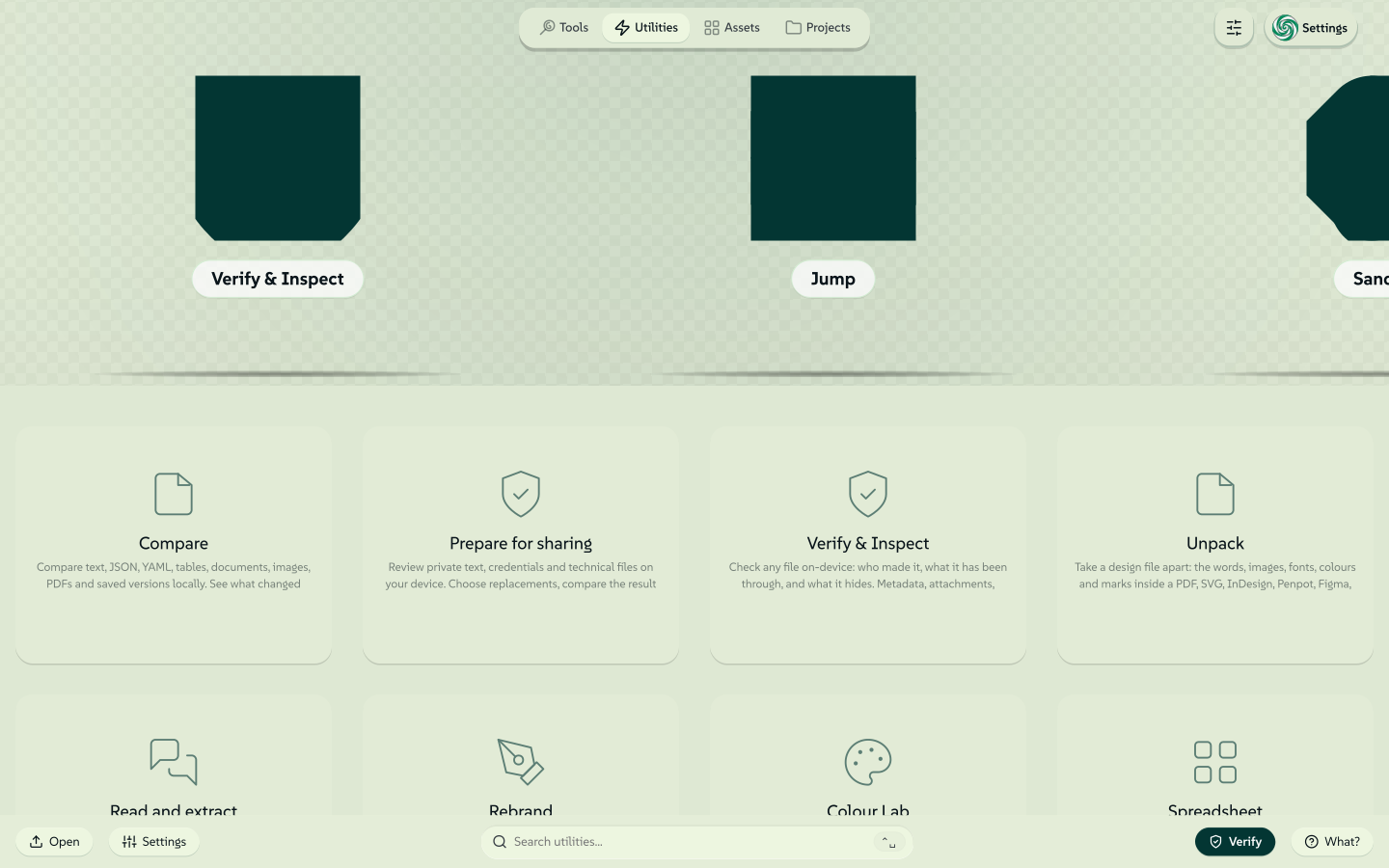 signed by Lollyvector SVG124 paths~29k nodes324 groups395 KB自己驗證取得已簽署檔案
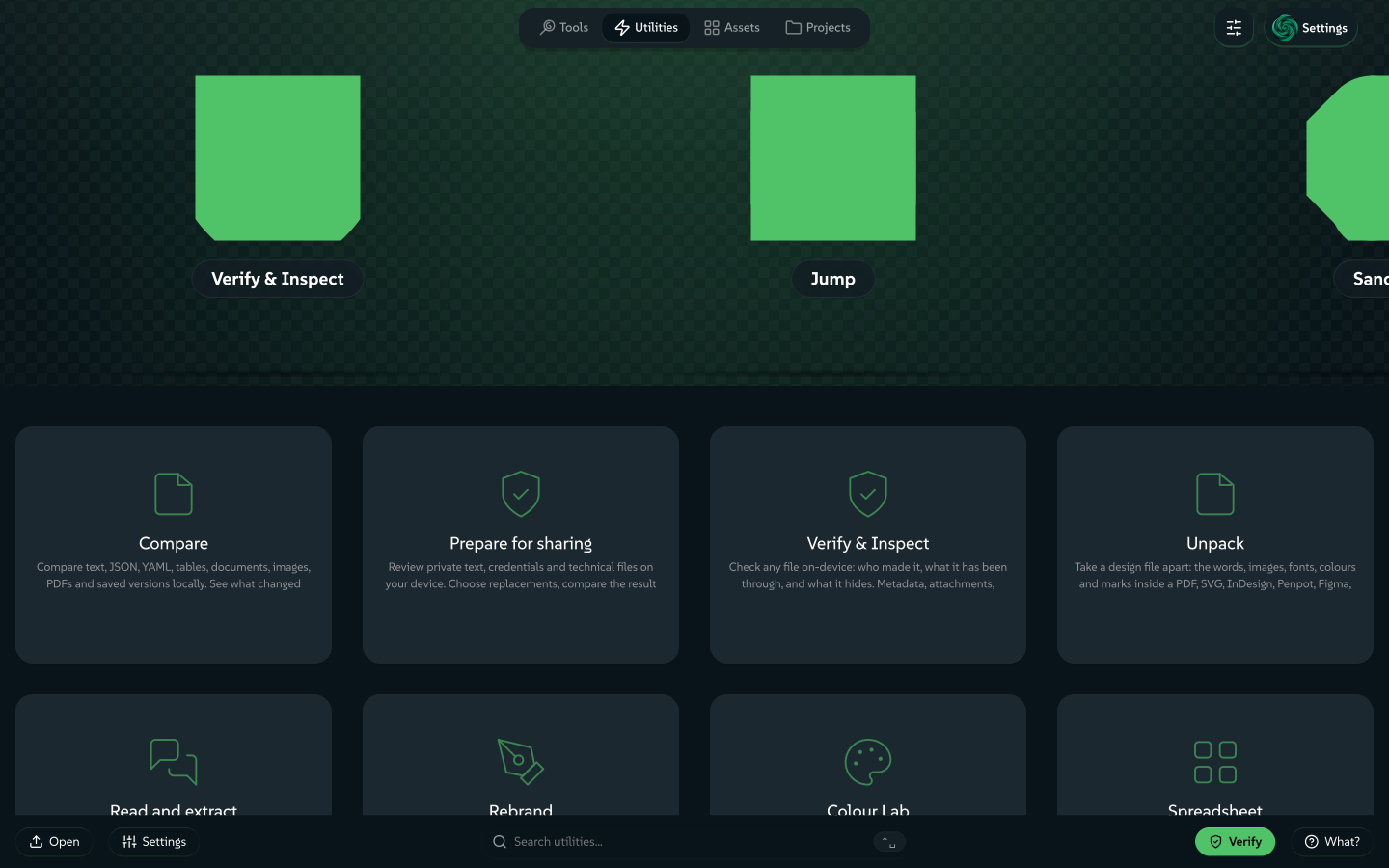 signed by Lollyvector SVG124 paths~29k nodes324 groups396 KB自己驗證取得已簽署檔案


附註:
category與status會從每個tool.json反正規化寫入catalog/tools/index.json(圖庫讀取的登錄檔)。清單檔案(manifest)才是真實來源 - 該索引是由pnpm run build:catalog產生的,若已提交的索引與清單檔案不一致,pnpm run validate:catalog會讓 CI 失敗。
架構承諾
以下決策已經定案。更動其中任何一項都是重大工程 - 它們塑造了程式碼庫中的其他每一項決策。
1. 宣告式工具,搭配命令式逃生艙
一個工具是一份 manifest(tool.json)+ 一份樣板(template.html)+ 選用的 hooks.js。
輸入由 manifest 宣告。 而非樣板。輸入不是從 Handlebars 標記推斷出來的。manifest 是合約;樣板透過 {{id}} 使用具名變數。
 signed by Lollyvector SVG39 paths~2.6k nodes54 groups2 images43 KB自己驗證取得已簽署檔案
 signed by Lollyvector SVG39 paths~2.6k nodes54 groups2 images43 KB自己驗證取得已簽署檔案


Hooks 是選用的。 大多數工具是純宣告式的 - manifest + 樣板就已足夠。需要計算值的工具(QR 編碼、圖表資料整形)提供 hooks.js,公開具名的生命週期函式(onInit、onInput、onFrame - 供動態反應相機工具使用的逐幀即時相機掛鉤 - onLevel、beforeExport、afterExport、exportFile - Strip Hidden Data 等裝置端工具使用的檔案輸入/檔案輸出轉換路徑 - 以及 exportStill,供自行掌管深度點陣算繪的工具使用)。host 透過 new Function('host', …) 載入 hooks,並以閉包範圍注入能力橋接(capability bridge)。這是一份可攜性合約,而非安全沙箱:hooks 仍在頁面 realm 中執行,在瀏覽器 shell 中可以存取 window/fetch/document - host. 是受支援的可攜介面,而非強制邊界。非同步 hook 結果有時間限制(onInit 5 秒、onInput 2 秒、beforeExport/afterExport 5 秒、exportFile/exportStill 10 秒),逾時結果會被捨棄;失控的同步* hook 則無法被中斷。因此,在 Worker 隔離上線之前,執行不受信任的第三方 hook 程式碼並不安全。
這點之所以重要:宣告式工具可以由非開發者撰寫。如果每個工具都是一個網頁應用程式,「創建/維護核心樣板的技能有限」這項風險就會變成永久的瓶頸。
2. 工具與資產是資料,不是綁定的程式碼
Web 與 Tauri 應用程式會在啟動時,從已知的 URL 擷取工具與資產目錄,在本機快取後,依當下所有的內容運作。新增一張活動版型或季節性資產,不需要發布新版應用程式。
資產位元組經過 SHA-256 校驗,以防止 CDN 遭下毒。資產的 id + version 驅動快取失效。
3. 能力橋接是工具唯一能看見的 API
工具永遠不會在其樣板區域之外碰觸 DOM,不會直接呼叫 fetch,也不會讀取檔案系統。它們呼叫已版本化的 host.* 方法。此合約的權威定義位於 packages/core/src/host-v1.ts - 也就是工具作者 SDK @lolly-tools/core,讓第三方無需依賴引擎就能據此開發;engine/src/bridge/host-v1.ts 是它的型別重新匯出,引擎/shell 的程式碼仍照舊從該路徑匯入:
| 橋接 API | 功能 |
|---|---|
host.profile | 使用者的名字、電子郵件、大頭照、城市等。透過 bindToProfile 預先填入輸入欄位。 |
host.assets | 目錄查詢、資產解析、host 提供的選取器 UI。 |
host.state | 儲存/載入輸入欄位槽。Web 版用 IndexedDB,Tauri 用檔案系統,CLI 用記憶體。 |
host.clipboard | 將文字或圖片寫入剪貼簿(並提供平台備援方案)。 |
host.export | 將算繪目標點陣化或序列化。對 experimental 工具套用浮水印。 |
host.net | 允許清單內的 fetch - 僅在工具宣告 "network" 能力時才可用。(目前沒有已上線的工具使用它。) |
選用、可疊加的介面只會在某個 shell 提供時出現。有些是依能力閘控的 - 僅在工具宣告對應旗標時才會公開:host.compose(嵌入另一個工具的算繪結果 - compose)、host.capture(供 URL Screenshot 使用的頁面擷取 - capture),以及 host.recorder(供錄製類工具使用的麥克風/相機/畫面擷取 - microphone / camera / screen)。其餘則是特徵偵測式的 - 只要 shell 能提供就會出現,工具則為無法提供的 shell 保留備援方案。
以下列出幾個代表性介面,用以說明其涵蓋範圍 - Host API 記載了每一個項目,而 packages/core/src/host-v1.ts 本身就是合約:
| 介面 | 自 | 新增內容 |
|---|---|---|
host.tokens | 1.0 | DTCG 設計權杖——品牌自己的基本元素 |
host.text | 1.0 | 透過 HarfBuzz WASM 將文字轉換為路徑(wasm 能力旗標會標記依賴此功能的工具) |
host.media | 1.4 | 即時攝影機畫格驅動 onFrame 掛鉤。屬於漸進式增強功能,刻意不受 camera 旗標限制——這類工具在沒有攝影機時仍可作為一般靜態圖片工具運作 |
host.color | 1.40 | 知覺色彩運算:ΔEOK、WCAG + APCA 對比度、OKLab 漸層、分級斷點、類別調色盤、和諧配色方案(1.60)、CSS Color 4 混色與漸層烘焙(1.68)。純函式且同步執行——殼層是掛接引擎的 makeColorApi(),而非自行實作,因此不會產生落差 |
host.images | 1.60 | 在裝置端解碼/縮放/重新編碼位元組——即轉換路徑(HEIC → JPEG、壓縮為 WebP、縮小尺寸)。在網頁殼層中以延遲載入的外觀模式提供,因此 HEIC 解碼器永遠不會進入開機區塊 |
host.geom | 1.64 | 精確向量幾何運算:路徑布林運算、偏移、筆畫轉填色、雲形線降階、簡化、命中測試。同樣是純函式、同步執行,並由引擎掛接(makeGeomApi());失敗會以回傳值表示,而非拋出例外 |
其餘部分遵循相同規則,並在其旁一併記載:pdf(1.8)與 pptx(1.58)用於裝置端文件加工,audio(1.71)與 speech(1.96)用於片段分析與裝置端 TTS/轉錄,viz(1.72)用於 MilkDrop 佔位合約,codec(1.100)與 layers(1.102)用於深位元與分層點陣輸出,upscale(1.101)與 matte(1.103)用於裝置端模型,raster(1.105)供自行處理像素運算的 hooks 使用,connectors(1.106)用於輸出安全的箭頭,以及 c2pa(1.85)用於為完成的位元組簽章。數量會持續增加;規則不會。
可宣告的能力有:network、filesystem、clipboard、camera、microphone、screen、ffmpeg、wasm、capture、compose。(screen 於 1.54 新增,是透過 host.recorder 的畫面擷取 - 使用者在瀏覽器原生 UI 中選取螢幕/視窗/分頁;與 capture 不同,後者是將工具自行指定的某個 URL 點陣化。)
同一個工具能在瀏覽器、Tauri 與無頭 CLI 中執行,是因為每個 shell 都實作了這個介面 - 工具本身並不知道自己身處哪一個環境。
這個橋接是有版本的。新增方法屬於次版號更新。移除或變更簽章屬於主版號更新。當 v2 上線時,v1 必須持續可用。
4. 資產 ID 永遠不變
suse/logo/primary 是一份合約。一旦發布:
- ID 永遠不會變更,也不會被重複使用。
- 位元組內容變更 → 在 manifest 中提升
version。 - 被新資產取代 → 設定
deprecated: true,並可選擇性設定replacedBy。 - 既有的參照永遠能被解析。
這讓已儲存的工具狀態與 URL 分享連結,能夠歷經多年依然可用。
5. URL 模式屬於一等公民
每個輸入都必須能以 URL 參數表達:
lolly.tools/#/tool/qr-code?url=https://suse.com&ecl=H signed by Lollyvector SVG55 paths~2.6k nodes38 groups60 KB自己驗證取得已簽署檔案
 signed by Lollyvector SVG55 paths~2.6k nodes38 groups61 KB自己驗證取得已簽署檔案


CLI 模式就是換了一種傳輸方式的 URL 模式 - CLI shell 會從 argv 建構一個 URL 狀態物件,並執行同一條引擎管線。只有一條算繪路徑。CLI 不可能與 GUI 出現偏差,因為它並非另一套實作。
url-mode.ts 負責處理往返轉換(解析與序列化)。有一組保留參數永遠不會以輸入形式轉發給工具:輸出控制項(format、export、copy、filename、width/w、height/h、unit、dpi)、印刷與來源標記旋鈕(bleed、marks、profile、password、c2pa、imprint、durable、meta、hdr、depth、cuts),以及狀態載體(template、z - 也就是「最短連結」封裝權杖 - 與 zx,即以密碼加密後的同一種權杖)。engine/src/url-mode.ts 中的 RESERVED 集合是權威來源,並由測試釘住;URL Mode 記載了其中每一個項目,包括這裡未列出的少數幾個。URL 模式下的資產輸入以其 id 序列化;執行環境會在生成前透過 host.assets.get() 解析它們。width/height 是以 unit 為單位的數值(預設 px,也可用 mm/cm/in/pt/pc);使用實體單位時,dpi 會設定點陣解析度。它們會設定畫布的文件尺寸,並預先填入輸出尺寸面板。
由於每個輸入都會隨連結一起傳遞,參數一變,就是不同的成品。以下整個調色盤,就只是一個種子色、一種調和方式與一個階數:
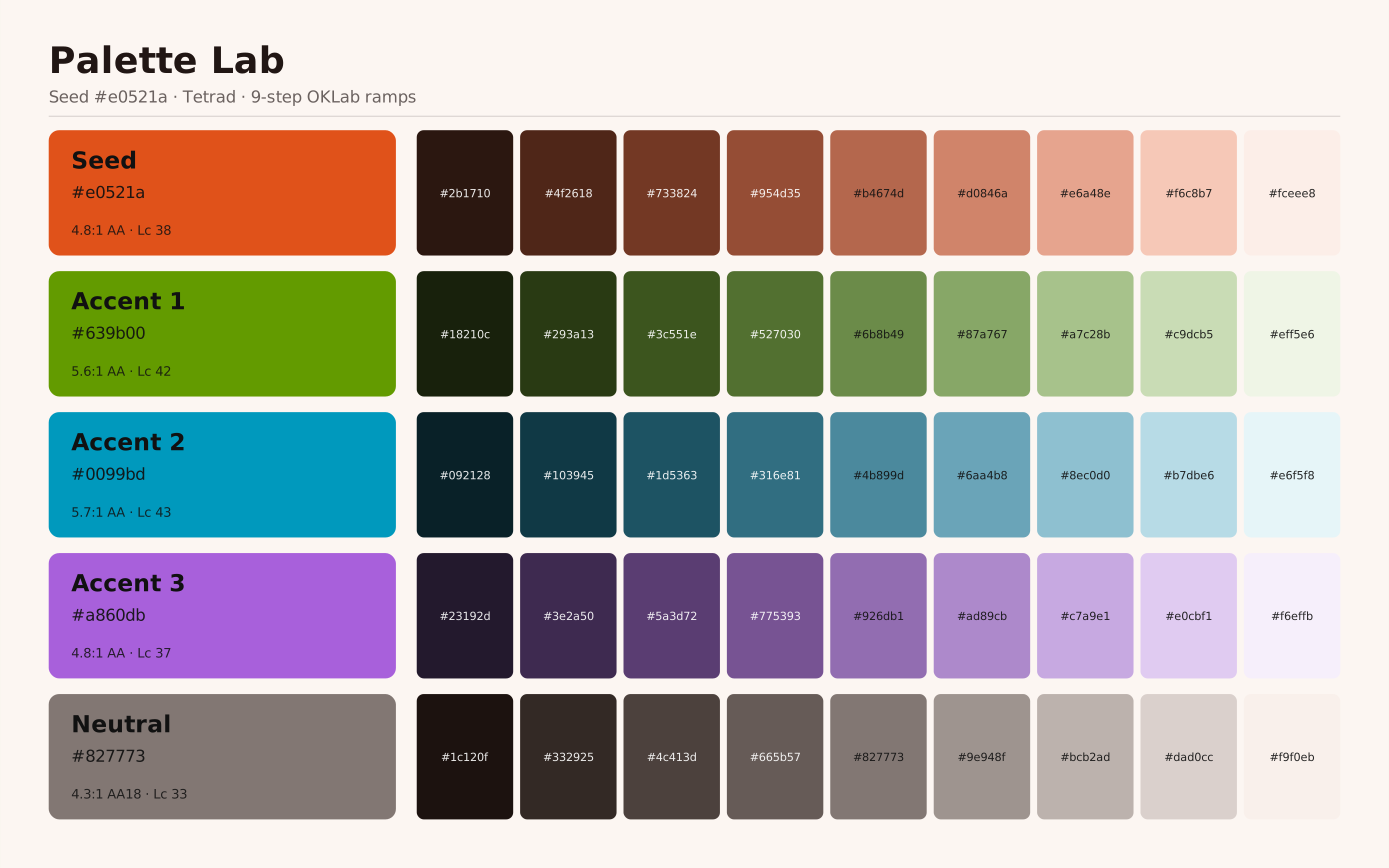 signed by Lollyvector SVG10 groups25 KB自己驗證取得已簽署檔案
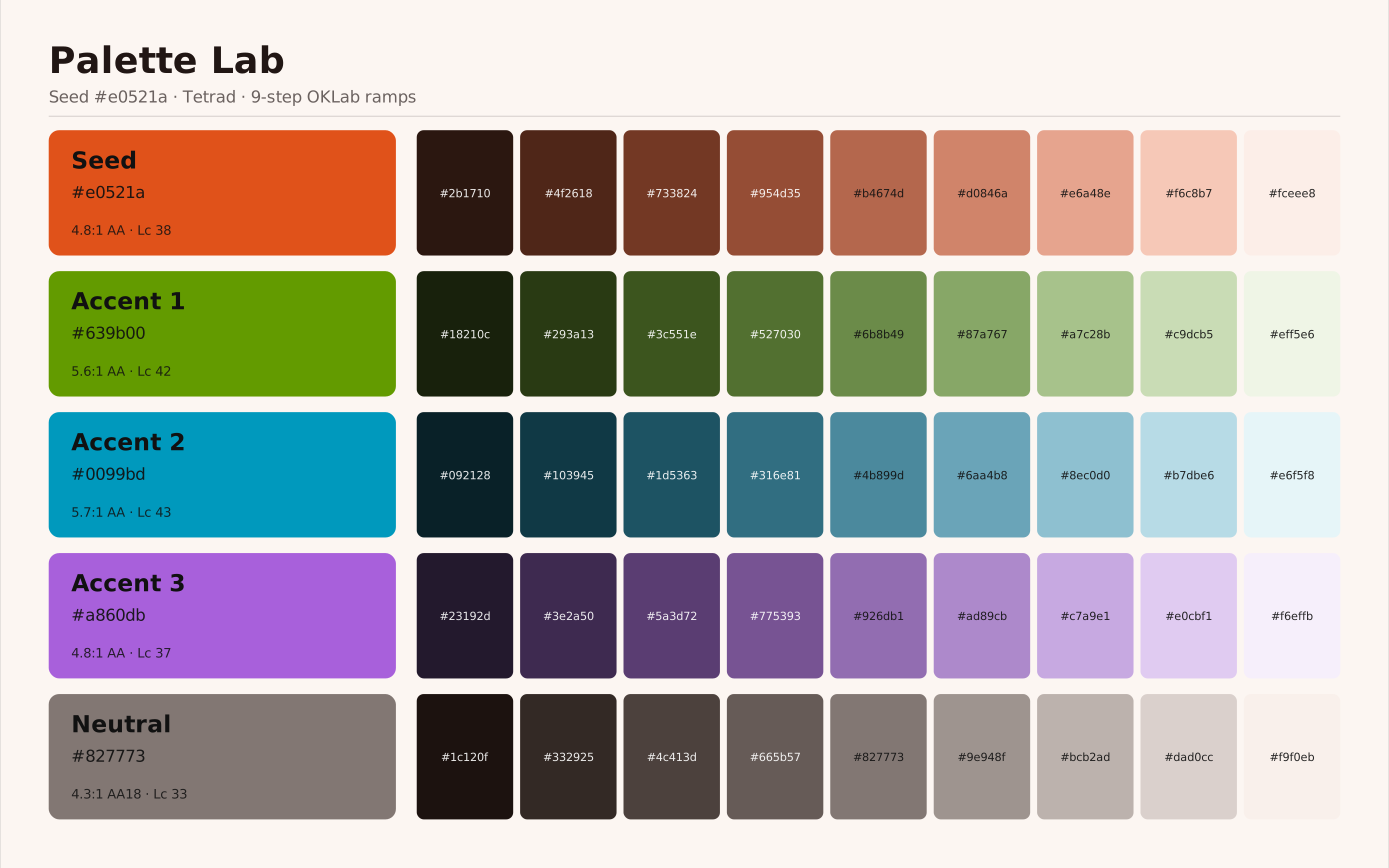 signed by Lollyvector SVG10 groups25 KB自己驗證取得已簽署檔案


6. 儲存透過橋接層進行,而非直接存取
Web shell:IndexedDB。Tauri:檔案系統。CLI:記憶體內。工具只能看到 host.state.save(slot, data) 和 host.state.load(slot)。不使用 localStorage - 它太小,也無法儲存 blob。
使用者可以為每個工具儲存多個具名編輯槽,之後回到各個工作階段。不需要建立帳號;狀態是以裝置為單位的。由於橋接層是唯一的介面,這種以裝置為單位的狀態也是可攜的:shells/web/src/data-transfer.ts 透過 host.profile/host.state/host.assets 讀出所有內容,整合成單一 lolly-backup 壓縮檔,可在任何其他安裝中匯入 - 這是不需要伺服器就能解決「移到新裝置」問題的離線方案(完整規格見 docs/data-transfer.md)。多裝置同步已經建立在這之上,把同一個包送到使用者選擇的儲存位置(docs/sync.md)。
7. 成熟度標籤依設計說明工具是什麼
每個工具都在其清單中宣告 status: official | community | experimental。圖庫依狀態排序。實驗性工具的匯出會自動加上浮水印 - 浮水印由 host.export.render 套用,而非由工具本身套用,因此非官方工具作者無法選擇退出。
這是對「圖庫中每個工具份量相同」這種觀感風險的結構性解答。團隊圍繞目錄建立的任何流程都疊加於其上。
8. 工具輸入透過清單定型,資產也不例外
輸入項宣告一個 type:text、longtext、number、boolean、color、select、asset、date、time、datetime-local、url、blocks、vector、table 和 file。主機會依清單中的類型渲染通用控制項 - 工具本身不需要撰寫任何控制項程式碼。(從使用者個人檔案預先填入不算是一種類型 - 任何輸入都可以帶有 bindToProfile。)其中有三種份量特別重:
asset(搭配filter和allowUpload)是連接全域資產系統的橋接;allowUpload: false是品牌強制執行的槓桿,適用於贊助方塊標誌之類只允許使用圖庫資產的情況。使用者上傳的檔案使用與圖庫資產相同的AssetRef格式,因此工具能以相同方式處理它們。blocks是一種重複的欄位群組 - 一個輸入內的迷你表格,在側邊面板中編輯,附有已定型/可判別的新增選單以及每個區塊的資產欄位。點擊畫布上渲染出的區塊,會聚焦該區塊對應的列。用於meeting-planner、chart-creator、event-name-badge、wayfinding-signage、color-block和digi-ad。vector將一組固定的數值(例如一個變形)歸為一個複合控制項;file將使用者自己的檔案以位元組形式保存在記憶體中,供裝置端轉換工具使用(例如strip-data和compress-pdf)。
9. 模板不含邏輯(Handlebars,而非 EJS)
刻意選擇 Handlebars 而非 EJS:
- 不含邏輯。模板可以由非開發人員撰寫。
- 預設安全。
{{x}}會進行 HTML 逸出;{{{x}}}則是選擇性的原始輸出。 - 模板中沒有任意 JS,代表不需要逐模板進行 XSS 稽核。
邏輯存在於 hooks.js 中,明確且可審閱。可用的 Handlebars 輔助函式:{{default}}、{{upper}}、{{lower}}、{{eq}}、{{markdown}}、{{asset ref}}、{{asset ref "property"}}(還有並列的 .ics/.vcf/.csv 模板所用的資料格式輔助函式 icsStamp/rfcText/csvCell)。
10. 工具組合工具
一個工具可以嵌入另一個工具的渲染結果,而不需要工具對工具的匯入 - 組合是由引擎解析的,絕不是由工具程式碼解析。有兩種介面:
- 宣告式清單 -
composes: [{ id, tool, inputs, format?, width?, height? }]。引擎渲染指定的子工具,並將結果以{{asset <id>}}的形式放入不含邏輯的模板中。event-name-badge目前以 SVG 形式組合了qr-code。 - 可攜式嵌入網址 -
<img src="https://lolly.tools/tool/<id>.<ext>?<inputs>">。Shell 會在本機渲染該子項(在本機渲染完成前顯示佔位像素);絕不會從lolly.tools取得任何內容。
組合任何工具的渲染結果:當父項匯出為 SVG 或 PDF 時,SVG 子項仍保持真正的向量狀態,匯出為 PNG 時則精確點陣化;PNG/JPG/WEBP 子項則以圖片形式內嵌。需要 compose 能力。被組合的子項屬於中介產物 - 絕不加上浮水印或來源標記 - 而且組合會優雅降級:無法渲染子項的 shell 只會省略該槽位,父項仍會正常渲染。
我們明確選擇不做的事
- 範本中沒有 EJS,也沒有任意 JS。 XSS 攻擊面為零。邏輯全部放在
hooks.js中。 - 沒有強制性的素材 CMS。 個人可以直接在應用程式內,將自己的創意檔案匯入素材中(素材與 Brand Studio) - 不需要伺服器,也不需要管理主控台。作品是以工作階段(session)的形式交接:分享連結攜帶其輸入項與設定(上傳的檔案透過
.lolly傳遞),同一個工作階段也能透過備份或協作工作階段傳遞。部署的掌控者可以將某個已分享的工作階段鎖定為範本(template) - 開啟連結、將其數值記錄為該工具在品牌包目錄下的範本項目,再提交(commit) - 之後它便會出現在該工具的「New from template」選單中,並可透過?template=<id>深層連結存取。Git 是部署擁有者的鎖定步驟,絕非創作者的步驟。若要打造共享且受管理的目錄,組織可以以相同方式管理素材目錄,並透過 PR 審查來把關更新 - 這是一種可選的治理模式,而非應用程式的強制要求。 - 沒有強制性的 RBAC。 開放版應用程式預設為公開存取;品牌風險透過成熟度標籤與浮水印來管理。若組織需要更嚴格的控管,可在其上疊加自己的驗證機制,以及上述經 Git 審查的目錄。
- 沒有中央資料庫。 所有使用者狀態皆以裝置為單位儲存;選用的同步功能會將其複製到使用者選擇的儲存位置,而非 Lolly 的資料庫。
- 沒有共用的工具/引擎程式碼路徑。 引擎是開放原始碼,
community/中與品牌無關的工具也是;像私有的brands/suse/這樣的品牌包,則依其自身條款攜帶自己的工具與目錄。無論哪種情況,這種區隔都是強制執行的(engine/絕不會反向匯入工具內容),以確保此區分維持乾淨。
一次算繪的完整生命週期
使用者開啟 lolly.tools/#/tool/qr-code?url=https://suse.com&ecl=H:
- 啟動。 Web shell 開啟 IndexedDB,建立能力橋接器(capability bridge),同步工具與素材目錄(離線時則從快取載入)。
- 路由。 URL hash →
tool檢視畫面,並擷取qr-code與 URL 參數。 - 載入。
loadTool('qr-code', fetchFile)擷取tool.json,依 JSON Schema 驗證,再擷取template.html、styles.css與hooks.js原始碼。 - 解析 URL 狀態。
parseUrlState會將 URL 參數轉換為初始輸入值。素材參照(?logo=suse/logo/primary)會被解析為輕量的{ id, _unresolved: true }物件。 - 執行環境(Runtime)。
createRuntime(tool, host, initialValues)建立輸入模型(合併設定檔資料、預設值與初始值),透過host.assets.get()解析素材參照,載入 hooks(閉包範圍內的host,並非沙箱化),並呼叫hooks.onInit。 - 渲染。 Shell 訂閱執行環境;每次狀態變更都會收到
{ model, hydrated }。它會依模型渲染輸入控制項,並將已注入資料的範本 HTML 寫入#tool-canvas。 - 互動。 使用者在輸入欄位中輸入 →
runtime.setInput(id, value)→ 套用限制條件 → 呼叫hooks.onInput→ 重新注入資料 → 重新渲染。畫布即時更新。 - 匯出。 使用者按一下下載(PNG) →
runtime.export(canvasNode, 'png')→host.export.render(透過 dom-to-image-more 點陣化;SVG/PDF 則經由專用的 DOM 走訪向量化器)→ blob →host.export.download。工具可選用的格式範圍很廣,schemas/tool.schema.json中的render.formats列舉是唯一權威來源 - 點陣圖與浮點點陣圖、向量與裁切檔、印刷/CMYK、動態影像、可編輯文件(pptx、docx、odt)、色票與資料/文字輸出、音訊與字型檔案。URL Mode 列出了每一個 id 及其產出內容。音訊與其他格式一樣屬於該列舉(wav、mp3、m4a、opus,由 audiogram 與錄製工具宣告);另外,錄製工具的render.capture模式會驅動host.recorder,其擷取結果會以瀏覽器所錄製的容器格式,做為完成的 Blob 傳回。(設定render.export: false的工具 - 例如 Color Palette、Countdown Timer、Strip Hidden Data、Text、Compress PDF - 會隱藏下載/格式/尺寸控制項。)實體單位會在此依格式轉換(PDF → 實際頁面點數,點陣圖 → 依 DPI 換算的像素,並附上pHYs區塊)。著作權/來源後設資料(作者、工具、來源 - 由engine/src/metadata.ts建立)會依格式內嵌:PNG iTXt、JPEG EXIF、PDF 資訊字典、SVG<metadata>、GIF 註解。實驗性工具的浮水印由主機(host)插入,而非工具本身。
 signed by Lollyvector SVG77 paths~6.0k nodes87 groups3 images88 KB自己驗證取得已簽署檔案
 signed by Lollyvector SVG77 paths~6.0k nodes87 groups3 images88 KB自己驗證取得已簽署檔案


Tauri 中的生命週期相同。CLI 中的生命週期也相同 - jsdom 提供無頭 DOM;輸出寫入檔案或標準輸出。
開放原始碼狀態
程式碼採用 MPL-2.0 授權。 engine/、shells/、services/、schemas/ 與 docs/*.ts 皆以 MPL-2.0 授權開放原始碼 - 這是一個廠商中立的品牌工具腳手架平台,全部集中在單一公開儲存庫 lolly-tools/lolly 中。
工具內容以品牌包(brand pack)形式發行,各自附有其授權條款(詳見該包的 NOTICE.md)。community/ 是本儲存庫中的一個目錄,其品牌中立工具同樣採用 MPL-2.0 授權。brands/suse/ 是私有的 suse-lolly 包,也是唯一的子模組:包含 SUSE 工具與 SUSE 目錄,為 SUSE 專有,並含有其授權的 PremiumBeat 音樂。brands/lolly-start/ 是本儲存庫所擁有的空白入門品牌。字型隨品牌包一併發行,採用 SIL Open Font License 1.1 授權 - SUSE 品牌包內含 SUSE 與 SUSE Mono 字體。
儲存庫根目錄並沒有 tools/ 或 catalog/ 目錄。packages/node-shell/src/content-roots.ts 會在讀取時依據 profiles.json 回答「工具 <id> 位於何處」與「目錄位於何處」,因此設定檔(profile)是逐一處理程序(per-process)決定的答案,不需要事先組出一整棵目錄樹。真正的 tools/ 與 catalog/ 目錄組合只會寫入建置輸出中 - 例如 dist/、RPM 套件內容,或容器映像 - 因為瀏覽器是透過 HTTP 擷取這兩個路徑。
此區隔是強制執行的 - engine/ 絕不會反向匯入工具內容 - 因此平台與內容之間的界線始終維持乾淨。
引擎在哪裡結束,主機從哪裡開始
如果可以用純資料 + Handlebars 描述 → 引擎。 如果涉及 DOM、檔案系統、網路或任何瀏覽器/作業系統 API → 主機。
這條界線是刻意畫得清楚的。引擎是開放原始碼的部分。任何知道 SUSE、特定平台或執行環境細節的東西,都不會放進引擎。
想了解更深一層的細節,engine/README.md 列出了每個引擎模組及其職責,而威脅模型與信任邊界則記錄了這條界線同時作為信任邊界的位置。