
This guide covers the optional organisation service. Configuration, console and API paths refer to your Work instance. The packaged console keeps its release-matched copy of this guide.
The catalog is what members can actually use: tools, brand assets, tokens, fonts, logos. It comes from two sources - the pack on disk, and providers that federate external systems read-only - and both are filtered by the same governance.
 signed by Lolly Demovector SVGKontrollera självHämta den signerade filen125 paths~1.5k nodes577 groups1 image379 KB
 signed by Lolly Demovector SVGKontrollera självHämta den signerade filen125 paths~1.5k nodes577 groups1 image379 KB


 signed by Lolly Demovector SVGKontrollera självHämta den signerade filen22 paths320 nodes167 groups229 KB
 signed by Lolly Demovector SVGKontrollera självHämta den signerade filen22 paths320 nodes167 groups229 KB


The pack
instance.pack points at a directory (a "brand pack"). Everything brand-shaped lives there:
catalog/tools/index.json      the tools this deploy offers
catalog/assets/index.json     assets, with a formats list per asset
catalog/fonts/webfonts/       self-hosted woff2
tools/<id>/tool.json          per-tool input definitions
Served at /catalog/ (blobs) and /api/v1/catalog/assets/, filtered per caller. The pack's design tokens double as the console's own theme: This Deploy → Design system shows the live tokens the tools consume, and the sign-in screen inherits the pack's colours, fonts and logo through a deliberately narrow unauthenticated /api/brand route - brand chrome only, never the governed catalog.
A pack is immutable for a process: publish a new pack and restart (or roll) to pick it up.
Design-system sources
The deployment default and the downloadable connect pack are separate choices. In This Deploy > Design system, inspect source details, preview a replacement or retirement, and apply the reviewed revision. Stopping a connect download preserves the mounted catalogue. Selection, retirement and suppression persist in Postgres without modifying mounted files. See Design-system administration for source layouts, permissions, reference impact and rollback.
Access modes
policy.defaultAccessMode decides who may read the catalog at all:
| Mode | Behaviour |
|---|---|
open | anonymous reads allowed |
gated | sign-in required (401 UNAUTHORIZED, "this deployment is sign-in gated") |
per-tool | per-resource decision through grants |
On top of that, overlay visibility removes individual tools from the feed for groups that should not see them (governance).
Submitting an asset
The pack is immutable and providers are read-only, so for a long time the only way bytes entered a deploy's catalog was a server-side pull from a source system. Submit is the other direction: a member puts a file in.
POST /api/v1/catalog/submit?name=Campaign%20Hero&tags=campaign,hero&groups=design
                                                             # catalog.submit (author role)
The bytes ride the raw request body; the declared metadata rides query params (name, description, tags, type, groups). The response identifies the new inst/<id> asset, its checksum, and the state it arrived in.
Open to authors is the default. Anyone holding catalog.submit submits, and the asset is live the moment it is stored. An org that wants review identifies an approval chain in policy.submit.chain; then a submission waits in state submitted, invisible in the feed, unservable at /catalog/* and not linkable, until an approver publishes the asset. Defaults set direction; limits are something an org chooses.
Once chosen, the limit holds: if policy.submit.chain identifies a chain this instance does not have - a rename, a deletion, a first boot in the wrong order - submissions are refused with 503 SUBMIT_CHAIN_MISSING naming the chain to fix - a refusal, never silently-open publishing.
What happens to the bytes, in order:
| Step | What it does |
|---|---|
| Size cap | policy.submit.maxBytes, 64 MiB by default, the same cap publish-out uses |
| Quota | per-group counters (policy.submit.quota), both 0 (unlimited) by default |
| sha256 | an exact duplicate of an asset the submitter can already see returns it (200, duplicate: true); a checksum hit on anything they cannot see stores a second copy, so the short-circuit confirms nothing hidden |
| Scan hook | the operator's pre-store veto, if one is wired (operations) |
| Store | BlobStore.put, then an instance-asset record carrying the submitter, the declared metadata, and the sniffed type and pixel dimensions |
| Credentials | a C2PA detection pass, recorded and badged. Unlike publish-out no lolly export assertion is required: a submission is an arbitrary org file, and detection never refuses one |
| Decision | an approval with subject asset when a chain is configured, otherwise live immediately, with a lifecycle row minted so the expire/hold/revoke controls work from the first moment |
The type and dimensions come from the bytes, never from what the client claimed: a file that says image/png and is not one is stored as what it is.
Exposure can be narrowed at submit with groups, and only ever to groups the submitter is in - nobody publishes into a group they are not a member of. With no groups, the asset is visible to every member, like a pack asset.
A quota scope is a group name, and a submission is charged to every group its submitter belongs to, before the bytes are stored, so extra memberships only tighten a budget. A refused submission is refunded; a returned one is not (the bytes were still stored).
Templates and user tools
A member's saved template, or a tool they built on another tool, can go into the catalog the same way. Both are JSON data for one of the pack's tools, never code, so they take the same pipeline as a file: quota, duplicate check, scan hook and review.
POST /api/v1/catalog/submit?type=template&toolId=design&tags=launch      # body: the template JSON
POST /api/v1/catalog/submit?type=user-tool                               # body: the user tool JSON
A template body is { "toolId", "name", "description"?, "values" }, the file the app's Export as file writes plus the tool id (which toolId= supplies when the file does not carry the tool id). A user tool body is { "baseToolId", "title", "description"?, "icon"?, "formats"?, "values" }. The name query param is optional for both; the document's own name is used.
Before anything is hashed or stored the server checks that the body is one JSON object at most 4 MiB, that values is an object, and that the tool it seeds exists in this instance's pack. A refusal is 422 INVALID_SUBMISSION with the reason. What is stored is the normalized document, so a reviewer approves exactly what the feed will serve. A user tool's icon is kept only as a short glyph such as an emoji: markup one member submitted would otherwise draw inside every other member's app.
The review queue shows what each one seeds ("Template for Design (design), 12 values") where a file would show a thumbnail, and keeps its type: a reviewer can rename or retag it but not turn it into an image. Once live it composes into the feed as an asset of type template or user-tool with one json format, and its entry's meta carries toolId (or baseToolId) and valueCount, so an app can offer it before downloading the collection.
Choosing a collection while reviewing
PATCH /api/v1/catalog/submissions/<id> takes "collectionId": "launch-kit" (or null to clear it) from a reviewer who also holds catalog.collection.manage. Nothing joins while the submission waits: on approval the asset is appended to that collection, keeping the curated order, and the approval's audit event identifies the collection. A collection deleted in the meantime is left alone.
A submitting client can also pass clientRef=<its own reference> on submit. It is echoed back on the submission so an app can show the state of what it sent.
Submitted bytes are served with a content-security policy that sandboxes them and allows no script. An SVG is markup rather than a picture, and the console shares this origin, so a file a member uploaded is never allowed to run as whoever opens it - through /catalog/*, through a share link, or in the review preview.
Reviewing what was submitted
GET   /api/v1/catalog/submissions[?state=submitted|live|returned]     # catalog.read
GET   /api/v1/catalog/submissions/<id>/bytes                          # preview, pre-publication
PATCH /api/v1/catalog/submissions/<id>         { "name": "…", "tags": ["…"], "type": "…", "description": "…", "fields": {…}, "extractedText": "…", "collectionId": "…" }
POST  /api/v1/catalog/submissions/<id>/act     { "action": "approve" | "reject", "comment": "…" }
The queue answers with the caller's own submissions plus the ones open on a step their groups may act on - the same two-sided rule the approvals inbox uses. Deciding delegates to the approvals engine, so separation of duties and step eligibility are enforced in exactly one place; the same decision made from the Approvals view settles the asset identically. Approve publishes it, reject returns it with the comment, and the submitter is told either way through the inbox. Audit records catalog.submit, catalog.approve-submission and catalog.return-submission; a refused submission is audited too, because nothing was stored to hang the event off otherwise.
A reviewer can fix the metadata rather than return the asset over a metadata error. PATCH corrects a pending submission's declared name, type, tags and description, fills in the org's own custom fields ("fields": { "region": "EMEA" }) on the same overlay a published asset uses, and takes the submitter's on-device extractedText so the words on the file are searchable the moment it publishes; the values are already there when it reaches the feed. The submitter can do all of this to their own while it waits. It touches nothing else - not the bytes, not the exposure the submitter chose - and it refuses once the submission has settled, because a published asset is an ordinary catalog asset from then on. Every field that moves is audited with its before and after, under catalog.edit-submission.
The console's Catalog view has a Submit an asset button for anyone holding catalog.submit: choose a file, or a template's JSON, name it, tag it and send it to the same route. It reports whether the asset went live or is waiting for review.
The console's Catalog view shows the queue above the served assets. Reviewing one opens a panel below the table with the preview, the metadata as an editable form, and the decision with its comment - the same place the served-asset inspect panel opens. Approving saves an unsaved correction first, so a fixed name is never lost on the way to publishing the asset. From a terminal:
lw catalog submit ./hero.png --name "Campaign Hero" --tags campaign,hero --groups design
lw catalog queue                                  # --all to include settled ones
lw catalog edit    inst/ab12cd34 --name "Campaign Hero 2026" --tags campaign,hero
lw catalog approve inst/ab12cd34
lw catalog return  inst/ab12cd34 --body "wrong logo lockup"
Org-defined metadata
Tags are a flat list, and for a long time they were the only taxonomy an org had. Custom fields are the other half: an org identifies the fields it files assets under, and fills them in on any asset this deploy serves.
The two halves have different owners on purpose.
Definitions are policy. They live in the governance document beside grants, overlays, chains and flags, so lw export and lw apply carry them, the boot seed brings a fresh deploy up with the org's taxonomy already in place, and a change is reviewable in git:
"catalogFields": [
  { "id": "region",   "label": "Region",   "kind": "select", "options": ["EMEA", "AMER"], "required": true },
  { "id": "campaign", "label": "Campaign", "kind": "text" },
  { "id": "shot-on",  "label": "Shot on",  "kind": "date" },
  { "id": "brief",    "label": "Brief",    "kind": "url" }
]| Attribute | Meaning |
|---|---|
id | a slug, and the key the value is stored and served under |
label | what the editor and the details view show |
kind | text, select, date (YYYY-MM-DD) or url (http/https) |
options | the values a select allows - required for select, refused on every other kind |
required | a save that leaves it empty is refused |
required gates the editor, never the feed: an asset that predates a definition keeps serving exactly as it did, and the first edit is where it has to be filled in.
The same three routes the console uses are available directly, and a definition can also be edited one at a time (policy.edit, the same gate the rest of governance uses):
GET    /api/v1/catalog/fields                 # catalog.read - the definitions, plus a canEdit bit
PUT    /api/v1/catalog/fields/<id>            # policy.edit
DELETE /api/v1/catalog/fields/<id>            # policy.edit
Values are a local overlay keyed by asset id, which is what makes them work the same for all three kinds of asset this deploy serves: an instance-owned inst/ asset, a federated ext/ asset whose record belongs to an upstream DAM, and a pack asset that is a file on disk. None of those three could have grown a column; all three have an id.
PUT /api/v1/catalog/assets/<id>/meta          # catalog.edit
{ "fields": { "region": "EMEA", "campaign": "Autumn Launch" },
  "name": "Campaign Hero 2026", "tags": ["campaign"], "description": "Q4 hero" }
fields is a sparse merge: a field you do not send keeps its stored value, and one you send empty (or null) is cleared. name, description and tags apply to an inst/* asset only and write through to the record the submit pipeline already keeps them on - a federated asset keeps the name its source gives it, because this deploy does not own that record and a quietly shadowed title would make the two disagree with nothing to say which was authored here. Every change is audited as catalog.edit with its before and after.
Values ride the feed as one additive fields bag on the entry that carries them:
{ "id": "suse/tokens/brand", "name": "Brand tokens",
  "fields": { "campaign": "Autumn Launch", "region": "EMEA" } }
Additive is the point: the OSS asset schema is untouched, a shell that knows nothing about the bag ignores it, one that renders unknown keys shows the values as ordinary rows, and no shell version is ever required in lockstep. GET /api/v1/catalog/search matches the values too, so an asset is findable by what an org filed it under.
Find an asset by its text. An asset's overlay can also carry extractedText - the OCR text of the asset, produced on the device that submits or curates it (the same reader the shell already ships). The server never runs a model: the client posts the text and it is whitespace-collapsed, capped, and folded into the GET /api/v1/catalog/search haystack beside the fields. So "find the slide by a phrase printed on it" works, while the OCR text stays off the served feed - it is a search index, not weight every catalog card has to carry. Like the fields, it works for inst/, ext/ and pack ids alike, because the overlay is keyed by asset id.
Two doors post it, the same two that post the fields: a curator uses the live-asset editor (PUT .../meta, catalog.edit), and a submitter attaches their own reading of their own file to a pending submission through the review queue's PATCH before it is published - no curation right needed for the words on a file you contributed.
Retiring a definition (DELETE, or a --prune apply that drops it) removes the definition and takes its values off every served surface at once. The stored values survive: re-adding the definition brings them back, which a cascading delete could never do.
The console's Catalog view puts the editor in the inspect panel, and the submit review queue uses the same one - a reviewer files a submission under the org's taxonomy before publishing it, so the values are already there the moment the asset reaches the feed.
Collections
A collection is a named, ordered set of catalog assets with its own group visibility - the lookbook, the launch kit, the set you hand an agency. Managing them is catalog.collection.manage (admin by default, grantable); reading them needs nothing extra.
curl -X PUT https://lolly.example/api/v1/catalog/collections/launch-kit \
  -H 'content-type: application/json' -b lw_session=... -d '{
    "name": "Launch kit",
    "description": "Everything for the spring launch.",
    "members": ["inst/hero", "ext/brandfolder/a1", "suse/logos/mark"],
    "groups": ["design", "sales"]
  }'
Three things follow from members being ids, not rows:
- one set mixes instance-owned (
inst/), federated (ext/) and pack assets freely; - order is yours and is kept exactly - a lookbook is a sequence, and a repeat keeps its first position rather than moving;
- nothing dereferences a member until it is served, so an asset that is later expired, revoked or deleted simply stops appearing. There is no repair step, and deleting a collection deletes the list and nothing else.
A PUT refuses any member the curator cannot see, and minting a link to the set refuses any member the minter cannot see. Together those two keep a link from laundering exposure - see permissions.
The per-caller feed carries them as one additive collections key beside assets:
{ "assets": [ ... ],
  "collections": [
    { "id": "launch-kit", "name": "Launch kit", "members": ["inst/hero", "suse/logos/mark"] }
  ] }
Two gates, kept separate: the collection is admitted by its own groups, and its members are narrowed to the assets that caller is already being served. A collection whose members have all expired still lists, empty - "why is this empty" is answerable and "where did my collection go" is not. A deployment with no collections serves a byte-identical index.
Collection links
A signed link can target a collection instead of a single asset:
POST /api/v1/links { "kind": "share", "target": { "collectionId": "launch-kit" } }shareserves a minimal listing page: the instance's own brand chrome (the same unauthenticated logo, fonts and colours the sign-in screen inherits), the collection's assets with previews, a per-asset download, and one Download all button.downloadserves the zip directly.embedis refused. A collection is a list, not a byte stream, so there is nothing for an<img>to point at.
TTL, passwords, revocation and audit are the ordinary link rules. Lifecycle is re-resolved per member on every visit, so an expired or revoked asset leaves both the page and the archive at once, on a link that is otherwise still perfectly live; the page says how many were left out and never which.
The page shows that collection only: no search, no browsing past the set, no route into the rest of the catalog. Asking the link for an asset the collection does not name is refused even though the signature is valid.
The zip is streamed in-process (Node's own zlib, no temp files), entries named for the asset and de-duplicated. Very large sets are refused before a byte is sent rather than truncated silently - download those assets individually.
Versions
New bytes for an asset that is already in the catalog do not make a second asset. They become the next version of the one you have, and the id keeps meaning what it meant:
curl -X POST 'https://lolly.example/api/v1/catalog/submit?assetId=inst/hero¬e=reshot%20in%20studio' \
-H 'content-type: image/png' -b lw_session=... --data-binary @hero-2027.png
# → { "assetId": "inst/hero", "version": 2, "checksum": "…" }It is the same pipeline a first submission runs - size cap, quota, sniff, the operator's pre-store scan hook, content-credential detection - with a different ending. What changes:
- the served URL does not.
/catalog/inst/hero/pngis the id's address, not a version's, so every link, collection, session and already-rendered reference keeps resolving; - the feed's checksum and size move, which is exactly what tells a shell holding an old copy to fetch again;
- prior versions are kept, and stay reachable at
?v=Nfor a session that pinned specific bytes:
GET /catalog/inst/hero/png?v=1That fetch answers to every gate the head answers to - your groups, submission state, expiry, revocation. Version history is not a way around lifecycle.
A version snapshots the asset's whole format set, not one file of it, and a head move replaces that set. Uploading a PNG to an asset that served PNG and SVG leaves it serving the PNG alone - and rolling back restores both, because the prior version kept the pair. Nothing is lost either way; what changes is what the id advertises today. A pinned copy of a federated asset refuses versioning outright (409 ASSET_IS_PINNED): its identity is still the provider's until the exit's cutover.
Replacing a published asset's bytes needs catalog.edit, the curation right, not the catalog.submit contribution right that adds a new asset: an approver already decided this asset belongs in the catalog, so policy.submit.chain gates contributions and not versions. Exposure, name, tags and description keep their own door (PUT …/meta) and are refused here rather than silently ignored.
Rollback
lw catalog versions inst/hero          # the history, newest first, * marks what serves
lw catalog rollback inst/hero 1        # point the head at version 1
A rollback points the head at a version that already exists. Nothing is copied and nothing is deleted, so it is itself reversible, and the version that was head stays in the history. Because the bytes behind a stable id changed, cached renders that could have consumed the asset are invalidated - the render cache key folds in a fingerprint of the instance's own assets, so a head move ripples the same way a pack publish does.
Deleting a version, and retention
lw catalog version-rm inst/hero 2Two refusals: the served version is never deletable (roll back first, then delete), and a held asset refuses entirely with 409 ASSET_HELD - a hold only ever preserves availability. Version numbers are never reused after a delete, because somebody may still hold a ?v=N URL and handing them different bytes under the same number would be worse than a 404.
Retention is policy, and the default keeps everything:
{ "policy": { "catalog": { "versionKeep": 0 } } }0 keeps every version. A positive number keeps that many per asset, head included, trimming oldest-first and deleting the trimmed versions' bytes. The head is never trimmed even when a rollback has made an old version current, and a held asset is never trimmed at all. See operations for sizing.
Supersession
A version says these bytes changed. A supersession says stop using this asset, use that one:
lw catalog supersede inst/hero-2026 inst/hero-2027 # or: lw catalog supersede inst/… --rmIt writes replacedBy onto the asset, which rides the served feed additively (the key is already in the open-source asset schema, so a shell that does not read it yet simply ignores that key). Any asset takes one - pack, federated or instance-owned - because it identifies a successor id rather than editing a record this deployment owns. The successor has to be an asset you can see, and an asset cannot replace itself.
Supersession is advice to consumers, never a takedown: the asset keeps serving until its lifecycle says otherwise, and the two compose - retire in favour of the new one, then expire the old one on a date the org agrees.
Content lifecycle
Every asset can carry a lifecycle row - the "stop sharing" primitive, as one action:
GET /api/v1/catalog/lifecycle
PUT /api/v1/catalog/lifecycle/<assetId> # catalog.expire (holds: catalog.hold)| Field | Meaning |
|---|---|
validFrom | not live before this instant |
validUntil | expired at or after this instant |
revokedAt | revoked forever, regardless of the dates |
onExpiry | hide (default) or warn |
Resolved state is one of live, scheduled, expired, revoked; revoked always wins, and an asset that was never live reads scheduled even if its end date has also passed. The feed drops revoked, scheduled and expired-hide entries, and keeps expired-warn entries annotated expired: true so a client can nag without a second fetch. The blob route applies the same state to individual files, so hiding an asset from the feed also stops serving its bytes.
The console's Catalog view lists every asset the deploy serves with a thumbnail, expiry and revocation state; a revoked or hidden-on-expiry asset stays listed there - without its catalog metadata - so it can still be managed.
The console sets these dates as whole days in the admin's own time zone. Each row has an end date, and an asset's Inspect panel has a start date and an end date. A start date opens at the first moment of that day and an end date closes at the last, so an asset set to end on 31 December is still live all of 31 December where the admin is. The API takes any instant.
Holds
A hold is the one governance verb that only ever preserves availability - a permissioned block on making an asset go away. It rides on the same lifecycle row and the same PUT, but is its own operation:
PUT /api/v1/catalog/lifecycle/<assetId>   { "hold": { "note": "legal review" } }   # catalog.hold
PUT /api/v1/catalog/lifecycle/<assetId>   { "hold": null }                          # catalog.hold.release
While a hold is set, a revocation - or any edit that would make the asset unavailable now (a validUntil in the past, a validFrom in the future) - is refused 409 ASSET_HELD, and the hold note rides the refusal. Release the hold first; that friction is the point. Non-removing edits (scheduling a future expiry, extending a window) still go through, and a hold never blocks serving - a held asset streams exactly as before. Setting/releasing needs catalog.hold (admin, grant-narrowable per resource; owner not required because a hold can only ever keep something available) and audits under catalog.hold / catalog.hold.release.
A hold on a federated ext/ asset implies a pin: its bytes are materialized into the instance's own store (the exit path) while the identity stays ext/, and the row reports pinned: true. The pin is best-effort: if the provider is disabled or the fetch fails, the hold still applies and the row reads pinned: false until a later materialize succeeds. A held pack asset is inherently byte-durable.
Imported availability windows
A federated asset can also carry an upstream availability window - the DAM's own scheduling/expiry, imported where the provider exposes it (native fields on brandfolder, acquia-dam, intelligencebank and optimizely-cmp; a mapping.availabilityFields custom-field map for imagerelay, canto and webdav). The window rides on the feed entry as availableFrom/availableUntil and is combined with the local lifecycle row most-restrictive-wins: the asset is scheduled if either start is still in the future and expired if either end has passed. So a local admin can narrow an upstream window (pull the end earlier, delay the start later) but never widen it past what the DAM allows - the DAM stays the source of truth for its own asset. One consequence: upstream expiry always hides (it stops the bytes too), because onExpiry: 'warn' only ever softens a local expiry, never upstream unavailability. Providers with no availability API set no window, and the manual catalog.expire arm is the whole story for them.
GET /api/v1/catalog/assets/<id> reports the resolved state plus a lifecycle object that separates where each constraint came from - local validFrom/validUntil/ revokedAt versus the imported upstream.availableFrom/upstream.availableUntil - so the console can label a hidden asset "unavailable upstream" distinctly from a locally-expired one.
Catalog providers
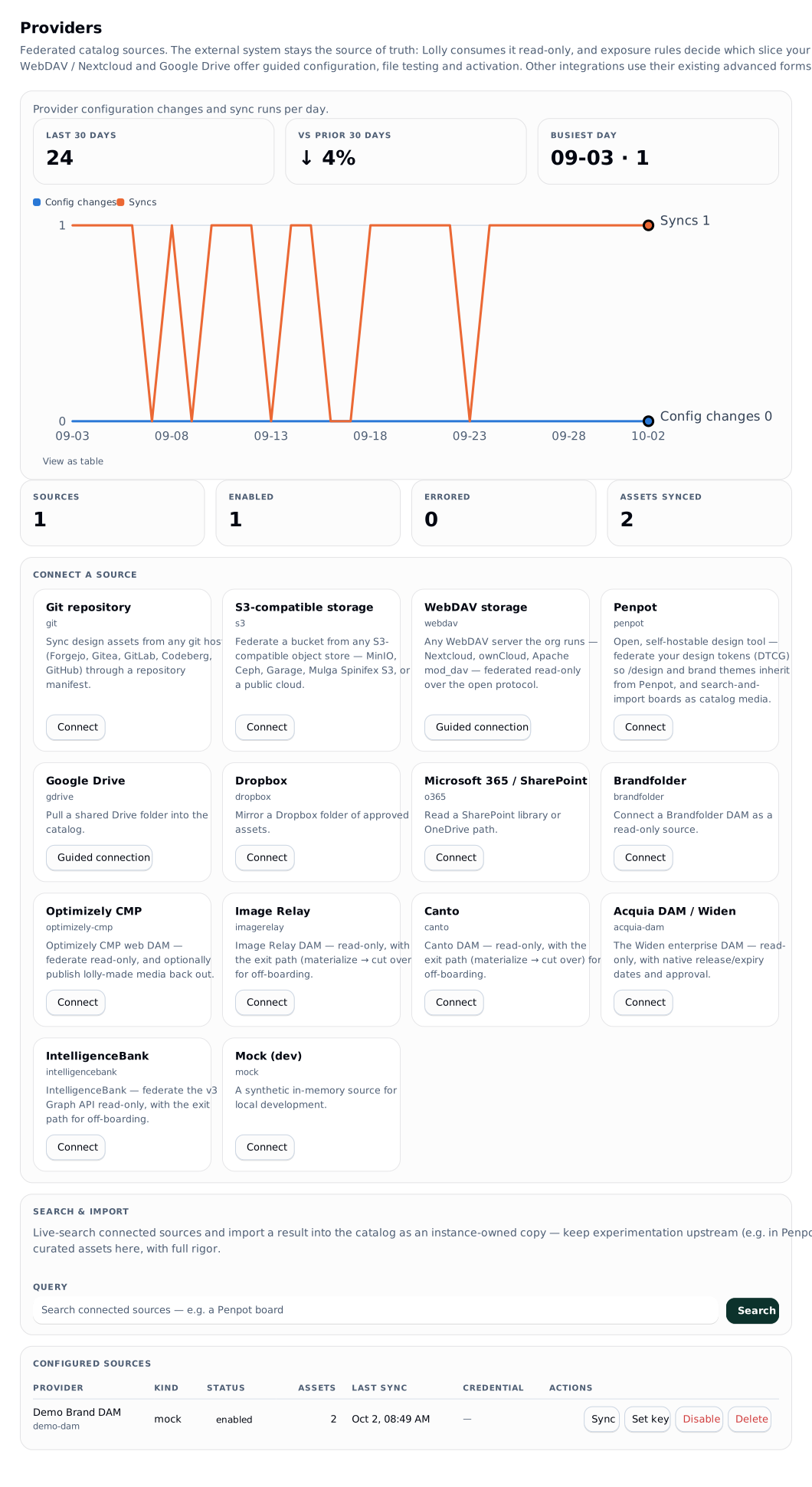
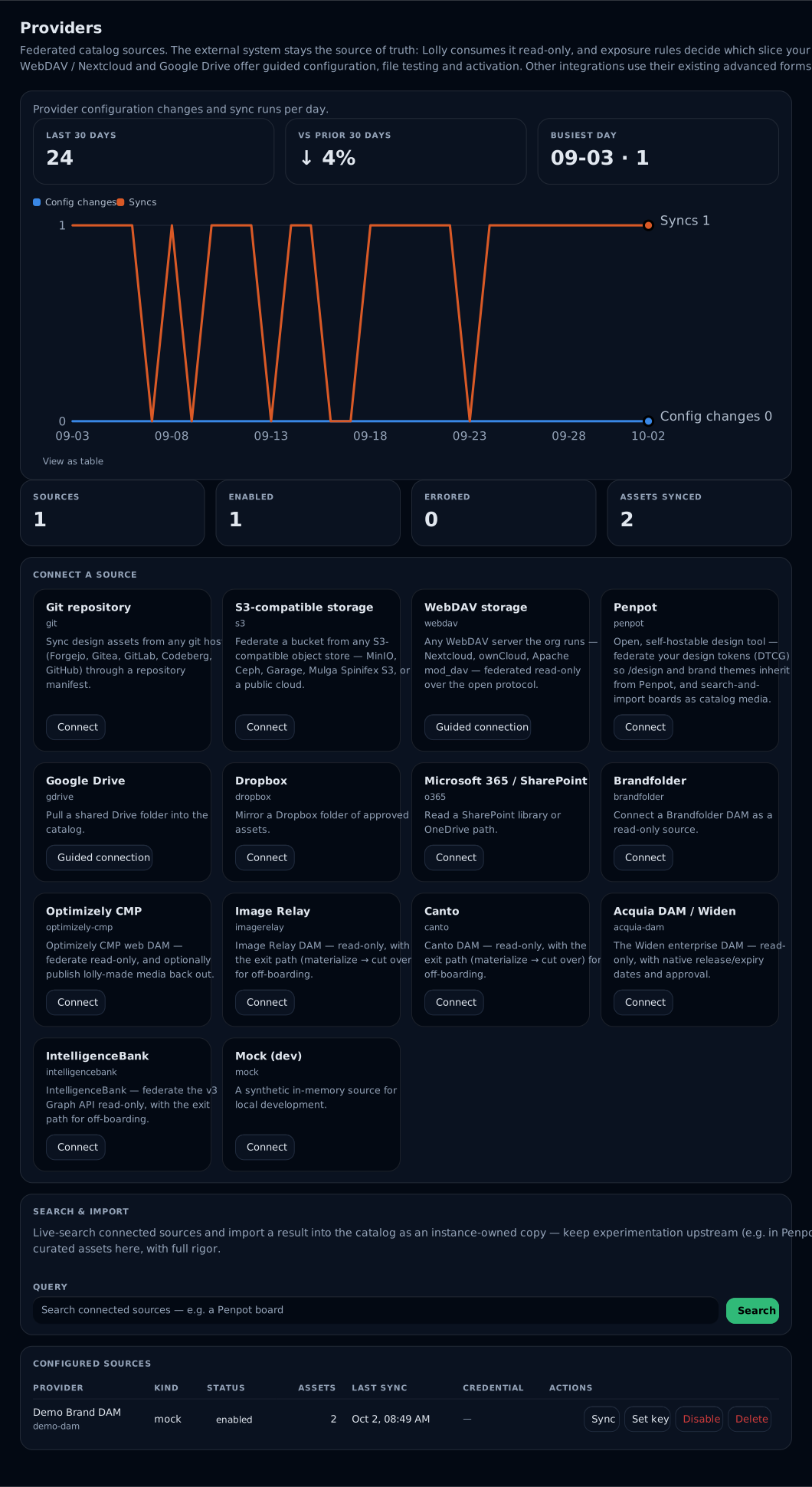
A provider is an admin-configured, read-only connector to a system that stays the source of truth. Assets federate into the feed namespaced ext/<providerId>/<remoteId>, so lifecycle rows, grants and render-cache invalidation work on them unchanged. Lolly stores references plus its own governance overlays - deleting a provider never touches remote content.
Kinds, the open and self-hostable ones first: webdav (RFC 4918 - Nextcloud, ownCloud, Apache mod_dav), brandfolder, s3 (hand-rolled SigV4), git (raw-HTTP manifest), dropbox, gdrive, o365/Graph, penpot (design-system source), optimizely-cmp (CMP DAM v3, OAuth2), imagerelay (v2, OAuth2, off-boarding source), canto (REST v1, OAuth2, off-boarding source), acquia-dam (Widen v2, bearer, native availability), intelligencebank (v3 Graph API, login handshake), cloudinary (asset-ID originals), orange-logic (public Search v4 renditions), mock. No SDKs, publicly documented endpoints only.
Cloudinary and Orange Logic use the existing advanced source form and sealed credentials. Their files declare original or rendition in the served meta.assetFiles entries, with providerOriginalsAvailable alongside. Orange Logic protected originals are unsupported and DAM cutover is refused. See Cloudinary and Orange Logic for scope, API costs and tenant qualification.
A DAM with no native availability field (imagerelay, canto) imports expiry from a custom-metadata field named in mapping.availabilityFields - the generic path for any DAM that models expiry as custom metadata. Which of the two an Image Relay customer exits through depends on where Canto's migration has put the tenant: the fork matrix is in off-boarding.
optimizely-cmp federates Optimizely CMP's web DAM read-only - a source that stays (the CMS owns those assets), never one that's exited. It maps CMP's native expires_at to an availability window and uses is_public (and not-is_archived) as the approved gate; a folder name or a label can scope an includeSections slice. It is also the only kind that accepts published exports.
lw providers list
lw providers add acme-bf --kind brandfolder --label "Acme Brandfolder" \
  --options '{"brandfolderId":"…"}' \
  --exposure '{"groups":["marketing"],"requireApproved":true,"tier":"reference"}'
lw providers credential acme-bf     # prompts; never argv, never shell history
lw providers sync acme-bf
lw providers health acme-bf
lw providers enable acme-bf         # owner-only
lw providers credential is the credential step for every kind, Brandfolder's bearer key included. lw providers auth <id> replaces that prompt with a PKCE loopback consent flow, and only for the kinds that have one registered (dropbox, gdrive, o365) - the other OAuth kinds capture the same sealed blob through credential until their authorize endpoint is confirmed against a real tenant. One guide per kind, each with the --options that kind needs and where its credential comes from: the provider guides.
Console equivalent: This Deploy → Providers.
Exposure governance
| Field | Effect |
|---|---|
groups | which member groups see these assets (*/absent = all members) |
requireApproved | only assets the upstream marks approved |
includeSections | provider-native folder/section scoping |
excludeTags | drop assets carrying these tags |
tier | catalog tier stamped on the entries |
Slice filters (requireApproved, includeSections, excludeTags) apply at fragment-build time - excluded assets never enter the feed or the store. Group visibility applies per caller at compose time.
Hiding tags
excludeTags drops a whole asset. Most DAM noise is a label on a good asset instead: "approved-2019", a workflow state, a section called "Internal". Hide those labels and keep the asset. A hidden tag comes off an entry's tags and its meta.providerTags, meta.providerSections and meta.providerCollections, so it leaves the app's filters, tag chips, folder list and the server search. The asset, its exposure and its lifecycle are not touched.
A rule is a list of exact tags or prefixes ending in (internal:), matched without regard to case, in one of two scopes: * for every entry the catalog serves (pack, uploads and every provider), or provider:<id> for one provider's entries. The provider:<id> tag itself is never hidden, because apps filter by source.
The rules are applied when the index is served, not when a provider syncs. Hiding and showing a tag both take effect on the next catalog read, nothing re-syncs, and a hidden tag is still counted so it can be found and shown again.
GET /api/v1/catalog/tags[?provider=<id>]       # every label, with counts per source and what hides it
PUT /api/v1/catalog/tags/rules  { "scope": "*", "hide": ["approved-*"], "show": ["Internal"] }
PUT /api/v1/catalog/tags/rules  { "scope": "provider:brand-dam", "hidden": ["legal:*"] }
The instance scope needs policy.edit and a provider scope needs catalog.provider.manage. hide and show edit the list; hidden replaces the list. Every change is audited as catalog.tags.update with the list before and after, and the rules ride the policy document as tagRules.
In the console, Catalog → Tags lists every label with a search box, a filter for shown or hidden, and the source each one comes from; hide or show one tag, a selection, or every tag starting with a prefix. Providers → Tags on a provider's row opens the same list for that provider only. A provider that instance.json manages can declare mapping.hiddenTags there; those show in the list as set in instance.json.
Credentials
Credentials are write-only. A stored credential is sealed with AES-256-GCM under LW_CREDENTIAL_SECRET; APIs only ever return a display fingerprint (hash prefix + last four). Storing one requires the owner-only catalog.provider.credential, and so does the enable kill switch - an admin can shape a provider, but only an owner enables the provider.
Config-managed providers (declared in instance.json) are upserted at boot as managedBy: 'config', name their secret via credentialRef (an env var name), and are read-only in the API: editing one returns 409 CONFIG_MANAGED - change the file and redeploy. That is the GitOps/air-gap path.
A credential can carry the vendor's rotation date: lw providers credential <id> --expires 2026-12-01. lw providers list then warns cred expires in Nd and flags CRED EXPIRED when the date passes (operations).
Sync and resilience
Request-driven, not a cron: each provider keeps an in-process fragment with a TTL (sync.ttlSeconds, default 300). An expired fragment is served as-is while a background refresh runs, and the last successful fragment is persisted, so a cold boot or a provider outage serves something marked stale rather than a 500. Fragment hashes fold into the catalog version, so a refresh ripples through render-cache invalidation.
GET /api/v1/catalog/search fans out live to providers that support server-side search, through the same exposure gates.
One sync federates at most 100000 assets from a provider. Set sync.maxAssets on the provider (or catalogServing.maxProviderAssets for the whole instance) to move that limit. A walk that stops at the limit with more left upstream is marked truncated and carries a note naming the setting: the sync result, the provider record (state.truncated, state.notes) and GET /api/v1/catalog/sources all show the mark, so a silent shortfall cannot happen. Providers with no cached fragment yet sync three at a time.
Cache versions and exact source references
An asset group can have several files, including two with the same format. File selection uses attachment identity rather than an extension or list position. A thumbnail and a selected original remain separate resources.
The federated entry's version is a cache change token calculated from the source's updatedAt and mapped file metadata (server/src/catalog/federation.ts). It does not hash the original bytes. Changed metadata can produce a new token for unchanged bytes; an upstream overwrite that leaves those fields unchanged can produce different bytes under the same token. The byte cache and ETag use that token. They do not establish a durable immutable source pin.
The generic provider contract resolves the current file by asset and file reference. It has no general historical-revision argument. Before promising exact reopening of a federated revision, qualify source-native revision retrieval or a permitted retained copy, and verify the observed digest. An unavailable exact revision must be reported rather than substituted with the current head, another attachment or a preview. The existing instance-owned version history and explicit materialisation paths keep their own documented semantics.
Source review, current access, contextual use eligibility and approval of final output bytes are also separate facts. requireApproved maps an upstream flag; it is not a general territory/channel evaluator or proof of approval for every historical file. Replacement of an admitted instance asset is curation, as described under Versions. Final-byte destination approval follows outbound delivery.
The document-model DAM amendment specifies richer observations, review subjects and history as requirements. Those shared contracts are not implemented by this documentation update.
Byte history and attribute history need separate qualification. A provider can retain older originals while exposing only current metadata. Record metadata/policy observations with their own time, origin, mapping revision and completeness; do not present current attributes as a historical snapshot. An unchanged byte digest or mapped cache token cannot preserve current access or review. The focused source-observation test exercises fresh requireApproved exposure after the source flag changes without changing bytes or its mapped token; it does not prove upstream revocation against an already cached fragment.
Future source projections must distinguish transfer acceptance, processing, selected-original readiness, review and publication. Search support also needs allowed mode/filter combinations and completeness, rather than independent booleans alone. These requirements do not add fields to today's provider contract or enable semantic search.
Large catalogs
The feed at /catalog/assets/index.json is composed once per input state and per caller visibility, then served again until the pack, a provider fragment, a governance row or a lifecycle date changes. Each response carries an ETag; a client that sends it back in If-None-Match gets 304 Not Modified while nothing changed.
A shell that should not mirror a DAM-sized source asks for index.json?paged=1. Providers holding more than catalogServing.pagedProviderThreshold assets (default 2000) then leave assets and appear under pagedProviders: [{ id, label, count }], where count is what this caller would see after lifecycle. Without paged=1 the feed is unchanged. Cold sources also appear in pendingProviders as visible source IDs, without an invented count. The shell preserves held references from these sources while their first listing is pending. Removed or inaccessible sources do not receive this deferral.
GET /api/v1/catalog/assets browses the same feed one page at a time:
| Param | Meaning |
|---|---|
q | case-insensitive text over id, name, description, tags, org field values and extracted text |
source | a provider id, pack or instance |
scope | shared excludes pack entries; omit for the whole served index |
types | a bounded comma-separated list of catalog types |
taxonomyKind, taxonomyId | an exact native/legacy node identity; supply both |
section, collection | a provider section or collection name |
tag, type | an exact tag or catalog type |
limit | page size, default 100, at most 500 |
cursor | the nextCursor of the previous page |
The answer includes { assets, total, nextCursor, facets, version, sources, complete, countsScope, capabilities }. Entries have the same shape as the feed's, sorted by name and then id; total counts every match; facets counts the matches by sources, sections, collections, tags (top 50), types and taxonomy nodes (top 200). facets.truncated identifies capped value lists. version is the feed version the page came from. The cursor identifies the last entry returned, so an insertion before that position does not shift later page offsets. Renames, removals and changing membership can alter a walk; refresh to read the current listing. This is not a historical snapshot.
The shell requests ?paged=1 during catalog startup and shows shared records in bounded pages. Cold providers sync in the background and appear as pending; cached/outage and truncated/skipped states remain explicit. total and facets count caller-visible indexed matches. complete is false when a relevant source is pending, stale, unavailable or incomplete. These counts never establish exhaustive upstream recall.
Signed clients opt into the same bounded inventory with ?paged=1 on the envelope and hash-addressed index requests. Paging has a distinct catalog scope and preserves signature, hash and watermark checks. A retained paged source summary is refused after source access is withdrawn. Requests without the paging flag retain their existing full-inventory contract.
Live /api/v1/catalog/search supports text, source and shared scope, with an explicit incomplete candidate result. Exact type/tag/taxonomy filters and cursors are refused on that route; use indexed browse for those combinations. The shell also refuses unsupported local search-operator syntax in shared browse instead of dropping the operators. A live candidate may need source synchronisation before original access; no transformation or AI processing is started by browse/search.
The inspector enforces source exposure and retains selected-file identity. Lifecycle diagnostics and materialized pins remain inspectable by callers with source access; inspection does not grant permission to read unavailable bytes. Organisation field edits reuse the existing catalog.edit overlay route. Upstream facts stay separate. Cross-page selections retain their observed reference; known version changes are reported and byte requests carry the observed cache token. This is change detection, not durable historical pin retrieval or proof against an overwrite with unchanged metadata. Large provider pages are not mirrored on device; deferred catalog pages are not a signal to delete saved file references during cache pruning.
Federated bytes (/catalog/ext/...) are kept in a bounded memory cache keyed by the entry's version (catalogServing.extCache, 64 MiB in total and 2 MiB per item by default), after every visibility and lifecycle check has passed. A file the fragment declares as SVG is served as image/svg+xml whatever label the upstream gives it, still under the same sandboxing headers as every stored file. The browser keeps federated bytes for five minutes and then revalidates them against the ETag, which costs no bytes while the entry is unchanged. They are never cached as immutable: they sit behind access checks, so a person who loses access must not keep a copy that stays valid.
A viewer can read a large federated file in parts with an HTTP Range header, and Work answers 206 Partial Content with one range. Each part is a separate request that passes every visibility, source and lifecycle check again, so revoking access, disabling the source or expiring the asset stops the next part. A whole response says Accept-Ranges: bytes when parts are available: from a small file in the memory cache, or from a source whose driver forwards ranges and checks the partial reply (currently Orange Logic renditions). Such a driver resolves the asset again for every part it forwards, so the source's own scope is checked as well. A part served from the memory cache relies on Work's own visibility, source and lifecycle checks, as a whole cached read does. A part never enters the memory cache. A stale If-Range validator returns the whole current file, and a range outside the file returns 416. Pinned local copies, previews and other sources return the whole file. A pinned copy is read from the store from its first byte, so serving it in parts would read the whole file again for every part.
<a id="the-exit---materialize-a-source-into-your-own-store"></a>
The exit - materialize a source into your own store
Federation keeps the DAM as the source of truth. When you want to leave a DAM (contract end, off-boarding), materialize its assets into the instance's own store and cut the identity over - the same mechanism also powers a hold's implied pin:
lw providers materialize acme-bf                    # whole provider (or --remote-id / --section)
lw providers cutover acme-bf # identities ext/* → inst/*, provider disabled- Materialize streams every format's bytes into the BlobStore, checksums them, sniffs each for an embedded Content Credential, and mints an instance asset (
inst/<id>) that carries a permanentorigin(provider, providerKind, remoteId, filename,sourceUpdatedAt,materializedAt) so provenance stays honest after the DAM is gone. It is idempotent per asset and needscatalog.provider.manage(admin). The pinned asset keeps itsext/*identity and its federated entry; only the bytes change hands, served from the local copy. A single asset can be pulled the same way withPOST /api/v1/catalog/providers/:id/import(console: the provider's asset list). - Cutover moves the identity to
inst/*- the instance entry now substitutes for the federated one, so nothing appears twice - migrates the lifecycle row (including any hold), the credential detection and asset-specific grants, and writes aliases so every old/catalog/ext/…URL - baked into already-rendered SVGs and live sessions - keeps resolving. It disables a db-managed provider (owner-only,catalog.provider.credential); a config-managed one is turned off by removing it frominstance.json. Deleting the provider afterwards deletes nothing, because the copies are instance-owned. - Materialized
inst/entries carry a per-format checksum + size, so migrated assets gain the integrity-verification and offline-pin parity that federatedext/entries cannot have while their bytes live upstream.
lw providers drift <id> reports which copies the upstream has changed since - the cadence check during a staged exit. The whole motion, per vendor, is off-boarding.
Publishing lolly exports out
The reverse motion, for a source you keep (Optimizely CMP): push lolly-generated exports into the destination DAM so lolly-made media is usable there and stays attributable on downstream sites.
lw providers publish web-cmp --in ./summit-badge.png --name "Summit Badge"Deliberately narrow: the provider must declare the publish capability (optimizely-cmp with options.publish: true), the action is owner-grantable (catalog.provider.publish), and the bytes must carry lolly's C2PA export assertion - verified server-side, so a federated or pack asset can never be pushed out. Each publish is audited with the export's provenance chain. Exports arrive in the web DAM already carrying their signed Content Credential (see c2pa).
Where instance bytes live
Instance-owned catalog bytes (materialized assets, and later collab staging) live in a BlobStore chosen by blobs.driver:
| Driver | When |
|---|---|
pg (default) | zero moving parts - PG works everywhere the plane runs, including a single node. Each blob is held whole in memory and is at most 500 MiB |
s3 | any S3-compatible store (AWS, MinIO, Ceph RGW) for media-sized estates and the air-gap story - a config flip, not an architecture change. Blobs go up in 8 MiB parts |
// instance.json
"blobs": { "driver": "s3", "s3": { "bucket": "lolly-assets", "endpoint": "https://minio.internal:9000", "prefix": "inst" } }
The S3 credential is env-only: LW_BLOBS_S3_CREDENTIAL="<accessKeyId>:<secretAccessKey>". S3 access is hand-rolled SigV4 (signed GET/PUT/DELETE and multipart uploads) - no AWS SDK. inst/* bytes stream from /catalog/inst/<id>/<format> with an ETag, gated by lifecycle like any asset. Blob limits and integrity covers each driver's size limits, memory use, checksums and the S3 permissions and lifecycle rule.
Third-party terms
Providers are integrations, not replacements. Every deploy brings its own API tokens and OAuth apps - none ship in this repo - and provider names appear descriptively only. This project includes an integration for those services and is not affiliated with them.
Related
- Per-provider setup (admin/owner): the provider guides - one per platform (WebDAV/Nextcloud, Brandfolder, S3/MinIO, Optimizely CMP, Image Relay, Canto, Acquia/Widen, IntelligenceBank, Penpot, git, Dropbox, Google Drive, M365).
- Connect your first source: install section 9.
- Leaving a DAM: off-boarding.
- Restricting tools and inputs: governance
- Serving and sharing what the catalog holds: sharing
- Where provenance for federated assets comes from: sharing and c2pa
Reviewed text from the Assets inspector
The Assets inspector can offer locally extracted image, SVG and PDF text for a curator's review. Reading a file does not write to Work. A curator explicitly saves a reviewed excerpt through PUT /api/v1/catalog/text-index/<assetId> with text, sourceRevision, fileId and method (ocr or digital). Only visible ext/ and inst/ assets are accepted, and the caller needs catalog.edit. A nonblank excerpt is limited to 8192 characters; oversized text is refused rather than silently shortened. Supplying text: null clears the index while preserving organisation fields.
Asset inspection returns textIndex status and textIndexFiles without returning extracted words. The revision describes the indexed asset version and file descriptions. A changed revision returns 409 SOURCE_CHANGED on save. Reviewed text records the selected file, revision, method, reviewer and time. Both indexed browse and the local part of live search omit bound words when that indexed revision or file identity no longer matches. Organisation field edits preserve the binding. Ordinary feeds and audit events carry no extracted words; audit records counts and source identity.
Legacy extractedText metadata edits remain supported. They create unverified text without a revision binding; the inspector identifies that state. Existing unbound text stays searchable for compatibility. Revision binding is an indexed snapshot check, not verification of historical bytes or a guarantee of instant upstream change detection. Real source updates and withdrawals remain subject to provider sync and file-access checks. The server never starts an OCR model for this workflow.