
This guide covers the optional organisation service. Configuration, console and API paths refer to your Lolly Work instance. The packaged console keeps its release-matched copy of this guide.
Every approval for partners is off by default. Turn on only the ones your organisation wants: each is a switch or a setting of its own. Partners and their agents can ask for a review, and deciding always stays with your own people.


This page is part of Run a partner programme. Approval chains themselves, who is in them and how a step is decided, are in Approvals.
What partners can never decide
Deciding approvals is one of the admin actions refused for partners whatever a grant says, along with editing grants, policy, programmes or the catalog, inviting people, sending messages and making groups. A programme's agent tokens and an admin viewing as a partner meet the same limits (What partners can never do).
Changes by a company's contacts
 signed by Lolly Demovector SVG28 paths264 nodes128 groups198 KBCheck it yourself서명된 파일 받기
 signed by Lolly Demovector SVG28 paths264 nodes128 groups198 KBCheck it yourself서명된 파일 받기


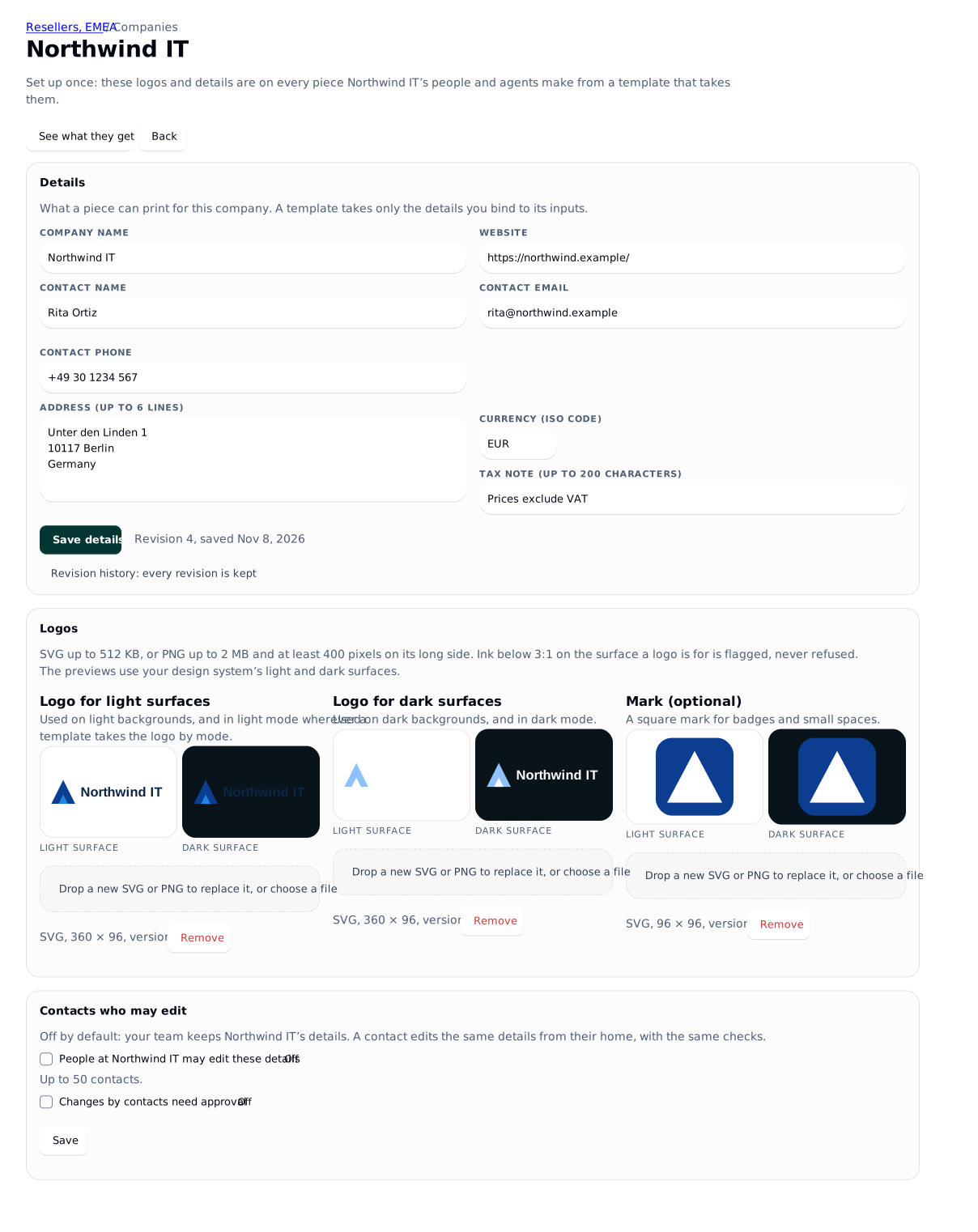
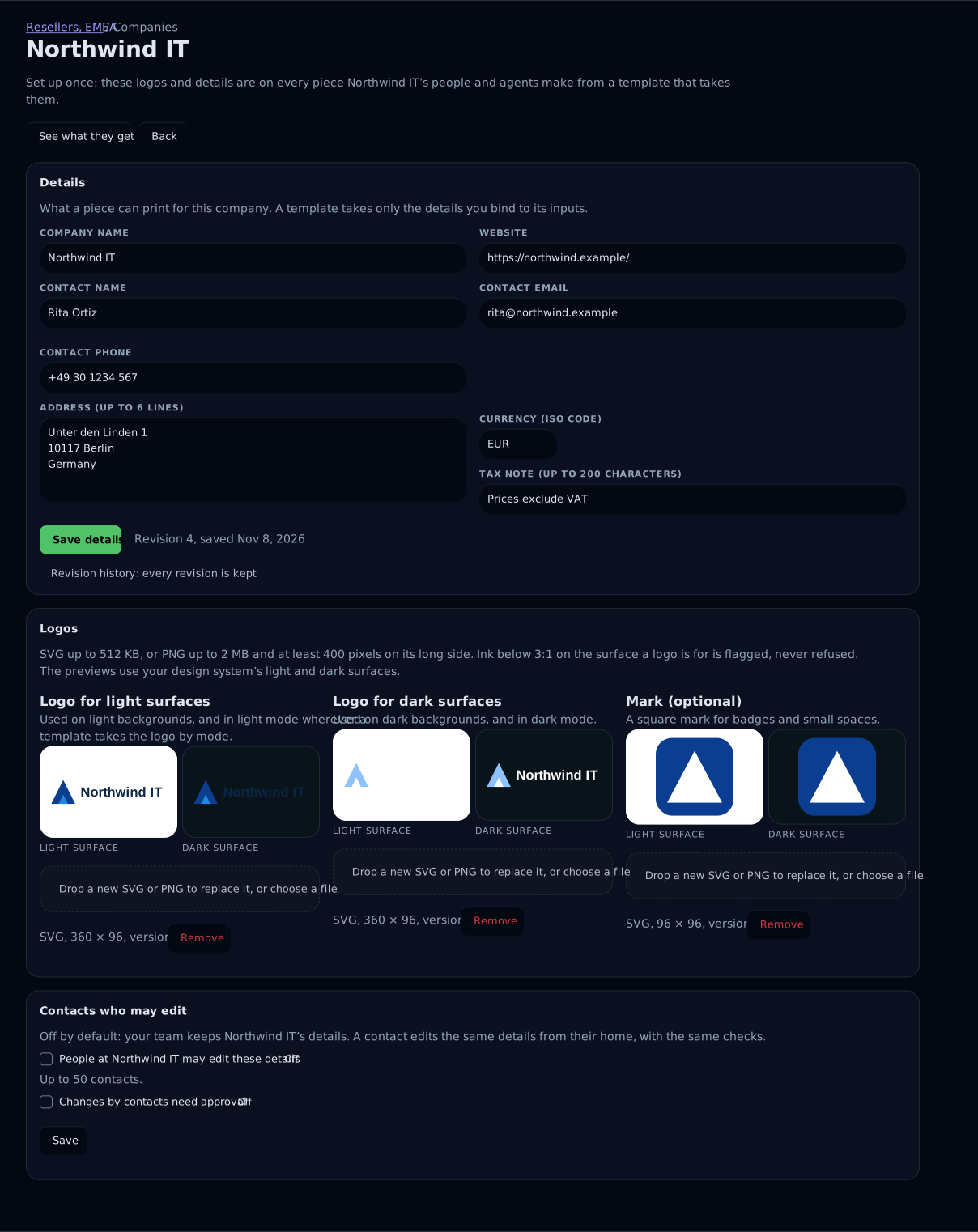
A contact who may edit a company's details changes them at once (Contacts who may edit). To review contact changes first, tick Changes by contacts need approval on the company's page and choose an approval chain; this is off by default. A change that needs approval waits, one at a time, and applies on approval over whatever is current: the fields the contact changed take the contact's values, and the others keep any change your team made meanwhile. A change your team makes never waits.
A contact's change that waits for approval is an approval.submit in Audit.
Changes to a partner kit
Kit changes apply at once until you turn on Kit changes need approval on the company's Partner kit card, or choose a chain with lw companies profile settings resellers-emea northwind-it --kit-chain <chain> (none turns review off). Then every kit change, your team's or a contact's, waits for approval, and an approved change applies only onto the revision it was made against.
The kit switch is separate from the contact switch. While contact changes need approval, a contact may change the kit only when kit review is on (Keep a company's partner kit).
Requests from partners' agents
Approvals stay off for agents unless you turn them on. Give a programme token the approvals.request scope and it may ask for review of one of its own finished renders, read its own requests and withdraw them. Deciding stays with people. The request goes to the tool's bound escalation chain, or else to a chain the programme lists (approvalChains on PUT /api/v1/programmes/:id, with the programme's name); a partner's agent never reaches an internal chain by name. A delivery to a destination that needs approval waits for the approval when the token holds the scope, and is refused with 403 HUMAN_APPROVAL_REQUIRED when it does not.
The approver's notice gives the company and the label you wrote on the token, for example "Northwind IT's agent (Rita's agent) asked for your review", followed by the step. The approval card adds that an agent asked, and that the file under review is the agent's own render, exactly as Lolly Work made the file. Ask for approval is one of the scopes on the Agent tokens card (Partners' agents).
One approval for a template's variants
A tool's policy can let one approval cover a template's variants: with enforce.approvalCovers set to template-variants, approving one version of a published template that lists what partners may change clears every partner's render from it, whatever the inputs the template leaves open, such as the price or the logo. This is off by default. Set it in the tool's policy under One approval covers: This file only, the default, or Every file from one version of a published template. A new version, or a change to what is open or fixed, needs a new approval.
A partner's clean render from that template version then carries the template's approval record in its own Content Credential: the approval, its date, the template's id and version and the fingerprint of the example file the reviewer saw. It never holds this file's own fingerprint, a name or a person. Lolly Verify reads the record as "Approved as a template: inst/price-sheet v3 (SVG)". A render that is still marked, one in a format the approval did not cover and one from an instance with no signer carry no record.
Every option
- Contact edits: Contacts who may edit
- Kit review: Partner kits
- Agents' requests and template variants: Approvals for agents
- The routes and audit events: API and audit
- Chains, steps and separation of duties: Approvals