
This page is for security reviewers. It covers the standards Lolly implements, the primitives it uses, how a file earns the word "trusted", how all of it is tested and where the guarantees stop.
The short version: verification runs entirely on the device, the cryptography is standards-based and built on the platform's own WebCrypto, and every claim is backed by a test: known-answer vectors, adversarial forgery and replay tests, fuzzing and conformance against independent tools.
Verification is on-device
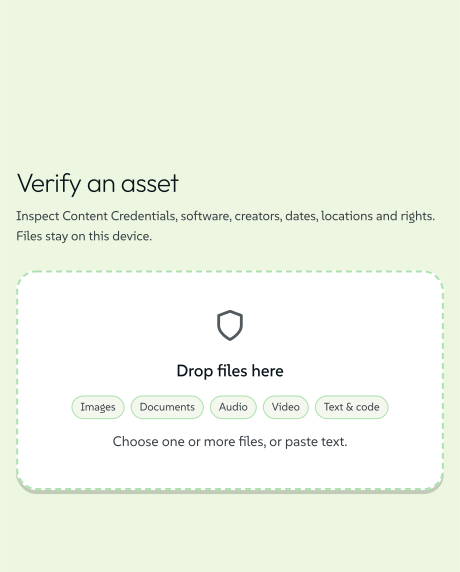
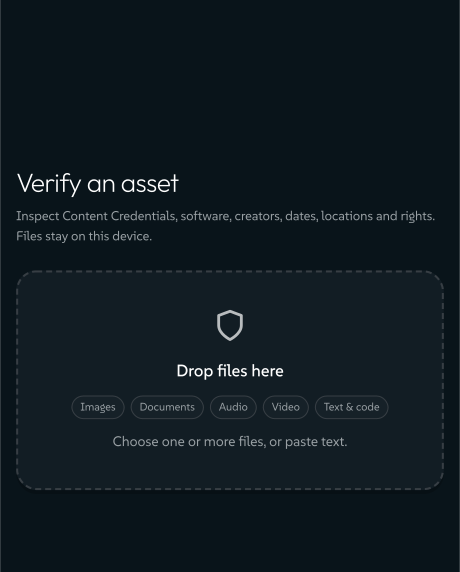
The app's Verify view and the local CLI verify a file locally and offline, with no upload. Dropping a file on /verify, or running lolly validate <file>, parses it, walks its Content Credential, re-checks the signature and the byte-hash binding and renders a verdict, all in your browser or on your machine. The separate MCP lolly_verify endpoint is different: calling it sends the file to that server, and the local checks never use that endpoint.
 signed by Lollyvector SVG11 paths~4.3k nodes18 groups52 KBПеревірте саміОтримати підписаний файл
 signed by Lollyvector SVG11 paths~4.3k nodes18 groups52 KBПеревірте саміОтримати підписаний файл
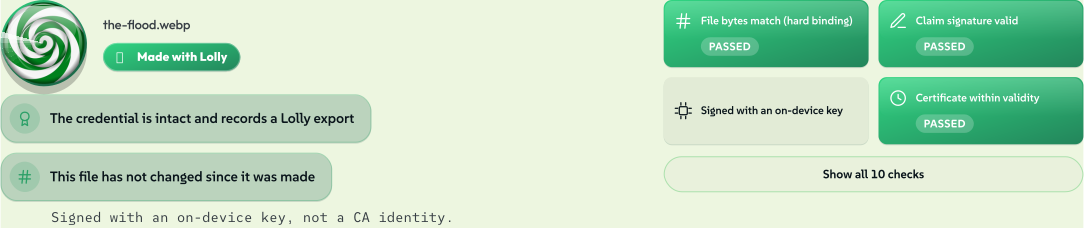
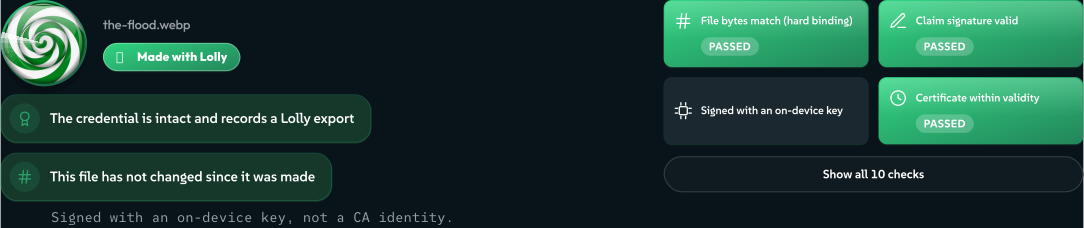
Here is the result for a real file: a Gemini image that Lolly opened, marked and converted to WebP. The green verdict, the intact credential, the unchanged bytes and the GEN AI flag were all worked out on the device. Verify It Yourself walks the same file through every badge.
 signed by Lollyvector SVG76 paths~6.4k nodes48 groups1 image157 KBПеревірте саміОтримати підписаний файл
 signed by Lollyvector SVG76 paths~6.4k nodes48 groups1 image157 KBПеревірте саміОтримати підписаний файл
The engine's crypto core is platform-agnostic and uses only globalThis.crypto, the WebCrypto API. There is no bespoke crypto library, no Node-only API and no network call anywhere in the engine.
In the web app, verification makes no request to any third party. It can make two fetches, both to the app's own origin and neither carrying the file: the opt-in deep scan's one-time detector download and, on a build configured for a managed CA, that CA's revocation list.
Even a SEAL record whose key lives in DNS is reported as "no key resolver" rather than looked up through a third-party DNS-over-HTTPS service. No Lolly app looks SEAL keys up in DNS today: the desktop and mobile apps run the same Verify view, and lolly validate does not check SEAL.
If your organisation adds Lolly Work, review that service as well as these local paths. It adds identity, permission checks, shared storage, work collabs and server jobs, with its own security boundaries and audit controls. The local verification tests on this page do not certify those services.
Standards implemented
| Area | Standard |
|---|---|
| Content Credentials | C2PA 2.x (reads v1 and v2 manifests from any producer) |
| Signing certificates | RFC 5280 (X.509/PKIX), C2PA certificate profile, section 14.5.1 |
| Signature container | RFC 9052 / 9360 (COSE_Sign1) |
| Serialization | RFC 8949 (deterministic CBOR) |
| Key fingerprinting | RFC 7638 (JWK thumbprint) |
| Credential boxing | ISO 19566-5 (JUMBF) |
| Video binding | ISO 14496-12 (BMFF) |
| PDF encryption | ISO 32000-2, section 7.6.4 (PDF 2.0 AES-256, R6) |
| Zip encryption | PKWARE APPNOTE and WinZip AE-2 |
| Byte-level signatures | SEAL (verification) |
| Durable soft binding | Adobe TrustMark (read and write; write off by default) |
| Supply chain | CycloneDX 1.5 (SBOM) |
Cryptographic primitives
- Signing (Content Credentials, catalog integrity, issued certificates): ECDSA P-256 / ES256 with SHA-256. There are two signer paths. An enrolled identity's device key is generated non-extractable and kept in IndexedDB, so even Lolly's own code can only ask it to sign, never read the key. The default anonymous signer is a throwaway keypair made for one export inside the page and dropped afterwards. Neither key is ever transmitted.
- Verifying, to accept the whole C2PA ecosystem: ECDSA P-256, P-384 and P-521, RSA PKCS#1 v1.5, RSA-PSS and Ed25519.
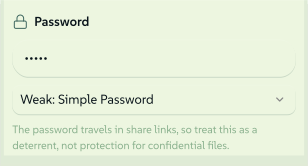
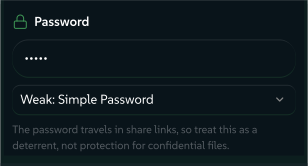
- Encryption: AES-256 for the Strong PDF lock (PDF 2.0, R6) and Strong locked downloads (WinZip AE-2), with PBKDF2 key derivation and HMAC authentication. The Weak tiers (40-bit RC4 for PDF, ZipCrypto for zip) are labelled as deterrents. Use Strong for anything sensitive.
- Hashing: SHA-256 throughout, with SHA-384 or SHA-512 where a curve or algorithm calls for one.
 signed by Lollyvector SVG11 paths~2.8k nodes11 groups1 image35 KBПеревірте саміОтримати підписаний файл
 signed by Lollyvector SVG11 paths~2.8k nodes11 groups1 image35 KBПеревірте саміОтримати підписаний файл
All of these run on the platform's audited WebCrypto implementation. The two symmetric ciphers use a small in-house block layer only because WebCrypto exposes no raw AES block. That layer only encrypts, over your own content, and is never used to decrypt.
How "trusted" is earned
Lolly reports the trust a file can actually prove, in two gates.


valid. The credential is intact and the byte-hash binding holds, so the file is unaltered since signing. An export from someone who has not enrolled isvalidbut signed anonymously (untrusted). That is the default, and it is honest.trusted. In addition, the signer's certificate chain cryptographically reaches a pinned trust anchor, and the claim signature verifies under that signer's key, and nothing else failed. Together, these make a copied ("replayed") signer certificate worthless to an attacker: it cannot produce a claim signature that verifies under the real owner's non-extractable key.
Trust anchors are public certificates only: the C2PA ecosystem roots (Google, Adobe, the CAI trust list, camera makers and AI providers) plus Lolly's own public root. Being on the list never confers trust by itself. Trust always needs the live chain walk and signature check. Chain walking is bounded, with a capped number of intermediates parsed defensively, so a hostile certificate chain cannot exhaust resources.
There is no timestamp authority yet, so an authentic but expired signature shows the signer's identity while staying trusted: false. It proves who, not when. An RFC 3161 timestamp countersignature is on the roadmap. On a managed CA deployment, a chain is trusted only while its issuer's revocation list is fresh and does not list the certificate.
Read broad, write narrow
Beyond the credential, Verify reads several signals: the Lolly Imprint, AI declarations, SEAL signatures, an opt-in deep scan for third-party pixel watermarks and hidden data. All of them run locally. What Verify checks covers each one.
Each signal is labelled with its confidence. The statistical ones (the Meta Content Seal read and LSB steganalysis) can raise false alarms, and Verify says so where it shows them. The Lolly Imprint is security through obscurity: cover against casual stripping rather than a hardened defence. It complements the credential and never replaces the credential.
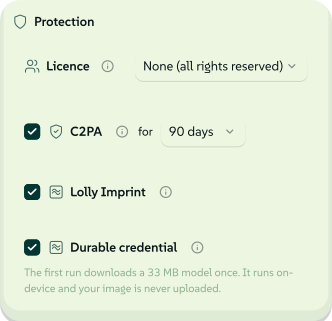
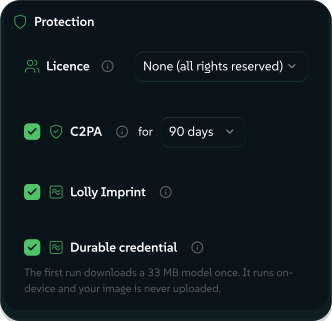
Lolly reads many signals but writes only three: C2PA, its own Imprint and an opt-in durable mark in Adobe's TrustMark format, which is off by default because it needs a neural pass and a one-time model download. That keeps the attack surface on the writing side small, and it is exactly what the export panel shows: three named switches, each a separate mechanism, rather than one blanket "protect this" claim.
 signed by Lollyvector SVG33 paths~3.8k nodes44 groups5 images53 KBПеревірте саміОтримати підписаний файл
 signed by Lollyvector SVG33 paths~3.8k nodes44 groups5 images53 KBПеревірте саміОтримати підписаний файл


How it is assured
An automated test in the repository (pnpm test) backs every cryptographic claim above.
- Known-answer tests. Byte-exact fixed vectors: the CBOR encoder, the PDF R6 encryption vector, the zip CRC and AE-2 output and the canonical-JSON signing form are each pinned to an exact expected byte string, so an accidental change is caught at once.
- Adversarial tests. Signer replay, lifted signatures, forged intermediates and identity impersonation are all asserted to resolve to untrusted. Tampering with any covered byte (inside the manifest, the claim, an assertion or the file body) is asserted to break the right check.
- Fuzzing. Hostile, truncated and deeply nested inputs run through the C2PA, CBOR and X.509 parsers with a regression corpus. The tests assert the parsers fail closed: no crash, no runaway recursion or allocation.
- Independent conformance. The reference tools Lolly interoperates with validate its output: c2patool (C2PA), qpdf (PDF) and Adobe's own reference implementation for TrustMark. Lolly's verifier is also proven against a manifest signed by an independent producer, not just its own round trip.
- Supply chain. A full CycloneDX SBOM is generated deterministically and checked for drift in CI. Every npm and Cargo dependency root is audited against current advisories.
pnpm auditblocks on any high- or critical-severity advisory, and RustSec'scargo auditblocks on any vulnerability advisory that is not a reviewed, temporary exception. The audit runs when a pull request changes a manifest, a lockfile or the audit policy, on every push to main, nightly and on release tags. - Secret scanning. A pinned Gitleaks scans the tracked Git history in CI, with redacted output.
- Static analysis. An Opengrep SAST job runs on every push and pull request. Lolly's own rules (
.github/opengrep/) scan the whole tree (every shell, the tool packs, the engine, the services and the scripts) and block on a finding. The upstream community rule packs run beside them, only on the diff against the merge base, and are advisory: they resolve over a third-party registry, so a gate there would go red on someone else's outage.
The cryptography and parsers have not been independently audited. Where a contract calls for certified assurance, deploy Lolly as one layer of defence in depth.
Design boundaries
- *Content Credentials are tamper-evident, not tamper-proof.* They detect alteration cryptographically and offline. They do not prevent it, and that is what makes fully offline verification possible.
- The on-device signer is anonymous by design unless you enrol a verified identity. No real credential ever leaves the device.
- Tool hooks are not a sandbox. A built-in tool's hooks run in the page unless its manifest declares
isolate: true, which moves them to a Worker. Sideloaded and remote tools always run in a locked-down Worker with the browser's network and storage APIs removed, and are refused if that Worker cannot start. Review is still the control, so run only tools you have reviewed. An organisation can decide which tools its people get through Git review of a shared catalog, or with Lolly Work's per-tool grants and overlays (Catalog and content). The Threat Model has the full boundary. - Interoperability. Two containers have no standardised C2PA mapping yet, so Lolly gives each a place of its own: WebM (the manifest as a Matroska part) and Ogg/Opus (the store as a
C2PA=comment field, its byte range excluded from the binding so the audio still hashes identically). Lolly's own verifier reads both; a third-party tool will not. Every other format Lolly stamps, MP4, M4A, AVIF, MP3 and WAV among them, uses its spec-defined place and verifies in third-party tools by default.
Reporting a vulnerability
Found something? Report it privately: fitzy+security@suse.com, the Report a vulnerability button on any lolly-tools repository, or the machine-readable /.well-known/security.txt. The full policy, scope and safe-harbour statement are in SECURITY.md. We practise coordinated disclosure and credit reporters in the fix notes.
Where to go next
- Verify It Yourself: every checkable claim on this page and in the privacy policy as a procedure you can run, with the exact commands and the output you should see.
- Threat Model: what Lolly defends against, what it does not and each trust boundary with its test.
- Server Surface: the optional integrations and the Lolly Work organisation service beside local processing.
- Content Credentials engineering: the engine contracts, trust anchors, CA service and threat model in full.
- Content Credentials: how verified-identity enrolment and the Lolly CA work.
- Privacy Policy: what is collected, what is not and what leaves your device.