
Every file Lolly makes can carry a Content Credential: a signed C2PA record, written on your device, of what made the file, from what and when. Change the file afterwards and the signature stops matching, and any C2PA verifier says so. A credential cannot stop an edit. It makes the edit visible.
You get this without an account. By default Lolly signs each export with a key made for that one file, so the record is intact but anonymous. If you want your files to name you, enrol once in Settings.
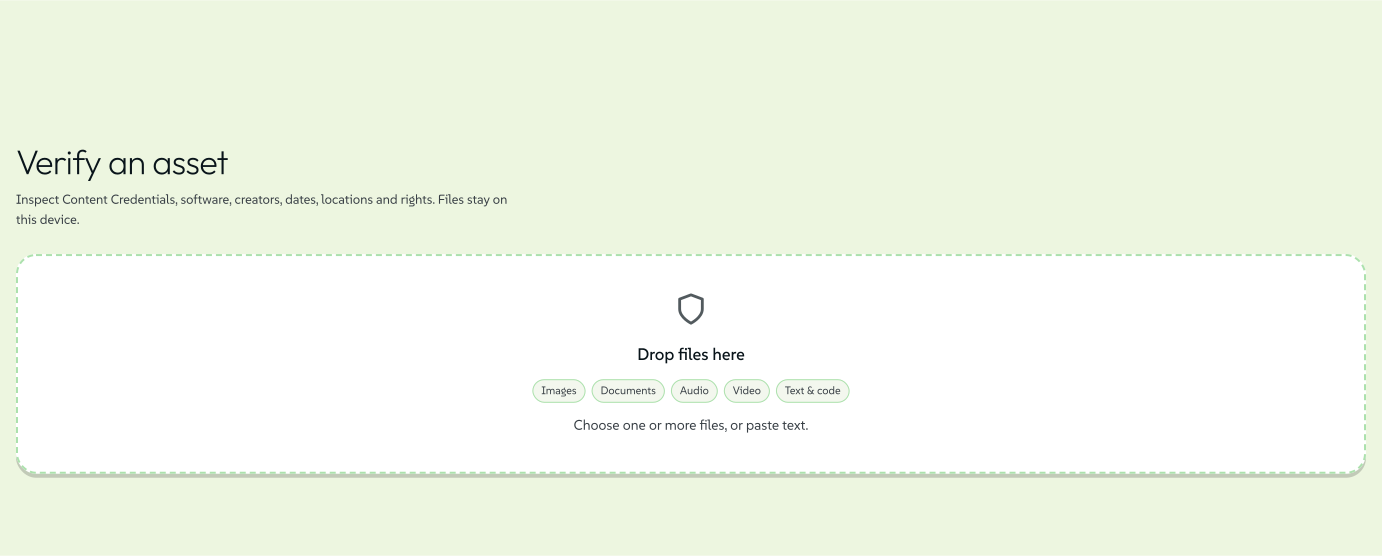
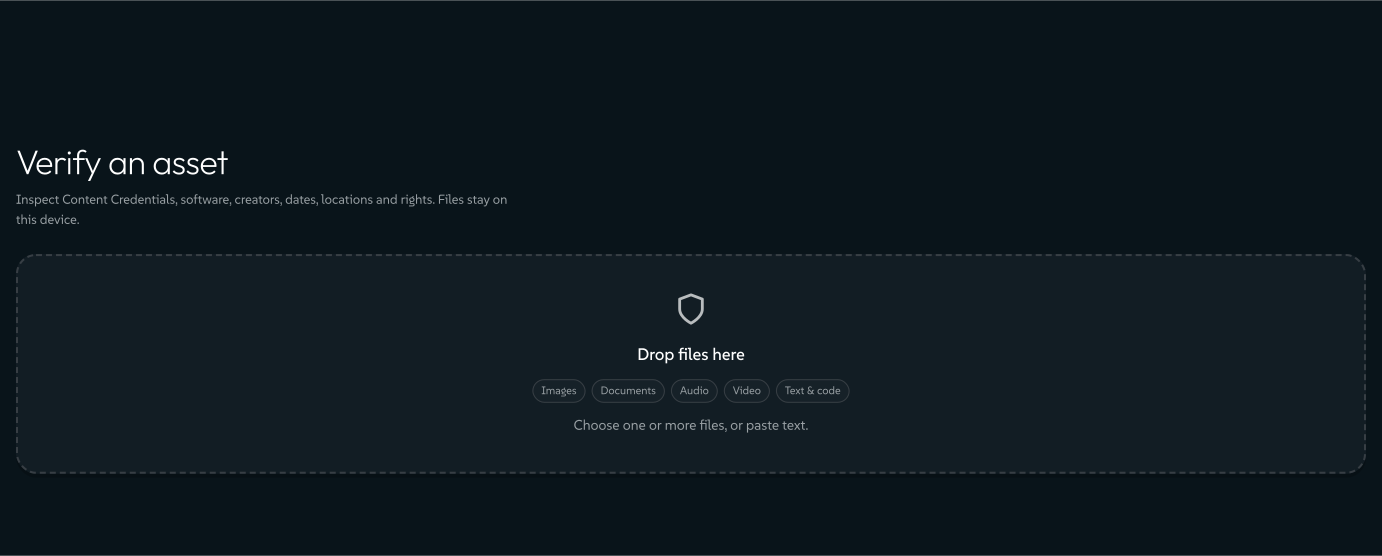
To check any file, open Verify (the shield in the bottom bar) and drop it in. The check runs on your device and nothing is uploaded, not the file and not the result.
Check a file
 signed by Lollyvector SVG11 paths~4.3k nodes18 groups52 KBCompruébalo tú mismoDescarga el archivo firmado
 signed by Lollyvector SVG11 paths~4.3k nodes18 groups52 KBCompruébalo tú mismoDescarga el archivo firmado


Verify (the route is /verify; /valid and /v open it too) reads the whole C2PA manifest store. That includes credentials written by other tools: it reads C2PA 1.x and 2.x claims, so files from cameras, Adobe apps, Gemini and other generators verify too. The result is one verdict, chosen from the states below.
Green: the file is what was signed
- Made with LollyIntact, and it records a Lolly export. An enrolled signer adds a Signed by line.
- VerifiedIntact, and the certificate chains to a pinned trust anchor. For files Lolly did not make.
- Delivered by LollyA catalog asset Lolly distributed. It chains to the Lolly root, and someone else is its author.
- Credential intactIntact, signed by an anonymous on-device key.
Amber: an honest middle ground
- Likely made with LollyThe record checks out, but this copy's bytes were re-saved or re-encoded.
- Credential expiredNothing changed, but the signing certificate has lapsed.
- Credential could not be checkedThe credential could not be read out, so nothing was compared.
- Not all of this file is coveredThe covered bytes match, but part of the file was never signed.
Red: changed after signing
- Credential brokenThe bytes no longer match what was signed, or the credential is damaged.
Grey: nothing to compare
- No Content CredentialsThe file carries no manifest. It is still checked for an Imprint and hidden data.
- Credential stored elsewhereThe file points at a credential kept elsewhere, which Verify does not download.
- Not inspected as textToo large to search on the device, so nothing is claimed either way.
Green means the file is what its credential signed. Amber is an honest middle ground. Red means it changed. Grey means there was nothing to compare.
signed by Lollycontent-credentials-verdicts.htmlHTMLpixels, not shapes11 KBAI editedgenerated by Claude Opus 5.5Compruébalo tú mismoDescarga el archivo firmadoThe full meaning of each verdict
| Verdict | What it means |
|---|---|
| Made with Lolly | The credential is intact and records a Lolly export, so the file has not changed since it was made. That is integrity plus the maker's own claim. When the signer enrolled an identity, a Signed by \<email\> - identity verified by \<issuer\> line appears under this verdict. |
| Verified | The file matches what it signed, and the signing certificate chains to a pinned trust anchor such as the Lolly CA root: integrity plus a CA-verified identity. A Lolly export reads Made with Lolly instead, so this verdict is for other files. |
| Delivered by Lolly | A genuine catalog asset that Lolly distributed but did not author. It chains to the Lolly root, so it is intact and its origin is CA-verified. Who made it is recorded below the verdict. |
| Credential intact | The structure checks out and the bytes match, but the signer is not identified: an anonymous on-device key. |
| Likely made with Lolly | The credential's own signature and everything it references check out, and it records a Lolly export, but the file's bytes no longer match the hard binding. The copy was probably re-saved, re-encoded or re-uploaded through something that left the manifest alone. |
| Credential expired | The bytes still match exactly, so nothing was modified, but the short-lived signing certificate has lapsed and the credential no longer validates. |
| Credential could not be checked | The file declares a credential that could not be read out of it, so nothing was hashed or compared. Nothing here says the content changed. |
| Not all of this file is covered by its credential | The bytes the credential covers match, but its declared exclusion reaches beyond its own manifest, so part of the file was never signed and could have changed unnoticed. |
| Credential broken | The file carries Content Credentials, but they no longer match its bytes: it was modified after signing, or the manifest is damaged. |
| No Content Credentials | The file carries no C2PA manifest. It is still inspected for a Lolly Imprint, metadata and hidden data. |
| Credential stored elsewhere | The file points at a credential kept somewhere else. Verify fetches nothing, so these bytes were not checked against that credential. |
| Not inspected as text | The file is past the size limit for on-device text inspection, so its text was never searched for a manifest. Nothing is claimed either way. |
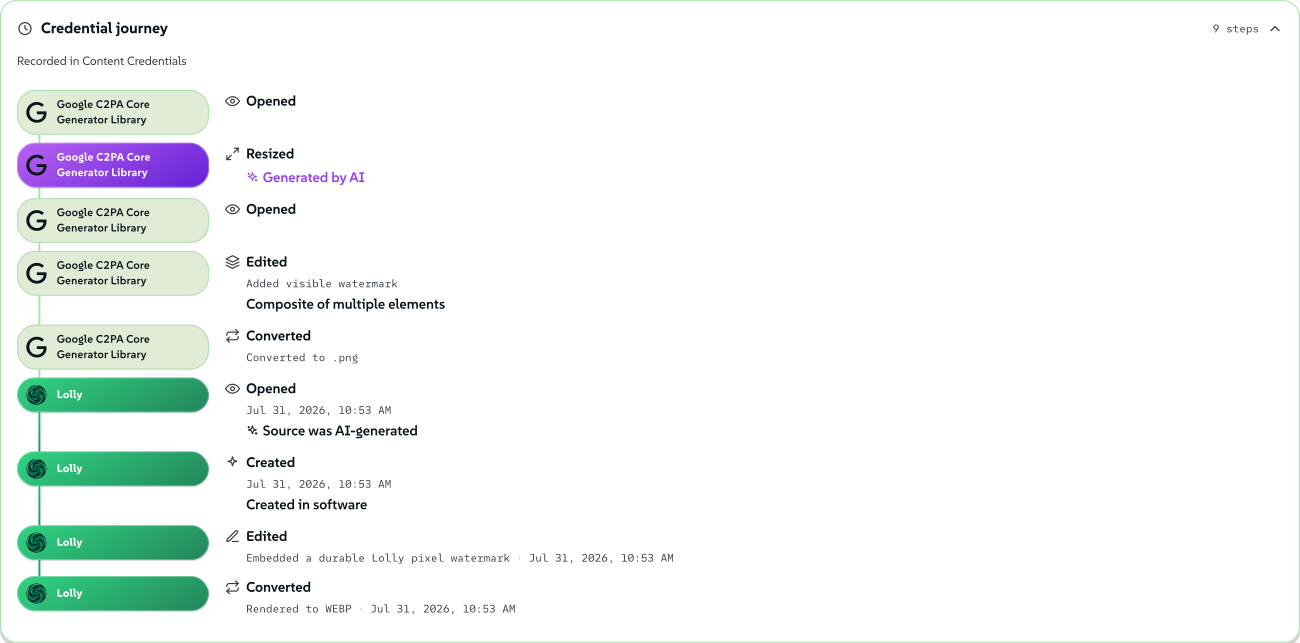
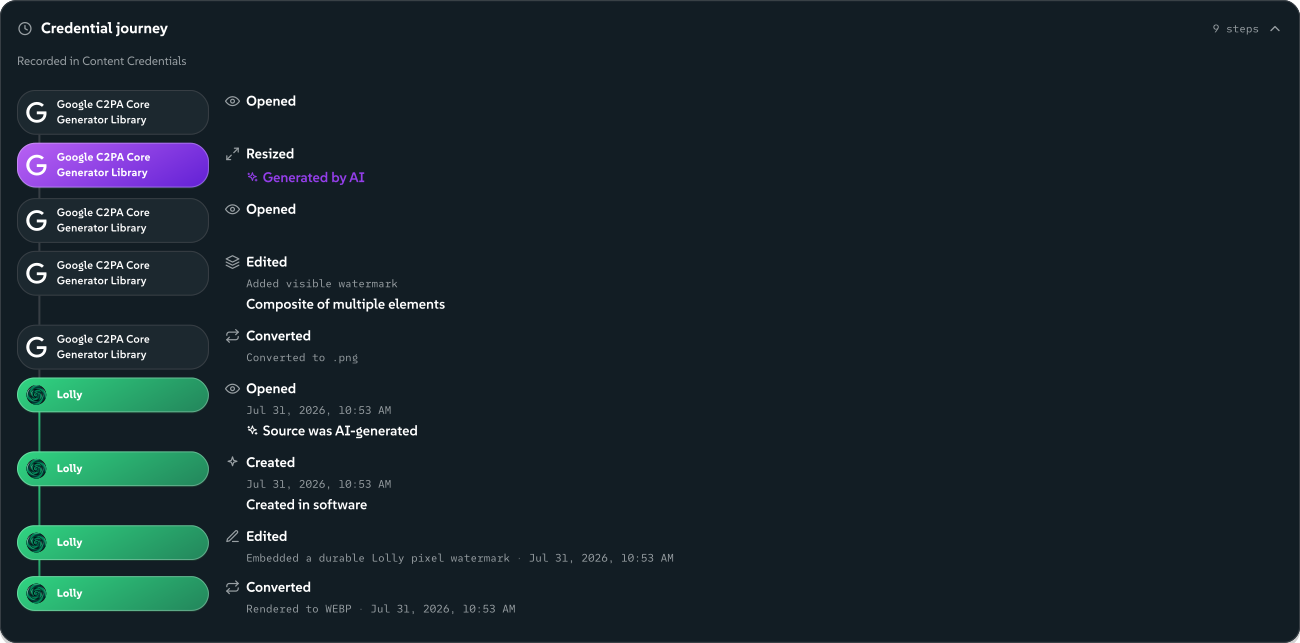
Below the verdict, Verify shows the recorded edit history, the ingredients a file was made from and, when present, the CA-verified signer's email and issuer. The Verify It Yourself page walks one real file through the whole check.
 signed by Lollyvector SVG255 paths~14k nodes162 groups287 KBCompruébalo tú mismoDescarga el archivo firmado
 signed by Lollyvector SVG255 paths~14k nodes162 groups287 KBCompruébalo tú mismoDescarga el archivo firmado


The same check runs from the terminal with lolly validate <file>, and in any third-party C2PA validator pointed at the public Lolly root (c2patool --trust_anchors lolly-root.pem).
Verify also looks past the credential: an AI declaration, Lolly's invisible pixel Imprint, other makers' watermarks, SEAL signatures and data hidden in the bytes. What Verify checks covers each one.
Put your name on your files
Enrol once in Settings, with a sign-in provider your deployment offers (for example GitHub or Google). From then on your exports are signed by a short-lived certificate that names you. Verifiers that trust the Lolly root show you as the signer instead of an anonymous key. In Lolly's own Verify, your export keeps its Made with Lolly verdict and gains the line Signed by \<your email\> - identity verified by \<issuer\>.
While you are enrolled, your email address is written into every file you export. It stays in every copy you share and cannot be removed later, even after the certificate expires. For a team, consider enrolling a shared role address rather than a personal mailbox.
Enrolment is optional. Skip it and you still get tamper evidence from an anonymous on-device signer.
The keys stay on your device either way. Before you enrol, each export gets a fresh keypair that is discarded after that export. Enrolling replaces that with one lasting device key, generated non-extractable, so even Lolly's own code can only ask it to sign and never read the key. Neither key is ever transmitted. Only issuing the certificate touches the network, and only when you choose to enrol.
How long a credential stays valid
There is no trusted timestamp yet, so the certificate window does two jobs. It bounds abuse, and it decides how long a file keeps its verified badge, because a verifier compares the window with the time it checks, not the time of signing. A file checked after its certificate lapsed reads Credential expired: the bytes still match, but the moment of signing cannot be proven. It is never downgraded to broken and never inflated to verified.
So the lifetime is your choice, offered where the certificate is actually made.
 signed by Lollyvector SVG8 paths340 nodes14 groups2 images10 KBCompruébalo tú mismoDescarga el archivo firmado
 signed by Lollyvector SVG8 paths340 nodes14 groups2 images10 KBCompruébalo tú mismoDescarga el archivo firmado


- Not enrolled. The self-signed certificate is made fresh for each export, so the export panel's Content Credentials card carries the lifetime picker: 7, 30, 90 or 365 days, default 30. This works fully offline.
- Enrolled. The certificate is fixed at enrolment, so the lifetime picker sits in Settings → Content Credentials beside the provider buttons. On the default CA it offers the same 7, 30, 90 or 365 days (default 30), and the CA clamps the chosen value to that set. The export panel then shows "Signed as \<email\> · verified until \<date\>" in place of the picker, with a renew nudge when expiry is near. A per-export choice cannot exist here: you cannot sign with validity your certificate does not have, and re-issuing at export time would break offline signing.
On the default CA, expiry is the only way a certificate is recalled.
Managed deployments. An organisation can run the CA in managed mode, where a Vault PKI intermediate signs each certificate. There a certificate lasts 24 hours by default and 7 days at most, and renewing needs a fresh sign-in. Settings adds a Revoke certificate button: your device proves it holds the key, and the CA revokes that certificate. Lolly's verifier, configured with the deployment's trust bundle, then checks the revocation list. A device that was offline learns of a revocation once its cached list expires. While a certificate's status cannot be checked, exports use an anonymous credential.
What a verifier can conclude
Each step up the ladder adds one thing a verifier can prove. The first two ship today; the last two are on the roadmap.
- Anonymous. An ephemeral self-signed key, offline or not enrolled. The structure is valid and the signer is anonymous: Credential intact, or Made with Lolly for a Lolly export.
- CA identity. A device key plus a short-lived Lolly CA certificate. Verifiers that pin the Lolly root see a CA-verified identity: a Lolly export reads Made with Lolly with a Signed by line, and other files read Verified or Delivered by Lolly.
- Timestamp (roadmap). An RFC 3161 countersignature would prove when a file was signed, so an expired certificate would stay verifiable.
- Conformance list (roadmap). The C2PA conformance programme, with audited key custody, would make the credential read green in third-party validators such as Adobe's.
From a link or the terminal
c2pa is a reserved URL parameter (see URL Mode). ?c2pa=90 on a share link sets a 90-day ephemeral window and pre-sets the export panel, c2pa=off turns the credential off and the CLI takes the same value as --c2pa=90.
A CLI render is credentialed by default, exactly like an export from the app. --no-provenance is the one-word opt-out, and the way to get byte-identical output from run to run. The default signer there is the ephemeral one, because browser enrolment cannot be handed to a terminal: its device key is non-extractable by design. The CLI can still sign with an identity you already hold, with --sign-key=<key.pem> --sign-cert=<chain.pem>. See Signing from the terminal.
For organisations and operators
Organisation sign-in through Lolly Work is separate from this on-device signing enrolment. Its SSO gives access to the instance, and server renders use the service's configured signing identity when one is set. See Use Lolly at your organisation and Configure Work export signing.
To run the optional CA yourself, follow the hosted identity deployment procedure in the CA's README: provider registration, a strict verified-email policy, client secrets, upgrades and signing-key rotation. Content Credentials engineering covers the architecture, the engine contracts, the CA protocol and the threat model.
Section links from the earlier guide
- Put your name on your files
- Check a file
- What Verify checks
- The Lolly Imprint
- AI-generated content
- A maker's own watermark, likely present
- Deep scan: TrustMark and Content Seal
- SEAL signatures
- Where each check runs
- Why the certificate identifies a person, not the app
- What a verifier can conclude
- How long a credential stays valid